
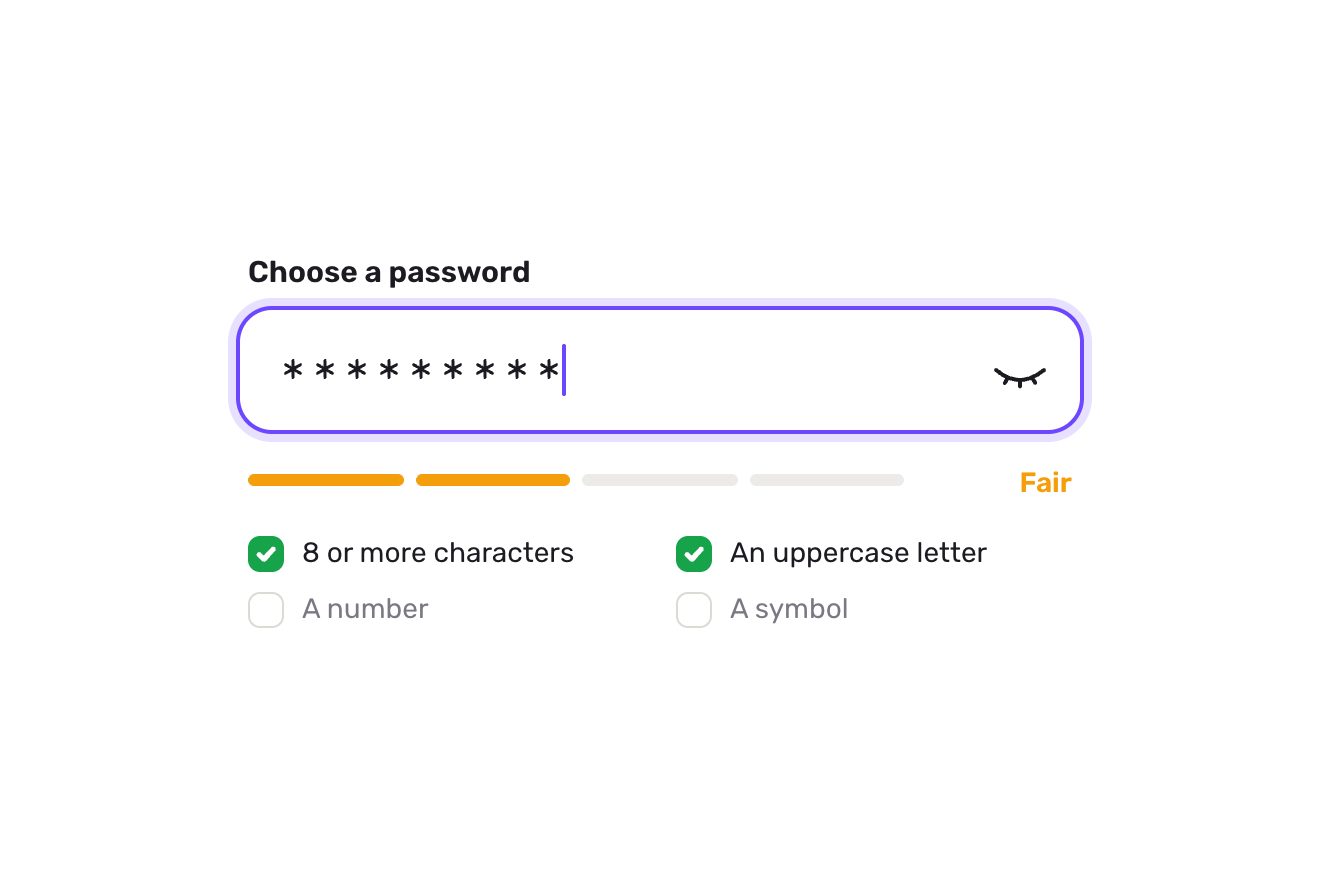
Il campo della password
Moduli, Testo, SVG
NuovaGratis
L'indice dei capitoli di un articolo lungo, fatto come un quadrante. Sotto il testo una barra sottile dice in che capitolo sei e quanti minuti mancano; a destra un piccolo quadrante con il bordo diviso in un arco per capitolo, lungo quanto il capitolo, e una lancetta blu che gira mentre leggi. Aperto, il quadrante sale dalla barra sopra la pagina su una molla, con i nomi dei capitoli scritti lungo i loro archi: la lancetta si prende e si gira, e l'articolo le scorre sotto, scattando all'inizio di ogni capitolo; un nome porta lì con una scivolata.
Una cartella che funziona da sola: index.html, style.css, script.js e le librerie da CDN. Nelle schede React e Vue la stessa demo è già un componente, che spegne le sue animazioni quando esce dalla pagina.
<!doctype html>
<html lang="en">
<head>
  <meta charset="utf-8">
  <meta name="viewport" content="width=device-width, initial-scale=1">
  <title>The reading dial</title>
  <link rel="stylesheet" href="https://cdn.jsdelivr.net/npm/@fontsource-variable/newsreader@5.3.0/opsz.css">
  <link rel="stylesheet" href="https://cdn.jsdelivr.net/npm/@fontsource-variable/newsreader@5.3.0/opsz-italic.css">
  <link rel="stylesheet" href="style.css">
</head>
<body>
  <main class="stage">
    <!-- the chapter index of a long read, as a dial. Under the article a thin bar says which chapter you are in and how
         many minutes are left; at its right a small dial whose rim is cut into one arc per chapter, as long as the
         chapter, with a hand that turns as you read. Opened, the dial rises over the page with the chapters' names
         set along their arcs: the hand can be dragged round to run through the article, and a name takes you there.
         The article is only there to be read and scrolled -->
    <section class="reader" aria-label="Fire, slowly" data-reader>
      <article class="text" tabindex="0" data-text>
        <p class="kicker">A long read · Ceramics</p>
        <h1 class="title">Fire, slowly</h1>
        <p class="lede">A week inside a small pottery by the river, from a block of wet clay to the morning the kiln is opened.</p>

        <h2 id="ch-clay" data-chapter="Clay">Clay</h2>
        <p>The clay arrives on a Monday, in grey blocks wrapped in plastic, heavier than they look. Before anything else it has to be wedged: pressed, folded and turned on a slab of plaster until every pocket of air is gone and the block feels the same all the way through. It is slow, dull work, and nobody in the studio skips it.</p>
        <p>An air bubble left in the clay will not show for days. It waits through the shaping and the drying, and then, in the heat of the kiln, it swells and splits the pot open from the inside. So the wedging goes on until the cut face of the block is smooth and even, like the inside of a loaf.</p>
        <p>By noon there are twenty balls of clay on the shelf, each one weighed, each one the size of a large orange. They will be bowls by the evening.</p>

        <h2 id="ch-wheel" data-chapter="The wheel">The wheel</h2>
        <p>Throwing starts with centring. The ball is slapped onto the middle of the wheel, the wheel spins, and wet hands push the clay up into a cone and down again until it runs true, without the slightest wobble against the palm. A pot that starts off centre will stay off centre whatever happens next.</p>
        <p>Then the thumbs go in, the floor of the bowl is opened, and the walls are drawn up in three or four slow pulls, each one thinner and taller. The trick is to stop a pull early. A wall pulled one time too many goes soft, folds over on itself, and the whole thing goes back into the bucket.</p>
        <p>Every finished bowl is cut off the wheel with a wire and set on a board to rest. Twenty go up; seventeen are kept.</p>

        <h2 id="ch-drying" data-chapter="Drying">Drying</h2>
        <p>For two days the bowls dry under loose sheets of plastic, so that the rims, which are thin, do not dry faster than the feet, which are thick. When they are firm enough to hold but still soft enough to cut, they are turned upside down on the wheel and trimmed: a sharp loop of steel takes the extra clay off the base and carves the foot ring.</p>
        <p>Then the plastic comes off. The grey turns pale, almost white, and the bowls shrink as they lose their water, about a tenth of their size. They are as fragile now as they will ever be; a careless thumb on a rim is enough to crack it.</p>

        <h2 id="ch-kiln" data-chapter="The kiln">The kiln</h2>
        <p>The first firing is gentle and goes on overnight, up to the heat at which clay stops being clay and becomes something that will never soften in water again. After it the bowls are pink and ring when they are tapped. They are dipped in glaze, a grey slurry that looks nothing like the colour it will turn into, and wiped clean at the foot so they will not stick to the shelves.</p>
        <p>The second firing is the one everybody waits for. The kiln is packed with care, shelf by shelf, the bowls a finger apart, and the door is bricked up. For fourteen hours the temperature climbs, checked every half hour, until the cones of clay set on a shelf behind a spy hole bend over and tell the potters that the heat has done its work.</p>
        <p>Then the burners go off and nothing can be done but wait. A kiln cooled too fast will craze every glaze inside it.</p>

        <h2 id="ch-opening" data-chapter="Opening">Opening</h2>
        <p>Two days later the bricks come out of the door one by one. The air inside is still warm. The grey glaze has turned into a deep celadon green, pooling darker in the hollows and thinning to a pale edge at every rim, and there is the small, glassy sound of glazes still cooling, a tick here and there like a clock.</p>
        <p>Not every bowl makes it. One has a crack along its foot, one has stuck to its neighbour, one has a glaze that ran too far. The rest are lifted out, turned over in the light, and set in a line on the long table by the window, where they will wait for the market on Saturday.</p>
        <p>The studio sweeps the kiln, orders more clay, and on Monday it all begins again.</p>
      </article>

      <div class="veil" aria-hidden="true" data-veil></div>

      <!-- the dial: drawn by the script in one SVG over the reader, from the small one in the bar to the big one -->
      <svg class="dial" aria-hidden="true" data-dial>
        <defs>
          <filter id="dial-lift" x="-30%" y="-30%" width="160%" height="160%">
            <feDropShadow dx="0" dy="10" stdDeviation="14" flood-color="#141414" flood-opacity="0.16"/>
          </filter>
        </defs>
        <circle class="dial__face" filter="url(#dial-lift)" data-face/>
        <g data-tracks></g>
        <g data-reads></g>
        <g class="dial__names" data-names></g>
        <g class="dial__hand" data-hand>
          <line class="dial__needle" data-needle/>
          <circle class="dial__pin" data-pin/>
        </g>
        <text class="dial__now" text-anchor="middle" data-now-big></text>
        <text class="dial__left" text-anchor="middle" data-left-big></text>
      </svg>

      <div class="chapters" id="reader-chapters" role="group" aria-label="Chapters" data-chapters></div>
      <div class="grip" aria-hidden="true" data-grip></div>

      <button class="bar" type="button" aria-expanded="false" aria-controls="reader-chapters" data-bar data-autoclic>
        <span class="bar__words">
          <span class="bar__now-box"><span class="bar__now" data-now>Clay</span></span>
          <span class="bar__left" data-left>5 min left</span>
        </span>
        <span class="bar__dial" data-slot></span>
      </button>
    </section>
  </main>

  <script src="https://cdn.jsdelivr.net/npm/gsap@3.15.0/dist/gsap.min.js"></script>
  <script src="script.js"></script>
</body>
</html>Cambia valori, colori e testi con le manopole e guarda l’animazione rispondere dal vivo. Oppure scrivi tu nel codice. Poi scarica la cartella con le tue modifiche.
38 valori da cambiare
Col connettore di Animorio, Claude Code la prende da qui con tutta la sua guida e la adatta al tuo progetto. Incolla questa richiesta:
Prendi «L'indice a quadrante» da Animorio e adattala al mio sitoAll'avvio e a ogni cambio di misura lo script legge dove stanno i titoli dei capitoli nell'articolo. L'arco di ogni capitolo è la sua parte dell'altezza del testo, in gradi; lo scorrimento a cui comincia è la posizione del titolo meno 24 pixel, arrotondata all'intero (il browser arrotonda lo scorrimento e, con mezzo pixel di troppo, la fine della scivolata cadeva nel capitolo prima). Dentro un capitolo l'angolo va con lo scorrimento in linea retta, e la stessa funzione al contrario trasforma un angolo in scorrimento.
Il quadrante piccolo nella barra e quello grande sopra la pagina sono lo stesso disegno in un unico SVG sopra il riquadro. Una molla (OPEN_SPRING) porta un valore da 0 a 1, appena oltre e indietro, e a ogni fotogramma il centro, il raggio del bordo (da 16 a 92), lo spessore degli archi, il fondo bianco con l'ombra e la lancetta si ricavano da lì. Lo spazio fra gli archi è in pixel (GAP), quindi in gradi cambia col raggio.
Ogni nome è un textPath centrato su un arco di 150 gradi intorno al centro del suo capitolo. Per i capitoli nella metà in basso il tracciato gira al contrario e sta un poco più fuori, così le lettere non sono mai a testa in giù. Sopra ogni nome c'è un pulsante vero, girato lungo il bordo come lui, che porta al capitolo e mostra il fuoco da tastiera.
Lo scorrimento dell'articolo dice dove dovrebbe stare la lancetta; lei ci arriva su una molla (HAND_SPRING), a passi di 1/120 di secondo. Presa sul quadrante aperto, l'angolo del puntatore dal centro diventa lo scorrimento dell'articolo, senza molla; la lancetta non salta dalla fine all'inizio passando per la cima, e a meno di SNAP gradi dall'inizio di un capitolo ci scatta sopra.
Le parole di ogni capitolo si contano una volta; i minuti che mancano sono le parole del resto del capitolo, in proporzione all'angolo, più quelle dei capitoli dopo, diviso WORDS_A_MINUTE. Quando cambia capitolo il nome nella barra esce dalla sua finestrella e il nuovo entra con un back.out, in una timeline che, se interrotta, la successiva rimpiazza senza lasciare il nome vecchio.
| Nome | File | Di partenza | Cosa cambia |
|---|---|---|---|
OPEN_SPRING | script.js | [200, 19] | La molla su cui il quadrante si apre e si chiude: quanto è rigida e quanto è frenata (meno frenata, va più oltre). |
HAND_SPRING | script.js | [260, 26] | La molla su cui la lancetta segue la lettura. |
DIAL_SIZE | script.js | 264 | Quanto è largo il quadrante aperto, in pixel. |
GAP | script.js | 6 | Lo spazio fra due capitoli sul bordo, in pixel. |
SNAP | script.js | 5 | A quanti gradi dall'inizio di un capitolo la lancetta girata a mano ci scatta sopra. |
WORDS_A_MINUTE | script.js | 230 | Quante parole legge chi legge in un minuto: da qui vengono i minuti che mancano. |
Per un articolo lungo diviso in capitoli: un blog, una rivista, un racconto, una guida, la documentazione di un prodotto. Funziona con tre-sette capitoli dai nomi corti; i capitoli si leggono da soli dai titoli con data-chapter, quindi basta mettere quell'attributo sui titoli del proprio testo. Colori e caratteri stanno nelle variabili.
Sul telefono il riquadro è largo quanto lo schermo meno 32 pixel (358 a 390) e resta alto 470; il testo va su tutta la larghezza. Il quadrante aperto è largo 264 e sta dentro il riquadro, sopra il testo velato. La lancetta si gira col dito (il quadrante ha touch-action: none, la pagina non scorre mentre la si tiene) e un nome si tocca.
Il quadrante non cresce e la lancetta non ha molla: aprendo, il quadrante grande compare già al suo posto in una breve dissolvenza, e la lancetta segue lo scorrimento senza ritardo. Un nome porta al capitolo di colpo, con l'articolo che ricompare in dissolvenza; il nome nella barra cambia in dissolvenza, senza scorrere.
GSAP 3.15.0, Newsreader (font variabile) 5.3.0.
Compressi con gzip, i tre file della demo pesano 11 KB; le librerie: GSAP 28 KB.
Provata il 19 ottobre 2026
Puoi usarla nei tuoi progetti e in quelli dei tuoi clienti. Non puoi rivenderla né ridistribuirla così com’è. GSAP resta sotto la sua licenza Standard. Licenza completa.
Con l’email e la password del tuo account.
oppure con l’email
Hai fatto l’accesso come .
Con l’account scarichi lo zip di ogni animazione e di ogni pacchetto, gratis.

