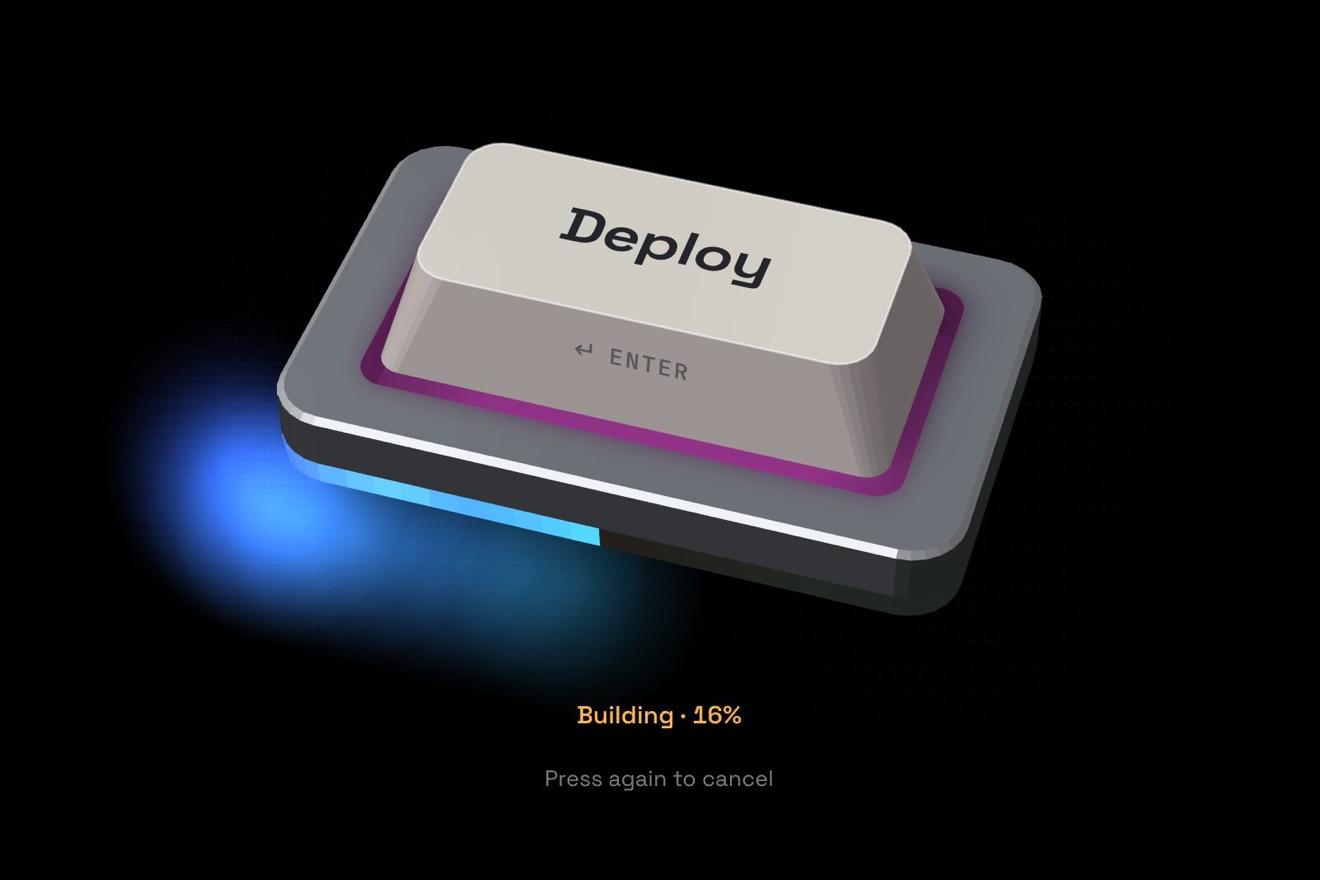
The copy button
Buttons, Text, SVG, Physics
NewFree
The card fields of a checkout with the card drawn above them: every figure typed is minted into the plastic, standing up bare in relief and then filling with silver or gold, under a small lamp that follows the caret. The first figures choose the network and its material, the light reads the number back from the right like the Luhn check, and for the security code the card turns over.
A folder that runs on its own: index.html, style.css, script.js and the libraries from a CDN. The React and Vue tabs hold the same demo as a ready component, which switches its animations off when it leaves the page.
<!doctype html>
<html lang="en">
<head>
  <meta charset="utf-8">
  <meta name="viewport" content="width=device-width, initial-scale=1">
  <title>The card field</title>
  <link rel="stylesheet" href="https://cdn.jsdelivr.net/npm/@fontsource-variable/hubot-sans@5.3.0/wdth.css">
  <link rel="stylesheet" href="https://cdn.jsdelivr.net/npm/@fontsource-variable/martian-mono@5.3.0/wdth.css">
  <link rel="stylesheet" href="style.css">
</head>
<body>
  <main class="stage">
    <!-- the card fields of a checkout, with the card they describe drawn above them. Every figure typed is struck
         into the plastic and stands up in relief, lit by a small lamp that follows the caret; the first figures
         choose the network and its material, a full number is read by the light from right to left (the Luhn
         check), and the card turns over for the security code. The networks and their marks are invented -->
    <form class="pay" action="#" novalidate data-pay data-autoclic>
      <div class="pay__card" aria-hidden="true" data-stage>
        <div class="card__shadow" data-shadow></div>
        <div class="card is-blank" data-net="blank" data-card>
          <div class="card__face card__face--front" data-face="front">
            <div class="card__mats" data-mats></div>
            <div class="card__lamp" data-lamp></div>
            <div class="card__glint" data-glint></div>
            <svg class="card__art" viewBox="0 0 428 270" data-art>
              <defs>
                <linearGradient id="cc-chip" x1="0" y1="0" x2="1" y2="1">
                  <stop offset="0" stop-color="#f6e2a8"/>
                  <stop offset="0.5" stop-color="#d5ad5c"/>
                  <stop offset="1" stop-color="#a87f37"/>
                </linearGradient>
                <!-- the relief: the alpha of the figures is a height map, lit by a point light (the lamp) -->
                <filter id="cc-emboss" filterUnits="userSpaceOnUse" x="0" y="96" width="428" height="174" color-interpolation-filters="sRGB">
                  <feGaussianBlur in="SourceAlpha" stdDeviation="0.95" result="bump"/>
                  <feDiffuseLighting in="bump" surfaceScale="2.6" diffuseConstant="1.05" lighting-color="#ffffff" result="shade">
                    <fePointLight x="80" y="20" z="220" data-light/>
                  </feDiffuseLighting>
                  <feSpecularLighting in="bump" surfaceScale="2.6" specularConstant="1" specularExponent="16" lighting-color="#ffffff" result="glint">
                    <fePointLight x="80" y="20" z="220" data-light/>
                  </feSpecularLighting>
                  <feComposite in="glint" in2="SourceAlpha" operator="in" result="glintIn"/>
                  <feComposite in="SourceGraphic" in2="shade" operator="arithmetic" k1="0.9" k2="0.42" k3="0" k4="0" result="lit"/>
                  <feComposite in="glintIn" in2="lit" operator="arithmetic" k1="0" k2="0.85" k3="1" k4="0" result="relief"/>
                  <feOffset in="bump" dx="-0.8" dy="1.3" result="off" data-cast/>
                  <feComponentTransfer in="off" result="shadow"><feFuncA type="linear" slope="0.55"/></feComponentTransfer>
                  <feMerge><feMergeNode in="shadow"/><feMergeNode in="relief"/></feMerge>
                </filter>
                <!-- the chip catches the same lamp -->
                <filter id="cc-metal" filterUnits="userSpaceOnUse" x="28" y="72" width="70" height="56" color-interpolation-filters="sRGB">
                  <feGaussianBlur in="SourceAlpha" stdDeviation="0.6" result="bump"/>
                  <feSpecularLighting in="bump" surfaceScale="1.6" specularConstant="0.55" specularExponent="22" lighting-color="#fff4d6" result="glint">
                    <fePointLight x="80" y="20" z="220" data-light/>
                  </feSpecularLighting>
                  <feComposite in="glint" in2="SourceAlpha" operator="in" result="glintIn"/>
                  <feComposite in="glintIn" in2="SourceGraphic" operator="arithmetic" k1="0" k2="0.45" k3="1" k4="0"/>
                </filter>
              </defs>

              <g class="chip" filter="url(#cc-metal)">
                <rect x="34" y="78" width="56" height="42" rx="8" fill="url(#cc-chip)"/>
                <path class="chip__lines" d="M34 92.5h15.5a5 5 0 0 1 5 5v0M34 105.5h15.5a5 5 0 0 0 5-5M90 92.5H74.5a5 5 0 0 0-5 5M90 105.5H74.5a5 5 0 0 1-5-5M54.5 78v9.5M69.5 78v9.5M54.5 120v-9.5M69.5 120v-9.5M54.5 87.5h15v23h-15z"/>
              </g>

              <g class="card__print" data-print>
                <text x="168" y="194">VALID</text>
                <text x="168" y="201.5">THRU</text>
              </g>
              <!-- the Atrium cards print their code on the front, above the number -->
              <text class="card__frontcode" x="394" y="134" text-anchor="end" data-frontcode></text>

              <g class="card__marks" data-marks></g>

              <g class="card__relief" filter="url(#cc-emboss)" data-relief>
                <g class="card__number" data-number></g>
                <g class="card__exp" data-exp></g>
                <g class="card__name" data-name></g>
              </g>
            </svg>
          </div>

          <div class="card__face card__face--back" data-face="back">
            <div class="card__mats" data-mats></div>
            <div class="card__lamp" data-lamp></div>
            <div class="card__glint" data-glint></div>
            <svg class="card__art" viewBox="0 0 428 270">
              <defs>
                <pattern id="cc-panel" width="6" height="6" patternUnits="userSpaceOnUse" patternTransform="rotate(35)">
                  <rect width="6" height="6" fill="#f1efe9"/>
                  <path d="M0 3h6" stroke="#dcd8ce" stroke-width="1.2"/>
                </pattern>
                <linearGradient id="cc-stripe" x1="0" y1="0" x2="0" y2="1">
                  <stop offset="0" stop-color="#2a2a2e"/>
                  <stop offset="0.5" stop-color="#0d0d0f"/>
                  <stop offset="1" stop-color="#1c1c20"/>
                </linearGradient>
              </defs>
              <rect x="0" y="30" width="428" height="48" fill="url(#cc-stripe)"/>
              <rect x="26" y="102" width="272" height="38" rx="3" fill="url(#cc-panel)"/>
              <rect class="card__codebox" x="304" y="102" width="74" height="38" rx="3" data-codebox/>
              <g class="card__code" transform="translate(22.4 0) skewX(-10)" data-code></g>
              <g class="card__small">
                <text x="26" y="184">This card remains the property of the issuer and is used under</text>
                <text x="26" y="196">the cardholder agreement. If you find it, please hand it in at</text>
                <text x="26" y="208">any bank, or cut it in half and throw it away.</text>
              </g>
              <g class="card__marks card__marks--back" data-marks></g>
            </svg>
          </div>
        </div>
      </div>

      <div class="pay__fields">
        <div class="field field--number" data-field="number">
          <input class="field__input field__input--mono" id="cc-number" name="cardnumber" type="text" inputmode="numeric" autocomplete="cc-number" autocorrect="off" spellcheck="false" enterkeyhint="next" placeholder="1234 1234 1234 1234" aria-describedby="pay-note" data-input="number">
          <label class="field__label" for="cc-number">Card number</label>
          <svg class="field__tick" viewBox="0 0 20 20" aria-hidden="true" data-tick><path d="M4.6 10.4l3.6 3.6 7.2-8"/></svg>
          <span class="field__badge" aria-hidden="true" data-badge></span>
        </div>
        <div class="pay__row">
          <div class="field" data-field="exp">
            <input class="field__input field__input--mono" id="cc-exp" name="cc-exp" type="text" inputmode="numeric" autocomplete="cc-exp" autocorrect="off" spellcheck="false" enterkeyhint="next" placeholder="MM / YY" aria-describedby="pay-note" data-input="exp">
            <label class="field__label" for="cc-exp">Expiry date</label>
          </div>
          <div class="field field--code" data-field="code">
            <input class="field__input field__input--mono" id="cc-csc" name="cvc" type="text" inputmode="numeric" autocomplete="cc-csc" autocorrect="off" spellcheck="false" enterkeyhint="next" placeholder="3 digits" aria-describedby="pay-note" data-input="code">
            <label class="field__label" for="cc-csc">Security code</label>
            <span class="field__hint" aria-hidden="true" data-hint>
              <span class="hint__card" data-hint-card>
                <svg class="hint__side hint__side--back" viewBox="0 0 30 20"><rect x="0.75" y="0.75" width="28.5" height="18.5" rx="3"/><path class="hint__stripe" d="M0.75 4.5h28.5v3.6H0.75z"/><rect class="hint__box" x="18" y="11" width="8" height="4.4" rx="1"/></svg>
                <svg class="hint__side hint__side--front" viewBox="0 0 30 20"><rect x="0.75" y="0.75" width="28.5" height="18.5" rx="3"/><rect class="hint__box" x="19" y="4" width="7.5" height="4" rx="1"/><path class="hint__line" d="M4 13.5h18"/></svg>
              </span>
            </span>
          </div>
        </div>
        <div class="field" data-field="name">
          <input class="field__input" id="cc-name" name="ccname" type="text" autocomplete="cc-name" autocapitalize="words" autocorrect="off" spellcheck="false" enterkeyhint="done" maxlength="26" placeholder="As it is printed on the card" aria-describedby="pay-note" data-input="name">
          <label class="field__label" for="cc-name">Name on card</label>
        </div>
      </div>

      <p class="pay__note" id="pay-note" aria-live="polite" data-note>Encrypted and sent straight to your bank.</p>

      <button class="go" type="submit" data-go>
        <span class="go__bg" aria-hidden="true" data-go-bg></span>
        <span class="go__label" data-go-label>Pay</span>
        <span class="go__state" aria-hidden="true" data-wait><svg class="go__spin" viewBox="0 0 24 24" data-spin><circle cx="12" cy="12" r="8.5"/></svg><span>Authorizing</span></span>
        <span class="go__state" aria-hidden="true" data-done><svg class="go__tick" viewBox="0 0 24 24"><path d="M6.2 12.6l3.9 3.9 7.8-8.9"/></svg><span>Paid</span></span>
      </button>
      <span class="sr" aria-live="polite" data-said></span>
    </form>
  </main>

  <script src="https://cdn.jsdelivr.net/npm/gsap@3.15.0/dist/gsap.min.js"></script>
  <script src="script.js"></script>
</body>
</html>Change values, colours and text with the controls and watch the animation respond live. Or write in the code yourself. Then download the folder with your changes.
46 values to change
With the Animorio connector, Claude Code takes it from here, guide included, and fits it into your project. Paste this request:
Take “The card field” from Animorio and fit it into my siteThe four fields are real inputs with their labels, autocomplete cc-number, cc-exp, cc-csc and cc-name (so the browser and password managers fill them) and inputmode numeric for the number keyboard. At every input the number is cleaned and split into the network’s groups, and the caret goes back after the same count of figures it had before. Deleting a space would do nothing, because the space would come straight back: in beforeinput the figure before it is deleted instead. The date adds the zero to a one-figure month and the slash, and also understands 12/2029 pasted in.
The rules are the real ones (4, 51-55 and 2221-2720, 34 and 37, 6011, 644-649 and 65), the names and marks are invented. Each network has its length, its groups, the length and place of its code, its silver or gold. The materials are layers stacked in both faces: the new one is uncovered by a CSS gradient mask that slides across in 0.7 seconds, and along the mask’s edge passes a band of light in overlay that hides the cut; the same band changes the foil of every figure it crosses. Numbers of other networks stay on the white card, 16 to 19 figures long, and the Luhn check holds for them too.
Figures and letters are SVG texts in a group with the filter: their alpha blurred by a pixel is a height map, lit by feDiffuseLighting and feSpecularLighting with an fePointLight (the lamp), the foil colour is multiplied by the shading, and an feOffset of the same relief makes the shadow, moved away from the lamp. Each figure is a group the script moves, with the letter inside that animates: it comes in with its opacity (which is also the height of the relief) and a scale from 1.3, first in the plastic’s colour and then, over FOIL seconds, in the foil’s. The typeface is Martian Mono: for 19 figures or a long name it narrows on its width axis before it shrinks.
On GSAP’s ticker the springs of the card (its two rotations, its depth and its turn) and of the lamp (x, y and height) are worked out by hand, in steps of 4 milliseconds with the frame capped at 1/30 of a second. A minted figure gives the card a push around the spot it hit, the harder the further that spot is from the middle (STRIKE). The lamp goes to the slot of the next figure; its pool on the material is a gradient in soft-light, and on brushed metal a vertical streak in screen, as brushed metal really does. For the code the card turns 180 degrees on the TURN spring, and the face that cannot be seen is also hidden by the script the moment the card is edge on.
A complete number is read back over READ seconds: the lamp drops low and grazing and goes from right to left, and the figures the Luhn check doubles give a little hop as it passes; the verdict comes with the light on the first figure. Errors show when a field is left, or at once when they cannot be right (a month 13, an expired card), and go as soon as the field is right again; the line under the fields is aria-live and the fields get aria-invalid. Pay checks everything, waits WAIT seconds and shows Paid. A click from a script (detail 0, the library’s preview) types without taking the focus, one step per click: the test number, the date, the code, the name, paying, then a number with a typo and its fix.
| Name | File | Default | What it changes |
|---|---|---|---|
AMOUNT | script.js | '$64.00' | What the button charges. |
STRIKE | script.js | 3.4 | How far the card jolts when a figure is minted near its edge, in degrees (0: still). |
FOIL | script.js | 0.4 | The seconds the silver or gold takes to fill a figure just minted. |
LAMP | script.js | [70, 0.78] | The lamp’s spring: how stiff, and how much it is held back (1 = no bounce). |
TURN | script.js | [95, 0.62] | The spring that turns the card over for the security code. |
READ | script.js | 0.95 | The seconds the light takes to read the number from right to left (the Luhn check). |
WAIT | script.js | 1.5 | The seconds the bank takes to answer, in the demo. |
HOLD | script.js | 3.4 | The seconds the paid card stays before the form empties again. |
SAMPLE | script.js | '4242 4242 4242 4242' | The test number the library’s preview types by itself. |
HOLDER | script.js | 'Ines Okafor' | The name the preview types. |
At the checkout of a shop or a subscription, on the page that adds a card to an account, when booking a hotel or a flight: anywhere a card is typed in and it helps to see it while typing. For a real shop the real networks and their marks go in place of the invented ones, and the real payment in place of the pretend one (the submit function). The data of a real card must go to the payment service, never to your own server; services that give their fields ready-made inside an iframe do not let the page read the figures, and there the card can only follow what those fields report (the network, complete or not, the error).
The form takes the width of the screen (358 pixels on a 390 phone) and the card keeps its proportions, 358 by 226. The fields stay 60 pixels tall, with 16-pixel text so iPhone does not zoom the page on a tap, and the keyboard is the number one. Tapping a part of the card goes to its field; the lamp that follows the pointer is not there on a phone: it only follows the caret.
No punches, jolts or springs: the figures fade in already in their colour, the material changes with a fade, the card goes from front to back with a fade instead of turning, the lamp goes straight to its place, the Luhn reading gives its verdict at once and the fields do not shake.
GSAP 3.15.0, Hubot Sans (font variabile) 5.3.0, Martian Mono (font variabile) 5.3.0.
Compressed with gzip, the three demo files weigh 22 KB; the libraries: GSAP 28 KB.
Tested on 6 October 2026
Use it in your own projects and in your clients’ projects. Do not resell it or redistribute it as is. GSAP stays under its own Standard license. Full license.
With your account’s email and password.
or with your email
You’re signed in as .
With your account, you can download the zip of every animation and every pack, for free.