Stacking certificates
Hover, Images
NewFree
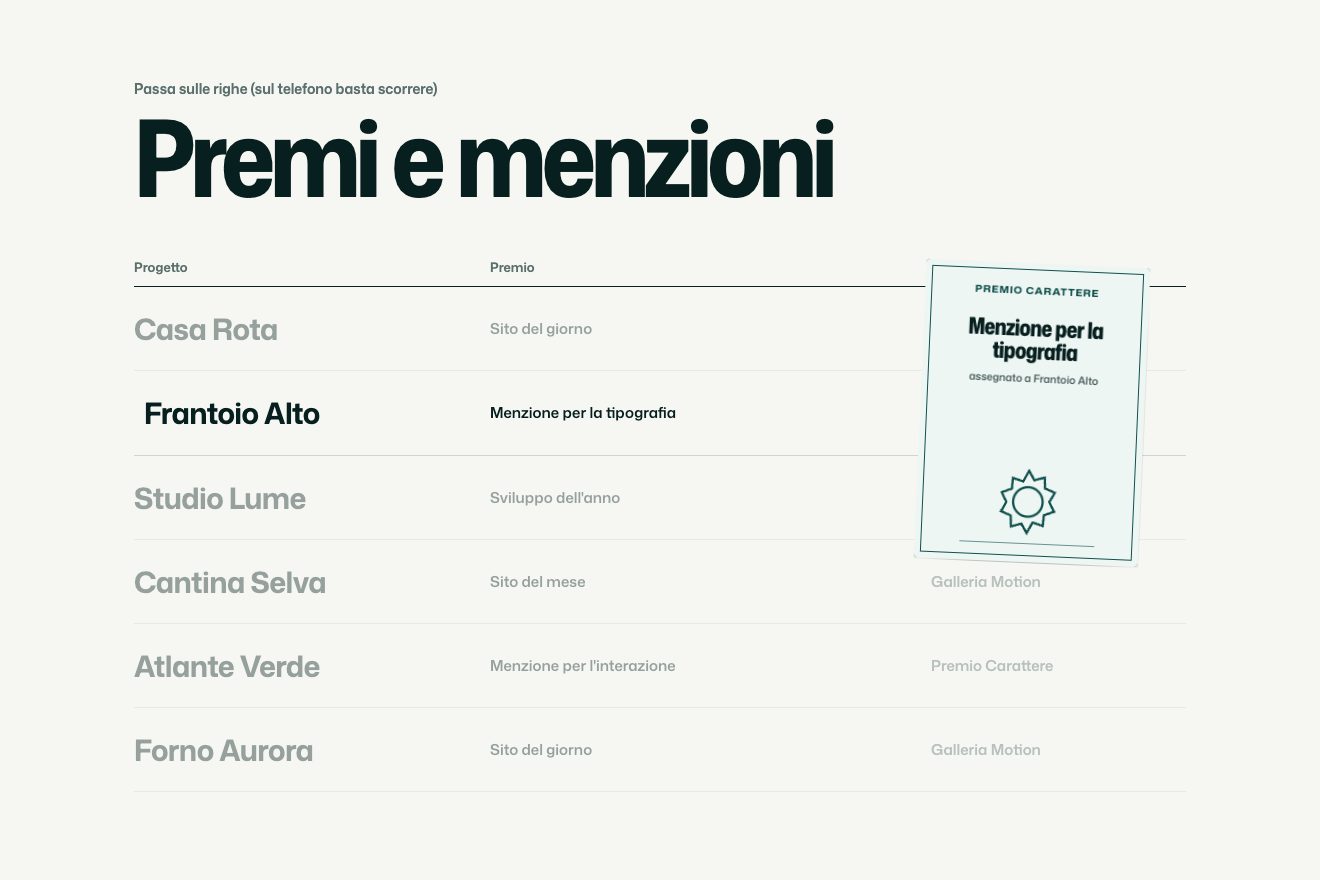
A minimal-style hover effect for the work list of a portfolio: over a row a preview opens that follows the pointer with a soft lag and tilts as it runs; changing row the new plate slides into the frame from the side you come from, and the lit name gains weight and width.
A folder that runs on its own: index.html, style.css, script.js and the libraries from a CDN. The React and Vue tabs hold the same demo as a ready component, which switches its animations off when it leaves the page.
<!doctype html>
<html lang="en">
<head>
<meta charset="utf-8">
<meta name="viewport" content="width=device-width, initial-scale=1">
<title>Orsk, selected work</title>
<link rel="stylesheet" href="https://cdn.jsdelivr.net/npm/@fontsource-variable/roboto-flex@5.3.0/wdth.css">
<link rel="stylesheet" href="style.css">
</head>
<body>
<main class="stage" data-stage>
<header class="top" data-enter>
<span class="top__name">Orsk</span>
<span class="top__note">Selected work</span>
</header>
<!-- the list: one project a row, between hairlines; the row under the pointer gains weight and width, the others
fade back, and a preview follows the pointer -->
<ul class="list" data-list>
<li class="row" data-row tabindex="0">
<span class="row__name" data-name>Halden Baths</span>
<span class="row__meta"><span>Identity</span><span>2026</span></span>
</li>
<li class="row" data-row tabindex="0">
<span class="row__name" data-name>Mirela Press</span>
<span class="row__meta"><span>Books</span><span>2025</span></span>
</li>
<li class="row" data-row tabindex="0">
<span class="row__name" data-name>Northfold</span>
<span class="row__meta"><span>Signage</span><span>2024</span></span>
</li>
<li class="row" data-row tabindex="0">
<span class="row__name" data-name>Arc & Pine</span>
<span class="row__meta"><span>Packaging</span><span>2023</span></span>
</li>
<li class="row" data-row tabindex="0">
<span class="row__name" data-name>Lowe Observatory</span>
<span class="row__meta"><span>Exhibition</span><span>2022</span></span>
</li>
<li class="row" data-row tabindex="0">
<span class="row__name" data-name>Saltgrass</span>
<span class="row__meta"><span>Website</span><span>2021</span></span>
</li>
</ul>
<!-- the preview: a frame that follows the pointer (outer element for GSAP), with one plate per project inside;
changing row, the new plate slides in from the side the pointer comes from -->
<div class="preview" aria-hidden="true" data-preview>
<div class="preview__frame" data-frame>
<!-- Halden Baths: an arch and the sun -->
<div class="plate" data-plate style="--plate: var(--sage)">
<svg viewBox="0 0 400 300"><path class="ink-fill" d="M140 250V160a60 60 0 0 1 120 0v90z"/><line class="ink-line" x1="60" y1="250" x2="340" y2="250"/><circle class="sun" cx="300" cy="86" r="11"/></svg>
</div>
<!-- Mirela Press: lines of a page and a block of text -->
<div class="plate" data-plate style="--plate: var(--sand)">
<svg viewBox="0 0 400 300"><g class="ink-line"><line x1="70" y1="70" x2="330" y2="70"/><line x1="70" y1="96" x2="330" y2="96"/><line x1="70" y1="122" x2="330" y2="122"/><line x1="70" y1="148" x2="330" y2="148"/><line x1="70" y1="174" x2="250" y2="174"/></g><rect class="ink-fill" x="70" y="200" width="120" height="40"/><circle class="sun" cx="318" cy="220" r="9"/></svg>
</div>
<!-- Northfold: a ring over three bands -->
<div class="plate" data-plate style="--plate: var(--slate)">
<svg viewBox="0 0 400 300"><rect class="paper-fill" x="0" y="196" width="400" height="14"/><rect class="paper-fill" x="0" y="222" width="400" height="14"/><rect class="paper-fill" x="0" y="248" width="400" height="14"/><circle class="paper-line" cx="200" cy="120" r="64"/><circle class="sun" cx="200" cy="120" r="10"/></svg>
</div>
<!-- Arc & Pine: stacked boxes -->
<div class="plate" data-plate style="--plate: var(--clay)">
<svg viewBox="0 0 400 300"><rect class="ink-fill" x="150" y="190" width="100" height="60"/><rect class="paper-fill" x="164" y="136" width="72" height="54"/><rect class="ink-fill" x="178" y="96" width="44" height="40"/><line class="ink-line" x1="80" y1="250" x2="320" y2="250"/><circle class="sun" cx="200" cy="74" r="9"/></svg>
</div>
<!-- Lowe Observatory: thin arcs round a point -->
<div class="plate" data-plate style="--plate: var(--night)">
<svg viewBox="0 0 400 300"><g class="paper-line"><path d="M80 250a120 120 0 0 1 240 0"/><path d="M110 250a90 90 0 0 1 180 0"/><path d="M140 250a60 60 0 0 1 120 0"/><line x1="40" y1="250" x2="360" y2="250"/></g><circle class="sun" cx="200" cy="250" r="10"/></svg>
</div>
<!-- Saltgrass: three frames of a website -->
<div class="plate" data-plate style="--plate: var(--stone)">
<svg viewBox="0 0 400 300"><rect class="ink-line" x="60" y="70" width="80" height="160"/><rect class="ink-fill" x="160" y="70" width="80" height="100"/><rect class="ink-line" x="260" y="70" width="80" height="160"/><line class="ink-line" x1="160" y1="196" x2="240" y2="196"/><line class="ink-line" x1="160" y1="214" x2="220" y2="214"/><circle class="sun" cx="300" cy="110" r="9"/></svg>
</div>
</div>
</div>
<p class="hint" data-enter><span class="hint__hover">Hover a project</span><span class="hint__tap">Tap a project</span></p>
</main>
<script src="https://cdn.jsdelivr.net/npm/gsap@3.15.0/dist/gsap.min.js"></script>
<script src="script.js"></script>
</body>
</html>Change values, colours and text with the controls and watch the animation respond live. Or write in the code yourself. Then download the folder with your changes.
45 values to change
With the Animorio connector, Claude Code takes it from here, guide included, and fits it into your project. Paste this request:
Take “The list with a following preview” from Animorio and fit it into my siteThe list is a ul of flex rows: the name on the left, kind and year on the right, a one-pixel bottom border in a transparent black. The names are in variable Roboto Flex: GSAP animates fontWeight and fontStretch (the width axis) and a small x, with back.out for the hair too far; the other rows drop in opacity. Which row is lit is not decided by mouseenter and mouseleave but by a check on every frame: the pointer's point is compared with the rows' rectangles, so the real pointer, the fake pointer and a tap all go the same way.
The preview is an absolute div in the stage, moved only by GSAP. Its position is an object of two numbers pushed by two gsap.quickTo with power3.out: every frame hands it the new target and it gets there in FOLLOW seconds. While the preview is closed the target is also passed as the starting point, so it opens under the pointer without crossing the page.
From the position on one frame and the one before comes the horizontal speed; the wanted rotation is proportional to it, limited to plus or minus TILT degrees. A hand-written spring (the stiffness and hold of TILT_SPRING) pulls the real rotation towards the wanted one: when the pointer stops the speed drops to zero and the preview straightens with a slight sway. Opening and closing are a scale from 0 to 1 centred on the pointer: back.out coming in, power3.in going out.
Inside the frame, with overflow hidden, there is one plate per work, stacked, each a flat SVG. On a change of row the new plate goes on top (z-index), starts from yPercent 100 or -100 depending on whether the new row is below or above and reaches zero with expo.out; its drawing starts shifted the other way and a little larger, and the old plate's drawing rises by a quarter: the train-window parallax. Only the plate coming in and the one going out are drawn, the others stay hidden.
A GSAP timeline with repeat -1 takes a number from 0 to 1 in twenty seconds: the first half goes from above the list down the rows one by one to below it, the second goes back up, with a pause on every row; the loop ends as it starts. The real pointer takes over for 2.4 seconds after each move. A tap opens the preview above the tapped row and keeps it there; with keyboard focus it opens beside the row. With reduced motion the preview stands still beside the row, appears and changes with a fade, and there is no fake pointer.
| Name | File | Default | What it changes |
|---|---|---|---|
FOLLOW | script.js | 0.55 | How many seconds the preview takes to catch the pointer: higher, it trails further behind. |
TILT | script.js | 7 | How many degrees at most the preview tilts when it runs sideways. |
TILT_SPRING | script.js | [170, 13] | The spring of the tilt: how stiff, and how much it is held back (less holds, more it rocks as it straightens). |
SWAP | script.js | 0.6 | How many seconds the new plate takes to slide into the frame when the row changes. |
SIZE | script.js | 0.24 | The width of the preview, as a fraction of the page (larger on a phone). |
WEIGHT | script.js | [320, 620] | The weight of the names: at rest and on the lit row (100 to 1000). |
WIDTH | script.js | [96, 122] | The width of the names: at rest and on the lit row (25 to 151). |
DIM | script.js | 0.26 | How visible the other rows stay when one is lit (0 they vanish, 1 they stay full). |
WANDER | script.js | true | The fake pointer that walks down the rows and back up when nobody touches them. |
For the work list of a graphic design, architecture or photography studio, the index of a magazine, the projects of a personal portfolio: clean rows of text that light up with an image only when needed. It works well with four to ten rows.
The same animations with the sizes adapted: the rows wrap with kind and year under the name, the preview is almost two thirds of the screen wide. A tap on a row opens the preview above the row, a tap on another glides it there and changes the plate with the same slide, a tap outside the list closes it. The line at the bottom says Tap instead of Hover.
The preview does not follow the pointer and does not tilt: it stands still beside the lit row, fades in and changes plate with a fade. The lit name gains weight without moving. No fake pointer; when the page opens everything fades in already in place.
GSAP 3.15.0, Roboto Flex (font variabile) 5.3.0.
Compressed with gzip, the three demo files weigh 7.0 KB; the libraries: GSAP 28 KB.
Tested on 21 October 2026
Use it in your own projects and in your clients’ projects. Do not resell it or redistribute it as is. GSAP stays under its own Standard license. Full license.
With your account’s email and password.
or with your email
You’re signed in as .
With your account, you can download the zip of every animation and every pack, for free.