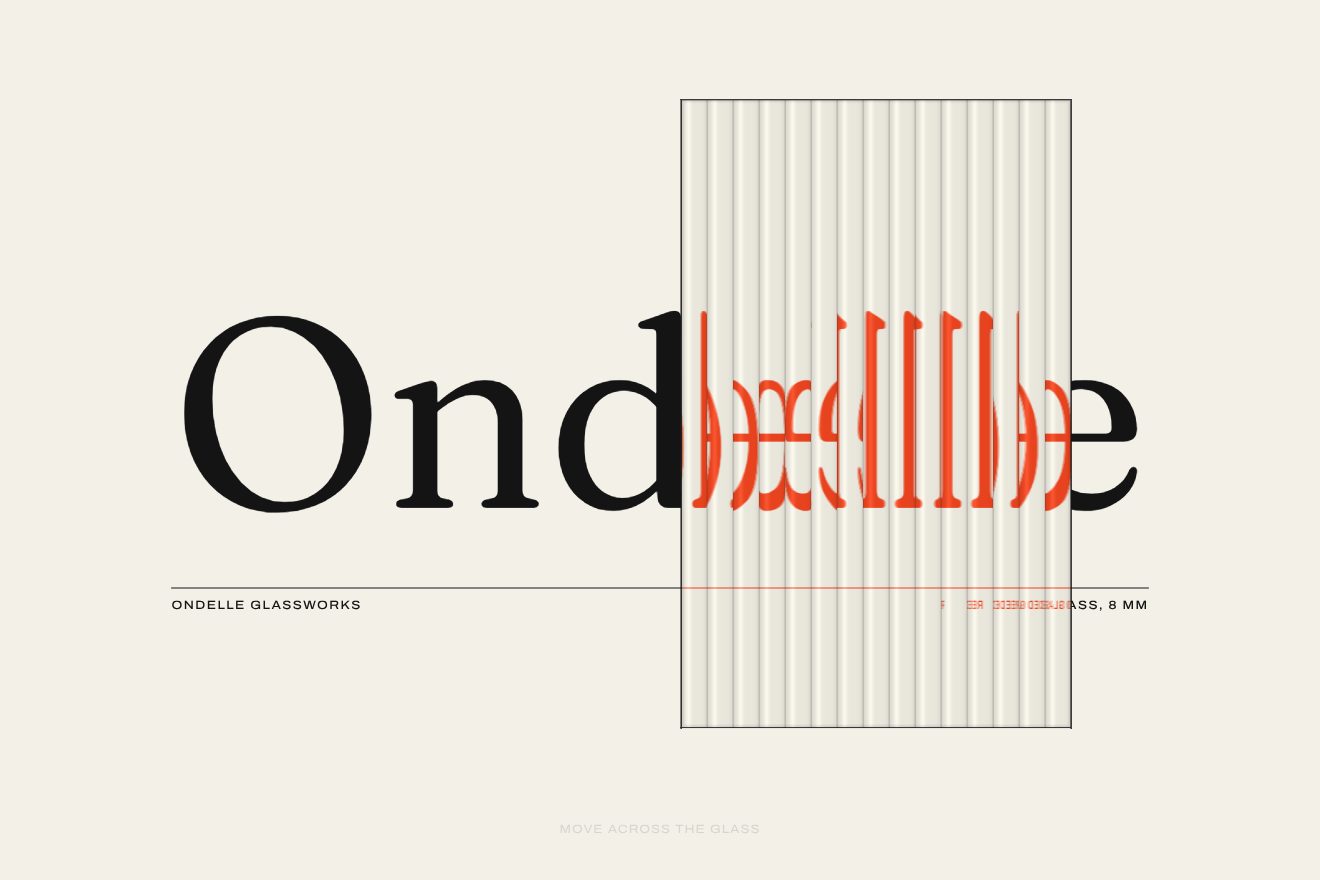
The word behind fluted glass
WebGL, Text, Hover
NewFree
A minimal-style WebGL animated headline: a word painted in ultramarine with a single stroke on a sheet of watercolour paper, which really dries, with the pigment settling into the grain and gathering at the edges. The pointer is a brush with clean water that reopens the dry paint; a tap lets fall a drop that spreads.
A folder that runs on its own: index.html, style.css, script.js and the libraries from a CDN. The React and Vue tabs hold the same demo as a ready component, which switches its animations off when it leaves the page.
<!doctype html>
<html lang="en">
<head>
  <meta charset="utf-8">
  <meta name="viewport" content="width=device-width, initial-scale=1">
  <title>Torchon</title>
  <link rel="stylesheet" href="https://cdn.jsdelivr.net/npm/@fontsource-variable/newsreader@5.3.0/index.css">
  <link rel="stylesheet" href="https://cdn.jsdelivr.net/npm/@fontsource-variable/instrument-sans@5.3.0/wdth.css">
  <link rel="stylesheet" href="style.css">
</head>
<body>
  <!-- a word painted in watercolour on cold press paper: it blooms and dries with dark edges; the pointer is a brush
       with clean water that reopens the paint, a tap lets a drop fall -->
  <main class="pagina" data-pagina>
    <canvas class="foglio" aria-hidden="true" data-foglio></canvas>
    <div class="ripiego" aria-hidden="true"><span data-ripiego>Bloom</span></div>
    <h1 class="parola" data-parola>Bloom</h1>

    <header class="testa">
      <p class="marchio" data-entra>Torchon</p>
      <p class="testa__nota" data-entra>Cold press watercolour paper</p>
    </header>

    <footer class="piede">
      <p class="nota" data-entra data-nota>Brush with water to reopen the paint, tap for a drop</p>
      <div class="piede__destra" data-entra>
        <p class="stato">Paint <span data-stato>wet</span></p>
        <button class="pillola" type="button" data-nuovo><span>New sheet</span></button>
      </div>
    </footer>
  </main>

  <script src="https://cdn.jsdelivr.net/npm/gsap@3.15.0/dist/gsap.min.js"></script>
  <script src="script.js"></script>
</body>
</html>Change values, colours and text with the controls and watch the animation respond live. Or write in the code yourself. Then download the folder with your changes.
21 values to change
With the Animorio connector, Claude Code takes it from here, guide included, and fits it into your project. Paste this request:
Take “The watercolour word on wet paper” from Animorio and fit it into my siteThe simulation lives in two half-float WebGL 2 textures that hand over to each other at every step. Each texel holds the water, from dry to puddle, the pigment dissolved in the water and the pigment already settled on the paper. There are PASSI steps per frame, always the same, so the result does not depend on how fast the computer is.
The word is drawn white on black in a canvas as big as the simulation and becomes a mask. At the start the letters get water and pigment, and around them the paper is wet only in places, decided by a slow noise: there the paint bleeds, elsewhere the edge stays crisp. The left-to-right pass is only in the drawing, with a soft, ragged front, so the simulation has no seams.
At every step the water spreads slowly and evaporates, faster on the ridges of the grain. Dissolved pigment only spreads between two points that are both wet, and slides towards the drier one: that is why it gathers at the water's edge. It always settles a little, more in the valleys of the grain, at the water's edge and when the water runs out; new water reopens some of the settled pigment.
The brush adds clean water along the stretch travelled between one frame and the next, split across the steps, as much as the stroke is long: still, it does not flood the paper; pressed, it leaves more. The drop grows to its size in half a second and leaves a puddle: the reopened pigment runs to the edge and leaves the bloom.
The paper has a three-scale grain lit from the top left, and is slightly darker where it is wet. The pigment tints it subtractively, like a transparent veil: the colour is the paper multiplied by the ultramarine, the more loaded the more it shows, and a little more in the valleys of the grain.
| Name | File | Default | What it changes |
|---|---|---|---|
WORD | script.js | Bloom | The painted word. |
WATER | script.js | 1 | How much water the pointer's brush leaves. |
BRUSH | script.js | 26 | How wide the brush is, in px. |
DRY | script.js | 1 | How fast the paper dries: higher, sooner. |
BLEED | script.js | 1 | How much the pigment spreads in the water. |
EDGE | script.js | 1 | How much the pigment gathers at the edge of the stain, darkening it. |
GRAIN | script.js | 1 | How visible the paper grain is. |
WEIGHT | script.js | 620 | The weight of the word. |
As the opening headline of an art supplies shop, a paper mill, a watercolour course, an illustrator's or painter's portfolio; on a museum or exhibition page; on an art page where the headline should be touchable.
The same animation: the word is sized on both width and height and stays inside the frame, the simulation runs at one texel per pixel; a dragged finger is the brush, a tap drops water, and the line at the bottom says so in fewer words.
The word is already painted and dry, computed off screen: no stroke, no fake hand. The labels fade in; the brush is still there, only if you use it.
GSAP 3.15.0, Newsreader (font variabile) 5.3.0, Instrument Sans (font variabile) 5.3.0.
Compressed with gzip, the three demo files weigh 10 KB; the libraries: GSAP 28 KB.
Tested on 24 October 2026
Use it in your own projects and in your clients’ projects. Do not resell it or redistribute it as is. GSAP stays under its own Standard license. Full license.
With your account’s email and password.
or with your email
You’re signed in as .
With your account, you can download the zip of every animation and every pack, for free.