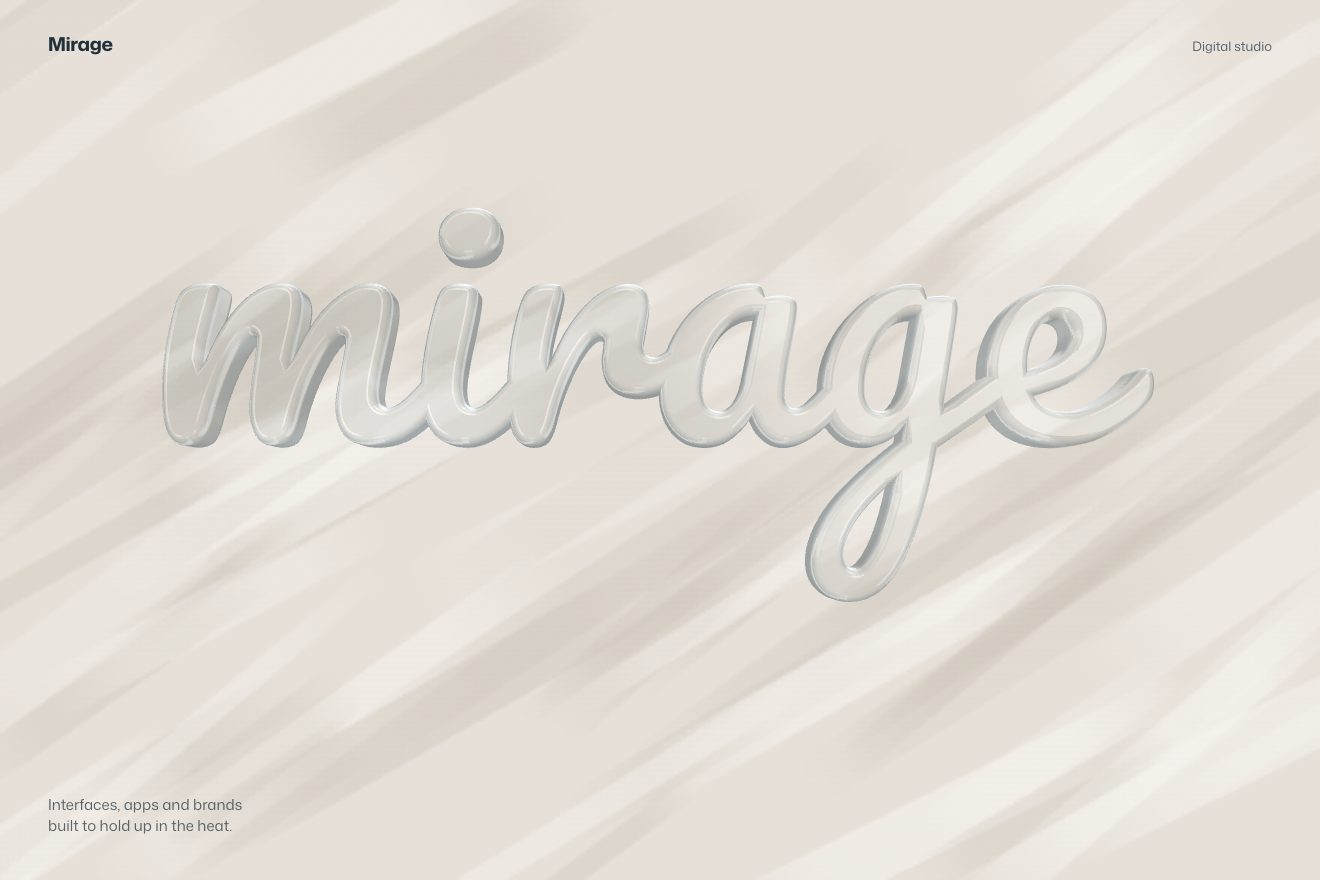
The glass word
WebGL, 3D, Scroll, Text
Free
Scroll inside the preview
A WebGL product showcase in the minimal style: a carbon bicycle wheel drawn in 3D, alone in the middle of the stage. As you scroll it passes through five poses, the camera moves in to the hub and the rim, the studio around it turns so the reflections slide over the clear coat, and a fifth of the way down the background turns from black to silver.
A folder that runs on its own: index.html, style.css, script.js and the libraries from a CDN. The React and Vue tabs hold the same demo as a ready component, which switches its animations off when it leaves the page.
<!doctype html>
<html lang="en">
<head>
  <meta charset="utf-8">
  <meta name="viewport" content="width=device-width, initial-scale=1">
  <title>RAGGIO C50</title>
  <link rel="stylesheet" href="https://cdn.jsdelivr.net/npm/@fontsource-variable/hanken-grotesk@5.3.0/index.css">
  <link rel="stylesheet" href="style.css">
  <script type="importmap">
    { "imports": {
      "three": "https://cdn.jsdelivr.net/npm/three@0.178.0/build/three.module.min.js",
      "three/addons/": "https://cdn.jsdelivr.net/npm/three@0.178.0/examples/jsm/"
    } }
  </script>
</head>
<body>
  <!-- a made-up maker of handmade carbon wheels, RAGGIO. The stage sticks while you scroll: one carbon bicycle wheel,
       drawn in 3D, passes through five poses while the camera moves in to the hub and the rim, the studio reflections
       slide over the clear coat, and the background turns from black to silver -->
  <main>
    <section class="vista" data-vista>
      <div class="palco" data-palco>
        <canvas class="tela" data-tela role="img" aria-label="A carbon bicycle wheel turning in 3D as you scroll"></canvas>

        <!-- if WebGL is missing: the same wheel, drawn flat -->
        <svg class="ripiego" data-ripiego viewBox="-110 -110 220 220" aria-hidden="true">
          <circle r="100" class="ripiego-cerchio"/>
          <circle r="86" class="ripiego-interno"/>
          <g class="ripiego-raggi" data-ripiego-raggi></g>
          <circle r="9" class="ripiego-mozzo"/>
        </svg>

        <svg class="mirino" data-mirino viewBox="0 0 56 56" aria-hidden="true">
          <path d="M28 0v18M28 38v18M0 28h18M38 28h18"/>
        </svg>

        <nav class="indice" data-indice aria-hidden="true">
          <span class="indice-linea"><span class="indice-pieno" data-pieno></span></span>
          <ol>
            <li>Philosophy</li>
            <li>Craft</li>
            <li>Hub</li>
            <li>Rim</li>
            <li>Ride</li>
          </ol>
        </nav>

        <div class="racconto">
          <div class="capitolo" data-capitolo>
            <p class="occhiello">Philosophy</p>
            <h1 class="titolo">Lighter is a decision.</h1>
            <p class="riga">Every gram we leave out is one you never carry uphill.</p>
          </div>
          <div class="capitolo" data-capitolo>
            <p class="occhiello">Craft</p>
            <h2 class="titolo">Laid up one ply at a time.</h2>
            <p class="riga">Each rim is wrapped by hand, then cured in a single piece.</p>
          </div>
          <div class="capitolo" data-capitolo>
            <p class="occhiello">Hub</p>
            <h2 class="titolo">Quiet until you push.</h2>
            <p class="riga">Ceramic bearings in a black anodised shell, twenty-four spokes in tension.</p>
          </div>
          <div class="capitolo" data-capitolo>
            <p class="occhiello">Rim</p>
            <h2 class="titolo">Fifty millimetres of air.</h2>
            <p class="riga">A deep carbon section that cuts the wind and keeps its shape.</p>
          </div>
          <div class="capitolo" data-capitolo>
            <p class="occhiello">Ride</p>
            <h2 class="titolo"><span data-marchio>RAGGIO</span> C50</h2>
            <p class="riga">Handmade carbon wheels. Built to be forgotten under you.</p>
          </div>
        </div>

        <p class="nota" data-nota>Scroll</p>
      </div>
    </section>
  </main>

  <script src="https://cdn.jsdelivr.net/npm/gsap@3.15.0/dist/gsap.min.js"></script>
  <script src="https://cdn.jsdelivr.net/npm/gsap@3.15.0/dist/ScrollTrigger.min.js"></script>
  <script src="https://cdn.jsdelivr.net/npm/lenis@1.3.26/dist/lenis.min.js"></script>
  <script type="module" src="script.js"></script>
</body>
</html>Change values, colours and text with the controls and watch the animation respond live. Or write in the code yourself. Then download the folder with your changes.
35 values to change
With the Animorio connector, Claude Code takes it from here, guide included, and fits it into your project. Paste this request:
Take “The carbon wheel on scroll” from Animorio and fit it into my siteRim, hub, seals and axle are 2D profiles turned around the axis (LatheGeometry), then rotated so the axis points at the camera. The rim profile has the tyre bed with its two hooks, the wide shoulder and the flanks tapering to the round nose. The spokes are an InstancedMesh: each blade goes from the hub to the rim nose, turned flat in the direction of travel, on alternating sides.
The 2x2 twill is painted in a canvas: each tow goes over two and under two, with a soft sheen across it and the fine lines of the fibres. The same weave in grey is the roughness and the bump, and on top sits an almost smooth clearcoat: that is what draws the long reflections. The light comes from a fake studio (RoomEnvironment) passed through PMREMGenerator.
Each pose is an object with the tilt of the wheel, how near the camera is, the point to look at and the rotation of the studio (environmentRotation, with the original’s degrees). A paused timeline goes from pose to pose with power1.inOut, with a pause in between; the scroll moves it forward with half a second of lag, like the site’s scrub 0.5.
Every frame the point to look at (the hub, the top of the rim) is taken into the world with localToWorld, and the camera stands in front of it at the distance of the pose. The distance comes from the field of view and the shape of the window, so the whole wheel always fits in the box; a setViewOffset lifts it a little on the phone, where the words sit below.
Background and words are two CSS color-mix between black and silver, driven by one variable, --l. When the scroll passes SILVER_AT, GSAP takes --l from 0 to 1 in 1.1 seconds; scrolling back up takes it back to 0.
| Name | File | Default | What it changes |
|---|---|---|---|
BRAND | script.js | 'RAGGIO' | The brand on the rim’s flank and in the last words. |
SPOKES | script.js | 24 | How many spokes the wheel has. |
SPIN | script.js | 1 | How far the wheel rolls while you scroll (1 = three quarters of a turn). |
FLOAT | script.js | 1 | How much the wheel floats up and down (1 = by a hair, as on the original). |
REFLECTIONS | script.js | 1 | How far the studio turns around the wheel, that is how far the reflections slide. |
GLOSS | script.js | 1 | How glossy the clear coat on the carbon is. |
SILVER_AT | script.js | 0.19 | Where in the page the background turns from black to silver (0 to 1). |
For the hero or the product page of a maker of wheels, bikes, components or any technical object worth seeing up close (headphones, a camera, a watch): the poses on scroll tell the product part by part without filling the page.
The same animation with adapted sizes: the words sit at the bottom, the wheel above them, and the camera pulls back as far as needed for the whole wheel to fit in the box; the index on the left is hidden.
The wheel stays still in its first pose, without rolling or floating; scrolling down only the words change, fading, and the background turns from black to silver.
Three.js 0.178.0, GSAP 3.15.0, Lenis 1.3.26, Hanken Grotesk (font variabile) 5.3.0.
Compressed with gzip, the three demo files weigh 11 KB; the libraries: GSAP + ScrollTrigger 45 KB, Lenis 5.3 KB, Three.js + RoomEnvironment 176 KB.
Tested on 24 October 2026
Use it in your own projects and in your clients’ projects. Do not resell it or redistribute it as is. GSAP stays under its own Standard license. Full license.
With your account’s email and password.
or with your email
You’re signed in as .
With your account, you can download the zip of every animation and every pack, for free.