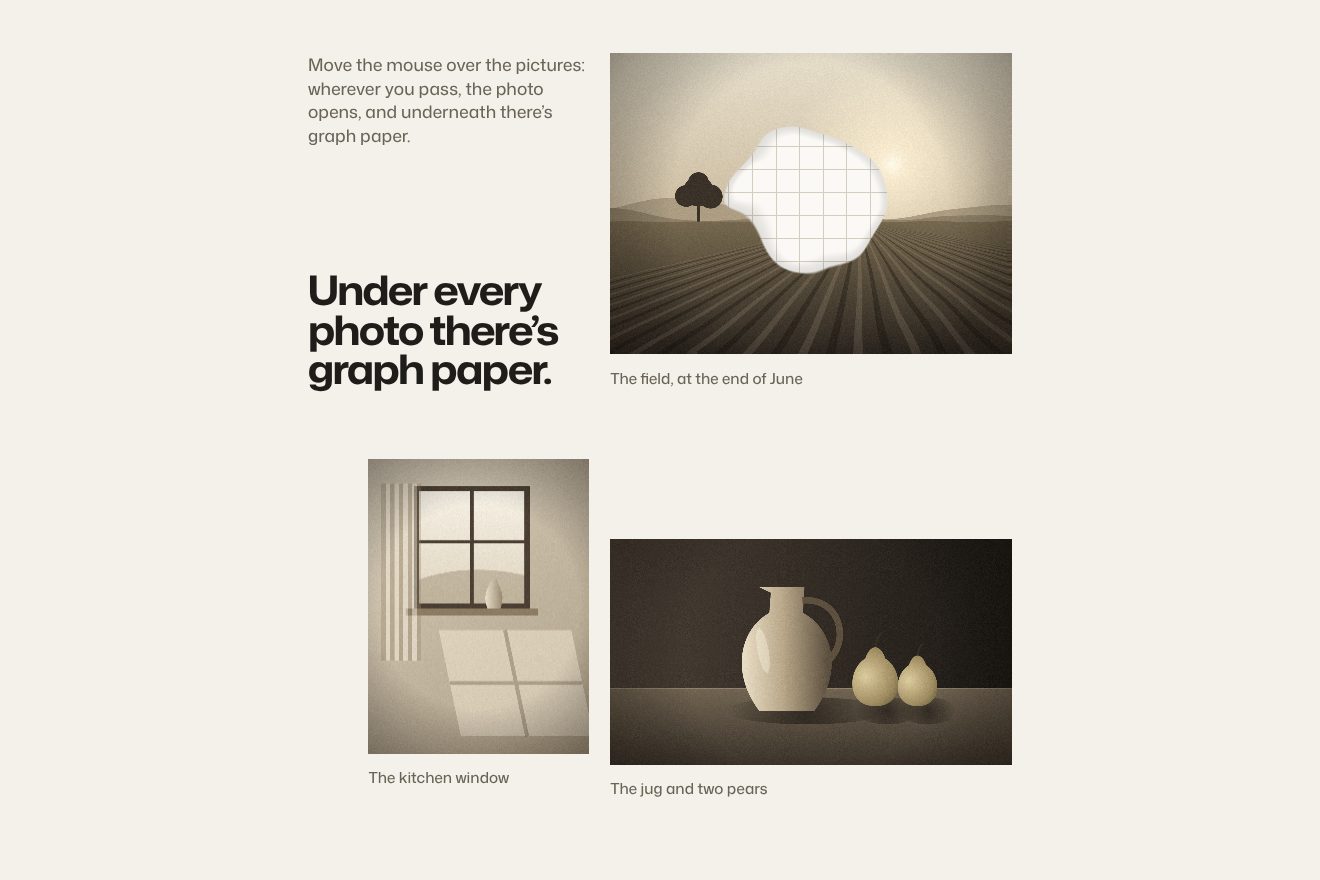
Squared paper under the photo
Hover, WebGL, Images
NewFree
A wool blanket covers the page and something under it follows the pointer: the blanket lifts where it passes, the check bends over the bump, the light catches one side of it, and the trail stays raised for a moment before it settles.
A folder that runs on its own: index.html, style.css, script.js and the libraries from a CDN. The React and Vue tabs hold the same demo as a ready component, which switches its animations off when it leaves the page.
<!doctype html>
<html lang="en">
<head>
  <meta charset="utf-8">
  <meta name="viewport" content="width=device-width, initial-scale=1">
  <title>The cat under the blanket</title>
  <link rel="stylesheet" href="https://cdn.jsdelivr.net/npm/@fontsource-variable/fraunces@5.3.0/index.css">
  <link rel="stylesheet" href="https://cdn.jsdelivr.net/npm/@fontsource-variable/fraunces@5.3.0/wght-italic.css">
  <link rel="stylesheet" href="https://cdn.jsdelivr.net/npm/@fontsource-variable/mona-sans@5.3.0/standard.css">
  <link rel="stylesheet" href="style.css">
</head>
<body>
  <main class="bed" data-bed>
    <!-- the blanket: the check, the words printed on it and whatever moves under it are all drawn here -->
    <canvas class="bed__canvas" data-canvas aria-hidden="true"></canvas>

    <header class="bar">
      <p class="tag brand">Tuck</p>
      <nav class="tag bar__nav" aria-label="Sections">
        <a href="#">Blankets</a>
        <a href="#">Care</a>
        <a href="#">Stockists</a>
      </nav>
    </header>

    <!-- the words on the blanket: the script paints them into the picture so they lift with it;
         they stay here for whoever cannot see them -->
    <div class="words" data-words>
      <h1 class="words__title">Something is under the blanket.</h1>
      <p class="words__line">Pure new wool, woven wide enough for two and whoever turns up.</p>
    </div>

    <footer class="foot">
      <p class="tag" data-hint>Move the pointer: it follows you</p>
      <p class="tag">Camel check, double weave</p>
    </footer>
  </main>

  <script src="script.js"></script>
</body>
</html>Change values, colours and text with the controls and watch the animation respond live. Or write in the code yourself. Then download the folder with your changes.
30 values to change
With the Animorio connector, Claude Code takes it from here, guide included, and fits it into your project. Paste this request:
Take “The cat under the blanket” from Animorio and fit it into my siteOne repeat of the check is woven on a 512-pixel canvas: 128 threads one way and 128 the other, each with its colour from the SETT list and a slightly different tint. It is a twill: every thread goes over two and under two, one step further on each row, and that is what draws the diagonal. The repeat becomes a tiling texture. The headline and the label are painted on a second canvas as big as the page, reading their text from the HTML.
The bump is not a shape: it is a grid 256 columns wide with one number per cell, the blanket’s height at that spot. Every frame each cell loses a little height (× e^(−SETTLE · dt)), takes a little from its four neighbours (SPREAD), and the cells under the pointer gain some through a bell of radius BALL. That is all: no velocity, no pressure. Which is why a bump stays where it was made and dies there, instead of running off like a wave.
A point chases the pointer (CHASE). The gap between the two, in page widths, says how taut the wool is: below SLACK nothing, then tanh((gap − SLACK) / TAUT), squared. The faster the pointer runs, the higher the trail. On top of that a constant push, REST, keeps the bump under a pointer that is standing still.
The grid goes to the graphics card as a texture of one byte per cell. The shader measures its slope with two differences, a cell and a half each way, and reads the blanket a little further uphill (PUSH): over the top the pattern widens, on the sides it tightens. The same slope, times a light coming from the upper left, brightens one side and darkens the other, between −50% and +50%.
At the start a line of stamps crosses the page from left to right in 1.2 seconds: the wave of a blanket being spread. After WANDER seconds with no pointer, and always on a phone when nobody is touching, the point to chase follows a slow curve and the bump goes for a walk. When every height is back to zero the script stops computing and drawing.
| Name | File | Default | What it changes |
|---|---|---|---|
BALL | script.js | 0.05 | The bump’s radius, in page widths. |
REST | script.js | 0.9 | How high the blanket stays over a pointer that is not moving: at 0 the bump is there only while you move. |
CHASE, SLACK, TAUT | script.js | 7, 0.025, 0.08 | The chase: how fast the wool catches up with the pointer, how much of a lead it takes before it starts to pull and how much more for a full pull. |
SETTLE, SPREAD | script.js | 4, 40 | How fast a bump sinks back and how fast it smooths into the cloth around it, per second. |
PUSH, LIGHT | script.js | 0.045, 1.2 | How far the pattern slides over a slope and how strongly the light marks it. Negative, the bump becomes a dent. |
LEASH | script.js | 0.5, 0.78 | Where the effect is full and where it ends, in page widths from the middle: it keeps it away from the edges. |
WANDER, SHAKE | script.js | 4, 1.2 | The seconds with no pointer before the walk, and the length of the opening wave; 0 removes them. |
THREAD, WOOL | script.js | 2 / cammello, panna, ruggine, inchiostro, muschio | The width of one thread in pixels (the size of the check) and the five colours of the wool. |
SETT | script.js | 128 fili | The order of the threads in one repeat, colour and count: they must add up to 128. |
For an opening section made of a single picture or a pattern: fabrics, paper, maps, a poster. It wants something with straight lines and mid tones, because lines are where the bend shows and mid tones are where the light works; on plain white or black it is almost invisible.
It follows the finger while it is down; when nobody is touching, after four seconds the bump wanders by itself. The grid drops to 160 columns and only one tag is left at the bottom.
The blanket is still: no opening wave, no bump, no walk, and the tags appear without moving.
Fraunces (font variabile) 5.3.0, Mona Sans (font variabile) 5.3.0.
Compressed with gzip, the three demo files weigh 8.6 KB, and no libraries are needed.
Tested on 30 September 2026
Use it in your own projects and in your clients’ projects. Do not resell it or redistribute it as is. GSAP stays under its own Standard license. Full license.
With your account’s email and password.
or with your email
You’re signed in as .
With your account, you can download the zip of every animation and every pack, for free.