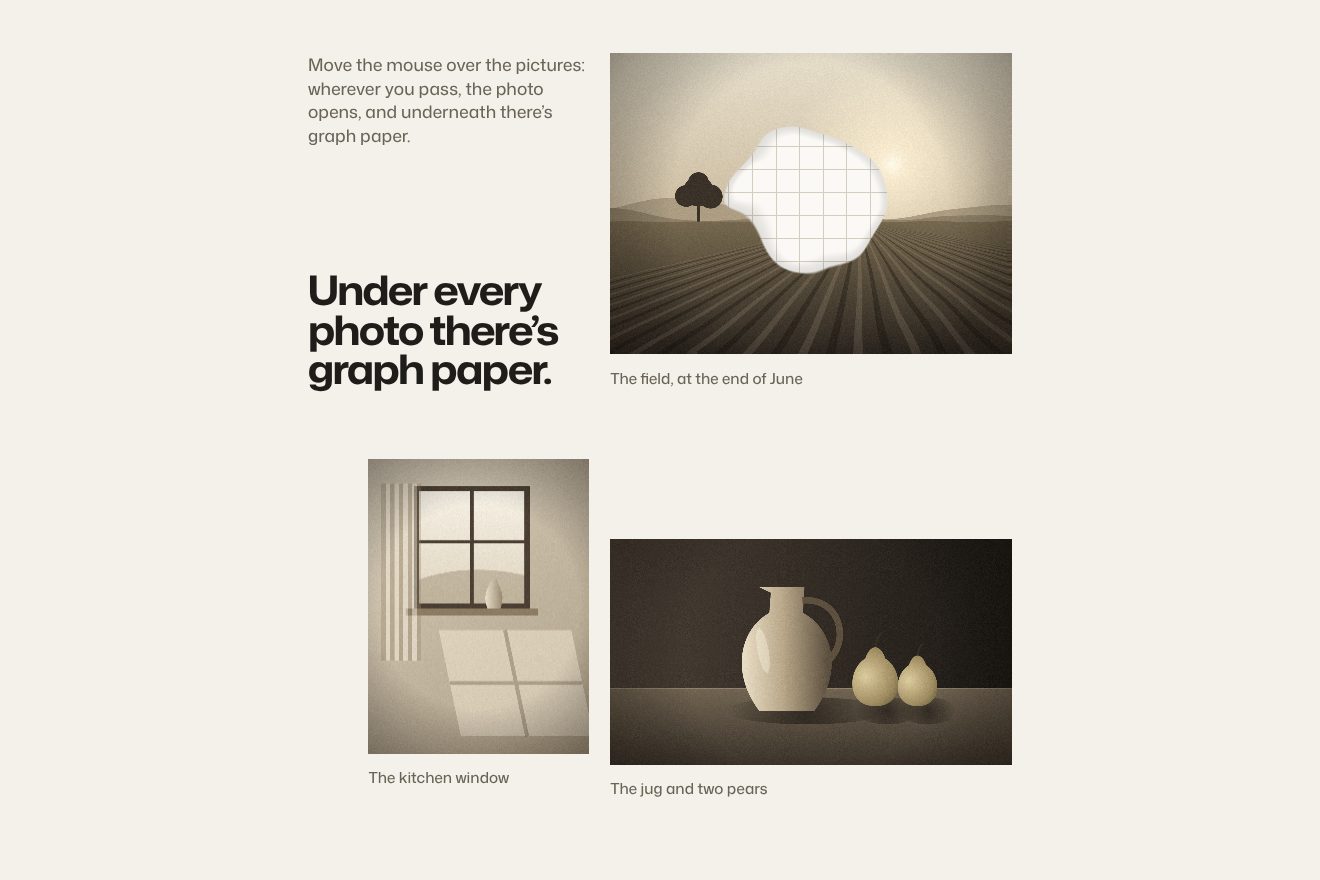
Squared paper under the photo
Hover, WebGL, Images
NewFree
A list of services and, beside it, a picture that swells under the pointer like a drop of glass; pick a service and the new picture blooms from half size while the swell rises from the bottom to the pointer.
A folder that runs on its own: index.html, style.css, script.js and the libraries from a CDN. The React and Vue tabs hold the same demo as a ready component, which switches its animations off when it leaves the page.
<!doctype html>
<html lang="en">
<head>
  <meta charset="utf-8">
  <meta name="viewport" content="width=device-width, initial-scale=1">
  <title>The swelling lens</title>
  <link rel="stylesheet" href="https://cdn.jsdelivr.net/npm/@fontsource-variable/mona-sans@5.3.0/standard.css">
  <link rel="stylesheet" href="style.css">
</head>
<body>
  <main class="page">
    <header class="top">
      <p class="brand">Mirage</p>
      <p class="top__line">Services</p>
    </header>

    <section class="services">
      <div class="services__text">
        <h1 class="services__title">What we do</h1>
        <!-- one pill slides behind the chosen service; the picture changes with it -->
        <ul class="list" data-list>
          <li><button class="item" type="button" data-item="0" aria-pressed="true"><span class="item__name">Interfaces</span><svg class="item__arrow" viewBox="0 0 24 24" aria-hidden="true"><path d="M5 12h14M13 6l6 6-6 6" /></svg></button></li>
          <li><button class="item" type="button" data-item="1" aria-pressed="false"><span class="item__name">Development</span><svg class="item__arrow" viewBox="0 0 24 24" aria-hidden="true"><path d="M5 12h14M13 6l6 6-6 6" /></svg></button></li>
          <li><button class="item" type="button" data-item="2" aria-pressed="false"><span class="item__name">Brand systems</span><svg class="item__arrow" viewBox="0 0 24 24" aria-hidden="true"><path d="M5 12h14M13 6l6 6-6 6" /></svg></button></li>
          <li><button class="item" type="button" data-item="3" aria-pressed="false"><span class="item__name">Content</span><svg class="item__arrow" viewBox="0 0 24 24" aria-hidden="true"><path d="M5 12h14M13 6l6 6-6 6" /></svg></button></li>
          <li class="list__pill" aria-hidden="true" data-pill></li>
        </ul>
        <p class="services__note" data-note>Pick a service, then move over the picture: it swells under the pointer like glass.</p>
      </div>

      <figure class="panel">
        <canvas class="panel__canvas" data-lens aria-hidden="true"></canvas>
        <figcaption class="panel__caption" data-caption>Eight-point stars</figcaption>
      </figure>
    </section>
  </main>

  <script src="https://cdn.jsdelivr.net/npm/gsap@3.15.0/dist/gsap.min.js"></script>
  <script src="script.js"></script>
</body>
</html>Change values, colours and text with the controls and watch the animation respond live. Or write in the code yourself. Then download the folder with your changes.
58 values to change
With the Animorio connector, Claude Code takes it from here, guide included, and fits it into your project. Paste this request:
Take “The swelling lens” from Animorio and fit it into my siteNo photos: every mosaic is painted on a 1152 × 1440 canvas in three passes, grounds, stars and the small pieces on the corners between four stars, drawn last or the next cell’s ground would cover them. Every tile gets a slightly different tone from a seeded generator and a line of grout around it; on top, a few soft highlights and specks of kiln dust. They become textures once.
Everything is one WebGL quad. The lens function moves every point relative to the centre: distance over the radius, 0.9 of the width, gives d; the push is 1.2 / (1 + d⁴), and the point is multiplied by (1 − swell) + swell × push. Near the centre the push is 1.2 and the picture shrinks; far away it drops towards zero and the picture stretches. The fourth power keeps the drop’s edge soft.
The frame shows only the middle of a picture 1.3 times bigger: the edges, where the lens pulls hardest and the picture folds back, stay outside. The pointer is carried into those coordinates too, and the picture fills the frame like background-size: cover.
Choosing a service draws the new picture over the old one: opacity from 0 to 1 over 0.4 seconds, size from 0.5 to 1 over 2 seconds of power3.out, swell from 1.5 to 0 (to 1 if the pointer is over it) over 2.2, and the lens centre travels from the bottom of the picture to the pointer over 2.5 seconds of power2.out. Outside its size the new picture is transparent: while it grows, the old one still shows around it.
Coming in, the swell goes from 0.5 to 1.2 over 0.6 seconds and back to 1 over 1.2; going out it drops to 0 over 1.2 of power3.out. The centre chases the pointer by 14% every sixtieth of a second, at any refresh rate, and it only draws while something moves. The pill is a window: inside is a light copy of the list moving the other way with the same elastic.out(1, 0.75) over 0.7 seconds, so the label changes colour at the edge even while the pill bounces.
| Name | File | Default | What it changes |
|---|---|---|---|
RADIUS, STRENGTH | script.js | 0.9, 1.2 | How wide the drop is, in picture widths, and how hard it pushes at the centre. |
FRAME | script.js | 1.3 | How much bigger the picture is than the frame showing it. |
START | script.js | 0.5, 0 | Where the swell rises from when a picture blooms: the bottom, in the middle. |
BLOOM | script.js | 2, 2.2, 2.5, 0.4 | The seconds of the bloom: size, swell, the centre’s travel, fade. |
ENTER, LEAVE | script.js | 0.6 + 1.2, 1.2 | The seconds of the swell when the pointer comes in and when it leaves. |
TILE | script.js | 6.4 | How many tiles fit across the picture. |
PICTURES | script.js | 4 | The mosaics’ captions, colours and stars; to use photos, pass images to texImage2D instead of the canvases. |
For a list of services, projects or products with a picture each: the lens gives the picture a body and the bloom marks the change better than a fade. It works best with pictures full of straight lines for the lens to bend.
The picture moves above the list, in 5:4, and the lens follows the finger while it is down; a finger moving vertically scrolls the page. A service is chosen with a tap.
No lens and no bloom: when the service changes the pictures swap with a quarter-second cross-fade and the pill jumps into place.
GSAP 3.15.0, Mona Sans (font variabile) 5.3.0.
Compressed with gzip, the three demo files weigh 7.8 KB; the libraries: GSAP 28 KB.
Tested on 28 September 2026
Use it in your own projects and in your clients’ projects. Do not resell it or redistribute it as is. GSAP stays under its own Standard license. Full license.
With your account’s email and password.
or with your email
You’re signed in as .
With your account, you can download the zip of every animation and every pack, for free.