The card room
3D, Transitions, Images
Free
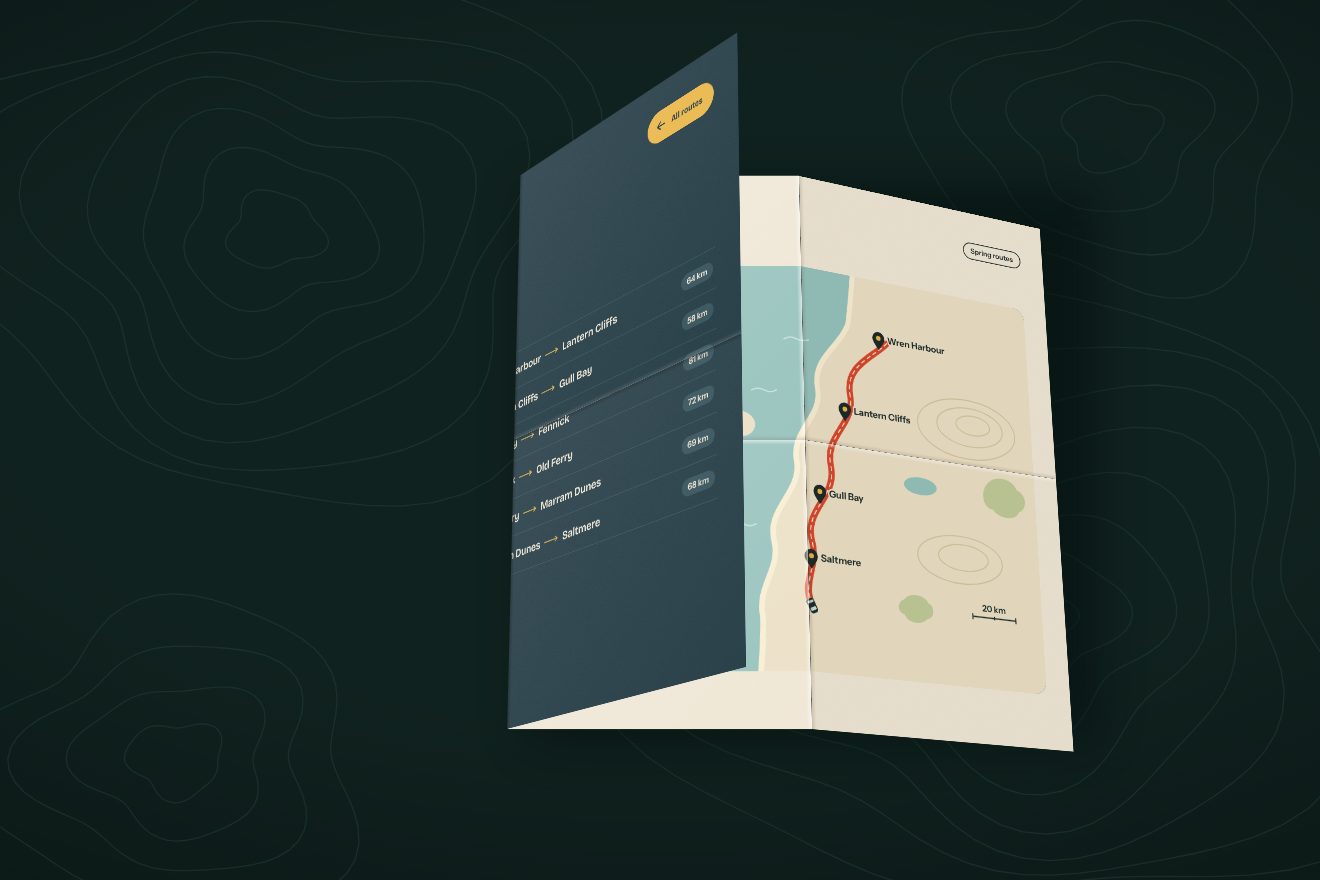
A page change in the minimal style: the page is a folding screen, its folds marked by thin hairlines. On a click it folds up like a concertina against the left edge, in 3D, starting from the free panel, and each panel takes its own light; behind it is the next page. Going back the screen opens again one panel after another, goes a breath past flat and settles.
A folder that runs on its own: index.html, style.css, script.js and the libraries from a CDN. The React and Vue tabs hold the same demo as a ready component, which switches its animations off when it leaves the page.
<!doctype html>
<html lang="en">
<head>
  <meta charset="utf-8">
  <meta name="viewport" content="width=device-width, initial-scale=1">
  <title>The folding screen transition</title>
  <link rel="stylesheet" href="https://cdn.jsdelivr.net/npm/@fontsource-variable/bricolage-grotesque@5.3.0/standard.css">
  <link rel="stylesheet" href="style.css">
</head>
<body>
  <main class="stage" data-stage>
    <!-- the first page: the screen itself, with its folds drawn as hairlines -->
    <section class="page page--a is-on" data-page="a" aria-label="Studio">
      <div class="creases" data-creases aria-hidden="true"></div>
      <header class="bar">
        <span class="brand">Noll</span>
        <nav class="nav" aria-label="Pages">
          <a href="#studio" aria-current="page">Studio</a>
          <a href="#screens" data-go="b">Screens</a>
        </nav>
      </header>
      <div class="main">
        <h1 class="big" data-big>Make a room.</h1>
        <div class="below">
          <p class="lede">Folding screens in oak, linen and paper. Open one to make a room; fold it to give the room back.</p>
          <a class="go" href="#screens" data-go="b" data-autoclic>
            <span class="go__t">Fold it away</span>
            <svg class="go__arrow" viewBox="0 0 26 12" aria-hidden="true"><path d="M1 6h22M18.5 1.5 23.5 6l-5 4.5"/></svg>
          </a>
        </div>
      </div>
      <footer class="foot">
        <span>Folding screens and room dividers</span>
        <span>Made to order</span>
      </footer>
    </section>

    <!-- the second page: the room behind the screen -->
    <section class="page page--b" data-page="b" aria-label="Screens" aria-hidden="true">
      <header class="bar">
        <span class="brand">Noll</span>
        <nav class="nav" aria-label="Pages">
          <a href="#studio" data-go="a">Studio</a>
          <a href="#screens" aria-current="page">Screens</a>
        </nav>
      </header>
      <div class="main">
        <h2 class="big" data-big>Behind it.</h2>
        <ul class="list" aria-label="Screens">
          <li class="row" data-late><span class="row__rule" data-rule></span><span>Oak</span><span class="row__soft">Four panels</span><span class="row__soft row__end">180 cm</span></li>
          <li class="row" data-late><span class="row__rule" data-rule></span><span>Linen</span><span class="row__soft">Three panels</span><span class="row__soft row__end">170 cm</span></li>
          <li class="row" data-late><span class="row__rule" data-rule></span><span>Paper</span><span class="row__soft">Six panels</span><span class="row__soft row__end">160 cm</span></li>
        </ul>
        <a class="go go--back" href="#studio" data-go="a" data-autoclic data-late>
          <svg class="go__arrow" viewBox="0 0 26 12" aria-hidden="true"><path d="M25 6H3M7.5 1.5 2.5 6l5 4.5"/></svg>
          <span class="go__t">Open the screen</span>
        </a>
      </div>
      <footer class="foot" data-late>
        <span>Folding screens and room dividers</span>
        <span>Made to order</span>
      </footer>
    </section>

    <!-- the screen while it folds: hinged panels, each showing its slice of the first page; built by the script -->
    <div class="screen" data-screen aria-hidden="true"></div>
  </main>

  <script src="https://cdn.jsdelivr.net/npm/gsap@3.15.0/dist/gsap.min.js"></script>
  <script src="script.js"></script>
</body>
</html>Change values, colours and text with the controls and watch the animation respond live. Or write in the code yourself. Then download the folder with your changes.
39 values to change
With the Animorio connector, Claude Code takes it from here, guide included, and fits it into your project. Paste this request:
Take “The folding screen transition” from Animorio and fit it into my siteThe screen is a chain of hinges: each hinge is a div with transform-style: preserve-3d and its transform-origin on its left edge, and it holds its panel's face and the next hinge, moved right by one width. Turning a hinge carries every panel after it. Each face has overflow: hidden and inside it a whole copy of the page, moved left as far as needed to show its slice: the copies have no data-go or data-autoclic and their links leave the Tab order.
Each panel has its own fold f, from 0 (flat) to 90 (edge on). Its absolute angle is +f for even panels and −f for odd ones, and each hinge is given the difference from the panel before: rotateY(+f), rotateY(−2f), rotateY(+2f)… So the edges always meet and the screen squeezes against the left edge. Folding, the folds start from the free panel; opening, from the one fixed to the edge, staggered by STAGGER.
Over each face sits a dark veil with opacity SHADE · sin(f) for the panels turned away from the window and a third of that for the others: as it folds, the screen fills with light and dark stripes like a real one. The folds at rest are one-pixel hairlines at 17% ink; on a click they darken before the screen moves.
The timeline moves a single number from 0 to 1 with ease none; each panel works out its own timing from it and runs it through power3.inOut when folding and back.out(1.1) when opening, so the reopened screen goes a few degrees past flat and comes back. Before folding it gets a 3-degree push the other way. The page behind comes forward from scale 0.965 to 1 as the screen goes.
The widths of the panels and of the copies are written again on every resize, even halfway through a fold: the angles are numbers, so the drawing carries on right. On a phone there is one panel fewer. The perspective sits on the screen only, not on the stage. With reduced motion the two pages swap with a fade.
| Name | File | Default | What it changes |
|---|---|---|---|
PANELS | script.js | 4 | How many panels the screen has on a wide screen; a phone has one fewer. |
FOLD | script.js | 1.15 | The seconds the screen takes to fold away. |
UNFOLD | script.js | 1.3 | The seconds the screen takes to open again. |
STAGGER | script.js | 0.35 | How staggered the panels are, as a share of the time: 0 = all together. |
SHADE | script.js | 0.4 | How dark a panel gets when it is turned away from the light. |
SPEED | script.js | 1 | The speed of everything: 2 is twice as fast, 0.5 half as fast. |
To go from one page to another on a furniture or interiors site: a furniture brand, an interior design studio, a fabric shop, a hotel showing its rooms, a collection page that opens on a catalogue. It suits places where the second page is behind the first: a room, a back shop, a collection.
The same fold with one panel fewer, so the panels stay wide enough to read the headline broken over the folds; the screen folds against the left edge of the tall screen and opens again from there.
Nothing folds: the next page fades in over the first one, with its headline and list already in place.
GSAP 3.15.0, Bricolage Grotesque (font variabile) 5.3.0.
Compressed with gzip, the three demo files weigh 7.5 KB; the libraries: GSAP 28 KB.
Tested on 19 October 2026
Use it in your own projects and in your clients’ projects. Do not resell it or redistribute it as is. GSAP stays under its own Standard license. Full license.
With your account’s email and password.
or with your email
You’re signed in as .
With your account, you can download the zip of every animation and every pack, for free.