The rearing ribbon
Scroll, 3D, WebGL, Images
Free
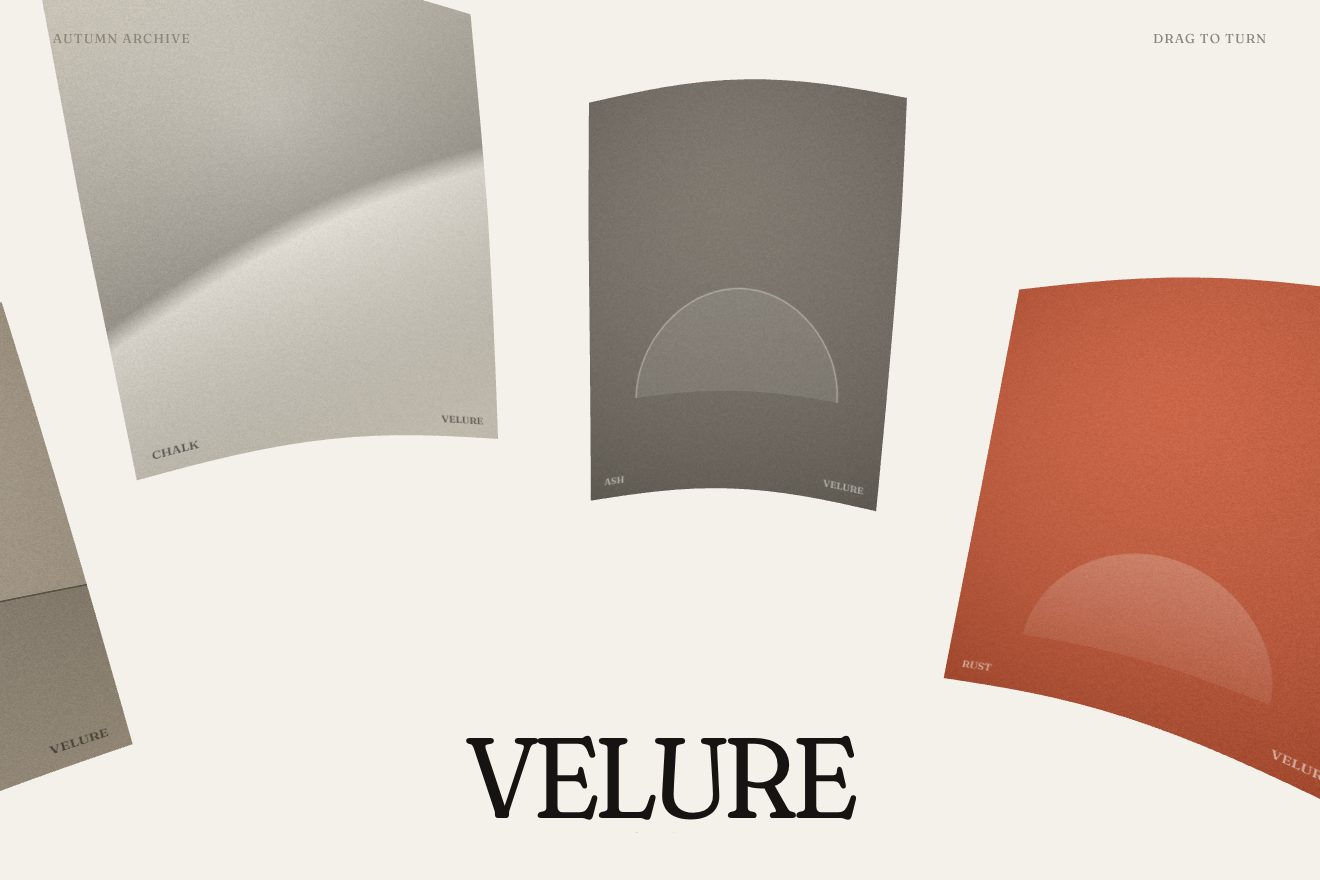
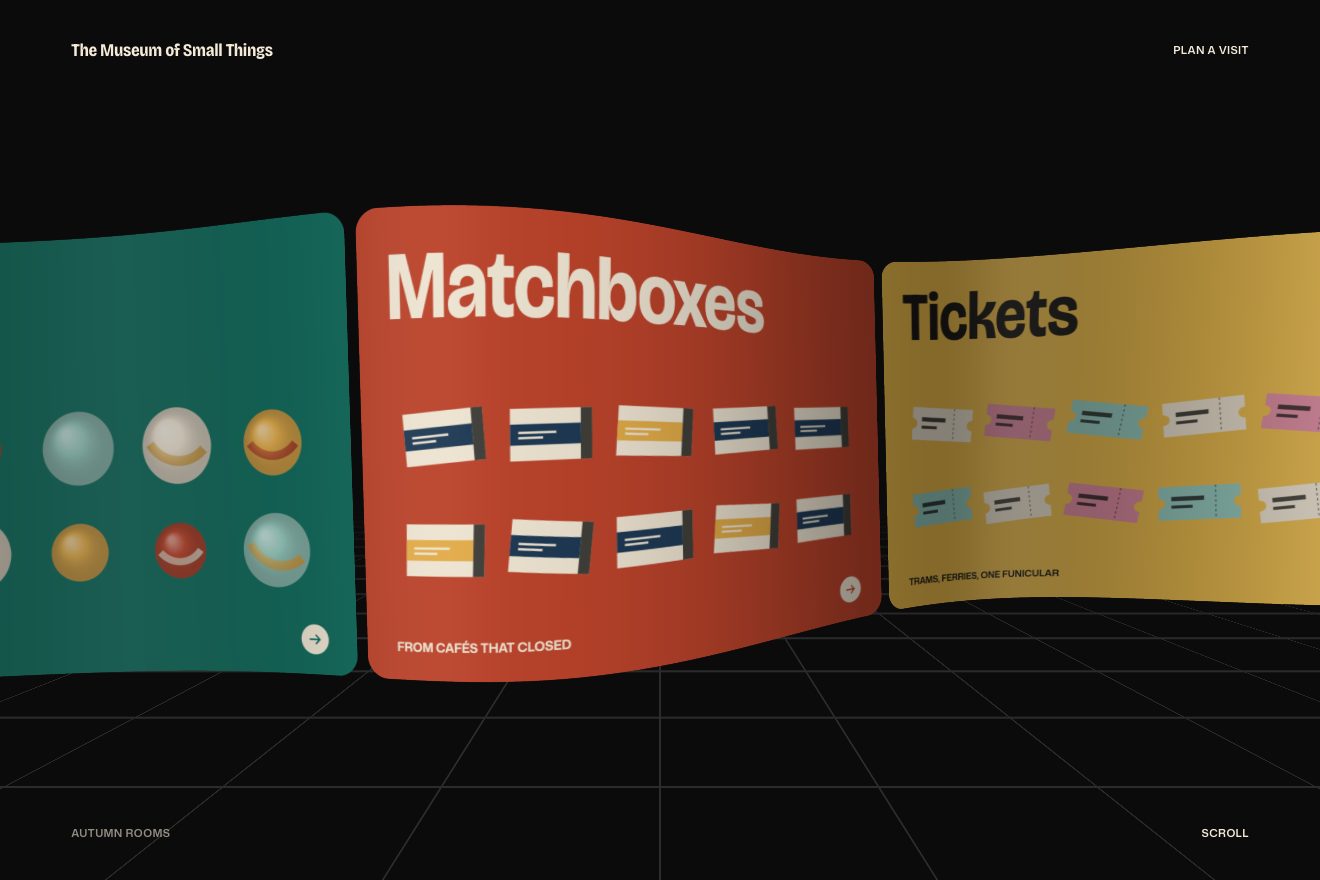
Projects as thin pages lined up in space, seen from the side: the wheel, the arrows or a finger move the row, the pages bend with the speed and the one in the middle steps out of the row and turns towards you.
A folder that runs on its own: index.html, style.css, script.js and the libraries from a CDN. The React and Vue tabs hold the same demo as a ready component, which switches its animations off when it leaves the page.
<!doctype html>
<html lang="en">
<head>
<meta charset="utf-8">
<meta name="viewport" content="width=device-width, initial-scale=1">
<title>Pages lined up in space</title>
<link rel="stylesheet" href="https://cdn.jsdelivr.net/npm/@fontsource-variable/bricolage-grotesque@5.3.0/standard.css">
<link rel="stylesheet" href="https://cdn.jsdelivr.net/npm/@fontsource-variable/geist@5.3.0/index.css">
<link rel="stylesheet" href="style.css">
<script type="importmap">
{ "imports": {
"three": "https://cdn.jsdelivr.net/npm/three@0.178.0/build/three.module.min.js"
} }
</script>
</head>
<body>
<!-- the work page of a made-up designer. The projects are thin pages standing in a row in space, like magazines on a
shelf seen from the side; the wheel, the arrows or a finger move the row, the pages bend with the speed, and the
one in the middle steps out of the row and turns to face you -->
<main class="sala" data-sala>
<canvas class="tela" data-tela aria-hidden="true"></canvas>
<header class="testata">
<p class="firma">KAI VERO<sup>®</sup></p>
<p class="sopra">Selected work</p>
</header>
<section class="scheda" aria-live="polite">
<p class="scheda__tipo" data-tipo>Brand · editorial</p>
<h1 class="scheda__nome" data-nome>Paper Moons</h1>
<p class="scheda__frase" data-frase>A lunar calendar printed on tracing paper.</p>
</section>
<nav class="comandi" aria-label="Projects">
<button type="button" data-passo="-1" aria-label="Previous project">
<svg viewBox="0 0 24 24" aria-hidden="true"><path d="M15 5l-7 7 7 7" fill="none" stroke="currentColor" stroke-width="1.6"/></svg>
</button>
<button type="button" data-passo="1" aria-label="Next project">
<svg viewBox="0 0 24 24" aria-hidden="true"><path d="M9 5l7 7-7 7" fill="none" stroke="currentColor" stroke-width="1.6"/></svg>
</button>
</nav>
<p class="aiuto">Scroll, use the arrows or drag</p>
</main>
<!-- the projects: the script draws a cover for each one -->
<ul class="progetti" data-progetti hidden>
<li data-colore="#ff4b3e" data-carta="#f6efe6" data-forma="luna">Paper Moons|Brand · editorial|A lunar calendar printed on tracing paper.</li>
<li data-colore="#181818" data-carta="#e9e4da" data-forma="solchi">Low Tide Records|Label · website|A record label that only releases at high tide.</li>
<li data-colore="#3b5bdb" data-carta="#eef0f6" data-forma="griglia">Field Notes Co.|Product · launch|Notebooks with a ruler printed on the spine.</li>
<li data-colore="#f2b705" data-carta="#1d1b18" data-forma="onde">Sunday Ferry|Travel · app|Timetables for a ferry that runs once a week.</li>
<li data-colore="#2f9e44" data-carta="#f3f1ea" data-forma="foglie">Greenhouse 9|Studio · website|A plant nursery with a room for every season.</li>
<li data-colore="#e64980" data-carta="#191919" data-forma="cerchi">Neon Choir|Music · campaign|Posters for a choir that sings in car parks.</li>
<li data-colore="#1971c2" data-carta="#f1ede4" data-forma="righe">Blue Hour Hotel|Hospitality · brand|Rooms named after the minutes after sunset.</li>
<li data-colore="#e8590c" data-carta="#efe9df" data-forma="scala">Orange Steps|Archive · collection|Every staircase of a hill town, one a day.</li>
</ul>
<script src="https://cdn.jsdelivr.net/npm/gsap@3.15.0/dist/gsap.min.js"></script>
<script type="module" src="script.js"></script>
</body>
</html>Change values, colours and text with the controls and watch the animation respond live. Or write in the code yourself. Then download the folder with your changes.
42 values to change
With the Animorio connector, Claude Code takes it from here, guide included, and fits it into your project. Paste this request:
Take “Pages lined up in space” from Animorio and fit it into my siteThe pages are a single Three.js box, PAGE_W wide, PAGE_H tall and a hundredth thick, split into 32 by 16 little squares so it can bend, repeated COPIES times with InstancedBufferGeometry. Each copy only knows its number and where its cover is in the atlas, a canvas with all the covers drawn by the script.
In the vertex shader the place of each page is its number times SPACING minus the scroll, brought back with mod inside the length of the row: what leaves on one side comes back on the other. Pages near the middle are pushed away by GAP spacings with a smoothstep, so the middle one has room around it.
The bend is a wave along the height, sin(2y) times 0.4, multiplied by the speed and by CURVE: when the row stops, the speed dies away by 0.829 every frame and the pages straighten. The middle page turns by FOCUS_TURN on the three axes, in proportion to how close it is to the centre.
The camera is orthographic, with no perspective: it sees VIEW units from top to bottom, sits high on the right and looks down at the row, which is turned by TILT. The script then slides it sideways so the middle page falls where the layout wants it; on a phone it sees more from top to bottom.
The wheel moves a target and the row covers FOLLOW of the way every frame; at the end of the gesture it settles on a page, and a small gesture still counts as one step. To know which page is under the mouse the script does the shader’s sums again, without the bend, and projects the four corners of each page onto the screen; that page rises in LIFT_TIME with power4.out. The name blurs by 8 pixels in 0.2 seconds and comes back in focus in 0.85.
| Name | File | Default | What it changes |
|---|---|---|---|
GAP | script.js | 5.3 | How much room the middle page has on each side, in spacings (5.3 on the site). |
CURVE | script.js | 2.25 | How much the pages bend with the speed (2.25 on the site). |
FOCUS_TURN | script.js | [0.06681, -0.36331, -0.51318] | How the middle page turns, in radians on the three axes (the site’s numbers). |
FOCUS_TIME | script.js | 1.1 | How long the middle page takes to step out and turn on arrival (1.1 on the site, after 1.06). |
LIFT_ZOOM | script.js | 0.156 | How much the middle cover zooms in under the mouse (0.156 on the site). |
VIEW | script.js | 10.8 | How much of the scene the camera sees from top to bottom (10.8 on the site). |
AUTO | script.js | 3.2 | The seconds of stillness before the row moves on by itself; 0 for never. |
For the work page of a designer, a studio or a magazine: a few projects with a good cover each, to leaf through one at a time.
The same: the camera sees more space from top to bottom, the middle page sits in the centre of the screen and the row moves with a finger.
The row is already in place with the middle page turned; the pages change at once, with no bend, and the name changes without blurring.
Three.js 0.178.0, GSAP 3.15.0, Bricolage Grotesque (font variabile) 5.3.0, Geist (font variabile) 5.3.0.
Compressed with gzip, the three demo files weigh 9.9 KB; the libraries: GSAP 28 KB, Three.js 174 KB.
Tested on 14 October 2026
Use it in your own projects and in your clients’ projects. Do not resell it or redistribute it as is. GSAP stays under its own Standard license. Full license.
With your account’s email and password.
or with your email
You’re signed in as .
With your account, you can download the zip of every animation and every pack, for free.