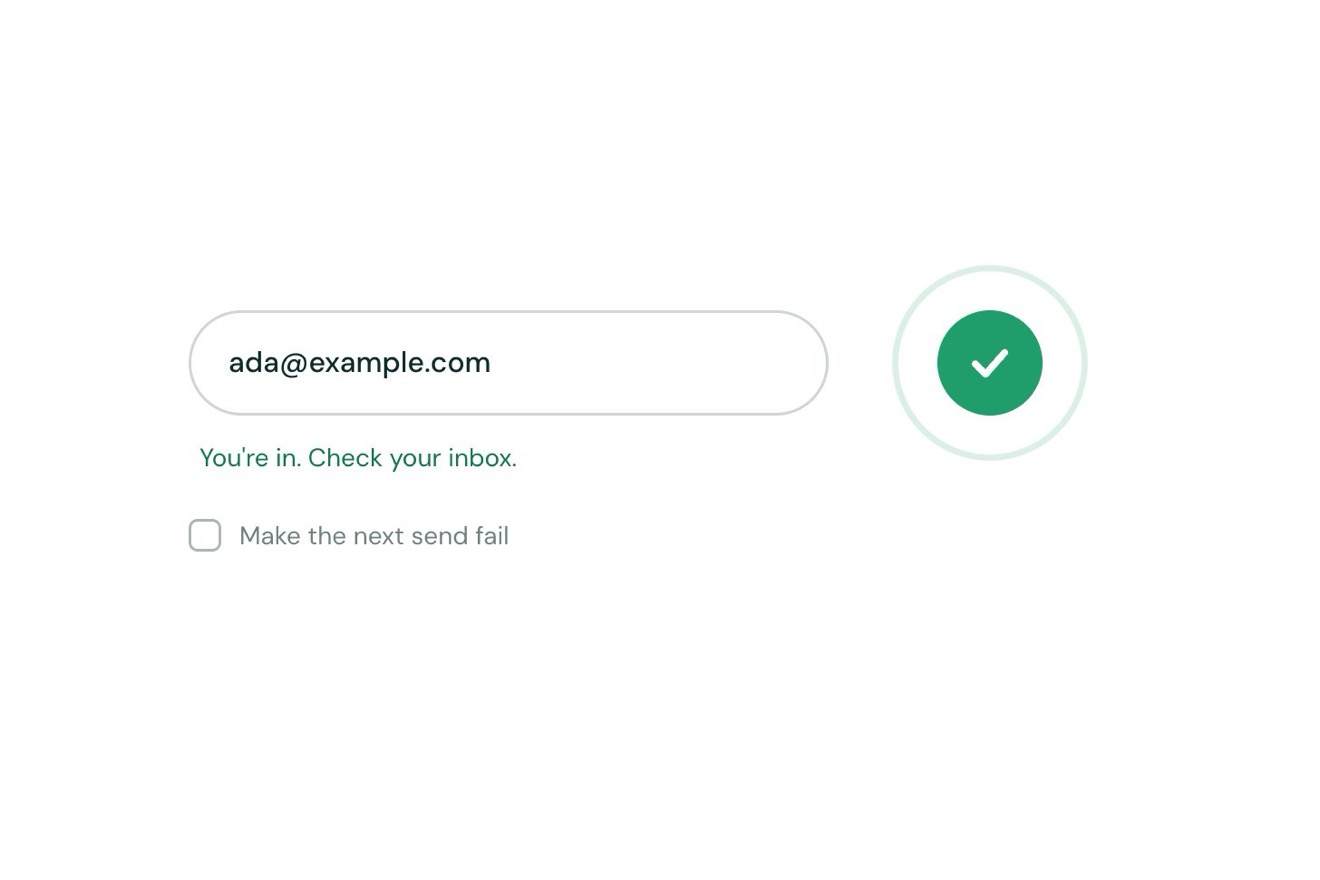
The send button
Buttons, Transitions, SVG
A site builder’s checks before going live, on white, in the style of product interface pieces: five checks start by themselves one after another, each ring spins and closes into a check with the time it took, page speed rolls up its score, and one finds three images without alt text and offers Fix. Once that is fixed the segments at the top are all green and Publish site wakes up: pressed, it spins and becomes Your site is live.
A folder that runs on its own: index.html, style.css, script.js and the libraries from a CDN. The React and Vue tabs hold the same demo as a ready component, which switches its animations off when it leaves the page.
<!doctype html>
<!--
  "Pre-launch checklist" from Animorio · https://animorio.com
  License: free on your own sites and your clients’ sites, paid work included.
  Not for resale, redistribution, templates or code collections · https://animorio.com/en/license/
-->
<html lang="en">
<head>
  <meta charset="utf-8">
  <meta name="viewport" content="width=device-width, initial-scale=1">
  <title>The pre-launch checklist that completes itself</title>
  <link rel="stylesheet" href="https://cdn.jsdelivr.net/npm/@fontsource-variable/mona-sans@5.3.0/wdth.css">
  <link rel="stylesheet" href="style.css">
</head>
<body>
  <main class="stage" data-stage>
    <!-- the checks a site builder runs before going live: they run one after another on their own, each ring spins and
         closes into a check, one finds images without alt text and offers Fix; once all pass, Publish wakes up -->
    <section class="card" data-card aria-label="Launch checklist">
      <header class="head">
        <span class="head__ico" aria-hidden="true">
          <svg viewBox="0 0 24 24"><circle cx="12" cy="12" r="8.4"></circle><path d="M3.8 12h16.4M12 3.6c2.3 2.3 3.4 5.1 3.4 8.4s-1.1 6.1-3.4 8.4c-2.3-2.3-3.4-5.1-3.4-8.4s1.1-6.1 3.4-8.4Z"></path></svg>
        </span>
        <span class="head__text">
          <span class="head__title">Launch checklist</span>
          <span class="head__sub">Fernhill Pottery · Production</span>
        </span>
        <span class="head__state" data-state aria-live="polite">
          <span class="state" data-st="idle">Not run</span>
          <span class="state state--run" data-st="run">Checking</span>
          <span class="state state--issue" data-st="issue">1 issue</span>
          <span class="state state--ok" data-st="ok"><svg viewBox="0 0 16 16" aria-hidden="true"><path d="m4 8.4 2.6 2.5L12 5.4"></path></svg>Ready</span>
          <span class="state state--ok" data-st="live"><svg viewBox="0 0 16 16" aria-hidden="true"><path d="m4 8.4 2.6 2.5L12 5.4"></path></svg>Live</span>
        </span>
        <button class="rerun" type="button" data-rerun aria-label="Run the checks again">
          <span class="rerun__in" data-rerun-in><svg viewBox="0 0 16 16" aria-hidden="true"><path d="M12.9 6.4A5 5 0 1 0 13 9.6"></path><path d="M13.2 3.4v3.2H10"></path></svg></span>
        </button>
      </header>

      <div class="segs" aria-hidden="true">
        <i data-seg><b></b></i><i data-seg><b></b></i><i data-seg><b></b></i><i data-seg><b></b></i><i data-seg><b></b></i>
      </div>

      <ul class="checks" data-checks>
        <li class="check" data-check data-secs="0.5" data-run="Resolving DNS" data-done="DNS verified · 2 records">
          <span class="mark" data-mark aria-hidden="true"><svg viewBox="0 0 20 20"><circle class="mark__ring" data-ring cx="10" cy="10" r="8.25"></circle><circle class="mark__arc" data-arc cx="10" cy="10" r="8.25"></circle><path class="mark__tick" data-tick d="m6.3 10.3 2.5 2.4 4.9-5.3"></path><path class="mark__bang" data-bang d="M10 5.9v5M10 13.9v.1"></path></svg></span>
          <span class="check__text">
            <span class="check__name">Domain connected</span>
            <span class="check__meta"><span class="meta" data-meta>Waiting</span></span>
          </span>
          <span class="check__end"><span class="time" data-time></span></span>
        </li>
        <li class="check" data-check data-secs="0.75" data-run="Issuing certificate" data-done="Valid · renews in 89 days">
          <span class="mark" data-mark aria-hidden="true"><svg viewBox="0 0 20 20"><circle class="mark__ring" data-ring cx="10" cy="10" r="8.25"></circle><circle class="mark__arc" data-arc cx="10" cy="10" r="8.25"></circle><path class="mark__tick" data-tick d="m6.3 10.3 2.5 2.4 4.9-5.3"></path><path class="mark__bang" data-bang d="M10 5.9v5M10 13.9v.1"></path></svg></span>
          <span class="check__text">
            <span class="check__name">SSL certificate</span>
            <span class="check__meta"><span class="meta" data-meta>Waiting</span></span>
          </span>
          <span class="check__end"><span class="time" data-time></span></span>
        </li>
        <li class="check" data-check data-secs="1.2" data-run="Measuring 6 pages" data-done="Score {96} · loads in 1.1s">
          <span class="mark" data-mark aria-hidden="true"><svg viewBox="0 0 20 20"><circle class="mark__ring" data-ring cx="10" cy="10" r="8.25"></circle><circle class="mark__arc" data-arc cx="10" cy="10" r="8.25"></circle><path class="mark__tick" data-tick d="m6.3 10.3 2.5 2.4 4.9-5.3"></path><path class="mark__bang" data-bang d="M10 5.9v5M10 13.9v.1"></path></svg></span>
          <span class="check__text">
            <span class="check__name">Page speed</span>
            <span class="check__meta"><span class="meta" data-meta>Waiting</span></span>
          </span>
          <span class="check__end"><span class="time" data-time></span></span>
        </li>
        <li class="check" data-check data-secs="0.65" data-run="Scanning 48 images" data-issue="3 images missing alt text" data-fixing="Writing alt text" data-done="Alt text added to 3 images">
          <span class="mark" data-mark aria-hidden="true"><svg viewBox="0 0 20 20"><circle class="mark__ring" data-ring cx="10" cy="10" r="8.25"></circle><circle class="mark__arc" data-arc cx="10" cy="10" r="8.25"></circle><path class="mark__tick" data-tick d="m6.3 10.3 2.5 2.4 4.9-5.3"></path><path class="mark__bang" data-bang d="M10 5.9v5M10 13.9v.1"></path></svg></span>
          <span class="check__text">
            <span class="check__name">Image alt text</span>
            <span class="check__meta"><span class="meta" data-meta>Waiting</span></span>
          </span>
          <span class="check__end">
            <span class="time" data-time></span>
            <button class="fix" type="button" data-fix tabindex="-1">
              <svg viewBox="0 0 16 16" aria-hidden="true"><path d="M8 2.6c.4 2.6 1.6 3.9 4.2 4.4-2.6.5-3.8 1.8-4.2 4.4-.4-2.6-1.6-3.9-4.2-4.4C6.4 6.5 7.6 5.2 8 2.6Z"></path><path d="M12.6 10.6v2.6M11.3 11.9h2.6"></path></svg>
              <span>Fix</span>
            </button>
          </span>
        </li>
        <li class="check" data-check data-secs="0.55" data-run="Reading meta tags" data-done="Title and description set">
          <span class="mark" data-mark aria-hidden="true"><svg viewBox="0 0 20 20"><circle class="mark__ring" data-ring cx="10" cy="10" r="8.25"></circle><circle class="mark__arc" data-arc cx="10" cy="10" r="8.25"></circle><path class="mark__tick" data-tick d="m6.3 10.3 2.5 2.4 4.9-5.3"></path><path class="mark__bang" data-bang d="M10 5.9v5M10 13.9v.1"></path></svg></span>
          <span class="check__text">
            <span class="check__name">Search preview</span>
            <span class="check__meta"><span class="meta" data-meta>Waiting</span></span>
          </span>
          <span class="check__end"><span class="time" data-time></span></span>
        </li>
      </ul>

      <footer class="foot">
        <button class="publish" type="button" data-publish disabled>
          <span class="publish__shine" aria-hidden="true"><i data-pshine></i></span>
          <span class="publish__face" data-pface="idle">Publish site</span>
          <span class="publish__face" data-pface="busy"><svg class="publish__spin" data-pspin viewBox="0 0 16 16" aria-hidden="true"><circle cx="8" cy="8" r="5.6"></circle></svg>Publishing</span>
          <span class="publish__face" data-pface="live"><svg viewBox="0 0 16 16" aria-hidden="true"><path data-ptick d="m4 8.4 2.6 2.5L12 5.4"></path></svg>Your site is live</span>
        </button>
      </footer>
    </section>

    <svg class="ghost" data-ghost viewBox="0 0 24 24" aria-hidden="true"><path d="M5 3.2 19.2 11l-6.3 1.6-3.3 5.9Z"></path></svg>
  </main>

  <script src="https://cdn.jsdelivr.net/npm/gsap@3.15.0/dist/gsap.min.js"></script>
  <script src="script.js"></script>
</body>
</html>Change values, colours and text with the controls and watch the animation respond live. Or write in the code yourself. Then download the folder with your changes.
38 values to change
With the Animorio connector, Claude Code, ChatGPT, Cursor or VS Code take it from here, guide included, and fit it into your project. Paste this request:
Take “Pre-launch checklist” from Animorio and fit it into my siteEach mark is a 20 pixel SVG with four stacked parts: the grey ring, a green arc on the same circle, the check and the exclamation mark. The arc is the circle with a strokeDasharray a quarter of the circumference long (2π times 8.25), spinning with an endless rotation tween around svgOrigin 10 10.
When the check passes, the spin stops where it is and GSAP takes the dasharray from a quarter to the whole circumference: the arc closes with no jump. Then the check draws itself with strokeDashoffset and the mark tightens to 0.86 and comes back with back.out, the spring that lands it.
The line under each name is 16 pixels tall with hidden overflow: the old text rises away in 0.14 s, the new one comes in from below with back.out. While working it has a glint made with background-clip: text and a sliding gradient; in the speed result the score in braces becomes a number counting up from zero, in a fixed-width box so the line does not jitter.
The checks are a timeline built from the rows’ data (data-secs, data-run, data-done, data-issue): each starts when the one before ends plus a small gap, and when nothing is left running the list decides between 1 issue and Ready. The autopilot is another timeline that takes the drawn pointer to Fix and to Publish site and presses the same buttons as the mouse; at the first real gesture it pauses and comes back after eight quiet seconds.
| Name | File | Default | What it changes |
|---|---|---|---|
ACCENT | script.js | #16a061 | The colour of the closing rings, the checks, the segments and the published site. |
PACE | script.js | 1 | The speed of the checks: 2 means twice as fast. |
SCORE | script.js | 96 | The page speed score, which counts up. |
SPIN | script.js | 0.8 | The seconds of one turn of the ring while a check works. |
SPRING | script.js | 2.4 | How much the mark bounces when the ring closes into the check. |
STAGGER | script.js | 0.14 | The seconds between the end of one check and the start of the next. |
HOLD | script.js | 2.2 | The seconds Your site is live stays before the list starts again. |
For a website or online shop builder, a developer panel, an app release, publishing an article or a campaign, the checks before a payment or a send: anywhere a series of checks should run by itself and show what passes, what does not and how to fix it.
The card takes the full width minus the margins, up to 380 pixels, and is measured on height too: the rows run from 40 to 48 pixels and the button from 36 to 42 with a clamp on vh, so it fits whole in the phone’s box. Fix, Publish site and the run-again button are pressed with a finger.
The rings do not spin: the arc stays still and the running check reads from its line; checks, times, texts and segments fade in, the score arrives already right, no springs or shakes, no glint on the text, and the drawn pointer stays hidden. The sequence, Fix and Publish site work the same.
GSAP 3.15.0, Mona Sans (font variabile) 5.3.0.
Compressed with gzip, the three demo files weigh 8.9 KB; the libraries: GSAP 28 KB.
Tested on 27 October 2026
Use it in your own projects and in your clients’ projects. Do not resell it or redistribute it as is. GSAP stays under its own Standard license. Full license.
Support Animorio
Animorio stays free thanks to the people who support it. If you like, buy us a coffee: it helps us make the next animations.
You asked for
We made it for you: it’s in the library, with the preview, the Playground and the code to copy.
An animation you can’t find, or a site to take apart in the journal: tell us which. We pick the next ones from here.
With your account’s email and password.
or with your email
You’re signed in as .
With your account, you can download the zip of every animation and every pack, for free.