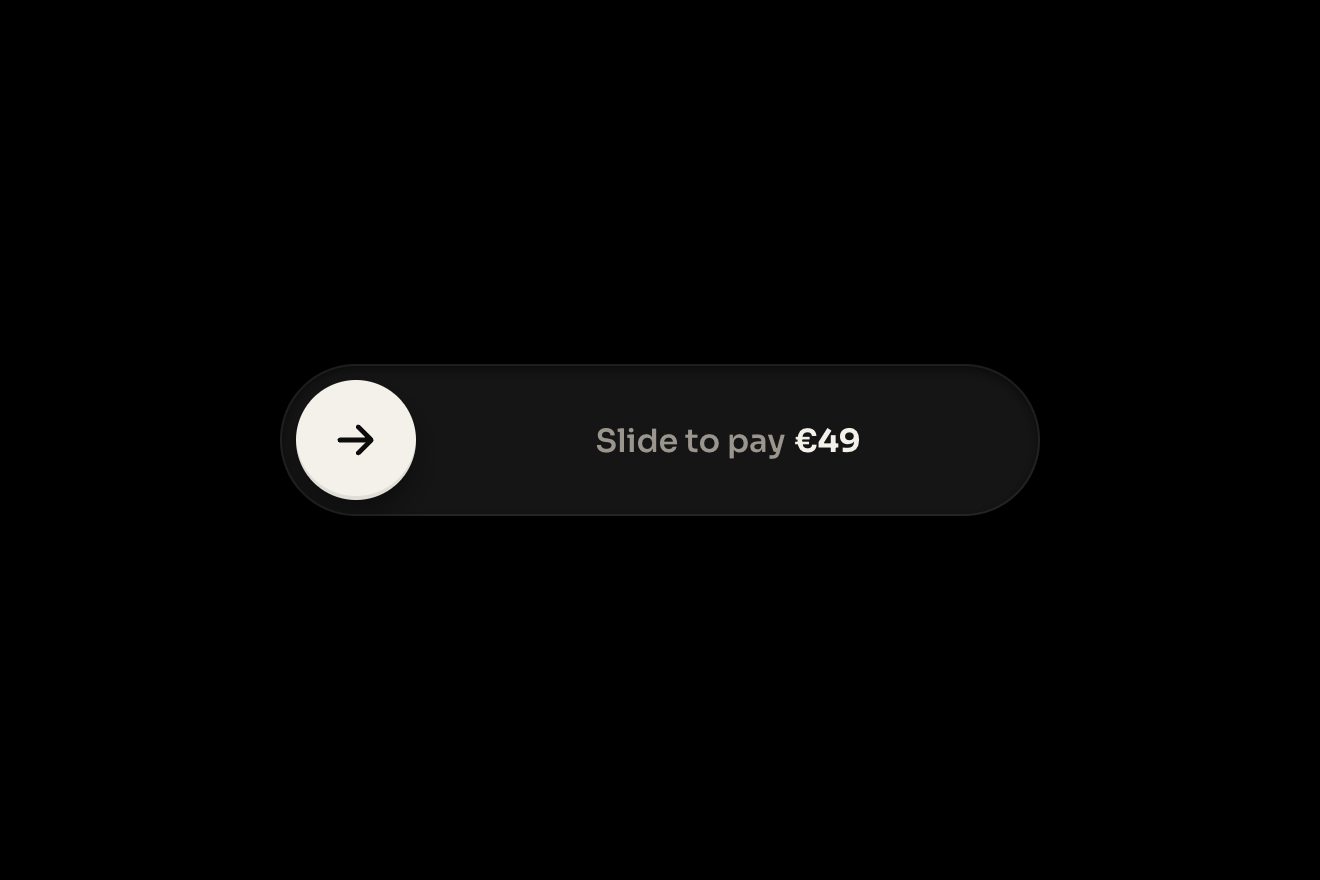
The slide-to-confirm button
Buttons, Physics, Transitions
The story of a pottery studio announcing its glaze night, in the premium style of Dribbble shots: three blurred glaze colours drifting on dark clay, the grain, the gloss, the bar at the top filling up and the seats left rolling from seven to six. Pull it up with a finger and the story follows the hand, sinks back and darkens while a frosted glass bottom sheet rises with three quick replies; pick one and it types itself into the field, the arrow turns ember and, once sent, the reply flies up as a bubble and drops into the studio's avatar, which draws its ring.
A folder that runs on its own: index.html, style.css, script.js and the libraries from a CDN. The React and Vue tabs hold the same demo as a ready component, which switches its animations off when it leaves the page.
<!doctype html>
<!--
  "Story reply sheet" from Animorio · https://animorio.com
  License: free on your own sites and your clients’ sites, paid work included.
  Not for resale, redistribution, templates or code collections · https://animorio.com/en/license/
-->
<html lang="en">
<head>
  <meta charset="utf-8">
  <meta name="viewport" content="width=device-width, initial-scale=1">
  <title>The story with the reply you pull up</title>
  <link rel="stylesheet" href="https://cdn.jsdelivr.net/npm/@fontsource-variable/mona-sans@5.3.0/wdth.css">
  <link rel="stylesheet" href="style.css">
</head>
<body>
  <main class="stage">
    <!-- the story of a pottery studio, Ostro, announcing its glaze night. Pull the story up with a finger (or tap the
         reply bar) and it sinks back under a frosted sheet with three quick replies and a field; pick one, send it, and
         the message flies up into the studio's avatar while the story goes on -->
    <div class="wrap" data-wrap>
      <span class="glow" data-glow aria-hidden="true"></span>
      <section class="st" data-story aria-label="Story by ostro.ceramics">
        <div class="st__scene" data-scene>
          <div class="st__img" data-img aria-hidden="true">
            <span class="st__blob st__blob--a" data-blob></span>
            <span class="st__blob st__blob--b" data-blob></span>
            <span class="st__blob st__blob--c" data-blob></span>
            <span class="st__gloss"></span>
            <span class="st__grain"></span>
            <span class="st__shade"></span>
          </div>
          <span class="st__sheen" data-sheen aria-hidden="true"></span>

          <div class="st__bars" aria-hidden="true">
            <span class="st__bar"><span class="st__fill" style="transform:scaleX(1)"></span></span>
            <span class="st__bar"><span class="st__fill" data-fill></span></span>
            <span class="st__bar"><span class="st__fill"></span></span>
          </div>

          <header class="st__head">
            <span class="st__avatar" data-avatar aria-hidden="true">
              <svg class="st__ring" viewBox="0 0 40 40"><circle data-ring cx="20" cy="20" r="18.5" pathLength="1"/></svg>
              <span class="st__face"></span>
            </span>
            <span class="st__who"><b>ostro.ceramics</b><span class="st__when">2h</span></span>
            <span class="st__close" aria-hidden="true">
              <svg viewBox="0 0 16 16"><path d="M4 4l8 8M12 4l-8 8"/></svg>
            </span>
          </header>

          <div class="st__copy" data-copy>
            <p class="st__kicker">Thursday, 7 pm</p>
            <h2 class="st__title">Glaze<br>night</h2>
            <p class="st__line">Dip, pour and layer our new ash glazes. Clay, aprons and tea on us.</p>
            <span class="st__seats">
              <span class="st__roll" data-roll aria-hidden="true"><span>7</span><span>6</span></span>
              <span class="sr" data-seatsr>6</span>
              <span>seats left</span>
            </span>
          </div>

          <span class="st__dim" data-dim aria-hidden="true"></span>

          <div class="st__foot" data-foot>
            <span class="st__hint" data-hint aria-hidden="true">
              <svg viewBox="0 0 16 10"><path d="M2 8l6-5 6 5"/></svg>
              <span>Reply</span>
            </span>
            <button class="st__bar-reply" type="button" data-open>
              <span class="st__ph" data-ph>Reply to ostro.ceramics</span>
              <span class="st__sent" data-sent>
                <svg viewBox="0 0 16 16" aria-hidden="true"><path data-tick pathLength="1" d="M3.5 8.4l3 3 6-6.6"/></svg>
                <span>Sent to ostro.ceramics</span>
              </span>
            </button>
          </div>
        </div>

        <div class="st__sheet" data-sheet role="dialog" aria-label="Reply" aria-hidden="true">
          <span class="st__grip" data-grip aria-hidden="true"></span>
          <p class="st__sheet-title">Quick replies</p>
          <div class="st__chips">
            <button class="st__chip" type="button" data-chip tabindex="-1">Save me a seat</button>
            <button class="st__chip" type="button" data-chip tabindex="-1">Can I bring a friend?</button>
            <button class="st__chip" type="button" data-chip tabindex="-1">Is the clay included?</button>
          </div>
          <form class="st__field" data-form>
            <input class="st__input" data-input type="text" placeholder="Message" aria-label="Message" autocomplete="off" tabindex="-1">
            <button class="st__send" type="submit" data-send aria-label="Send" tabindex="-1" disabled>
              <span class="st__send-face" data-sendface>
                <svg viewBox="0 0 16 16" aria-hidden="true"><path d="M8 13V3.6M3.8 7.6L8 3.4l4.2 4.2"/></svg>
              </span>
            </button>
          </form>
        </div>

        <span class="st__bubble" data-bubble aria-hidden="true"></span>
        <span class="st__edge" aria-hidden="true"></span>
      </section>
    </div>
    <p class="sr" aria-live="polite" data-live></p>
  </main>

  <script src="https://cdn.jsdelivr.net/npm/gsap@3.15.0/dist/gsap.min.js"></script>
  <script src="script.js"></script>
</body>
</html>Change values, colours and text with the controls and watch the animation respond live. Or write in the code yourself. Then download the folder with your changes.
34 values to change
With the Animorio connector, Claude Code, ChatGPT, Cursor or VS Code take it from here, guide included, and fit it into your project. Paste this request:
Take “Story reply sheet” from Animorio and fit it into my siteThe story is a 9 by 16 box min(86vh, 600px, 160vw) tall with container-type: size: the sizes inside are in cqw and cqh, with clamp for the type, so the same story fits the phone box and grows on a computer with no recalculation.
Everything depends on an object P with v from 0 to 1: render() takes the scene to scale 1 - (1 - SINK) v and a little up, the sheet from yPercent 101 to 0, the black veil, the bottom bar and the light on the floor. The finger writes v directly (the distance over the sheet's height), GSAP animates it to open and close: the same function serves the gesture and the autopilot.
On pointerdown the point and the state are noted; after six pixels the drag captures the pointer and pauses the bar at the top. The speed is a moving average of the last moves: letting go, a quick flick opens or closes even after a short pull, otherwise the threshold decides; past the top v grows at a fifth and the sheet stretches from the bottom.
A quick reply types itself with a tween on a letter counter. On send, a bubble is laid exactly on the field (measured with getBoundingClientRect against the story), rises a little, then x and y go to the avatar on two different curves (power2.inOut and power3.in) so the flight makes an arc; once there, the avatar's ring draws itself with stroke-dashoffset on pathLength 1.
The seat count is a column of two figures in a window one line tall: GSAP takes it to yPercent -100 with a back.out. While the sheet covers the story the column quietly goes back to seven, so on closing the six rolls in again.
| Name | File | Default | What it changes |
|---|---|---|---|
STORY | script.js | 7 | How many seconds one story lasts: the bar at the top fills in this time. |
SINK | script.js | 0.9 | How small the story gets with the sheet open: 1 does not move. |
THRESHOLD | script.js | 0.3 | How far you have to pull, as a share of the sheet, for it to open. |
SPRING | script.js | 1 | How springy the movement is: 0.4 calm, 2 very bouncy. |
TYPE_SPEED | script.js | 28 | How many letters per second a quick reply types. |
HOLD | script.js | 1.8 | How many seconds the bottom bar says Sent. |
DRIFT | script.js | 1 | How much the glaze colours drift in the picture: 0 still. |
AUTO | script.js | true | Goes round by itself until someone touches it. |
For the app or web app of a social network, a community or a brand that posts stories: the reply to a story from a workshop, a venue or an event, with quick replies ready. Also as a model for any bottom sheet you pull up with a finger over content that sinks back.
It is made for the finger: the same animation with sizes taken from the story's height, which fits whole in the box. The gesture is the same, the light that follows the pointer stays still until you touch.
Nothing moves: the glaze colours stay still, the seats are already six, the sheet fades in and out when you tap the reply bar, the chosen reply appears whole in the field and, once sent, the bubble fades and the bar says Sent with a fade.
GSAP 3.15.0, Mona Sans (font variabile) 5.3.0.
Compressed with gzip, the three demo files weigh 10 KB; the libraries: GSAP 28 KB.
Tested on 2 November 2026
Use it in your own projects and in your clients’ projects. Do not resell it or redistribute it as is. GSAP stays under its own Standard license. Full license.
Support Animorio
Animorio stays free thanks to the people who support it. If you like, buy us a coffee: it helps us make the next animations.
You asked for
We made it for you: it’s in the library, with the preview, the Playground and the code to copy.
An animation you can’t find, or a site to take apart in the journal: tell us which. We pick the next ones from here.
With your account’s email and password.
or with your email
You’re signed in as .
With your account, you can download the zip of every animation and every pack, for free.