Button menu
Menus, Transitions, Text
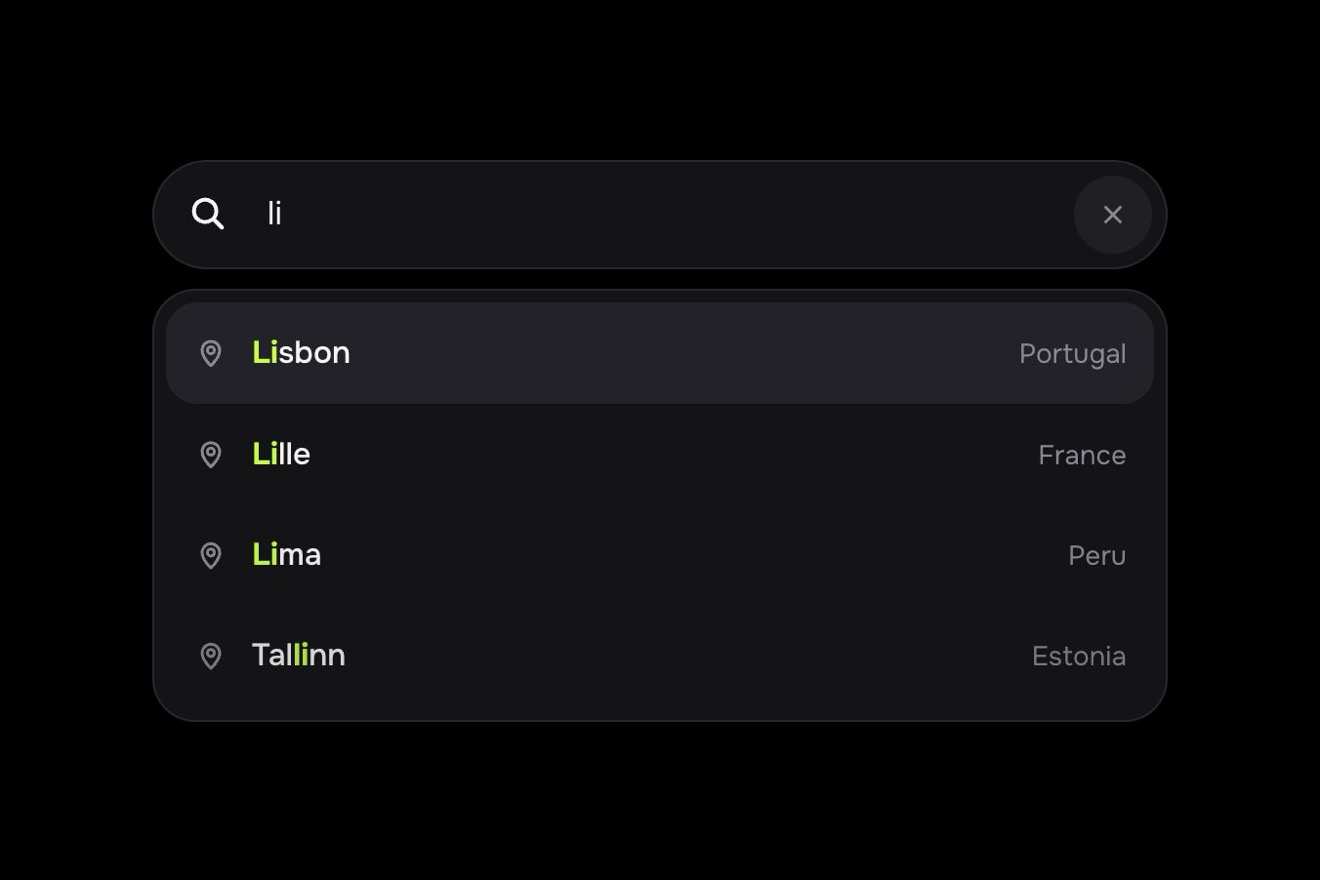
A meeting card in Kinnet, a made-up meetings app, as a Dribbble shot: at the bottom the «Show times in» field says which city's clock to show the time in. It opens upwards into a glass list with a search box and ten cities, each with its live local time and a small day and night bar. Pick a city and the name rolls in the field, the meeting time rolls digit by digit to that city's clock, with «+1 day» when it lands on the next day, a marker slides along the day and the light at the top of the card turns warm by day and indigo by night.
A folder that runs on its own: index.html, style.css, script.js and the libraries from a CDN. The React and Vue tabs hold the same demo as a ready component, which switches its animations off when it leaves the page.
<!doctype html>
<!--
  "Time zone picker" from Animorio · https://animorio.com
  License: free on your own sites and your clients’ sites, paid work included.
  Not for resale, redistribution, templates or code collections · https://animorio.com/en/license/
-->
<html lang="en">
<head>
  <meta charset="utf-8">
  <meta name="viewport" content="width=device-width, initial-scale=1">
  <title>The time zone picker with the meeting time that recalculates</title>
  <link rel="stylesheet" href="https://cdn.jsdelivr.net/npm/@fontsource-variable/mona-sans@5.3.0/wdth.css">
  <link rel="stylesheet" href="style.css">
</head>
<body>
  <main class="stage">
    <!-- a meeting card in Kinnet, an invented meetings app: the time zone field opens upwards into a searchable list of
         cities, each with its live local time and a small day and night bar; picking a city rolls the meeting time to
         that city's clock, slides the marker along the local day and says what part of the day it falls in -->
    <section class="tz" data-tz aria-labelledby="tz-title">
      <span class="tz__glow" data-glow aria-hidden="true"></span>

      <header class="tz__head">
        <span class="tz__app" aria-hidden="true">
          <svg viewBox="0 0 20 20"><circle cx="7.6" cy="10" r="4.6"/><circle cx="12.4" cy="10" r="4.6"/></svg>
        </span>
        <span class="tz__meta">
          <span class="tz__title" id="tz-title">Design review</span>
          <span class="tz__sub">Thu 12 Nov · 45 min · 4 people</span>
        </span>
        <span class="tz__people" aria-hidden="true">
          <span style="--h:18">AM</span><span style="--h:150">JO</span><span style="--h:262">RK</span>
        </span>
      </header>

      <div class="tz__time">
        <span class="tz__label">Starts at</span>
        <div class="tz__clock" data-clock aria-live="polite">
          <span class="tz__digits" data-digits aria-hidden="true"></span>
          <span class="tz__plus" data-plus aria-hidden="true"></span>
          <span class="tz__read" data-read></span>
        </div>
        <span class="tz__where" data-where></span>
      </div>

      <div class="tz__day" aria-hidden="true">
        <span class="tz__strip"><span class="tz__mark" data-mark><span class="tz__mark-in"></span></span></span>
        <span class="tz__hours"><span>0</span><span>6</span><span>12</span><span>18</span><span>24</span></span>
      </div>

      <div class="tz__field-wrap">
        <span class="tz__field-label" id="tz-label">Show times in</span>
        <button class="tz__field" type="button" data-field data-autoclic aria-haspopup="listbox" aria-expanded="false" aria-labelledby="tz-label tz-city">
          <span class="tz__globe" aria-hidden="true">
            <svg viewBox="0 0 20 20"><circle cx="10" cy="10" r="7.2"/><path d="M2.8 10h14.4M10 2.8c2.2 2.2 2.2 12.2 0 14.4M10 2.8c-2.2 2.2-2.2 12.2 0 14.4"/></svg>
          </span>
          <span class="tz__city" id="tz-city"><span class="tz__city-in" data-city></span></span>
          <span class="tz__now" data-now></span>
          <span class="tz__chev" aria-hidden="true"><svg viewBox="0 0 12 12"><path d="M3 7.5 6 4.5l3 3"/></svg></span>
        </button>

        <div class="tz__pop" data-pop hidden>
          <label class="tz__search">
            <svg viewBox="0 0 20 20" aria-hidden="true"><circle cx="8.6" cy="8.6" r="5.2"/><path d="m12.6 12.6 3.8 3.8"/></svg>
            <input type="text" data-search placeholder="Search a city" autocomplete="off" spellcheck="false" aria-label="Search a city" aria-controls="tz-list">
          </label>
          <div class="tz__list" id="tz-list" role="listbox" aria-label="Time zones" data-list>
            <span class="tz__hi" data-hi aria-hidden="true"></span>
          </div>
          <p class="tz__empty" data-empty hidden>No city with that name</p>
        </div>
      </div>
    </section>

    <svg class="pilot" data-pilot viewBox="0 0 24 24" aria-hidden="true"><path d="M5 3.5v15.2l4.1-3.9 2.7 6 2.6-1.1-2.7-5.9h5.7z"/></svg>
  </main>

  <script src="https://cdn.jsdelivr.net/npm/gsap@3.15.0/dist/gsap.min.js"></script>
  <script src="script.js"></script>
</body>
</html>Change values, colours and text with the controls and watch the animation respond live. Or write in the code yourself. Then download the folder with your changes.
32 values to change
With the Animorio connector, Claude Code, ChatGPT, Cursor or VS Code take it from here, guide included, and fit it into your project. Paste this request:
Take “Time zone picker” from Animorio and fit it into my siteThe meeting is one instant in UTC (MEETING). For each city Intl.DateTimeFormat with its timeZone gives the time, split with formatToParts into hour, minutes, weekday and date: summer time is always right because the browser knows it. The day difference is the local date minus London's, in whole days.
Each digit is a column from 0 to 9, 58 pixels each, inside a window one digit tall: to show 7 the column goes to −7 × 58. GSAP moves only the digits that change, one after another (STAGGER), with a back.out that takes them a pixel past and settles them.
The times in the list and the field keep going live: a check in GSAP's ticker looks every frame whether the minute has changed and only then rewrites the text and moves the ticks of the bars, with no setInterval.
The search text loses its accents (normalize NFD) like the names, so «sao» finds São Paulo. Rows that don't match go to zero height and then display none, rows that come back do the opposite; the highlight pill waits for the list to take its new shape and then jumps to the first row left.
Every size is in pixels and the script scales the whole card to fit the window, height included: in the phone's short preview box the card with the open panel stays inside. The panel rises upwards over the card, so it never falls off the bottom.
| Name | File | Default | What it changes |
|---|---|---|---|
MEETING | script.js | '2026-11-12T15:00:00Z' | The meeting, as one instant in UTC. |
LENGTH | script.js | 45 | The meeting's minutes: the width of the marker on the day bar. |
START_CITY | script.js | 'London' | The field's city at the start. |
ROLL | script.js | 0.85 | Seconds for a digit of the time to roll. |
STAGGER | script.js | 0.07 | Seconds between one digit and the next. |
OPEN | script.js | 0.55 | Seconds for the list to rise. |
BOUNCE | script.js | 1.5 | How far the list and the digits go past before settling (0 none). |
TYPE | script.js | 0.16 | Seconds per letter when the drawn pointer types in the search. |
SPEED | script.js | 1 | 2 = the drawn pointer twice as fast, 0.5 half. |
LOOP | script.js | true | The drawn pointer starts over. |
--accent | style.css | #3b5bfd | The blue of the marker, the check and the open field's border. |
--night | style.css | #1b2147 | The night on the day bars. |
--day | style.css | #ffe3a3 | The day on the bars. |
In a meetings app, a calendar or a scheduling tool for people in different countries: whoever invites sees at once what time the meeting falls for the others, whether it's night or the next day. It also fits an online events site or the contact page of a company with distant offices.
The same animation with adapted sizes: the script scales the whole card to fit the box, height included, and the panel rises over the card instead of dropping out of it. With a finger you open it, scroll the list and pick as with the mouse.
Nothing moves: the digits change in place with a fade, the panel fades in and out, the search rows hide at once, the marker jumps to its spot and the drawn pointer hops from place to place without travelling.
GSAP 3.15.0, Mona Sans (font variabile) 5.3.0.
Compressed with gzip, the three demo files weigh 10 KB; the libraries: GSAP 28 KB.
Tested on 8 November 2026
Use it in your own projects and in your clients’ projects. Do not resell it or redistribute it as is. GSAP stays under its own Standard license. Full license.
Support Animorio
Animorio stays free thanks to the people who support it. If you like, buy us a coffee: it helps us make the next animations.
You asked for
We made it for you: it’s in the library, with the preview, the Playground and the code to copy.
An animation you can’t find, or a site to take apart in the journal: tell us which. We pick the next ones from here.
With your account’s email and password.
or with your email
You’re signed in as .
With your account, you can download the zip of every animation and every pack, for free.