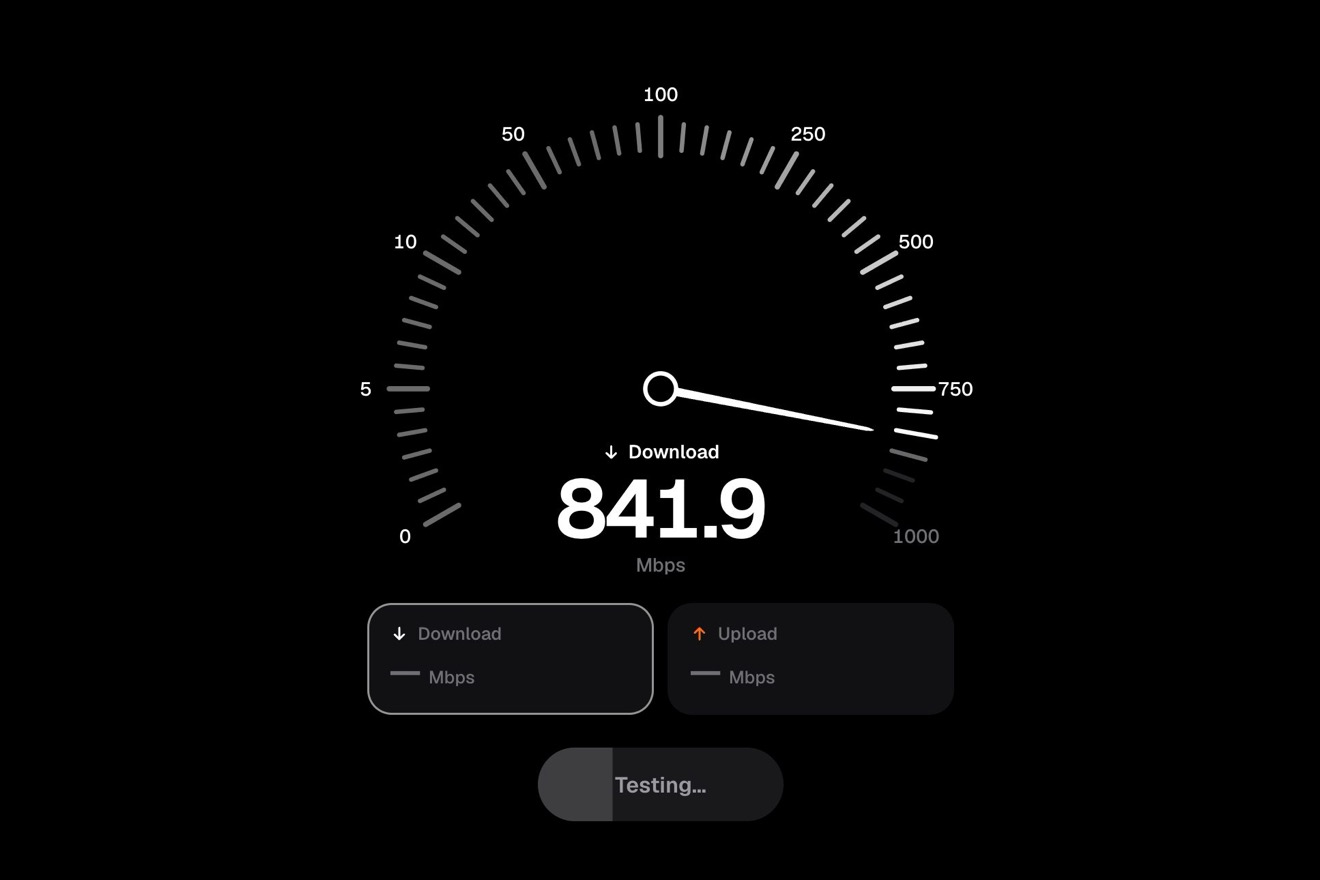
The needle gauge
Counters, Physics, SVG
The bottom navigation bar of Wayfern, an invented travel app, white on white: the chosen tab sits on a glossy drop of midnight blue ink. Choose another one and the drop squashes, pulls away from the old tab on a thin thread that snaps, jumps over the bar stretching with its speed and falls on the new tab with a tiny splash, a few droplets and a ring; then it wobbles round again and the icon draws itself on it in white.
A folder that runs on its own: index.html, style.css, script.js and the libraries from a CDN. The React and Vue tabs hold the same demo as a ready component, which switches its animations off when it leaves the page.
<!doctype html>
<!--
  "Ink drop tab bar" from Animorio · https://animorio.com
  License: free on your own sites and your clients’ sites, paid work included.
  Not for resale, redistribution, templates or code collections · https://animorio.com/en/license/
-->
<html lang="en">
<head>
  <meta charset="utf-8">
  <meta name="viewport" content="width=device-width, initial-scale=1">
  <title>The travel app tab bar with the jumping ink drop</title>
  <link rel="stylesheet" href="https://cdn.jsdelivr.net/npm/@fontsource-variable/mona-sans@5.3.0/wdth.css">
  <link rel="stylesheet" href="style.css">
</head>
<body>
  <main class="stage" data-stage>
    <!-- the bottom tab bar of Wayfern, an invented travel app. The chosen tab sits on a drop of ink: choosing another
         one, the drop pulls away from the old tab on a thread, jumps over the bar, falls on the new tab with a small
         splash, and the icon draws itself in white on the ink. The ink is SVG circles merged by a goo filter and lit by
         a specular light; the script moves them on every frame -->
    <nav class="bar" aria-label="Wayfern" data-bar>
      <svg class="bar__ink" data-ink aria-hidden="true">
        <defs>
          <filter id="ink-goo" data-filter filterUnits="userSpaceOnUse" color-interpolation-filters="sRGB">
            <feGaussianBlur in="SourceGraphic" stdDeviation="3.6" result="blur"/>
            <feColorMatrix in="blur" mode="matrix" values="1 0 0 0 0  0 1 0 0 0  0 0 1 0 0  0 0 0 19 -7.4" result="goo"/>
            <feGaussianBlur in="goo" stdDeviation="2.2" result="bump"/>
            <feSpecularLighting in="bump" surfaceScale="2.6" specularConstant="0.9" specularExponent="30" lighting-color="#ffffff" result="spec">
              <fePointLight data-light x="80" y="-30" z="110"/>
            </feSpecularLighting>
            <feComposite in="spec" in2="goo" operator="in" result="shine"/>
            <feGaussianBlur in="goo" stdDeviation="4.5" result="soft"/>
            <feOffset in="soft" dy="5" result="drop"/>
            <feFlood flood-color="#19224f" flood-opacity="0.26"/>
            <feComposite in2="drop" operator="in" result="shadow"/>
            <feMerge>
              <feMergeNode in="shadow"/>
              <feMergeNode in="goo"/>
              <feMergeNode in="shine"/>
            </feMerge>
          </filter>
        </defs>
        <circle class="bar__ripple" data-ripple cx="0" cy="0" r="0"/>
        <g class="bar__goo" data-goo filter="url(#ink-goo)">
          <circle data-residue cx="0" cy="0" r="0"/>
          <g data-thread></g>
          <g data-drops></g>
          <g data-main-pos><ellipse data-main rx="0" ry="0"/></g>
        </g>
      </svg>

      <button class="tab" type="button" data-tab="explore" aria-label="Explore">
        <span class="tab__art" aria-hidden="true">
          <svg class="tab__icon" viewBox="0 0 28 28">
            <g class="tab__base">
              <circle cx="14" cy="14" r="10"/>
              <path d="M17.6 10.4l-2.2 5-5 2.2 2.2-5z"/>
            </g>
            <g class="tab__on" data-move>
              <circle pathLength="1" cx="14" cy="14" r="10"/>
              <g data-needle><path pathLength="1" d="M17.6 10.4l-2.2 5-5 2.2 2.2-5z"/></g>
            </g>
          </svg>
        </span>
        <span class="tab__label">Explore</span>
      </button>

      <button class="tab" type="button" data-tab="trips" aria-label="Trips">
        <span class="tab__art" aria-hidden="true">
          <svg class="tab__icon" viewBox="0 0 28 28">
            <g class="tab__base">
              <path d="M5.5 10.5h17a2 2 0 0 1 2 2v8a2 2 0 0 1-2 2h-17a2 2 0 0 1-2-2v-8a2 2 0 0 1 2-2z"/>
              <path d="M10.5 10.5V8a1.5 1.5 0 0 1 1.5-1.5h4A1.5 1.5 0 0 1 17.5 8v2.5"/>
              <path d="M9.5 10.5v12M18.5 10.5v12"/>
            </g>
            <g class="tab__on" data-move>
              <path pathLength="1" d="M5.5 10.5h17a2 2 0 0 1 2 2v8a2 2 0 0 1-2 2h-17a2 2 0 0 1-2-2v-8a2 2 0 0 1 2-2z"/>
              <path pathLength="1" d="M10.5 10.5V8a1.5 1.5 0 0 1 1.5-1.5h4A1.5 1.5 0 0 1 17.5 8v2.5"/>
              <path pathLength="1" d="M9.5 10.5v12"/>
              <path pathLength="1" d="M18.5 10.5v12"/>
            </g>
          </svg>
        </span>
        <span class="tab__label">Trips</span>
        <span class="tab__badge" data-badge>2</span>
      </button>

      <button class="tab" type="button" data-tab="map" aria-label="Map">
        <span class="tab__art" aria-hidden="true">
          <svg class="tab__icon" viewBox="0 0 28 28">
            <g class="tab__base">
              <path d="M4 7.5l6.3-2.5 7.4 2.5L24 5v15.5L17.7 23l-7.4-2.5L4 23z"/>
              <path d="M10.3 5v15.5M17.7 7.5V23"/>
            </g>
            <g class="tab__on" data-move>
              <path pathLength="1" d="M4 7.5l6.3-2.5 7.4 2.5L24 5v15.5L17.7 23l-7.4-2.5L4 23z"/>
              <path pathLength="1" d="M10.3 5v15.5"/>
              <path pathLength="1" d="M17.7 7.5V23"/>
            </g>
          </svg>
        </span>
        <span class="tab__label">Map</span>
      </button>

      <button class="tab" type="button" data-tab="saved" aria-label="Saved">
        <span class="tab__art" aria-hidden="true">
          <svg class="tab__icon" viewBox="0 0 28 28">
            <g class="tab__base">
              <path d="M8 4.5h12a1 1 0 0 1 1 1v18l-7-4.6-7 4.6v-18a1 1 0 0 1 1-1z"/>
            </g>
            <g class="tab__on" data-move>
              <path pathLength="1" d="M8 4.5h12a1 1 0 0 1 1 1v18l-7-4.6-7 4.6v-18a1 1 0 0 1 1-1z"/>
              <path pathLength="1" d="M11 9.5h6"/>
            </g>
          </svg>
        </span>
        <span class="tab__label">Saved</span>
      </button>

      <button class="tab" type="button" data-tab="profile" aria-label="Profile">
        <span class="tab__art" aria-hidden="true">
          <svg class="tab__icon" viewBox="0 0 28 28">
            <g class="tab__base">
              <circle cx="14" cy="10" r="4.3"/>
              <path d="M5.8 23.5c.9-4.3 4.2-6.6 8.2-6.6s7.3 2.3 8.2 6.6"/>
            </g>
            <g class="tab__on" data-move>
              <circle pathLength="1" cx="14" cy="10" r="4.3"/>
              <path pathLength="1" d="M5.8 23.5c.9-4.3 4.2-6.6 8.2-6.6s7.3 2.3 8.2 6.6"/>
            </g>
          </svg>
        </span>
        <span class="tab__label">Profile</span>
      </button>
    </nav>
  </main>

  <script src="https://cdn.jsdelivr.net/npm/gsap@3.15.0/dist/gsap.min.js"></script>
  <script src="script.js"></script>
</body>
</html>Change values, colours and text with the controls and watch the animation respond live. Or write in the code yourself. Then download the folder with your changes.
23 values to change
With the Animorio connector, Claude Code, ChatGPT, Cursor or VS Code take it from here, guide included, and fit it into your project. Paste this request:
Take “Ink drop tab bar” from Animorio and fit it into my siteBehind the tabs there is an SVG as wide as the bar and 56 pixels taller, to leave room for the jump. Inside, a group with a goo filter: feGaussianBlur and an feColorMatrix that pushes the alpha channel (19, -7.4) merge the drop (an ellipse), the residue on the old tab, the beads of the thread and the splash droplets into one liquid with crisp edges.
The same filter blurs the shape again and uses it as a bump map for feSpecularLighting with an fePointLight up on the left: the highlight is kept inside the shape with feComposite in, and a blurred shadow shifted down sits below it. So the drop is glossy at every moment, stretched or squashed, without painting the highlight by hand.
A GSAP timeline moves a state object: first the squash (ax) toward the run, then the flight with p from 0 to 1 at constant speed: x runs straight and y follows a parabola ARC high. Stretch and angle come from the real speed, the derivative of the parabola: rx and ry trade STRETCH per thousand pixels a second, and the ellipse rotates with the run inside a group that carries the squash.
Between the residue and the drop there is a row of up to 44 beads, one every 2.6 pixels: the radius goes from the residue to the drop, is thinner in the middle (0.27 + 0.33 w squared) and reaches zero in the middle first as th drops, because every bead turns off at a different threshold. The filter merges them into a thread that thins and snaps; then the residue sinks back with back.in.
On landing the drop flattens (ax 1.5) and comes back round with elastic.out (WOBBLE); the droplets fly off in a fan at a random speed, fall with gravity and shrink until the filter makes them vanish; a thin ring spreads and fades. The white icon has pathLength 1 and draws itself as stroke-dashoffset goes to zero, stroke by stroke; the label gains weight through the CSS variable --wght.
While nobody touches it, a gsap.delayedCall picks tabs around the bar (Map, Trips, Profile, Saved, Explore) every PILOT_GAP seconds. At the first real tap or key it stops; the right and left arrow keys change tab from the keyboard.
| Name | File | Default | What it changes |
|---|---|---|---|
FLIGHT | script.js | 0.52 | Seconds the drop flies from one tab to the next. |
ARC | script.js | 36 | Pixels the drop jumps above the icons. |
STRETCH | script.js | 0.5 | How much the drop stretches with its speed (0 none). |
THREAD | script.js | 0.5 | Share of the flight before the thread snaps. |
DROPLETS | script.js | 6 | Droplets thrown up by the splash. |
WOBBLE | script.js | 0.42 | How much the drop wobbles after the splash (lower wobbles more). |
DRAW | script.js | 0.5 | Seconds for the icon to draw itself on the ink. |
PILOT_GAP | script.js | 1.7 | Seconds between the pilot's taps. |
LOOP | script.js | true | The pilot keeps tapping around. |
As the bottom navigation bar of a mobile app or a web app: travel, bookings, maps, a city guide, an events app. It suits places where changing tab should have character without slowing down: the jump lasts half a second and the new tab is active the moment you tap.
The same animation with adapted sizes: the bar is up to 360 pixels wide and never wider than the screen, tab positions and the light are measured again on resize. A tap with the finger picks the tab; pressing squeezes the icon.
No jump, thread or splash: the drop fades out from the old tab and back in on the new one, the icon is already drawn and the label gains weight; the icons do not do their move.
GSAP 3.15.0, Mona Sans (font variabile) 5.3.0.
Compressed with gzip, the three demo files weigh 8.2 KB; the libraries: GSAP 28 KB.
Tested on 9 November 2026
Use it in your own projects and in your clients’ projects. Do not resell it or redistribute it as is. GSAP stays under its own Standard license. Full license.
Support Animorio
Animorio stays free thanks to the people who support it. If you like, buy us a coffee: it helps us make the next animations.
You asked for
We made it for you: it’s in the library, with the preview, the Playground and the code to copy.
An animation you can’t find, or a site to take apart in the journal: tell us which. We pick the next ones from here.
With your account’s email and password.
or with your email
You’re signed in as .
With your account, you can download the zip of every animation and every pack, for free.