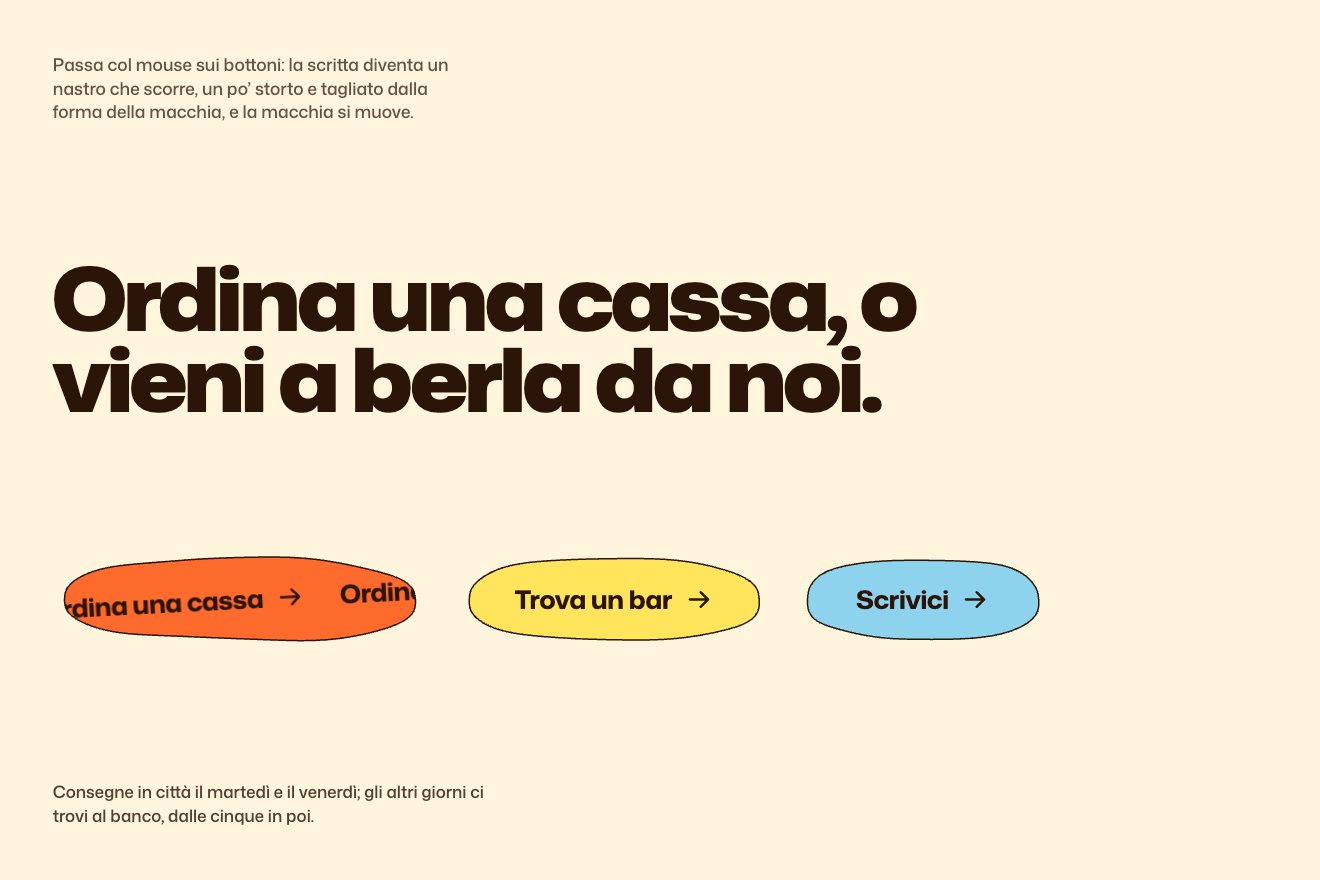
The ticker in the button
Hover, SVG, Text
NewFree
A sentence and a panel of type blocks: point at a block and one word of the sentence tries that effect on (inflated letters, a glow, the rest out of focus, the word widening) and keeps it until another one is chosen.
A folder that runs on its own: index.html, style.css, script.js and the libraries from a CDN. The React and Vue tabs hold the same demo as a ready component, which switches its animations off when it leaves the page.
<!doctype html>
<html lang="en">
<head>
  <meta charset="utf-8">
  <meta name="viewport" content="width=device-width, initial-scale=1">
  <title>The word that tries on effects</title>
  <link rel="stylesheet" href="https://cdn.jsdelivr.net/npm/@fontsource-variable/mona-sans@5.3.0/standard.css">
  <link rel="stylesheet" href="https://cdn.jsdelivr.net/npm/@fontsource-variable/jetbrains-mono@5.3.0/index.css">
  <link rel="stylesheet" href="style.css">
</head>
<body>
  <!-- the inflated look: the letters grow fatter, their outline becomes a height map, and a light shines on it -->
  <svg class="filters" width="0" height="0" aria-hidden="true" focusable="false">
    <filter id="puff" x="-30%" y="-30%" width="160%" height="160%" color-interpolation-filters="sRGB">
      <feMorphology in="SourceAlpha" operator="dilate" radius="1.6" result="body" />
      <feGaussianBlur in="body" stdDeviation="3.2" result="height" />
      <feSpecularLighting in="height" surfaceScale="5" specularConstant="1" specularExponent="22" lighting-color="#ffffff" result="light">
        <feDistantLight azimuth="225" elevation="50" />
      </feSpecularLighting>
      <feComposite in="light" in2="body" operator="in" result="lit" />
      <feMorphology in="SourceGraphic" operator="dilate" radius="1.6" result="fat" />
      <feComposite in="lit" in2="fat" operator="arithmetic" k1="0" k2="0.85" k3="1" k4="0" />
    </filter>
  </svg>

  <main class="page">
    <header class="top">
      <p class="brand">Spool</p>
      <p class="top__line">Type blocks</p>
    </header>

    <section class="story">
      <div class="story__text">
        <p class="label">Kinetic type</p>
        <h1 class="line">
          <span class="sr">Give every title a look of its own, then keep it as a block.</span>
          <span class="line__visual" aria-hidden="true" data-line>Give <span data-before>every</span> <span class="word" data-word><span class="word__glow" data-glow></span><span class="word__text" data-text>title</span><span class="word__puff" data-puff></span></span> <span data-after>a</span> look of its own, then keep it as a block.</span>
        </h1>
        <p class="note" data-note>Point at a block to try it on the word.</p>
      </div>

      <div class="panel">
        <div class="panel__head">
          <span class="panel__path">Library / Type blocks</span>
          <span class="panel__close" aria-hidden="true"><svg viewBox="0 0 24 24"><path d="M7 7l10 10M17 7 7 17" /></svg></span>
        </div>
        <div class="panel__tiles" role="group" aria-label="Type blocks">
          <button class="block" type="button" data-effect="inflate" aria-pressed="false">
            <span class="block__art block__art--inflate"><span>Aa</span></span><span class="block__name">Inflate</span>
          </button>
          <button class="block" type="button" data-effect="glow" aria-pressed="false">
            <span class="block__art block__art--glow">Aa</span><span class="block__name">Glow</span>
          </button>
          <button class="block" type="button" data-effect="focus" aria-pressed="false">
            <span class="block__art block__art--focus">Aa</span><span class="block__name">Focus</span>
          </button>
          <button class="block" type="button" data-effect="stretch" aria-pressed="false">
            <span class="block__art block__art--stretch">Aa</span><span class="block__name">Stretch</span>
          </button>
        </div>
      </div>
    </section>
  </main>

  <script src="https://cdn.jsdelivr.net/npm/gsap@3.15.0/dist/gsap.min.js"></script>
  <script src="https://cdn.jsdelivr.net/npm/gsap@3.15.0/dist/CustomEase.min.js"></script>
  <script src="script.js"></script>
</body>
</html>Change values, colours and text with the controls and watch the animation respond live. Or write in the code yourself. Then download the folder with your changes.
44 values to change
With the Animorio connector, Claude Code takes it from here, guide included, and fits it into your project. Paste this request:
Take “The word that tries on effects” from Animorio and fit it into my siteThe sentence is split into letters, with each whole word in a span that does not wrap; for every letter the script remembers how many letters separate it from the chosen word. The word has three layers: a glow behind, the text, and on top a row of inflated letters at scale 0.
The inflated letters are real letters with an SVG filter: the glyph’s alpha grows by 1.6 px (feMorphology), is blurred by 3.2 px and becomes a height map on which a distant light makes the highlight (feSpecularLighting); the highlight is added to the colour, which has grown too. They grow from scale 0 with back.out(1) over 0.8 seconds, 0.02 seconds apart, from a random ±20° tilt down to 0, while the word underneath fades and the neighbouring words step aside by 0.05 and 0.12 em.
Glow takes the glow from scale 1 to 1.35 and from transparent to full over 0.8 seconds; it is a blue and pink radial gradient blurred by 14 px, kept inside the word with isolation: isolate. Focus blurs each letter in proportion to its distance from the word, up to 8 px 16 letters away: the letter turns transparent and the blur is a text shadow of its own colour, which starts at the word and spreads, 0.02 seconds per letter of distance.
The typeface’s width lives in two CSS variables, one for the word and one for the rest, read by font-stretch. Stretch takes the word to 120% and the rest to 88% with elastic.out(1, 0.45) over 1.3 seconds: the text reflows every frame and the word bounces on its width.
With a mouse pointing is enough, with a finger or a keyboard you press: the blocks are buttons with aria-pressed. Every change switches the other three effects off and the new one on over 0.8 seconds; when the page opens, Inflate is tried on by itself.
| Name | File | Default | What it changes |
|---|---|---|---|
DURATION | script.js | 0.8 | How long every change lasts, in seconds. |
LETTER_GAP, TILT | script.js | 0.02, 20 | The delay between the inflated letters and how far they tilt before straightening. |
SPREAD | script.js | 0.05, 0.12 | How far the word before and the word after step aside, in em. |
BLUR, FALLOFF | script.js | 8, 16 | Focus’s greatest blur, in px, and how many letters from the word it is reached. |
WIDTH | script.js | 104, 120, 88 | The typeface’s width at rest, for the widened word and for the narrowed rest, in percent. |
COLOURS, FIRST | script.js | 5, inflate | The inflated letters’ colours and the effect tried on when the page opens. |
For the page of a design tool, a catalogue of effects or typefaces, or a brand that wants people to play with its name. The mechanism, a panel that changes a word’s style, also works for picking a colour, a theme or a tone.
The panel moves under the sentence with the four blocks in a row, chosen with a tap; the sentence drops to 38 px and the hint asks you to tap.
The effects change at once, with no growing, bouncing or travelling blur: the result shows straight away.
GSAP 3.15.0, CustomEase (GSAP) 3.15.0, Mona Sans (font variabile) 5.3.0, JetBrains Mono (font variabile) 5.3.0.
Compressed with gzip, the three demo files weigh 5.7 KB; the libraries: GSAP + CustomEase 31 KB.
Tested on 28 September 2026
Use it in your own projects and in your clients’ projects. Do not resell it or redistribute it as is. GSAP stays under its own Standard license. Full license.
With your account’s email and password.
or with your email
You’re signed in as .
With your account, you can download the zip of every animation and every pack, for free.