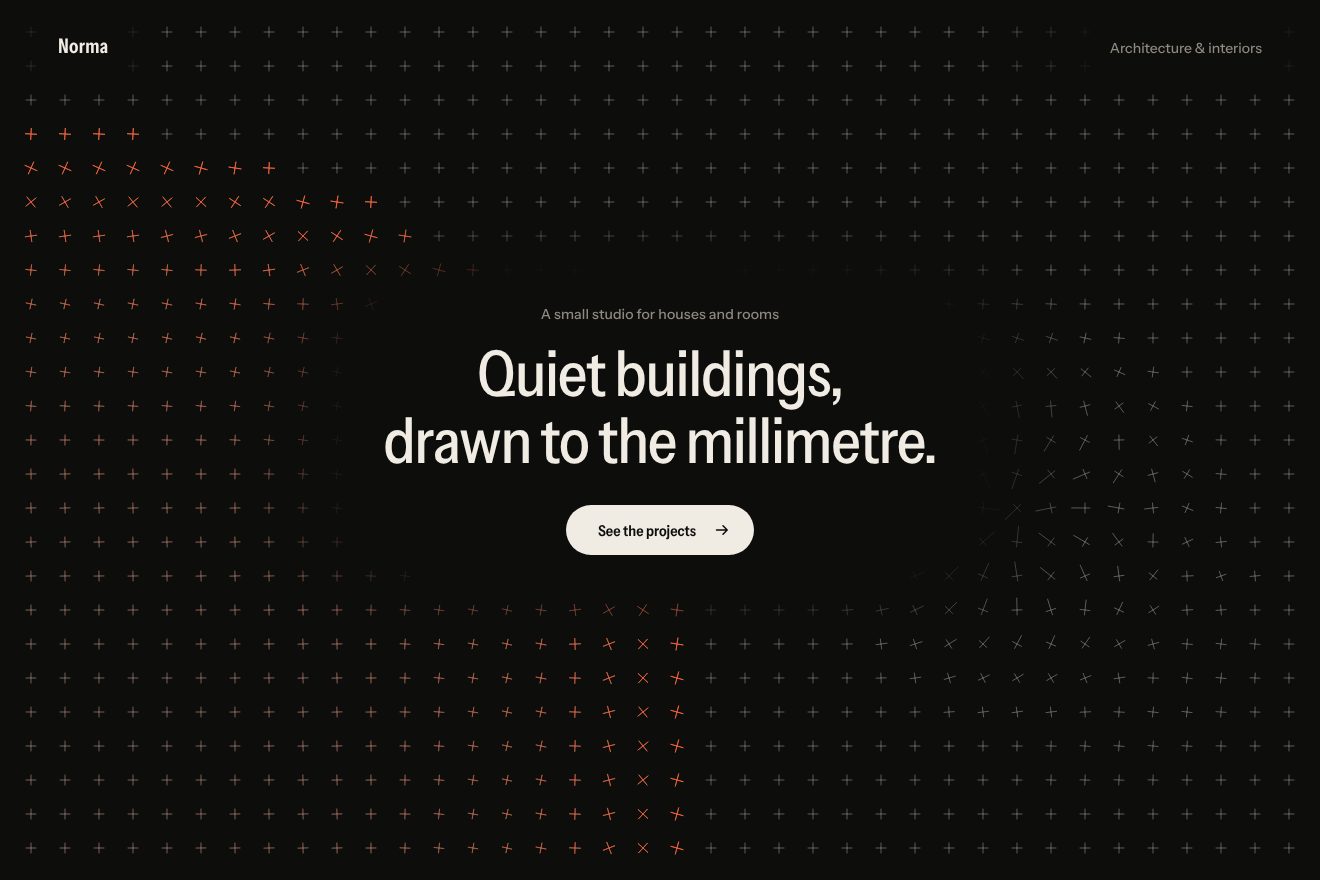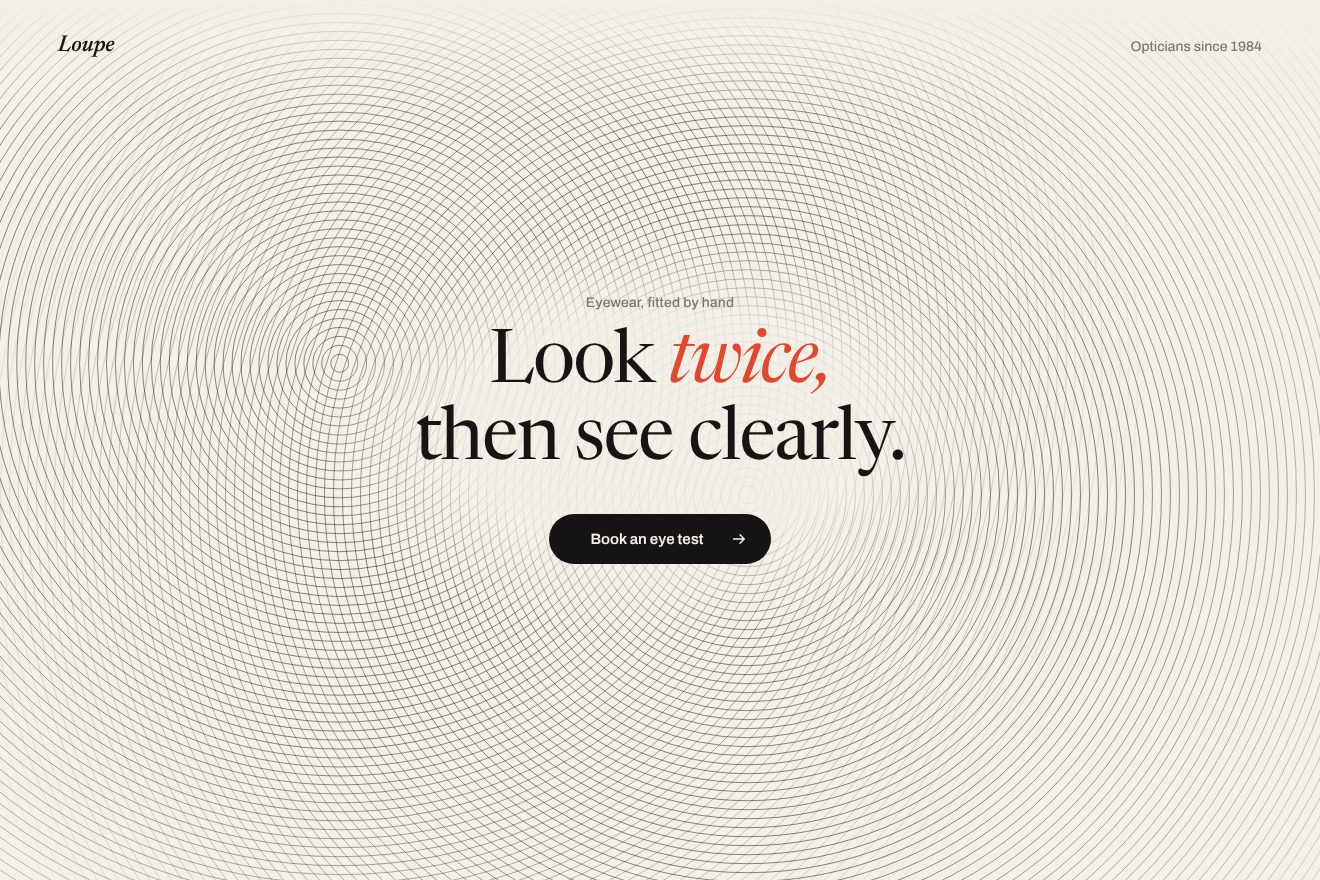
The contour line background
Backgrounds, Hover
NewFree
An animated background to put behind a heading or a section: very thin lines, close together like the weft of a cloth, swaying slowly like fabric hung out to dry. Round the heading the threads open as round a buttonhole, where the pointer passes they move aside and spring back into place; only one thread is red. Minimal style.
A folder that runs on its own: index.html, style.css, script.js and the libraries from a CDN. The React and Vue tabs hold the same demo as a ready component, which switches its animations off when it leaves the page.
<!doctype html>
<html lang="en">
<head>
  <meta charset="utf-8">
  <meta name="viewport" content="width=device-width, initial-scale=1">
  <title>Weft</title>
  <link rel="stylesheet" href="https://cdn.jsdelivr.net/npm/@fontsource-variable/fraunces@5.3.0/full.css">
  <link rel="stylesheet" href="https://cdn.jsdelivr.net/npm/@fontsource-variable/instrument-sans@5.3.0/wdth.css">
  <link rel="stylesheet" href="style.css">
</head>
<body>
  <!-- the background: hairline threads on a canvas behind the whole page; they part round the title like round a
       buttonhole, and move aside where the pointer goes -->
  <main class="pagina" data-pagina>
    <canvas class="fondo" aria-hidden="true" data-fondo></canvas>

    <header class="testa">
      <p class="marchio">Weft</p>
      <p class="testa__nota">Linen goods</p>
    </header>

    <section class="eroe">
      <div class="blocco" data-blocco>
        <p class="occhiello" data-entra>Linen, woven in small runs</p>
        <h1 class="titolo">
          <span class="riga"><span class="riga__dentro" data-riga>Woven slowly,</span></span>
          <span class="riga"><span class="riga__dentro" data-riga>worn for years.</span></span>
        </h1>
        <div class="azione" data-entra>
          <a class="pillola" href="#">
            <span class="pillola__scritta" data-testo="Shop the linen">Shop the linen</span>
            <svg class="pillola__freccia" viewBox="0 0 16 16" aria-hidden="true"><path d="M2.5 8h10.5M9 3.8 13.2 8 9 12.2" /></svg>
          </a>
        </div>
      </div>
    </section>
  </main>

  <script src="https://cdn.jsdelivr.net/npm/gsap@3.15.0/dist/gsap.min.js"></script>
  <script src="script.js"></script>
</body>
</html>Change values, colours and text with the controls and watch the animation respond live. Or write in the code yourself. Then download the folder with your changes.
22 values to change
With the Animorio connector, Claude Code takes it from here, guide included, and fits it into your project. Paste this request:
Take “The woven thread background” from Animorio and fit it into my siteOn a full-page canvas (devicePixelRatio capped at 2) the threads are worked out: as many as fit with PASSO pixels between them, centred, and for each thread a point every 10 pixels (5 on a phone, where the threads are shorter and the curves would look jagged). All the grey threads are a single path and a single stroke; the red thread, picked with FILO_ROSSO, has its own.
The heading block is measured and a buttonhole opens round it: every point moves up or down by ry · w(x) · e^(−|u|/2ry), where u is the thread's distance from the middle of the heading and w(x) = (1 − (dx/rx)⁴)³ gives rounded ends with no corners. The push drops with distance more slowly than the gap between threads would grow, so they never cross: on the edge they close up to half, like cloth round a buttonhole.
Every point rises by ONDA · (0.62 · sin(x·k1 + y·q1 + θ) + 0.38 · sin(x·k2 − y·q2 − 2θ + 1.3)): two waves crossing at a slant at different speeds. θ is the phase of a repeating GSAP timeline lasting GIRO seconds, and the speeds are whole turns of θ, so after each round the cloth is exactly the same again.
The pointer moves the threads aside by SCOSTA · tanh(du/0.25R) · e^(−dx²/2σx² − du²/2σy²): up above, down below, with R = RAGGIO. Every point of every thread follows that shift on a spring of its own (MOLLA), integrated by hand on GSAP's ticker with the step capped at 1/30 of a second, and the point itself follows the pointer on an almost fully damped spring: when the real pointer arrives or the fake one comes back (after 2.4 seconds of quiet) there is no jump.
A timeline takes the weaving from 0 to 1: each thread is drawn up to a point moving with a cubic ease, even threads from the left and odd ones from the right, the ones near the heading first. Then the buttonhole opens with elastic.out, the heading lines rise with back.out and go from weight 250 to 380. An IntersectionObserver and visibilitychange take the drawing off the ticker and pause the round when the page is not visible.
| Name | File | Default | What it changes |
|---|---|---|---|
PASSO | script.js | 12 | The distance between threads, in px: smaller, a denser cloth. |
SPESSORE | script.js | 1 | The thickness of the threads, in px. |
ONDA | script.js | 6 | How much the fabric sways, in px. |
GIRO | script.js | 16 | How many seconds the waves take to come round to the same place (and the fake pointer passes twice). |
SCOSTA | script.js | 58 | How many px the pointer moves the threads aside. |
RAGGIO | script.js | 160 | How big the area the pointer moves aside is, in px. |
MOLLA | script.js | [150, 13] | The spring of the threads: how stiff and how damped. More damping, no wobble. |
ASOLA | script.js | 1 | How far the threads open round the heading: 0 they stay closed, above 1 the opening is taller. |
FILO_ROSSO | script.js | 0.7 | How high the red thread runs, from 0 (top) to 1 (bottom). |
As the background of the first screen of a shop selling fabrics, linen or clothes, of a tailor's page, a haberdashery, a textile furnishing brand; in general behind a short heading when you want a living but calm page that does not steal attention from the words. The colour of the threads and of the red thread is set in the CSS.
The same animations with the sizes adapted: the points along each thread are twice as close, the buttonhole is wider because the heading takes up almost the whole page, the heading is smaller. The finger moves the threads aside while it touches and drags; when it lifts the fake pointer comes back.
The cloth is still, already woven and with the buttonhole open: no waves, no pointer, no springs. The heading, the small line and the pill fade in.
GSAP 3.15.0, Fraunces (font variabile) 5.3.0, Instrument Sans (font variabile) 5.3.0.
Compressed with gzip, the three demo files weigh 6.4 KB; the libraries: GSAP 28 KB.
Tested on 19 October 2026
Use it in your own projects and in your clients’ projects. Do not resell it or redistribute it as is. GSAP stays under its own Standard license. Full license.
With your account’s email and password.
or with your email
You’re signed in as .
With your account, you can download the zip of every animation and every pack, for free.