Lightweight, by VKZ Studio
Lightweight, how it’s made: the carbon wheel you scroll through, the tumbling headlines and the crosshair circles
The Lightweight site opens in the dark with a carbon racing wheel that turns and comes closer as you scroll, then the page goes silver, the headlines arrive letter by letter, tumbling into place, and two thin circles with crosshairs move at every chapter. We take it apart with three demos rebuilt from scratch.
The palette
- #000000the black of the opening, where the wheel comes out of the dark
- #C6C7CFthe cold silver of the light pages
- #E5E5E5the light grey of the grounds and the cards
- #717170the grey of the lines, the circles and the crosshairs
- #191919the near black of the text on silver
- #FFFFFFthe white of the text on black
Tap a colour to copy its code.
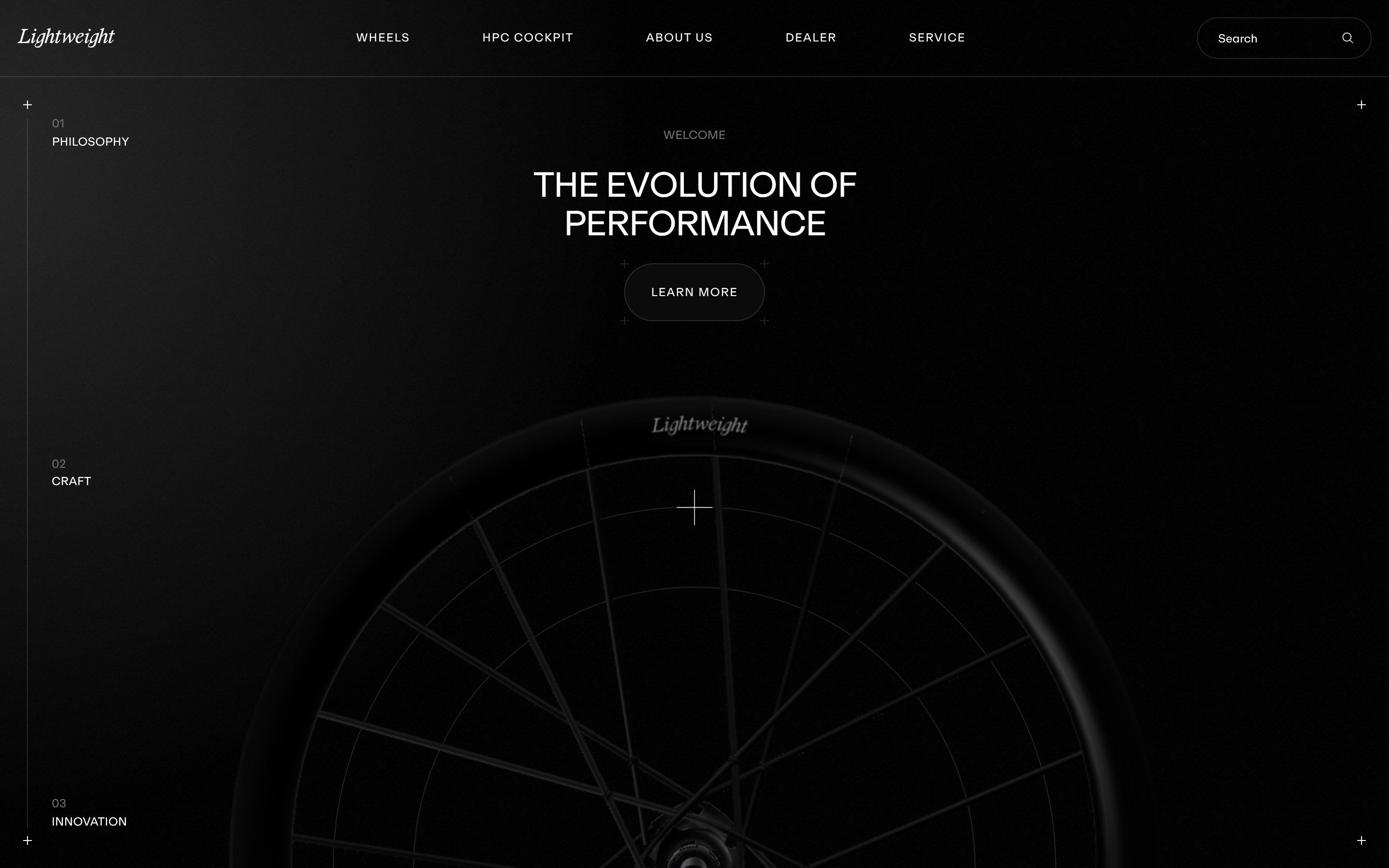
Lightweight is the site of a German maker of carbon racing bike wheels, which the site says are handmade in Germany, from a composite of its own and with a monocoque design the brand calls Rim-to-Rim. The pages are those of a product: the wheels, the HPC Cockpit handlebar, about us, dealers, service, in English and German. And it is a site that speaks the way its wheels do: almost no colour. It opens on black, #000000, and after the first chapter turns to a cold silver, #C6C7CF, with light grounds of #E5E5E5, grey lines in #717170 and text in near black, #191919, or white on black. There is one typeface, ABC Repro, a wide grotesque, in capitals for the headings; the logo is a script. On Awwwards it was Site of the Day on 15 February 2026, scored 7.24 by the jury, and won the Developer Award, 7.17. It is signed by VKZ Studio.
It is a Next.js 15.5 site, with React 19.2. The wheel is Three.js, revision 176, put together with React Three Fiber and the drei helpers: the model loads as a Draco-compressed glTF, and the light comes from a studio EXR environment map. The animation is GSAP 3.13, with ScrollTrigger, SplitText, Draggable and Inertia, and the smooth scrolling is GSAP too, ScrollSmoother, with half a second of smoothing; on desktop it also has a speed of 0.5, which means the page moves half as far as the wheel turns, and on the phone the finger stays direct. The values we quote come from the public code, the minified chunks the site loads, put back in order.
We take it apart in three moments, with a demo rebuilt from scratch for each one, for an invented wheel brand, RAGGIO: the model, the words and the code are ours. From the site we took the ideas and, where we say so, the numbers.
The carbon wheel you scroll through
The home page is a single, very long section, and for all of its length the screen stays still: in the middle there is a black wheel, and as you scroll you look at it up close. First it rises out of the dark from below, with the logo on the rim; then the camera moves towards the hub, turns around the spokes, goes side on and sees the rim become a thin blade, and at the end the wheel is tilted as if it were cornering. At every stop, beside the wheel or in the middle, a chapter appears: Performance engineered, Handmade in Germany, Alpha Rib Technology.
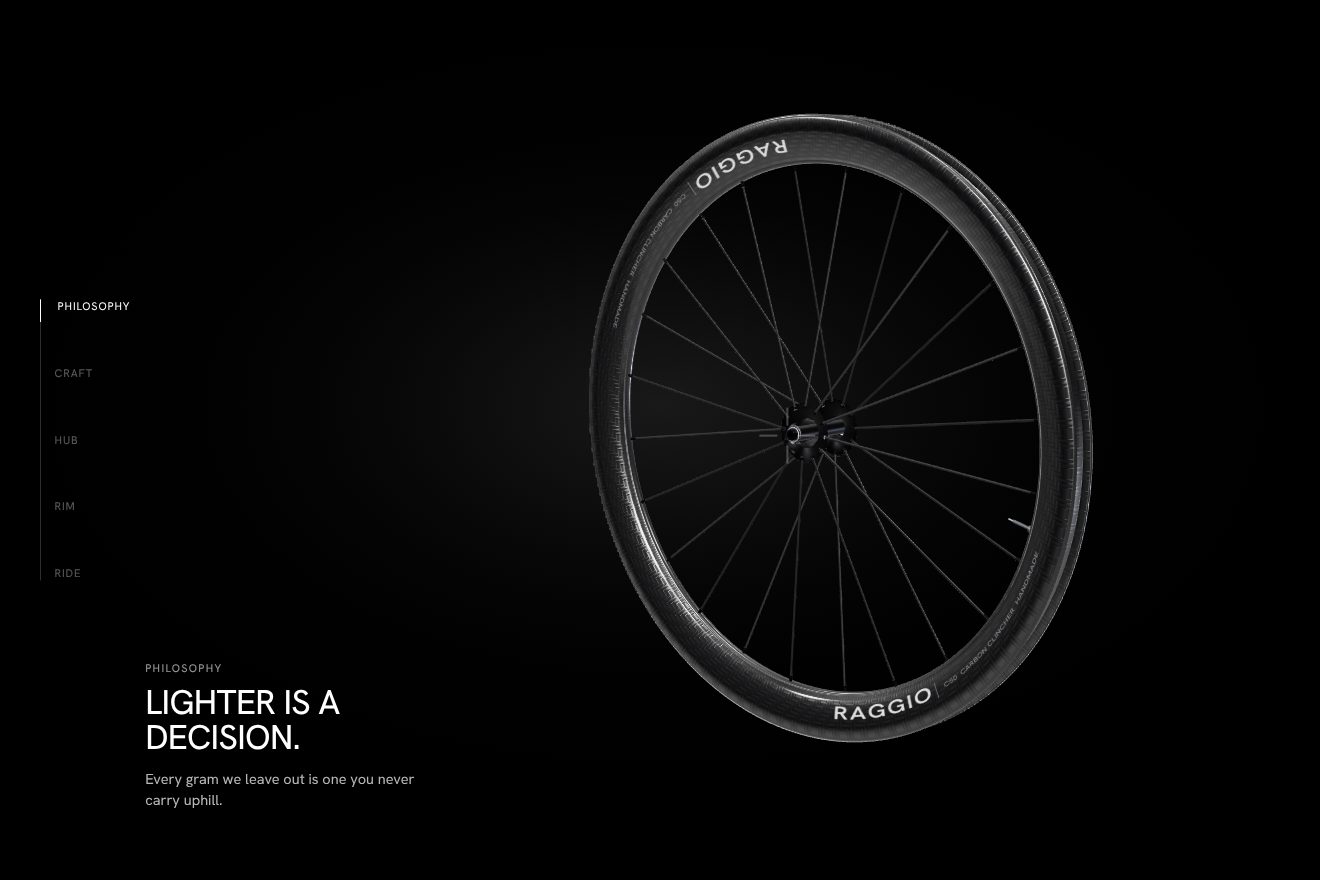
The section is five screens tall, 500lvh (750 on the phone), and the stage with the wheel is held by the ScrollTrigger pin from its start to its end. The wheel is not moved by code: its movements are already in the model, six animations recorded in the glTF file, for the two halves of the rim and the groups that turn and move it, and scrolling only moves the playhead along their tape. The tape lasts 25 seconds, divided into six parts of 25 sixths, about 4.17 seconds each. The opening plays the first part on its own, from 0 to the first division, in three seconds with power1.out after half a second, while the canvas fades in over a quarter of a second; from there scrolling carries the playhead from division to division up to the fifth: those are the five stops. Between one stop and the next, time runs with power1.inOut, power1.out only the first time, and the scrub is half a second, so the wheel arrives a moment after your finger and never jumps.
The light moves with the scroll too. The environment map, a studio EXR, rotates at every stop on two axes, for example from 49 degrees to minus 100 forward and from 6.5 to minus 148 sideways, and its intensity rises from 1 to 1.5 over the last two stops: the reflections slide over the carbon as if the wheel were turning under a spotlight, even when it isn’t. The camera, on the other hand, is moved by GSAP, on the same scrub: on desktop it starts further back and higher, at 2.65 instead of 2.39, comes closer in the first part and then slides sideways by a few millimetres, 5 and then 78 thousandths, just enough to change the framing; on the phone it rises and falls to make room for the text. On top of everything is drei’s Float, at speed 3.38, with an amplitude of one hundredth up and down: the wheel is never completely still. And when 19% of the section reaches the middle of the screen, the page changes theme, from black to silver, and the top bar changes with it; scroll back up and it goes black again.
In our demo the wheel does not come from a 3D program: it is built piece by piece in Three.js, a fifty-millimetre-deep rim with its real profile, the herringbone carbon weave painted on a canvas under a glossy clear coat, the RAGGIO logo twice on each side, twenty-four flat spokes on alternating flanges with their heads and nipples, the black hub with its flanges, the valve with its nut. The axle stays still while the wheel turns, and the bearing seals turn a little more than the rim. From the site come the camera’s field of view, 22.895 degrees, the five stops with half a second of scrub and the same curves, the light’s rotations stop by stop with the intensity rising to 1.5 over the last two, the float at 3.38, the three-second opening after half a second, the switch to silver at 19% and the pixel density that drops from 1.5 to 1 if the frames don’t keep up. Ours are the wheel rolling three quarters of a turn along the page, a short pause between one pose and the next, the index on the left and the chapter texts; without WebGL a flat wheel drawn in SVG remains.
The tumbling headlines
The chapter headings don’t slide or rise from a mask: they arrive letter by letter, and each letter falls forward from above the line like a tile hinged at the bottom, turning a little sideways as well. First the small label, then the big heading, line after line, then the text and the Learn more button.
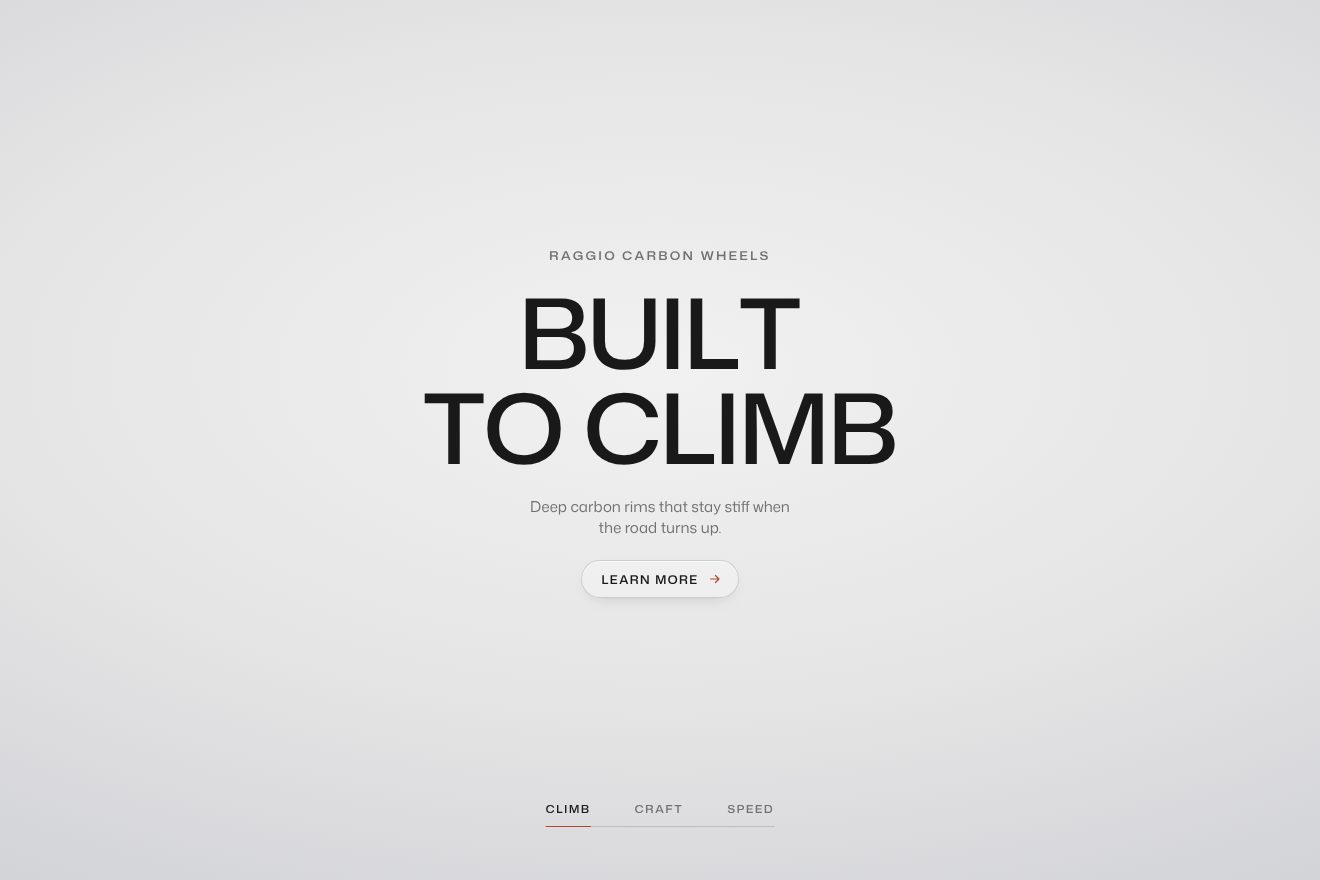
It is SplitText, cutting the heading into words and letters. Each letter starts transparent, 0.6 em higher and 0.2 em to the left, rotated minus 90 degrees on the horizontal axis and minus 15 on the vertical one, and arrives straight in its place in one second with power2.out; the letters start a tenth of a second apart. There is no perspective: the rotations are seen flat, and the letter seems to squash and straighten as it comes down rather than truly tumble, and that is exactly what gives it a mechanical, departure-board feel. If the heading runs over several lines, each line starts half a second after the one before. After a pause of a quarter of a second, or three quarters in the home page chapters, the label fades in over a second and a half with power1.out, and the text and button rise together in the same time. Everything is multiplied by a single number, timing: on the phone it is 0.75 and the same heading arrives a quarter faster.
In our demo there are three RAGGIO headings, Built to climb, Handmade in carbon, Quiet at speed, taking turns on their own on a silver ground with a soft light in the middle, in wide Mona Sans. The letters come in with the site’s numbers, the start at minus 90 and minus 15 degrees, the second with power2.out, the tenth between letters, the half second between lines and the quarter pause before the text. The perspective is ours instead, 1000 pixels on each word: with it the letter really tumbles and casts a shadow that shortens until it disappears as it lands; once landed, it drops one pixel and comes back. Also ours are the exit, with the letters falling forward in half a second, the letters near the pointer tilting a few degrees, the full turn that starts from the letter you touch, and the line under the three items, which moves from one to the next by stretching and then pulling in its tail.
The crosshair circles
Behind the wheel, on desktop, there are two very thin circles, each with two small cross-shaped crosshairs on its edge, and four crosses in the corners of the screen, like the registration marks of a print. At every chapter the two circles change place, size and rotation; on the left, along a vertical line that fills as you scroll, the index reads Philosophy, Craft, Innovation.
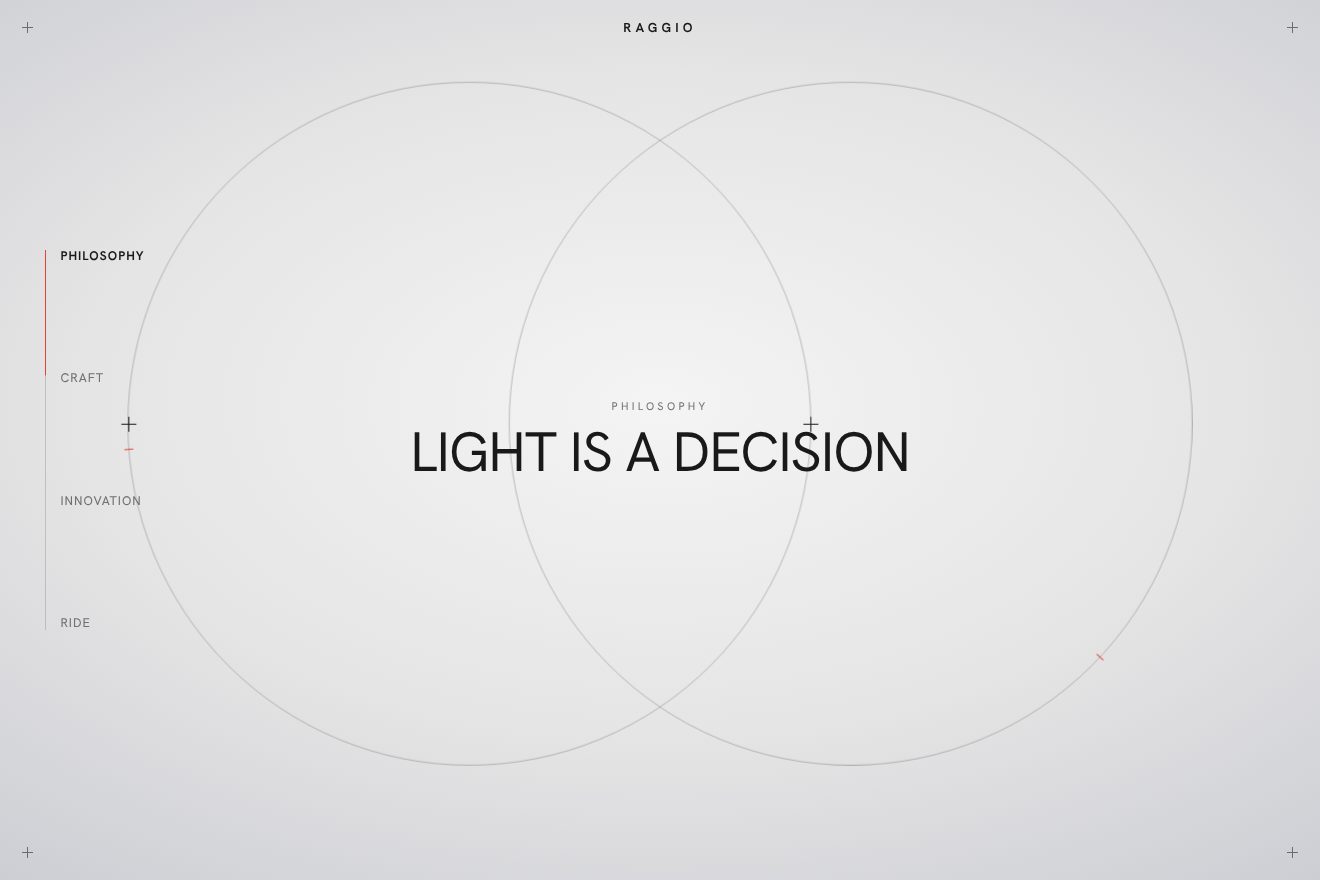
The circles are two divs with a one-pixel border, and their positions sit in a table of five stops written for a screen 1080 tall: sizes from 678 to 900, offsets of 234, 330, minus 131, minus 346, rotations of 90 and 180 degrees. A number becomes lvh through a single function, the number divided by 1080 times a hundred, so everything is measured on the height of the screen. The change is not a GSAP animation but a CSS transition on position, size and rotation, 1.2 seconds long, with the curve cubic-bezier(.33, 0, 0, 1), which starts decisively and settles very slowly. And near each boundary between two chapters the two circles don’t go straight to the new stop: they pass through a shared position, both in the middle and 840 wide, stay there for at least 1.2 seconds and only then separate towards their new places. They gather and open again, and the crosshairs turn with their circle. The index line, instead, is a CSS variable, –progress, that GSAP takes from 0 to 1 with the scrub across the whole section.
In our demo the chapters are RAGGIO’s, and the circles are alone on the stage, with each stop’s heading in the middle and the four crosses in the corners. The poses are those of the site’s table, also measured on a screen 1080 tall, and the curve is the same cubic-bezier, but the change is made by a small state machine instead of CSS: first the gathering into the shared circle 840 wide, in eight tenths of a second, then the opening to the new stop in 1.2, with the second circle starting a moment after the first; even scrolling fast they always pass through the middle. At the last stop one circle sits at minus 300 instead of minus 346, because its crosshair landed on the index. Also ours are the crosshairs settling by one pixel as they arrive, the red tick running along each edge and speeding up as you scroll, the circles leaning towards the index item under the pointer and the click that takes you to the stop. The index shows the names, never numbers.
The other details
Everything that appears on the site uses three timings written in one place: two seconds with power2.out, with a delay of a quarter of a second after a normal load, 0.85 after the passage between two pages and two full seconds the first time, when there is the loader. Reveals rise from below by a distance measured on the width of the screen, 4 vw plus 2 for every element that follows, 4 hundredths apart; on a tablet the distance is one and a half times, on the phone double. The Learn more button on the first screen scrolls the page down by 90% of the screen height, almost to the wheel’s next stop.
The wheel also knows how to save itself. A drei performance monitor measures the frames four times; if the computer struggles, the pixel density drops from 1.5 to 1 and the carbon rim switches to its light version, a second, simpler model that sits in the same file next to the detailed one. In the file the parts still have the names given by whoever modelled them, in Czech: Vyplet, the spokes, Naboj, the hub, RAF, the rim, from ráfek. The model weighs about 370 kB, the environment map about 107.
Where it stumbles
The wheel section is five screens tall, seven and a half on the phone, and on desktop the half-speed scrolling makes it feel twice that: to reach anything else on the home page you have to scroll for a long time inside the same scene, and anyone who only wants the wheel models has no shortcut other than the menu. The home page’s JavaScript chunks weigh about 6.8 MB together before compression, and on the first visit the cookie box covers half the screen over the wheel.
A couple of construction-site things were left in the code. The tuning panel used to set the lights, camera and float, leva, is still in there and opens with Ctrl Shift D. On the phone, at every stop, the site writes a number to the console. And among the light’s curves there is a misspelt one, poweri.inOut instead of power1.inOut: GSAP doesn’t know it and falls back to its default curve, so the light’s intensity changes with a slightly different step from the one intended. Nobody notices, but it’s there.
What we take away
A 3D scene on scroll doesn’t have to be computed: here the movement is drawn in the 3D program, like in a film, and scrolling is just the playhead moving back and forth along the tape. The rest is subtraction: two colours, one typeface, two one-pixel circles, and a heading that tumbles into place in a second. It is a product site that does what its wheels do: all the weight where it’s needed, none where it isn’t.
The effects
- The carbon wheel on scrollA WebGL product showcase in the minimal style: a carbon bicycle wheel drawn in 3D, alone in the middle of the stage. As you scroll it passes through five poses, the camera moves in to the hub and the rim, the studio around it turns so the reflections slide over the clear coat, and a fifth of the way down the background turns from black to silver.Free
- The headline with tumbling lettersA minimal-style animated opening headline for an invented carbon bike wheel brand: every letter tumbles in from above, turned a quarter over and twisted sideways, with a shadow that shortens as it lands and a one-pixel settle. Three headlines take turns, the pointer ruffles the letters nearby and a tap flips them over again, starting from the one you touched. Rebuilt from scratch from the opening of lightweight.info.Free
- The section index with crosshair circles that regroup on scrollA minimal-style scroll animation on a silver background: two thin rings, each with two crosshairs on its rim, change place, size and turn at every section. Between one section and the next they do not jump: first they regroup on the same circle in the middle, then they spread into the new layout. On the left a thin index with the names of the sections and a red line that fills as you scroll.Free