Meech213, by The Blackpepper Studio
Meech213, how it’s made: the clock-face menu, the fan of photos and the dome you can spin
The site of Meech213, the fashion photographer Dametreus Ward, puts its menu on a clock face and its photos on a dome around the viewer, to be spun with the wheel or a finger. We take it apart with three demos rebuilt from scratch, in the minimal style.
The palette
- #F8F6F1the warm white paper of the pages and the menu
- #141212the warm black of the text and the clock hands
- #ADA59Cthe stone grey of the missing page
- #FFFFFFthe white of the names over the photos
Tap a colour to copy its code.
How others rated it
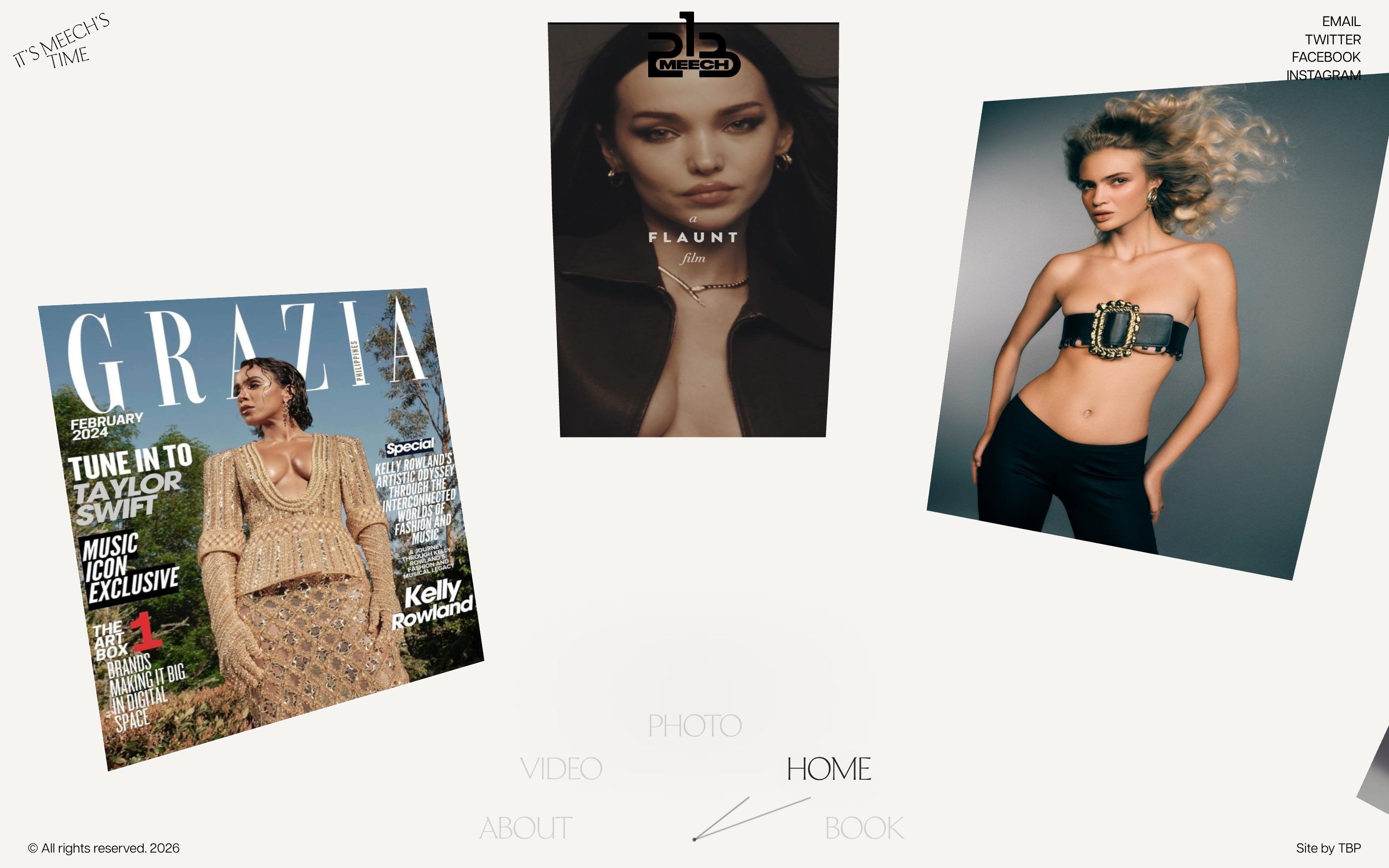
CSSDAWebsite of the Day, 8 June 20268.27/10the jury scoreMeech213 is the site of Dametreus Ward, a fashion and beauty photographer and director: portraits, brand campaigns, magazine covers, music. There are five pages, Home, Photo, Video, About and Book, the one for booking a shoot. The background is a warm white paper, #F8F6F1, and the ink a barely warm black, #141212, which in the menu drops to 40, 10 and 5 per cent transparency; the real colours come from the photos. There are two typefaces: Ceraph Roman, a thin serif, all capitals and tightened by four hundredths of an em, for the menu and headings, and Articulat CF from Adobe Fonts for text. In a corner, tilted, sits the line It’s Meech’s time: time is the thread running through the whole site. On CSS Design Awards it was Website of the Day on 8 June 2026, with 8.27 from the judges. The site is signed by The Blackpepper Studio, from London; the foot of every page says Site by TBP.
It is a Next.js 16 site, with React 19. The animations are GSAP 3.15, with useGSAP, ScrollTrigger and Observer; Lenis 1.3.26 is in the bundle too. The 3D photos are Three.js inside React Three Fiber, with the new WebGPU renderer and node materials: the deformations are written in Three’s node language, not in GLSL. On Safari before version 18.4 the site asks Three to use WebGL. The values we quote come from the public code, the minified chunks the site loads, tidied up.
We take it apart in three moments, with a demo rebuilt from scratch for each, in the minimal style, for an invented fashion photography studio, Velure: the images, the words and the code are ours. From the site we took the ideas and, where we say so, the numbers.
The clock-face menu
The menu sits at the bottom of the screen and it is a clock. The items, Photo, Video, About, Book and Home, sit on the rim of a dial seen at an angle, with two thin hands and a pin in the middle. The page you are on sits top right, solid and with a soft shadow; its neighbours are grey, the ones behind almost gone. When the page changes, the dial turns until the new item is at the front, and meanwhile the hands go all the way round.
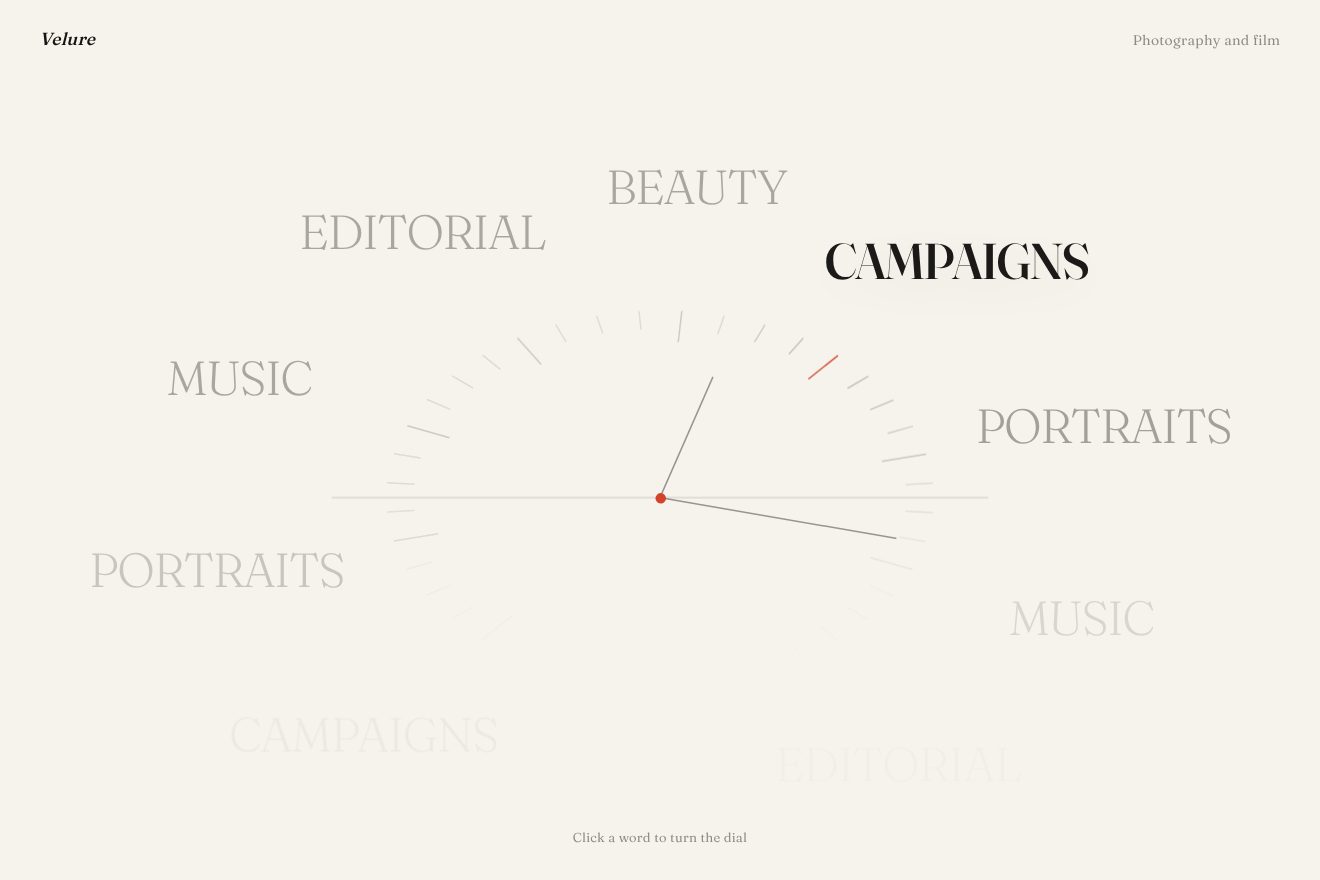
The dial is a box at most 800 pixels wide and half as tall, with its centre at 50 per cent of the width and 84 per cent of the height: the ellipse of items has radii of 38 and 52 per cent, so its lower part ends below the edge of the page. There are ten slots, each with its own opacity and scale: 1 and 1 for the front one, 0.4 and 0.97 for its neighbours, then 0.1, 0.05 and 0 for the ones behind. Every item also has a ghost copy, so the wheel is always full. On a page change a GSAP timeline moves each item as many slots as needed, by the shortest way, in 1.18 seconds with power4.inOut, and turns the clock from 0 to minus 360 degrees, or plus 360 if the step goes backwards. The hands are one-pixel lines, one 4.5 rem long at minus 38 degrees and one 8 rem long at minus 20, with a 0.28 rem pin, turning around the same point at 84 per cent.
On the first visit the dial is also the intro. It grows to one and a half times its size in 0.82 seconds, resting on its bottom edge, and instead of the pages it shows the categories of the work, Fashion, Beauty, Brands, Magazine and Artist; then it turns from one to the next, a step about every 0.87 seconds, and finally goes back to Home while returning to its size in 0.93 seconds. The categories fade out in 0.24 seconds, one every 18 thousandths, and the pages fade in over 0.52, one every 4 hundredths.
In our demo the items are those of a studio, Work, Films, About, Book and Index, preceded by the categories, Editorial, Beauty, Campaigns, Portraits and Music; the serif is variable and the item that reaches the front gains weight. The ellipse centred at 84 per cent with radii of 38 and 52, the slot opacities, the 1.18 seconds with power4.inOut, the zoom to one and a half and the timing of the labels are the site’s; the ticks, the vermilion pin, the minute hand that goes round once per item and stops pointing at the front one, and the click on every word are ours.
The fan of photos
While the dial goes from one category to the next, five photos appear above it, one per category, laid out on an arc like a hand of cards: the middle one straight, the others more and more tilted towards the sides. When the menu goes back to Home the photos rise a little, fade out and the whole stage blurs, while the dome arrives underneath.
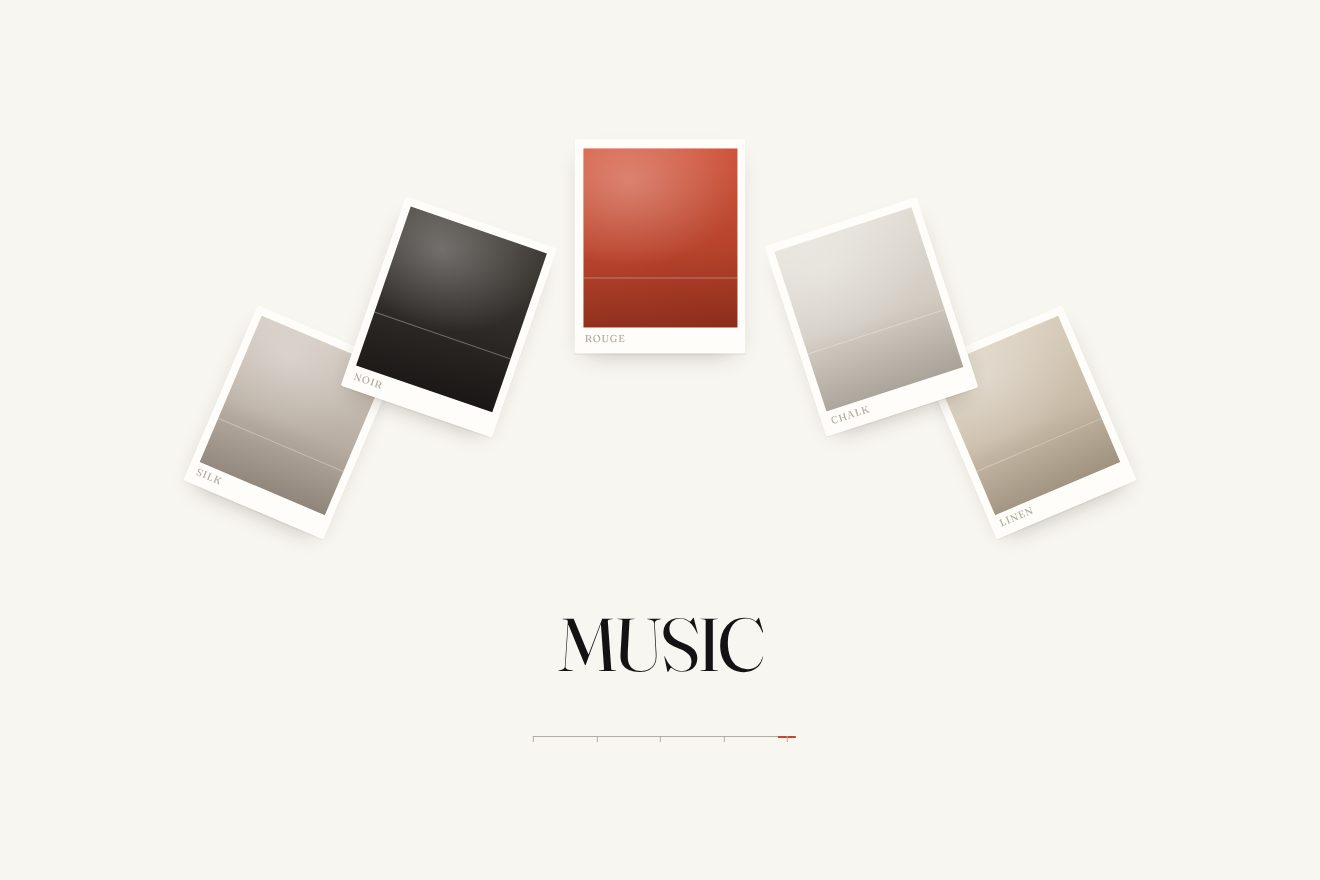
The cards are Three.js planes in a separate canvas, with a narrow camera, a 30 degree field of view, and their positions are written as fractions of the screen: the centre one at half the width and 19 per cent of the height, then at 34 and 66 per cent, then at 22 and 78, rotated by 0, plus or minus 18 or 19 and plus or minus 23 degrees, 19 per cent of the screen tall times 0.9, 0.84 and 0.8. On phones the positions are different, lower and narrower. Each card starts a little lower, at 0.88 of its size and transparent, and arrives in just over half a second, 0.527, with power3.out; they come in from right to left, the first one straight away and the others one at each step of the dial. On the way out the cards, in the same order and about one every tenth of a second, fade, rise and shrink to 0.97 in 0.25 seconds, while the whole stage goes to zero opacity and an 8 pixel blur in 0.65.
In our demo the photos are fields of colour drawn in code, with the name of the series written small, and under the fan the category word changes with each card; at the end, in the blur, the brand composes itself. The ten positions, the rotations, the sizes, the right-to-left order, the 0.527 seconds with power3.out and the exit with the 8 pixel blur are the site’s; the print that settles one pixel too far, the word that rises gaining weight and the vermilion mark walking along the line of ticks are ours.
The dome you can spin
Once the intro is over, the photos surround the viewer: the camera sits at the centre of a dome and the images hang on its wall, slightly curved, bigger in front and smaller at the top and bottom. The wheel, or a finger, spins the dome, which carries on by itself and slows down gently; when it spins fast the photos bend, because their centre lags behind their edges.
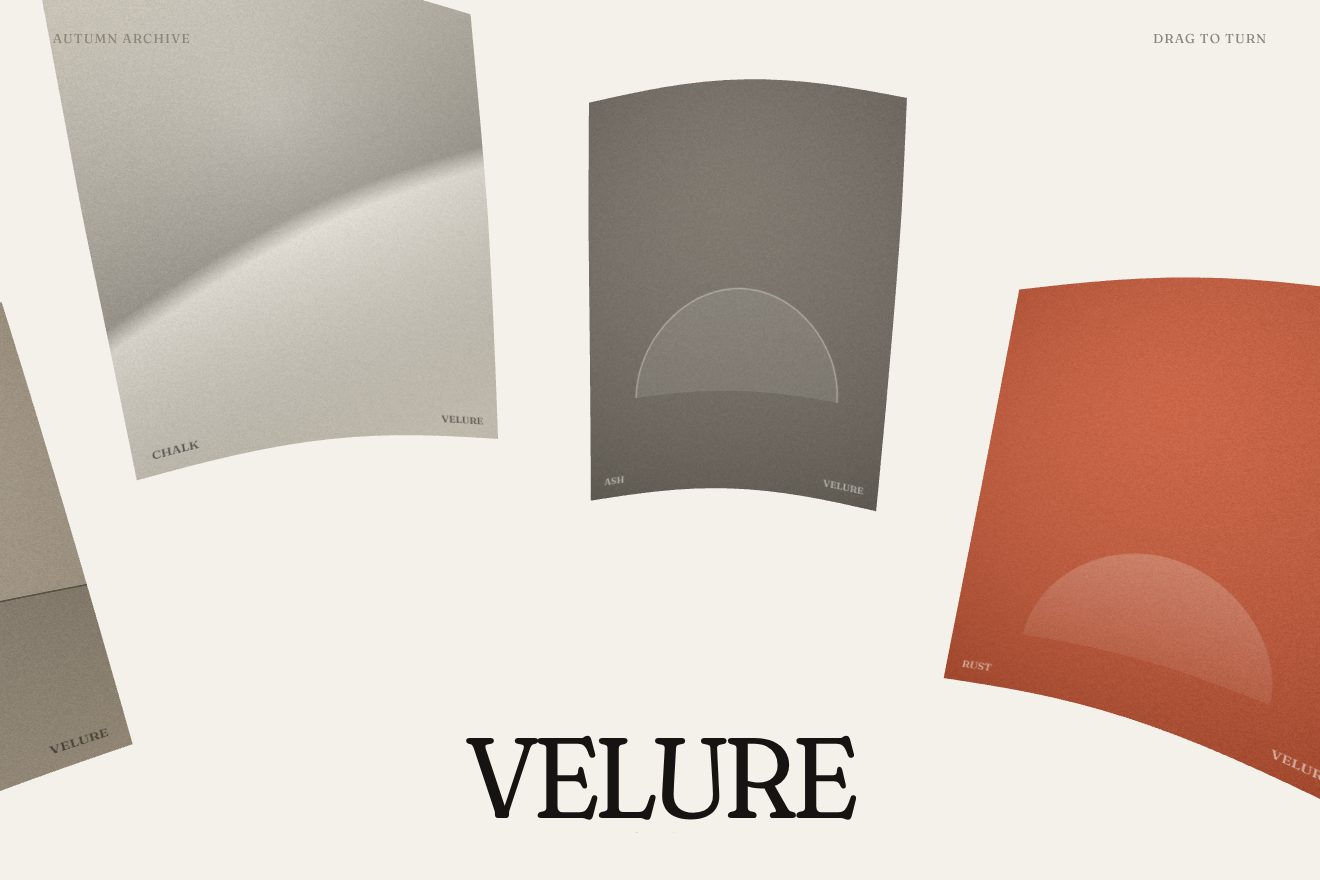
There are twelve planes, on a circle with a radius of 15.2 units, at 0.95 of the radius; the height of each one follows an angle that goes up and down in groups of three, and those that would sit too high are pulled down by 80 per cent. Each plane is 8.1 tall, between 5.6 and 9.9 wide depending on the photo’s format, split into 16 by 16 pieces so it can bend, and faces the centre. The camera, with a 60 degree field of view, stays still in the middle and looks at a point that turns around it, slightly below. The wheel adds 0.18 per pixel to the speed, up to 180 either way; a finger works the same way, but only after 6 pixels, on whichever axis it picked first. On every frame the speed is multiplied by 0.92, measured at 60 frames per second, so the dome brakes the same way on every screen.
The bend is written in the vertex shader, as nodes: each point moves back by 0.11 times the cosine of its height times 0.18, which curves the photo like the wall; it drops by the speed of the dome times the sine of its position from side to side, which makes the centre lag; and it moves away by 0.05 times its height to the power of 1.25, so the photos at the top and bottom lean in. The photos never run out: of the twelve planes only the eight furthest forward count as visible, and when one goes out behind it takes the next photo in the list, at most four per frame. Videos only play on the planes turned towards the camera and stop as soon as they leave. On entry the planes arrive from the top down, each one from 1.25 lower and 0.45 further back, at 0.92 of its size, in three quarters of a second with power3.out.
In our demo the photos are drawn in a canvas, fields of paper and ink with a single accent colour, and the dome, at rest, slowly turns by itself and now and then gives itself a push. The radius, the twelve slots with their heights in groups of three and the high photos pulled down, the 16 pieces, the camera, the 0.18 of the wheel, the 0.92 of the inertia, the eight visible slots and the shape of the bend are the site’s. Ours are the drift and the pushes, a bend six times stronger, so it shows even in a small box, and the brand underneath, which gains weight when the dome speeds up. The drawing is Three.js WebGL, not the site’s WebGPU.
The other details
The intro plays once per visit: the site remembers it in sessionStorage, and people who ask their system for less motion never see it and land straight on the dome. On the Photo page the photos sit in an endless row that scrolls sideways, with the same bend as the dome and the same 0.92 braking; over the photos is the name of the person portrayed, in white italics, which fades out when the row moves more than a little and comes back when it stops. There is a clock here too, drawn in 3D, with the hour hand at 32 degrees and the minute hand at 12.
On the About page the photo opens from the top with a clip-path, from 100 per cent to zero, shrinking from 1.3 times to its size in a second and a half with expo.out, and the words of the text light up as you scroll, from two tenths of opacity to full, between 85 and 75 per cent of the screen. On the Book page the kinds of photography, Beauty, Magazine, Advertising, Maternity, Fashion and Cinematography, sit in a circle around the form and arrive turning: each starts 18 degrees further back on the circle and slides into place in 0.6 seconds, one every five hundredths.
Where it stumbles
The clock-face menu is beautiful but asks you to read tilted, half-vanished words: only the front item reads well, and the others, at 40 per cent or less of an already light grey, have little contrast. On phones the items drop to 1.5 rem and the dial takes up almost the whole width.
The chunk with Three.js and its node materials weighs 1.5 MB on its own, about 400 KB compressed, and the home page needs it before showing any photo; the page lists 67 image and video addresses. Under the dome the page still has the 42 links to the works in HTML, and search engines find them; but the 27 images written into the page all have empty alternative text. Reduced motion skips the intro, but the dome still bends when you spin it.
What we take away
One idea, time, carried everywhere: the slogan, the menu that is a clock, the hands that go round at every page, even a clock on the photo page. And a way of making speed felt without extra effects: photos that bend because their centre lags, and names that vanish when you rush. Two numbers, how much it bends and how much it brakes, do almost all the work.
The effects
- The clock dial menuA minimal-style text animation: a fashion photographer’s menu sits on the face of a clock. The words turn on an ellipse, the one in front gains weight, the others fade lighter and vanish behind the horizon; at every step the minute hand makes a full turn. On arrival the dial moves closer and runs through the categories, then it becomes the menu. Remade from scratch from an idea on Meech213.Free
- The fan of photos that risesA minimal-style intro for a fashion photographer's site: five prints rise one at a time onto an arc, turned more and more towards the sides, and settle with a pixel of give; underneath, one word names the kind of work. Then the prints leave, going out of focus, and the name of the studio is set in their place.Free
- The photo dome you turnA minimal-style WebGL gallery: we stand in the middle of a dome of fashion prints and turn it by dragging or with the wheel. The push dies down slowly with inertia, the prints bow while they run and the ones behind us change photo, so the dome never ends.Free