Vibe, by Joel Gobin Studio
Vibe, how it’s made: a shop that opens with a scribble
The demo shop of a canned probiotic cocktail, designed by Joel Gobin Studio: a scribble that erases the cover, a can spinning between two huge words, buttons with a ticker inside. We take it apart with three demos rebuilt from scratch.

The palette
- #FFF1E7the page cream
- #1F0229plum: text and giant words
- #DB98F9lavender: loader, ticker and logo
- #FFFC54the button yellow
- #FFFFFFthe headline on the photo
Tap a colour to copy its code.
Vibe is the shop of a canned probiotic cocktail, “fermented, not mixed”. It does not exist: it is a demo project by Joel Gobin Studio, who work on brands and websites, and the footer says so, “Vibe Concept”. Yet it is a real shop, on Shopify, with product pages, a cart and recipes.
It looks like a seventies soft-drink ad: a cream, #FFF1E7, a near-black plum for the text, #1F0229, a lavender, #DB98F9, and buttons yellow as a highlighter, #FFFC54. The photos are warm and grainy, by the pool, and line-drawn mascots stroll between the sections, a globe with a face and an ice cube. Headlines are set in VC Henrietta, a soft, heavy serif, labels in Space Mono.
Underneath there is Shopify’s Savor theme, almost entirely rebuilt by hand: no GSAP and no WebGL, but plain JavaScript written into the page, each script with long comments explaining why it does what it does, plus CSS, SVG and a single canvas. Smooth scrolling is Lenis 1.3, on computers only, on an inner container rather than the page. We take it apart in three moments, with a demo rebuilt from scratch for each: texts, colours, formulas and code are our own. From the site we took the idea and the timing.
The scribble that erases
On the first visit the page arrives covered in lavender, with the logo in the middle. Then the cover starts to disappear, and you realise it was a huge marker scribble: as it erases itself it uncovers the pool photo, while the headline comes in one letter at a time.
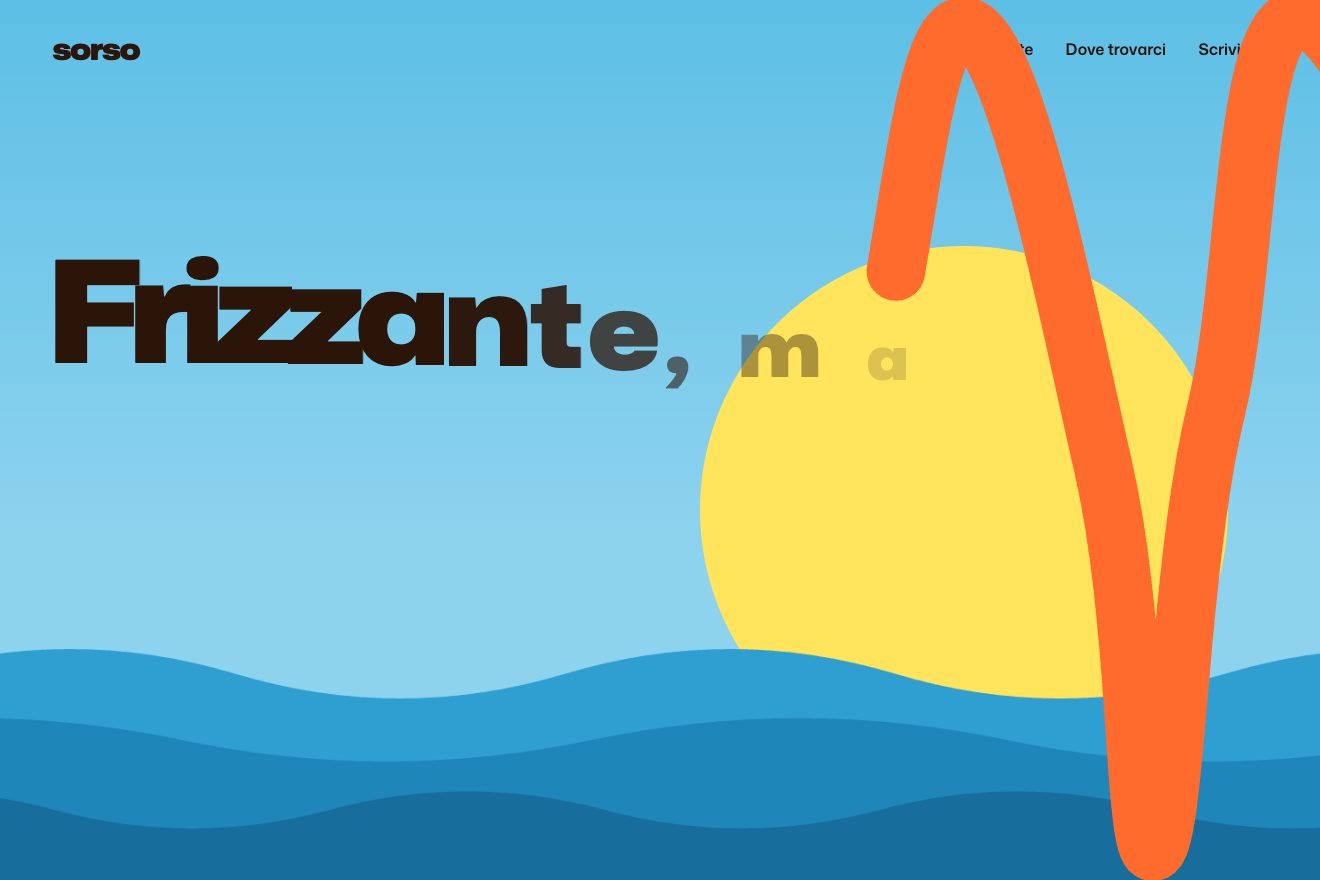
On the site the scribble is a single SVG path in a 3222 by 3114 box, stretched over the screen with preserveAspectRatio none. The stroke starts 31% of the box’s average diagonal wide, so on its own it covers everything, and ends at 8% along a cubic-bezier(.75, .15, .15, 1) curve. The stroke-dashoffset goes from 0 to minus the stroke’s length in 2 seconds, with power2.inOut, after a quarter of a second’s wait: the stroke is consumed from its beginning. The solid ground disappears in the first 18% of the unrolling, the logo leaves after 0.95 seconds, the header arrives halfway and the text a quarter of a second later. A four-second timer removes the cover anyway, and on the second visit it is gone: the session remembers.
In our demo the scribble is built on the size of the screen: a stroke going up and down towards the right, with a step never larger than half its width, swerving a little halfway along every leg. It unrolls in 2.4 seconds and thins as soon as the ground has gone, so a summer poster shows between the legs before the tip gets there. The button at the bottom makes it redraw itself backwards, from end to start, and go again.
The can between two words
Halfway down the page two huge words, “Vibe Vibe”, stand behind a can that spins as you scroll. A curtain falls over the words: an 80% cream veil that slides down and tilts while the words rise, so they are uncovered from the top with a slanted edge.
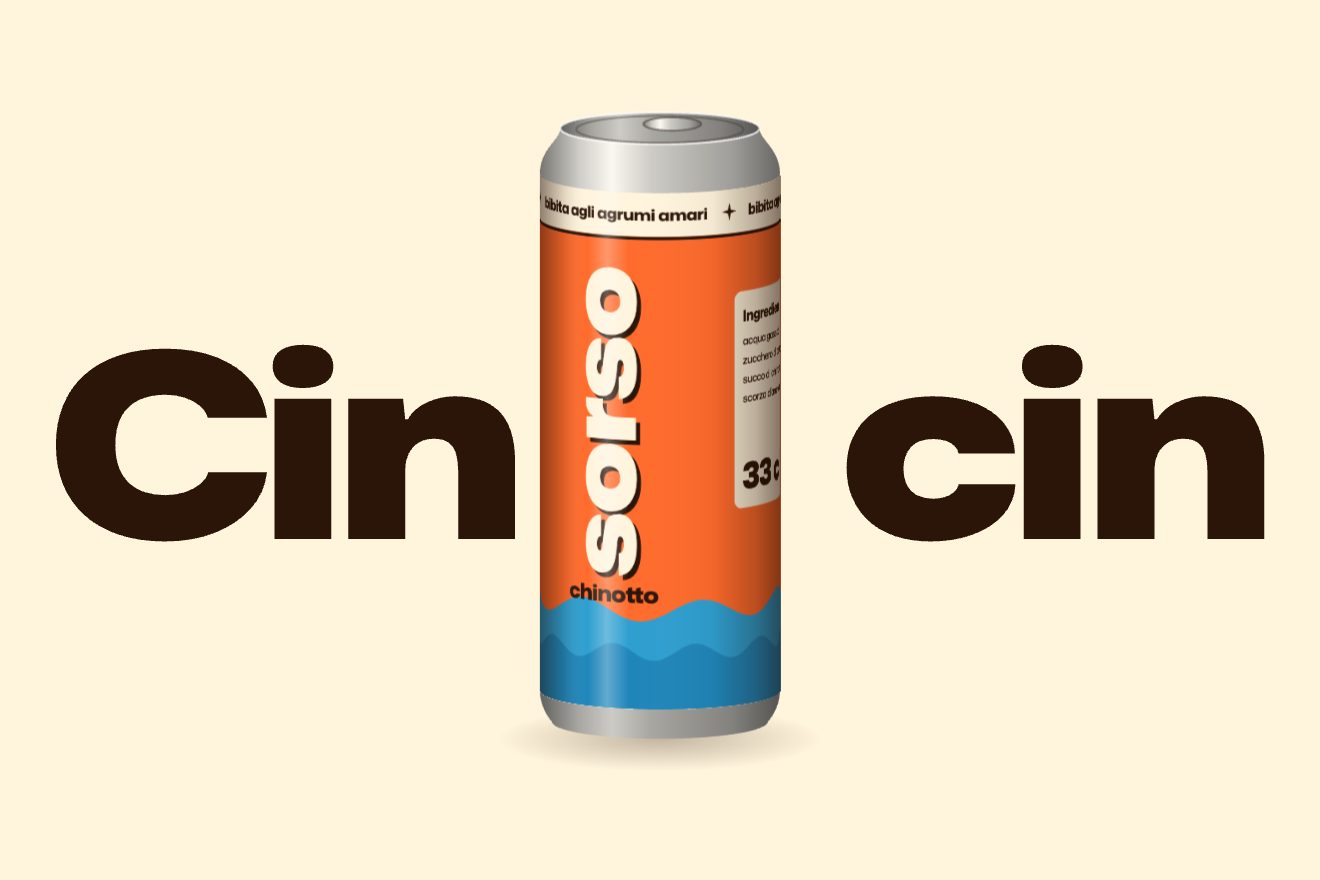
The site’s can is a sequence of 150 WebP images, frames of a 3D model turned through 360 degrees, drawn on a canvas. They start downloading when the section is two and a half screens away, ten at a time, and while they arrive the nearest frame already downloaded is drawn. The right frame is the section’s progress across the screen, from when it appears to when it leaves, times 150: a full turn while you pass through it, without pinning it. The curtain is a transform computed on every scroll: with p = (0.7 × screen height − top of the text) / (0.7 × screen height), it moves down by p × 200% and rotates by p × −10 degrees.
In our demo there are no frames at all: the script draws the can. The label is a flat image as wide as the circumference, and on every frame the can is redrawn one column of pixels at a time, taking the strip that faces you at that point; on top sits a light that does not turn, and that is what makes it look round. The stage holds still for two screens and the can turns a full circle between the words “Cin” and “cin”, the Italian for cheers.
The ticker in the button
Every button on the site is a yellow oval with a thin outline. With the pointer on it, the label fades and a ticker with the same label repeated runs in its place, slightly askew, staying inside the oval.

The script finds the theme’s buttons, wraps the label if needed and adds a ticker with four copies of the label and the arrow. The ticker runs from −25% to −50% in 2.4 seconds, linear and endless, inside a container rotated by −2.75 degrees; the label disappears in a tenth of a second and the ticker appears in six. The cut is the same oval as the background, brought between 0 and 1 in a clipPath with clipPathUnits objectBoundingBox, so a single cut fits every button; a comment in the code recalls that with a rectangular cut the text spilled out of the tips. On a phone there is no ticker.
In our demo the buttons are blobs, each with its own shape, and the outline wobbles gently while the pointer stays on it; the cut follows along. The ticker starts with a copy exactly where the label was, so the swap does not show, and on a phone it runs while you hold your finger down.
The other details
Headlines come in letter by letter, each from scale 0 to 1 on a curve that overshoots and settles, cubic-bezier(.175, .885, .32, 1.6), thirty milliseconds apart. The first screen, as you scroll, rises more slowly than the page and grows, and its bottom corners round off as it leaves. The photos play the same game, more gently, and with the pointer on them they drift the opposite way while a label, “(Learn More)”, follows the pointer with a slight lag. Moving from one page to another a lavender wave rises: its shape changes between two curves in 132 steps computed in advance, one per frame at 120 Hz, and a comment explains that with fewer steps the end stuttered. A lavender band with the product’s promises runs at the top of the page, a ticker with a disco ball further down, and the next page is often ready already: links are loaded ahead of time when you hover them.
Where it stumbles
The can is heavy: a hundred and fifty images for a single turn, downloaded as soon as you get near the section. They are handled with care, but it is a lot for a gesture lasting two screens.
Smooth scrolling runs on an inner container rather than the page, so the site had to rebuild by hand things the browser does by itself, like scrolling to anchors; the comments also tell of IntersectionObservers that would not fire in there.
On a phone the pointer games go away, the ticker in the buttons and the drifting photos; the loader, the can and the headlines stay.
What we take away
A cheerful brand can speak through movement too: a scribble instead of a loading bar, a can you spin by scrolling, a label that turns into a ticker. And behind it there is code without big libraries, full of comments explaining every choice: you almost learn more by reading those.
The effects
- The scribble that revealsThe page arrives under an orange cover: a huge scribble of the same colour erases it, unrolling from start to end and getting thinner, and a photo of a summer beach shows up between the strokes. The headline comes in letter by letter, with a bounce.Free
- The spinning canA can drawn on a canvas, with no 3D and no frames: the flat label, beaded with condensation, wraps around it one column of pixels at a time. As you scroll it rises, turns twice leaning with the speed and wobbling as if on a spring, and at the end it jumps and clinks with two huge words: cheers.Free
- The ticker in the buttonBlob-shaped buttons: with the pointer on them, the label becomes a ticker of copies of itself running at a tilt, cut by the blob’s shape, while the outline wobbles.Free