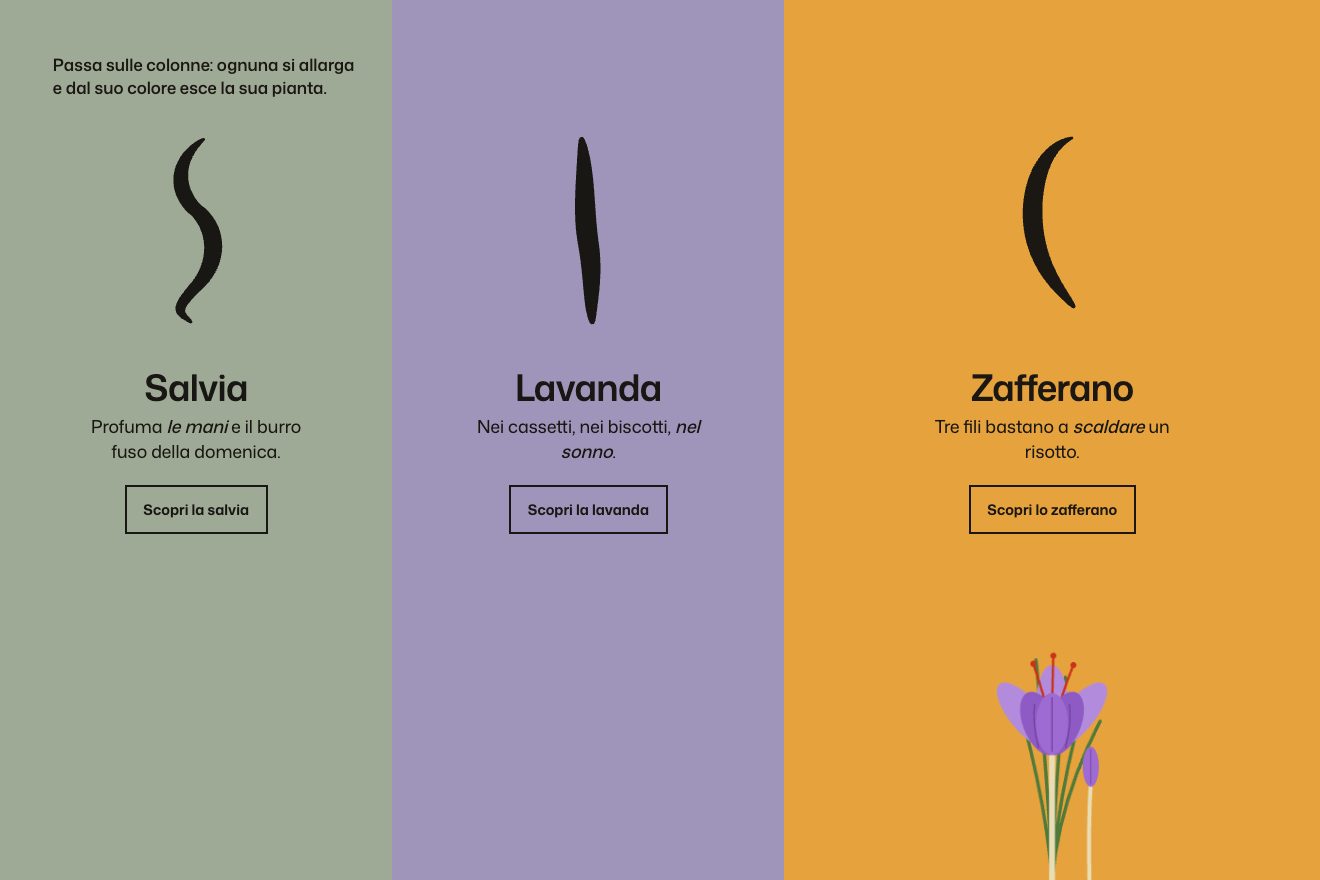
The colour columns
Hover, SVG
NewFree
The header of a made-up flight school, Skyward, in the rich style: under the title sits the cockpit of a little training plane, with the windshield on the sky, the fields and the runway, the red nose with its propeller, the compass on the post and the instrument panel with the six dials, the clock, the fuel gauges, the switches and the throttle. The pointer, or a finger, is the yoke: left and right the plane banks, up and down the nose climbs and dives, and the whole panel answers. A tap on a switch flips it, a tap anywhere else gives full throttle.
A folder that runs on its own: index.html, style.css, script.js and the libraries from a CDN. The React and Vue tabs hold the same demo as a ready component, which switches its animations off when it leaves the page.
<!doctype html>
<html lang="en">
<head>
  <meta charset="utf-8">
  <meta name="viewport" content="width=device-width, initial-scale=1">
  <title>The flight school cockpit header</title>
  <link rel="stylesheet" href="https://cdn.jsdelivr.net/npm/@fontsource-variable/bricolage-grotesque@5.3.0/standard.css">
  <link rel="stylesheet" href="style.css">
</head>
<body>
  <main class="stage" data-stage>
    <!-- the flight school cockpit header: the hero of a made-up flight school. Above, the words and the booking button;
         below, the cockpit of a little training plane: the windshield with the sky, the fields and the runway, the red
         cowling and the propeller, the whiskey compass on the post, and the instrument panel with its six round dials,
         the clock, the fuel gauges, the toggle switches and the throttle. The pointer (or a finger) is the yoke: left and
         right bank the plane, up and down pitch the nose, and every dial answers. A tap on a switch flips it, a tap
         anywhere else pushes the throttle -->
    <header class="hero" data-hero>
      <div class="hero__words">
        <p class="hero__eyebrow" data-in>Skyward Flight School</p>
        <h1 class="hero__title" data-in>Take the <em>controls.</em></h1>
        <p class="hero__sub" data-in>Your first lesson starts on the ground and ends above the clouds. Move to fly, tap a switch, tap anywhere for full throttle.</p>
      </div>
      <a class="hero__cta" href="#" data-in data-cta><span>Book a trial flight</span></a>
    </header>
    <div class="cockpit" data-cockpit>
      <svg class="cockpit__svg" data-svg viewBox="0 0 1200 760" preserveAspectRatio="xMidYMax meet" role="img" aria-label="The cockpit of a small training plane: the windshield with the sky and the runway, and the instrument panel"></svg>
    </div>
  </main>
  <script src="https://cdn.jsdelivr.net/npm/gsap@3.15.0/dist/gsap.min.js"></script>
  <script src="script.js"></script>
</body>
</html>Change values, colours and text with the controls and watch the animation respond live. Or write in the code yourself. Then download the folder with your changes.
27 values to change
With the Animorio connector, Claude Code takes it from here, guide included, and fits it into your project. Paste this request:
Take “The flight school cockpit header” from Animorio and fit it into my siteThe cockpit is a single SVG of 1200 by 760 units, built from strings: the world behind the windshield (sky, mountains, fields converging on the horizon, runway, trees, clouds), the nose with the propeller, the frame and the compass, the riveted panel, the six dial faces, the clock, the fuel gauges, the switches, the throttle and the yoke. The moving parts carry a data attribute and move by changing their transform.
The pointer gives the wanted bank and pitch, up to BANK_MAX and PITCH_MAX degrees. Every frame the plane reaches them with an exponential approach (1 minus e to the minus dt times RESPONSE), so the motion is soft and the same at any screen rate.
The heading grows with the bank (1.4 degrees per second per degree), the vertical speed is the pitch times 170 feet per minute, the altitude is integrated from there, the speed drops 3.2 knots per degree of climb and rises with throttle. The coordinator's ball slides against how fast the bank changes, and goes back to the middle when the turn is steady.
The landscape group is clipped by the windshield shape and turns around the horizon: translate for the pitch (6 units per degree), rotate for the bank the other way. The attitude indicator does the same inside its circle, at 3 units per degree. The clouds drift with the speed and come back in on the other side.
A timeline raises the words and the cockpit, takes every needle to full scale and back with back.out, and flips the switches one every 16 hundredths. After AUTOPILOT seconds without a pointer the yoke follows two slow sines, so the header flies by itself.
| Name | File | Default | What it changes |
|---|---|---|---|
SCHOOL | script.js | Skyward Flight School | The school name, above the title. |
TITLE | script.js | Take the | The first words of the title. |
WORD | script.js | controls. | The orange word of the title. |
BANK_MAX | script.js | 30 | How far the plane banks with the pointer at the edge, in degrees. |
PITCH_MAX | script.js | 10 | How far the nose goes up or down, in degrees. |
RESPONSE | script.js | 3 | How quickly the plane follows the yoke: 1 lazy, 6 twitchy. |
THROTTLE_HOLD | script.js | 3 | Seconds of full throttle after a tap. |
CLOUDS | script.js | 7 | The clouds in the sky. |
AUTOPILOT | script.js | 3 | Seconds without a pointer before the plane flies by itself. |
--panel, --cowl, --accent… | style.css | grigio azzurro, rosso, arancione | The colours in :root: the script reads them at start. |
For the header of a flight school, a flying club, a scenic flights agency, an aviation museum, a simulator or a pilot's app. It also works as a “how it works” section for a course. It is a toy: the real times and prices also need to be in plain text.
Same cockpit and same animations: the SVG fits the width, the words go in a column on top and the line under the title is hidden. A finger touching and dragging on the cockpit is the yoke; let go, the plane returns to level flight.
The plane holds still in a gentle bank, with no drifting clouds, no spinning propeller and no hum; the words and the cockpit fade in. The switches still flip, without the bounce.
GSAP 3.15.0, Bricolage Grotesque (font variabile) 5.3.0.
Compressed with gzip, the three demo files weigh 13 KB; the libraries: GSAP 28 KB.
Tested on 23 October 2026
Use it in your own projects and in your clients’ projects. Do not resell it or redistribute it as is. GSAP stays under its own Standard license. Full license.
With your account’s email and password.
or with your email
You’re signed in as .
With your account, you can download the zip of every animation and every pack, for free.