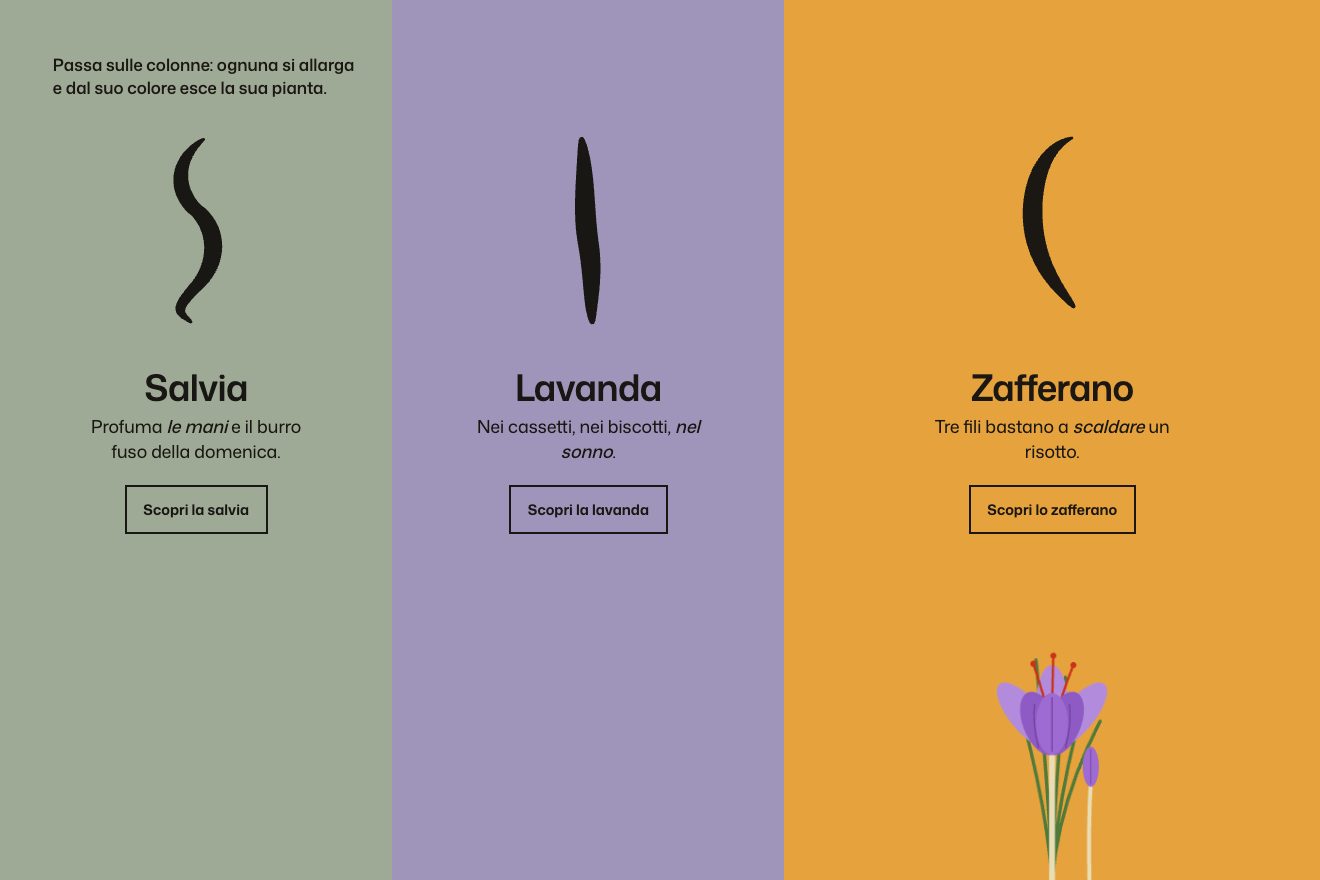
The colour columns
Hover, SVG
NewFree
The metro map of a made-up city that draws itself: each line is laid by its first train, the stations open as circles with a bounce, then the trains run their service. Over a station, the quickest way to the venue draws itself over the faded map while the panel counts the minutes and the changes.
A folder that runs on its own: index.html, style.css, script.js and the libraries from a CDN. The React and Vue tabs hold the same demo as a ready component, which switches its animations off when it leaves the page.
<!doctype html>
<html lang="en">
<head>
  <meta charset="utf-8">
  <meta name="viewport" content="width=device-width, initial-scale=1">
  <title>The metro network</title>
  <link rel="stylesheet" href="https://cdn.jsdelivr.net/npm/@fontsource-variable/instrument-sans@5.3.0/standard.css">
  <link rel="stylesheet" href="style.css">
</head>
<body>
  <main class="stage" data-stage>
    <!-- the side: the title, the journey planner and the names of the lines -->
    <aside class="side">
      <header class="head">
        <p class="head__city" data-rise>Port Ardena Metro</p>
        <h1 class="head__title" data-rise>Getting to <span data-dest>Harbour Hall</span></h1>
        <p class="head__hint" data-rise>
          <span class="hint--mouse">Point at any station to see the quickest way there.</span>
          <span class="hint--touch">Tap any station to see the quickest way there.</span>
        </p>
      </header>

      <!-- the planner: written by the script for the station chosen -->
      <section class="trip" aria-live="polite" data-trip>
        <p class="trip__idle" data-idle>Every line, every change, the fewest minutes.</p>
      </section>

      <!-- the lines: their names on their colours, as on the station walls -->
      <ul class="legend" data-legend aria-label="Lines"></ul>
    </aside>

    <!-- the map: river, parks, lines, stations and trains, all drawn by the script from the data at the top of it -->
    <div class="map" data-map>
      <svg class="map__art" data-art role="img" aria-label="Map of the Port Ardena metro"></svg>
    </div>
  </main>

  <script src="https://cdn.jsdelivr.net/npm/gsap@3.15.0/dist/gsap.min.js"></script>
  <script src="script.js"></script>
</body>
</html>Change values, colours and text with the controls and watch the animation respond live. Or write in the code yourself. Then download the folder with your changes.
26 values to change
With the Animorio connector, Claude Code takes it from here, guide included, and fits it into your project. Paste this request:
Take “The metro network” from Animorio and fit it into my siteAt the top of the script sit the stations (name, place on a 1000 by 640 grid, side of the name) and the lines, each with its stations in order and the bends as pairs of numbers in between. Everything else is built from there: the tracks, the interchanges (the stations on more than one line), the graph for the planner. On a tall screen the map is turned over its diagonal (x and y swap): it is still a true 45 degree map, the sides of the names turn with it and a few stations have a side of their own for the phone.
Each line is a single path: a straight stretch up to a little before each bend and a quadratic curve with its control point on the corner. The stations are never on a bend, so the distance of each station along the line is measured with getTotalLength on a piece of path that ends there. The same method draws the pieces of the route, which therefore match the lines underneath exactly.
The line draws itself with stroke-dasharray and stroke-dashoffset, driven by a number that goes from zero to the length with power1.inOut; the same number puts the first train in the right place with getPointAtLength and turns it along the line by looking at a point just before and one just after. The moment the drawing reaches a station is found by inverting the easing (a halving search on its value), so the circle opens just as the line touches it.
Each train has a timeline that repeats forever: from one station to the next with power2.inOut (it slows before it stops), a pause, the next one, to the end of the line and back. The train that laid the line starts again from the point of its timeline where it reaches the end of the line, so it does not jump; the others start a fraction of the round apart and pop out with back.out.
The graph has a node for every pair of station and line: a ride costs its minutes (the length divided by the speed, plus half a minute at the stop), a change costs CHANGE_MINUTES. Dijkstra finds the shortest way and splits it into rides on the same line. Each ride becomes two paths, a paper-coloured edge and the coloured line, drawn one after the other in a paused timeline whose progress is driven by a tween with power2.inOut. The pointer picks the nearest station within SNAP map units, converting its coordinates with getScreenCTM.
| Name | File | Default | What it changes |
|---|---|---|---|
DESTINATION | script.js | 'Harbour Hall' | The station every route leads to: write the name of any station on the map. It gets the black tag and goes into the title too. |
DRAW_TIME | script.js | 2.4 | The seconds the whole map takes to draw itself when the page opens. |
TRAINS | script.js | 2 | How many trains run on each line (0 = none, the lines draw themselves). |
TRAIN_SPEED | script.js | 1 | How fast the trains run between the stations: 2 is twice as fast. |
DWELL | script.js | 0.7 | The seconds a train waits at each station. |
CHANGE_MINUTES | script.js | 4 | How many minutes a change of line costs: the higher it is, the more the route prefers to stay on one line even when it is longer. |
BOUNCE | script.js | 1 | How much the stations bounce when they open and when the route reaches them (0 = no bounce). |
SNAP | script.js | 60 | How close to a station the pointer has to come to pick it, in map units. |
To explain how to get somewhere with a drawing that explains itself: the getting-there page of a festival, a concert, a fair or a city hotel, the map of a campus or a park, the network of a delivery service. It also works for any diagram made of nodes and links, such as a study path or the steps of a product.
The same animation with the sizes adapted: on the tall screen the map turns over its diagonal and stands upright, the names are larger in proportion, the title and the lines sit above and the journey panel below, on one line. Tap a station to see the route, tap away from the stations to clear it.
Nothing travels: the river, the parks, the lines and the stations fade in, the trains stand still halfway between two stations. The chosen route fades in whole, without bounces, and the minutes are already written.
GSAP 3.15.0, Instrument Sans (font variabile) 5.3.0.
Compressed with gzip, the three demo files weigh 14 KB; the libraries: GSAP 28 KB.
Tested on 13 October 2026
Use it in your own projects and in your clients’ projects. Do not resell it or redistribute it as is. GSAP stays under its own Standard license. Full license.
With your account’s email and password.
or with your email
You’re signed in as .
With your account, you can download the zip of every animation and every pack, for free.