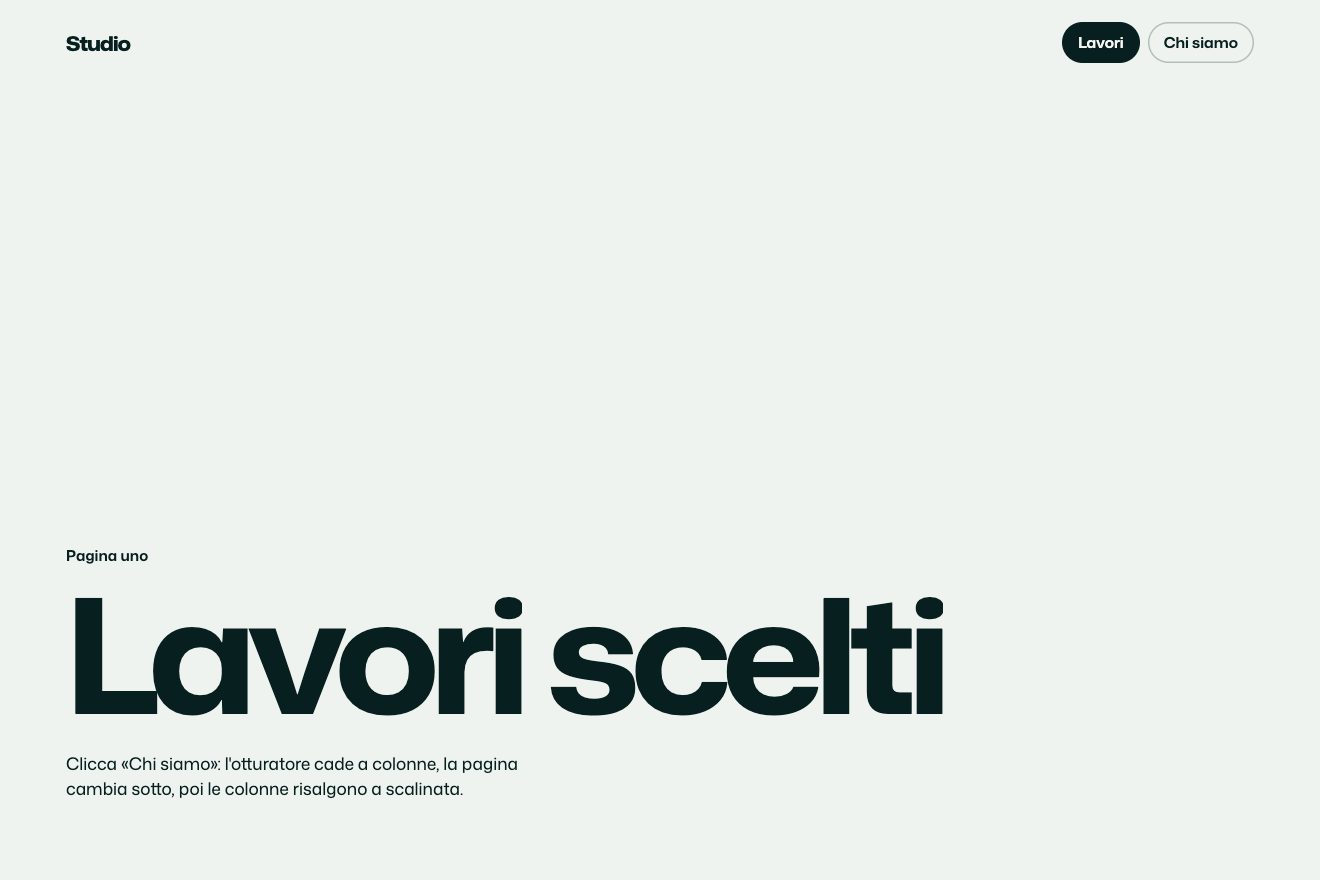
Column shutter
Transitions
The loading screen of a music app at launch, from the splash to the first screen in a single gesture: a thin ring loads around the icon, then the icon dips, flies and opens into the cover of the featured album, while the rest of the screen waits as skeletons crossed by a single light. Piece by piece the skeletons become the screen and settle on springs with a pixel too much: the greeting, the mixes, the mini player rising from below, the tab bar. Then the song starts.
A folder that runs on its own: index.html, style.css, script.js and the libraries from a CDN. The React and Vue tabs hold the same demo as a ready component, which switches its animations off when it leaves the page.
<!doctype html>
<!--
  "Music app splash loader" from Animorio · https://animorio.com
  License: free on your own sites and your clients’ sites, paid work included.
  Not for resale, redistribution, templates or code collections · https://animorio.com/en/license/
-->
<html lang="en">
<head>
  <meta charset="utf-8">
  <meta name="viewport" content="width=device-width, initial-scale=1">
  <title>The music app splash screen loader with the icon that becomes the cover</title>
  <link rel="stylesheet" href="https://cdn.jsdelivr.net/npm/@fontsource-variable/mona-sans@5.3.0/wdth.css">
  <link rel="stylesheet" href="style.css">
</head>
<body>
  <main class="stage" data-stage>
    <!-- the launch of Sona, an invented music app: the splash with its icon and a thin ring that loads, then one gesture:
         the icon flies and opens into the cover of the album on the home screen, while the rest of the screen waits as
         glowing skeletons and then settles piece by piece on springs -->
    <div class="phone" data-phone>
      <div class="screen" data-screen>

        <div class="home" data-home>
          <div class="status" aria-hidden="true">
            <span class="status__time">9:41</span>
            <svg class="status__icons" viewBox="0 0 54 12">
              <path d="M1 10.5h2.4v-2.6H1zM5.4 10.5h2.4V6.2H5.4zM9.8 10.5h2.4V4.4H9.8zM14.2 10.5h2.4V2.6h-2.4z" fill="currentColor"/>
              <path d="M24.5 4.6a8 8 0 0 1 10 0M26.4 6.9a5 5 0 0 1 6.2 0M28.3 9.1a2 2 0 0 1 2.4 0" fill="none" stroke="currentColor" stroke-width="1.4" stroke-linecap="round"/>
              <rect x="38.5" y="2.2" width="13" height="7.6" rx="2.2" fill="none" stroke="currentColor" stroke-opacity=".45" stroke-width="1"/>
              <rect x="40" y="3.7" width="8.6" height="4.6" rx="1.1" fill="currentColor"/>
              <path d="M52.8 4.8v2.4" stroke="currentColor" stroke-opacity=".45" stroke-width="1.2" stroke-linecap="round"/>
            </svg>
          </div>

          <header class="pc head" data-pc>
            <div class="head__words">
              <span class="b b--line"><span class="head__kicker">Good evening</span></span>
              <span class="b b--line"><span class="head__name">Mara</span></span>
            </div>
            <span class="b b--round avatar"><span class="avatar__face">M</span></span>
          </header>

          <section class="hero" aria-label="Continue listening">
            <div class="hero__cover b b--box" data-cover>
              <span class="art art--hero" data-hero-art><span class="art__ring"></span><span class="art__grain"></span></span>
              <span class="hero__glare" data-glare aria-hidden="true"></span>
            </div>
            <div class="pc hero__over" data-pc data-hero-words>
              <div class="hero__words">
                <span class="b b--line"><span class="hero__kicker">Continue listening</span></span>
                <span class="b b--line"><span class="hero__title">Low Tide Hours</span></span>
                <span class="b b--line"><span class="hero__artist">Ines Varga</span></span>
              </div>
              <button class="hero__play b b--round" type="button" data-play aria-label="Play Low Tide Hours">
                <span class="hero__play-face">
                  <svg viewBox="0 0 20 20" aria-hidden="true">
                    <path class="ic-play" data-ic-play d="M7.2 5.4v9.2c0 .7.8 1.1 1.4.7l6.6-4.6c.5-.4.5-1.1 0-1.4L8.6 4.7c-.6-.4-1.4 0-1.4.7z"/>
                    <path class="ic-pause" data-ic-pause d="M6.6 5.2h2.2v9.6H6.6zM11.2 5.2h2.2v9.6h-2.2z"/>
                  </svg>
                </span>
              </button>
              <span class="hero__track" aria-hidden="true"><span class="hero__fill" data-hero-fill></span></span>
              <span class="b b--line hero__chip"><span class="hero__time" data-time>1:12</span></span>
            </div>
          </section>

          <div class="pc sec" data-pc>
            <span class="b b--line"><span class="sec__title">Made for you</span></span>
            <span class="b b--line"><span class="sec__more">See all</span></span>
          </div>

          <div class="tiles">
            <div class="pc tile" data-pc>
              <span class="b b--box tile__cover"><span class="art art--a"><span class="art__grain"></span></span></span>
              <span class="b b--line"><span class="tile__name">Night Drive</span></span>
              <span class="b b--line"><span class="tile__sub">Daily mix</span></span>
            </div>
            <div class="pc tile" data-pc>
              <span class="b b--box tile__cover"><span class="art art--b"><span class="art__grain"></span></span></span>
              <span class="b b--line"><span class="tile__name">Slow Mornings</span></span>
              <span class="b b--line"><span class="tile__sub">Acoustic</span></span>
            </div>
            <div class="pc tile" data-pc>
              <span class="b b--box tile__cover"><span class="art art--c"><span class="art__grain"></span></span></span>
              <span class="b b--line"><span class="tile__name">Deep Focus</span></span>
              <span class="b b--line"><span class="tile__sub">Ambient</span></span>
            </div>
          </div>

          <div class="pc next" data-pc>
            <span class="b b--box next__cover"><span class="art art--d"><span class="art__grain"></span></span></span>
            <div class="next__words">
              <span class="b b--line"><span class="next__kicker">Up next</span></span>
              <span class="b b--line"><span class="next__title">Paper Lanterns · Odile Ray</span></span>
            </div>
            <span class="b b--line"><span class="next__len">3:21</span></span>
          </div>

          <div class="pc mini" data-pc data-mini>
            <div class="mini__glass">
              <span class="b b--box mini__cover"><span class="art art--hero"><span class="art__ring"></span></span></span>
              <div class="mini__words">
                <span class="b b--line"><span class="mini__title">Glasswater</span></span>
                <span class="b b--line"><span class="mini__artist">Ines Varga</span></span>
              </div>
              <span class="b b--round mini__eq">
                <svg viewBox="0 0 16 16" aria-hidden="true">
                  <rect data-eq x="2" y="3" width="2" height="10" rx="1"/>
                  <rect data-eq x="5.6" y="3" width="2" height="10" rx="1"/>
                  <rect data-eq x="9.2" y="3" width="2" height="10" rx="1"/>
                  <rect data-eq x="12.8" y="3" width="2" height="10" rx="1"/>
                </svg>
              </span>
              <span class="mini__track" aria-hidden="true"><span class="mini__fill" data-mini-fill></span></span>
            </div>
          </div>

          <nav class="pc tabs" data-pc aria-label="Tabs">
            <span class="tabs__pill" data-pill aria-hidden="true"></span>
            <span class="b b--round tab is-on">
              <svg viewBox="0 0 20 20" aria-hidden="true"><path d="M3.5 9.2L10 3.8l6.5 5.4v6.6c0 .6-.4 1-1 1h-3.2v-4.4H7.7v4.4H4.5c-.6 0-1-.4-1-1z"/></svg>
            </span>
            <span class="b b--round tab">
              <svg viewBox="0 0 20 20" aria-hidden="true"><circle cx="9" cy="9" r="5.2"/><path d="M13 13l3.6 3.6"/></svg>
            </span>
            <span class="b b--round tab">
              <svg viewBox="0 0 20 20" aria-hidden="true"><path d="M4 3.6v12.8M8 3.6v12.8M11.6 4.2l4.2 12"/></svg>
            </span>
            <span class="b b--round tab">
              <svg viewBox="0 0 20 20" aria-hidden="true"><circle cx="10" cy="7" r="3.2"/><path d="M4 16.4c.9-2.9 3.2-4.4 6-4.4s5.1 1.5 6 4.4"/></svg>
            </span>
          </nav>
          <span class="homebar" aria-hidden="true"></span>
        </div>

        <!-- the splash: a deep page with a soft light, the icon and the thin ring that loads around it -->
        <div class="splash" data-splash aria-hidden="true">
          <svg class="splash__ring" data-ring viewBox="0 0 100 100">
            <circle class="splash__track" cx="50" cy="50" r="46"/>
            <circle class="splash__arc" data-arc cx="50" cy="50" r="46" pathLength="1"/>
          </svg>
          <span class="splash__note" data-note>Syncing your library</span>
        </div>

        <!-- the icon that flies: the same art as the cover, with the mark of the app on top -->
        <div class="icon" data-icon aria-hidden="true">
          <span class="art art--hero" data-icon-art><span class="art__ring"></span><span class="art__grain"></span></span>
          <svg class="icon__mark" data-mark viewBox="0 0 40 40">
            <path d="M8 22v-4M14 26V14M20 30V10M26 25v-10M32 21v-2"/>
          </svg>
          <span class="icon__edge"></span>
        </div>

        <span class="island" aria-hidden="true"></span>
      </div>
    </div>
    <p class="sr" aria-live="polite" data-live></p>
  </main>

  <script src="https://cdn.jsdelivr.net/npm/gsap@3.15.0/dist/gsap.min.js"></script>
  <script src="script.js"></script>
</body>
</html>Change values, colours and text with the controls and watch the animation respond live. Or write in the code yourself. Then download the folder with your changes.
39 values to change
With the Animorio connector, Claude Code, ChatGPT, Cursor or VS Code take it from here, guide included, and fit it into your project. Paste this request:
Take “Music app splash loader” from Animorio and fit it into my siteThe screen is a container (container-type: inline-size) and every size inside is in cqw: the words, the cards, the mini player, the corners. So the phone can be as small as the preview box on a phone or as big as on a computer and it is always the same picture. The phone is sized on both dimensions: as wide as the smallest of the window's height times 9/19, 300 px and the width minus the margins.
Every piece that loads (.b) has a grey ::before that covers it, with opacity --sk, and its children with opacity 1 − --sk: the same element is skeleton and content, and the change is a single variable. The lines of text are as wide as their words (width: fit-content) and the skeleton is a little shorter than the line, so it has the real shape of the word.
The shimmer is a gradient in the ::before of every bone, placed with background-position at calc(--sp × 200cqw − 60cqw − --ox), where --ox is the bone's distance from the left edge of the screen, read once with offsetLeft. GSAP only moves --sp on the screen, from 0 to 1, and the light crosses all of them at the same height as if it went through the whole screen.
The icon is a separate element with the same art as the cover. A single number, p, carries it from the splash (p = 0) to the cover (p = 1): every frame its position, width, height and corner radius are interpolated from sizes measured with offsets, so even mid flight a window that changes size does not throw it off. The flight reaches 1.008 and comes back to 1 (the hair too big), then the real cover lights up and the icon disappears in the same instant: they are identical.
GSAP never touches the pieces' transform: it animates --in, --ry and --sk, and the CSS writes translateY(--ry × 3.2cqw) and scale(1 − --ry × 0.02). The skeletons arrive at --ry 0.4 and wait; when they resolve they go to 0 with back.out(SPRING), which carries them a pixel past their place and back. The mini player has a longer run of its own, 12cqw, and rises from below.
| Name | File | Default | What it changes |
|---|---|---|---|
LOAD_TIME | script.js | 1.25 | How long the ring loads on the splash, in seconds. |
FLIGHT | script.js | 0.8 | How long the icon's flight to the cover takes. |
SKELETON | script.js | 0.9 | How long the skeletons wait, shining, before the screen arrives. |
STAGGER | script.js | 0.09 | The gap between one piece and the next, in seconds. |
SPRING | script.js | 1.7 | How far the pieces pass their place before settling (0 = no overshoot). |
SHIMMER | script.js | 1.15 | How long the light takes to cross the skeletons. |
SPEED | script.js | 1 | 2 = the whole launch twice as fast, 0.5 = half. |
LOOP | script.js | true | Launches the app again and again. |
For the launch of a mobile app (music, podcasts, video, but also finance or travel by changing the cards), for the first screen of an installed web app, for the step from a loader to the dashboard: when the data comes from the network and you want the wait to already look like the screen, with the brand carrying you in instead of vanishing.
The same animation with adapted sizes: the phone is sized on the window's height and width, and everything inside is in cqw, so in the preview box it is just smaller; the icon's flight is measured again if the window changes, even midway.
No flights or springs: the ring loads, the icon fades in the middle while the cover appears in its place, the skeletons fade into the screen without moving and the light on the skeletons stays still; when playing only the button's icon, the time and the lines change.
GSAP 3.15.0, Mona Sans (font variabile) 5.3.0.
Compressed with gzip, the three demo files weigh 11 KB; the libraries: GSAP 28 KB.
Tested on 3 November 2026
Use it in your own projects and in your clients’ projects. Do not resell it or redistribute it as is. GSAP stays under its own Standard license. Full license.
Support Animorio
Animorio stays free thanks to the people who support it. If you like, buy us a coffee: it helps us make the next animations.
You asked for
We made it for you: it’s in the library, with the preview, the Playground and the code to copy.
An animation you can’t find, or a site to take apart in the journal: tell us which. We pick the next ones from here.
With your account’s email and password.
or with your email
You’re signed in as .
With your account, you can download the zip of every animation and every pack, for free.