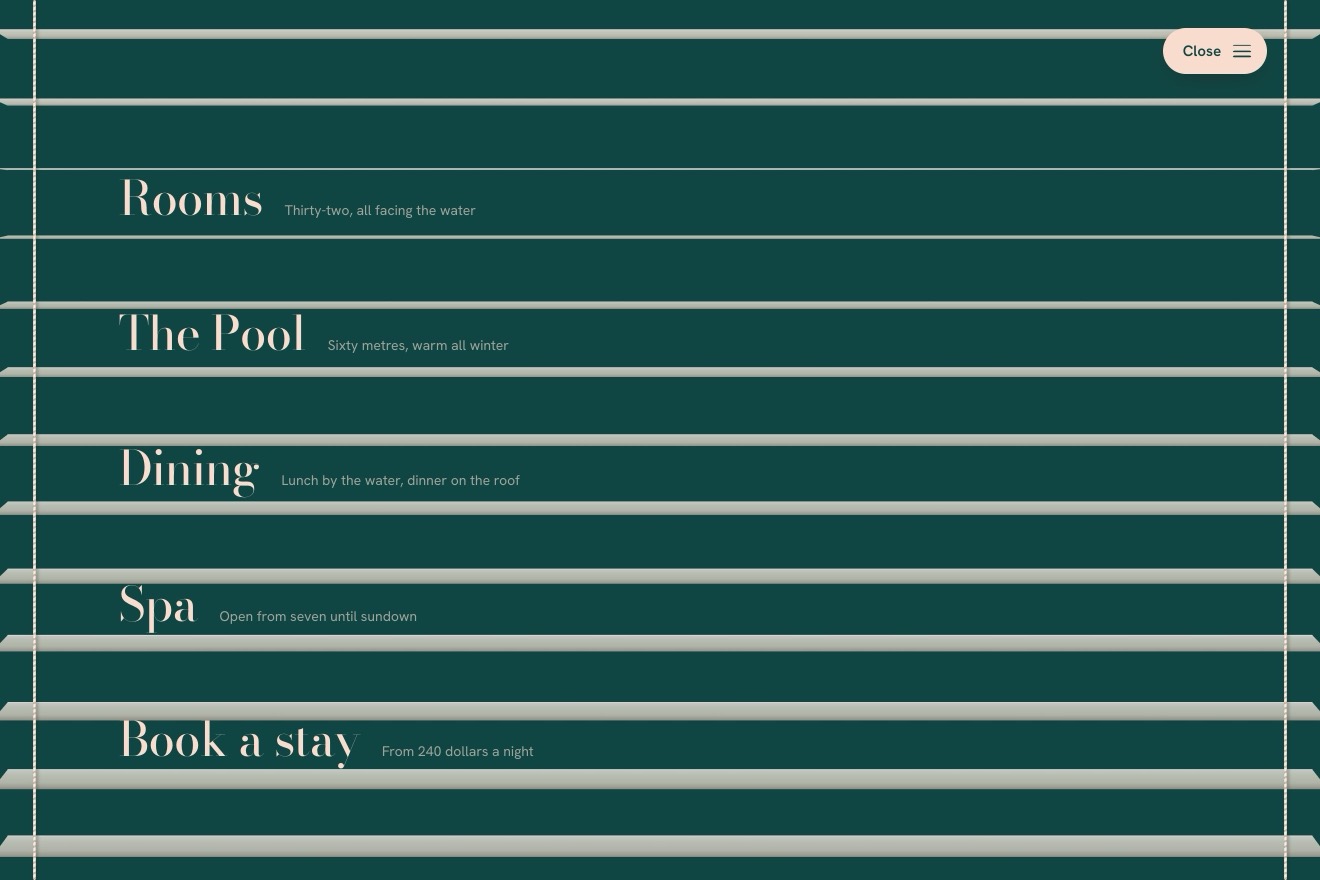
The venetian blind menu
Menus, 3D, Physics, Transitions
NewFree
The menu hidden under the page: pressing Menu the whole page lifts off like a sheet of paper, tips in 3D and slides aside on two springs, its corners rounding, the light changing on its face and a soft shadow falling on the menu. Underneath, the links come in like steps; pressing the page or a link, the sheet comes back down and settles with a little tap.
A folder that runs on its own: index.html, style.css, script.js and the libraries from a CDN. The React and Vue tabs hold the same demo as a ready component, which switches its animations off when it leaves the page.
<!doctype html>
<html lang="en">
<head>
  <meta charset="utf-8">
  <meta name="viewport" content="width=device-width, initial-scale=1">
  <title>The menu under the page</title>
  <link rel="stylesheet" href="https://cdn.jsdelivr.net/npm/@fontsource-variable/fraunces@5.3.0/full.css">
  <link rel="stylesheet" href="https://cdn.jsdelivr.net/npm/@fontsource-variable/hanken-grotesk@5.3.0/index.css">
  <link rel="stylesheet" href="style.css">
</head>
<body>
  <div class="scene" data-scene>
    <!-- the menu lies under the page: the page lifts off it, tips back and slides aside like a sheet of paper -->
    <nav class="menu" id="menu" aria-label="Main" data-menu inert>
      <ol class="menu__links">
        <li><a class="link" href="#" aria-current="page" data-link><span class="link__word" data-word>Index</span><svg class="link__arrow" viewBox="0 0 40 24" aria-hidden="true"><path d="M2 12h34M26 3l10 9-10 9"/></svg></a></li>
        <li><a class="link" href="#" data-link><span class="link__word" data-word>Projects</span><svg class="link__arrow" viewBox="0 0 40 24" aria-hidden="true"><path d="M2 12h34M26 3l10 9-10 9"/></svg></a></li>
        <li><a class="link" href="#" data-link><span class="link__word" data-word>Studio</span><svg class="link__arrow" viewBox="0 0 40 24" aria-hidden="true"><path d="M2 12h34M26 3l10 9-10 9"/></svg></a></li>
        <li><a class="link" href="#" data-link><span class="link__word" data-word>Journal</span><svg class="link__arrow" viewBox="0 0 40 24" aria-hidden="true"><path d="M2 12h34M26 3l10 9-10 9"/></svg></a></li>
        <li><a class="link" href="#" data-link><span class="link__word" data-word>Contact</span><svg class="link__arrow" viewBox="0 0 40 24" aria-hidden="true"><path d="M2 12h34M26 3l10 9-10 9"/></svg></a></li>
      </ol>
    </nav>

    <!-- the dark under the page, and the shadow the lifted page casts on the menu -->
    <div class="dark" data-dark aria-hidden="true"></div>
    <canvas class="shadow" data-shadow aria-hidden="true"></canvas>

    <!-- the page: a plain sheet of paper with the Menu button in the middle. Once lifted, the whole of it is a button
         that lays it back down -->
    <div class="sheet" data-sheet>
      <div class="page" data-page>
        <button class="burger" type="button" aria-expanded="false" aria-controls="menu" data-burger data-autoclic>
          <span class="burger__word">Menu</span>
          <span class="burger__icon" aria-hidden="true"><i></i><i></i></span>
        </button>
      </div>

      <!-- the light on the tilted page, and the button that covers it while it is lifted -->
      <div class="sheet__light" data-light aria-hidden="true"></div>
      <button class="sheet__cover" type="button" aria-label="Back to the page" data-cover data-autoclic></button>
    </div>
  </div>
  <p class="sr" aria-live="polite" data-live></p>

  <script src="https://cdn.jsdelivr.net/npm/gsap@3.15.0/dist/gsap.min.js"></script>
  <script src="script.js"></script>
</body>
</html>Change values, colours and text with the controls and watch the animation respond live. Or write in the code yourself. Then download the folder with your changes.
23 values to change
With the Animorio connector, Claude Code takes it from here, guide included, and fits it into your project. Paste this request:
Take “The menu under the page” from Animorio and fit it into my siteThe page moves on two numbers, how far it is lifted and how far it has slid, each with its own damped spring (stiffness and damping in LIFT and SLIDE) worked out every frame in steps of 1/240 of a second, with the frame's step capped at 1/30. Opening, the lift starts first and the slide 0.07 seconds later; closing, the other way round. Coming down the page cannot go into the menu: it touches zero, bounces back a little and stops, and that is the little tap. Once both springs have settled (to a thousandth of the way) they are put exactly in place, drawn one last time, and from then on the loop touches nothing: not the transform, not the canvas, not the styles.
From the two numbers the script builds the page's matrix3d by multiplying matrices: a move aside and back, then round its middle the twist, the turn on the vertical axis (the left edge comes forward) and the one on the horizontal axis. So it knows where the four corners are in 3D. How far the page must slide is worked out on those projected corners, so that its left edge clears the menu's widest link at any screen width.
The corners are projected from a lamp up on the right onto the plane of the menu, which lies under the page: the shadow is that quadrilateral, drawn on a canvas only through its shadowBlur (the shape itself is moved off the canvas), in two layers: tight and dark near the sheet, wide and soft further off. The canvas is at a quarter of the resolution, which is plenty for a blurred patch. The light on the page comes from the angle between its face and the lamp, compared with the flat page: it is a veil of flat colour over the page, light if it faces the lamp more, dark if less.
The links come in from the right with expo.out, one every STEP seconds, starting a little turned round their bottom corner: they seem to come out from under the page. Under the pointer the Fraunces typeface changes its variable axes (weight, softness and the letters' «wonk») with a CSS transition on font-variation-settings, and the other links dim. The current page has its name in gold, with aria-current="page".
Menu is a button with aria-expanded; open, the page becomes inert and over it lies another button as big as the page that lays it back down. Esc closes, the Tab key goes round the links and the page, and the focus goes back to Menu. Before opening, the mouse or the focus on Menu lifts a corner of the page; a finger does it as soon as it touches.
| Name | File | Default | What it changes |
|---|---|---|---|
LIFT | script.js | [170, 0.7] | The spring that lifts and tips the page: how stiff, and how much it is held back (1 = no bounce). |
SLIDE | script.js | [110, 0.58] | The spring that slides the page aside: how stiff, and how much it is held back. |
TILT | script.js | 9 | The degrees the page tips back, round its middle. |
TURN | script.js | 17 | The degrees the page turns, its left edge coming towards you. |
TWIST | script.js | 2 | The degrees the page twists as it lies aside. |
BACK | script.js | 240 | How far the page moves away from you, in pixels. |
STEP | script.js | 0.07 | The seconds between one link of the menu and the next as they come in. |
DEPTH | script.js | 1500 | The distance of the eye, in pixels: less, and the 3D is stronger. |
For the full-screen menu of a studio's site, a portfolio, an agency or a magazine: wherever opening the menu can be a small moment and the page is well-kept enough to be looked at tilted.
At 390 pixels the menu sits in a narrow column on the left and the arrows beside the links go; the slide is worked out on the real width, so the sheet leaves the links clear and an edge of it stays in sight to tap and close. Without a mouse, a finger on Menu lifts the corner as soon as it touches. The page does not scroll: the menu and the sheet fit the window.
No springs and no sliding: the page fades out and fades back in already lifted aside, the menu and its links fade in, and closing the page fades out and back in its place. The links still change weight under the pointer.
GSAP 3.15.0, Fraunces (font variabile) 5.3.0, Hanken Grotesk (font variabile) 5.3.0.
Compressed with gzip, the three demo files weigh 9.0 KB; the libraries: GSAP 28 KB.
Tested on 4 October 2026
Use it in your own projects and in your clients’ projects. Do not resell it or redistribute it as is. GSAP stays under its own Standard license. Full license.
With your account’s email and password.
or with your email
You’re signed in as .
With your account, you can download the zip of every animation and every pack, for free.