The menu under the page
Menus, 3D, Physics, Transitions
NewFree
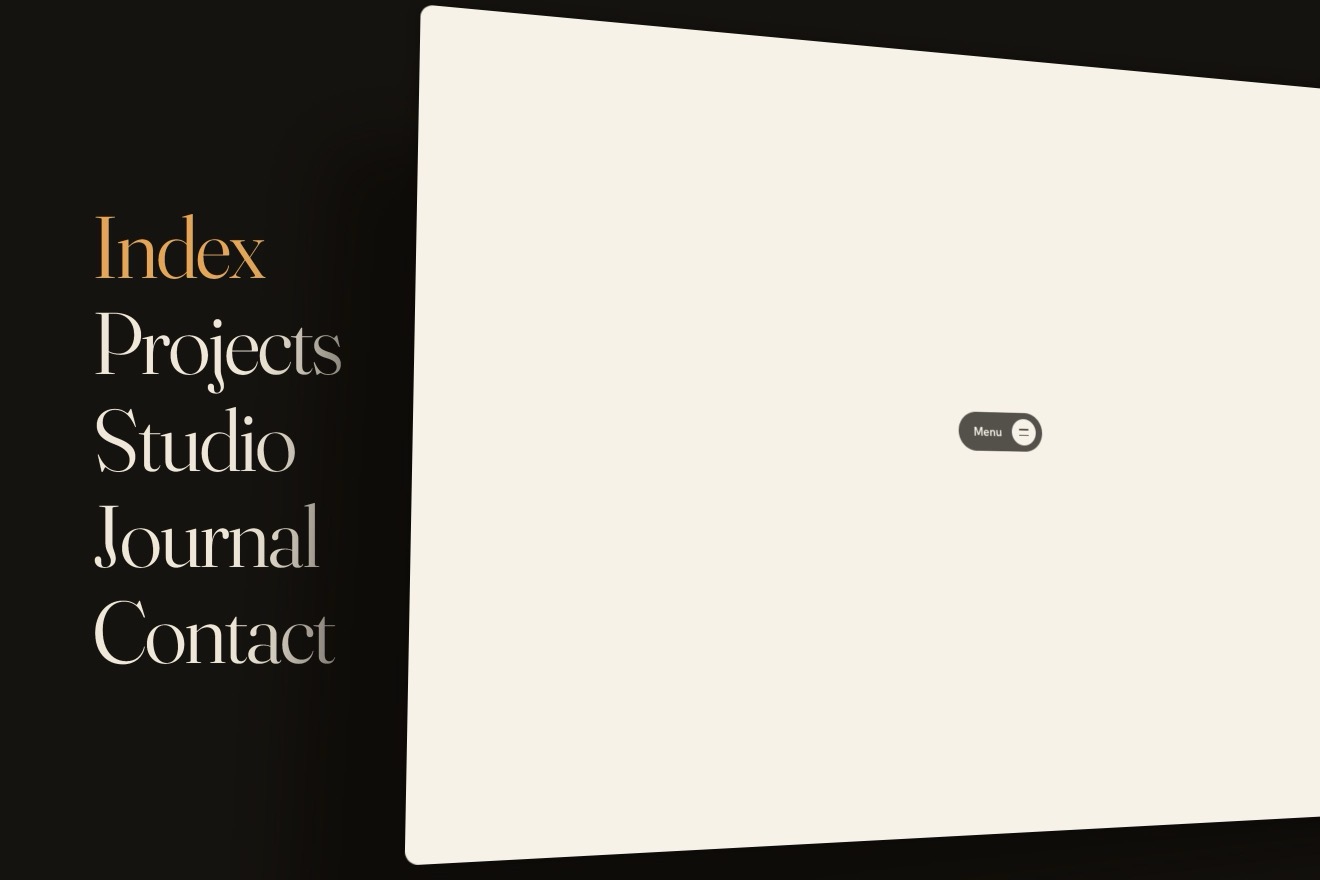
A venetian blind of ivory slats covers the menu: opening it the slats turn in 3D one after the other, like a staircase, each on its own spring, and the links appear between them; closing, they shut again starting from the bottom, and with the pointer over them the nearby slats lean towards it.
A folder that runs on its own: index.html, style.css, script.js and the libraries from a CDN. The React and Vue tabs hold the same demo as a ready component, which switches its animations off when it leaves the page.
<!doctype html>
<html lang="en">
<head>
  <meta charset="utf-8">
  <meta name="viewport" content="width=device-width, initial-scale=1">
  <title>The venetian blind menu</title>
  <link rel="stylesheet" href="https://cdn.jsdelivr.net/npm/@fontsource-variable/bodoni-moda@5.3.0/standard.css">
  <link rel="stylesheet" href="https://cdn.jsdelivr.net/npm/@fontsource-variable/hanken-grotesk@5.3.0/index.css">
  <link rel="stylesheet" href="style.css">
</head>
<body>
  <div class="page" data-page>
    <!-- the menu: behind the blind, it shows through as the slats turn -->
    <nav class="menu" id="menu" aria-label="Main" data-menu inert>
      <ul class="menu__links">
        <li><a class="menu__link" href="#" data-link><span class="menu__word">Rooms</span><span class="menu__note">Thirty-two, all facing the water</span></a></li>
        <li><a class="menu__link" href="#" data-link><span class="menu__word">The Pool</span><span class="menu__note">Sixty metres, warm all winter</span></a></li>
        <li><a class="menu__link" href="#" data-link><span class="menu__word">Dining</span><span class="menu__note">Lunch by the water, dinner on the roof</span></a></li>
        <li><a class="menu__link" href="#" data-link><span class="menu__word">Spa</span><span class="menu__note">Open from seven until sundown</span></a></li>
        <li><a class="menu__link" href="#" data-link><span class="menu__word">Book a stay</span><span class="menu__note">From 240 dollars a night</span></a></li>
      </ul>
    </nav>

    <!-- the blind: the script cuts it into ivory slats; two ladder cords hold them -->
    <div class="blind" data-blind aria-hidden="true">
      <span class="blind__cord" style="--at: 2.6%"></span>
      <span class="blind__cord" style="--at: 97.4%"></span>
    </div>

    <!-- the top: above the blind and the menu. The button's icon is a little blind of three slats -->
    <div class="top" data-top>
      <button class="toggle" type="button" aria-expanded="false" aria-controls="menu" data-toggle data-autoclic>
        <span class="toggle__words" aria-hidden="true">
          <span class="toggle__word" data-word-open>Menu</span>
          <span class="toggle__word" data-word-close>Close</span>
        </span>
        <span class="sr" data-name>Open the menu</span>
        <span class="toggle__icon" aria-hidden="true"><i data-mini></i><i data-mini></i><i data-mini></i></span>
      </button>
    </div>
  </div>

  <script src="https://cdn.jsdelivr.net/npm/gsap@3.15.0/dist/gsap.min.js"></script>
  <script src="script.js"></script>
</body>
</html>Change values, colours and text with the controls and watch the animation respond live. Or write in the code yourself. Then download the folder with your changes.
28 values to change
With the Animorio connector, Claude Code takes it from here, guide included, and fits it into your project. Paste this request:
Take “The venetian blind menu” from Animorio and fit it into my siteThe script cuts the window’s height into slats about SLAT pixels tall. Each slat has two faces with backface-visibility: hidden, the front and the back turned 180 degrees, and both are the bare slat: ivory, with a gradient that makes it round and a line of light along its top edge. Each slat is a hair taller than its share, so no crack is left between two shut slats.
Each slat has its angle, its speed and the moment it changes its rest angle: opening, slat i changes it i times STAGGER seconds later; closing starts from the last one. The angle follows the rest with a spring (SPRING) integrated in steps of 1/240 of a second, with the frame’s step capped at 1/30: that is why each slat overshoots a little and comes back. The transform is a rotateX written only when the angle changes.
The gaps are counted from the top: gap k sits between slat k − 1 and slat k. The script puts each link in a gap through the --row variable, one gap in two when there is room (one per gap when there is not), centred on the height. Each link is one slat tall and starts halfway down one, so with the blind open it sits exactly in the free space, and it appears when the staircase reaches its gap.
Over each face lies a dark veil whose opacity comes from the slat’s angle: the front darkens a little as it turns, the back, seen past 90 degrees, is lit from above. An open slat, seen almost edge-on, is a light band with its line of light.
Each slat’s distance from the pointer, divided by REACH, gives x; the effect is a bell, e^(−x²). Shut, the slat turns by LEAN · x · e^(−x²): up below the pointer and down above it, so the gaps open around it. Open, the nearby slats turn edge-on (90 degrees). With a finger the same happens dragging on the blind.
| Name | File | Default | What it changes |
|---|---|---|---|
SLAT | script.js | 68 | The height of a slat in pixels (the window is cut into as many as fit). |
OPEN | script.js | 80 | How many degrees the slats turn with the blind open (90 = edge-on). |
STAGGER | script.js | 0.045 | The seconds between one slat and the next. |
SPRING | script.js | { stiffness: 150, damping: 13 } | Each slat’s spring: stiffness and damping (less damping, more bounce). |
LEAN | script.js | 38 | How many degrees the nearby slats lean towards the pointer. |
REACH | script.js | 170 | How many pixels from the pointer the slats still feel it. |
For the full-page menu of a hotel, a restaurant, an architecture or interiors studio, a fashion brand: wherever the menu can hide behind a blind covering the page. From three to six short links.
The slats are a little shorter and the notes beside the links disappear; the links keep one gap in two while there is room. Without a pointer, dragging a finger on the blind still leans the nearby slats; a tap on the button opens and closes.
The slats do not turn: the whole blind fades away and leaves the menu, and closing it fades back in. No staircase on arrival and no leaning under the pointer.
GSAP 3.15.0, Bodoni Moda (font variabile) 5.3.0, Hanken Grotesk (font variabile) 5.3.0.
Compressed with gzip, the three demo files weigh 7.4 KB; the libraries: GSAP 28 KB.
Tested on 4 October 2026
Use it in your own projects and in your clients’ projects. Do not resell it or redistribute it as is. GSAP stays under its own Standard license. Full license.
With your account’s email and password.
or with your email
You’re signed in as .
With your account, you can download the zip of every animation and every pack, for free.