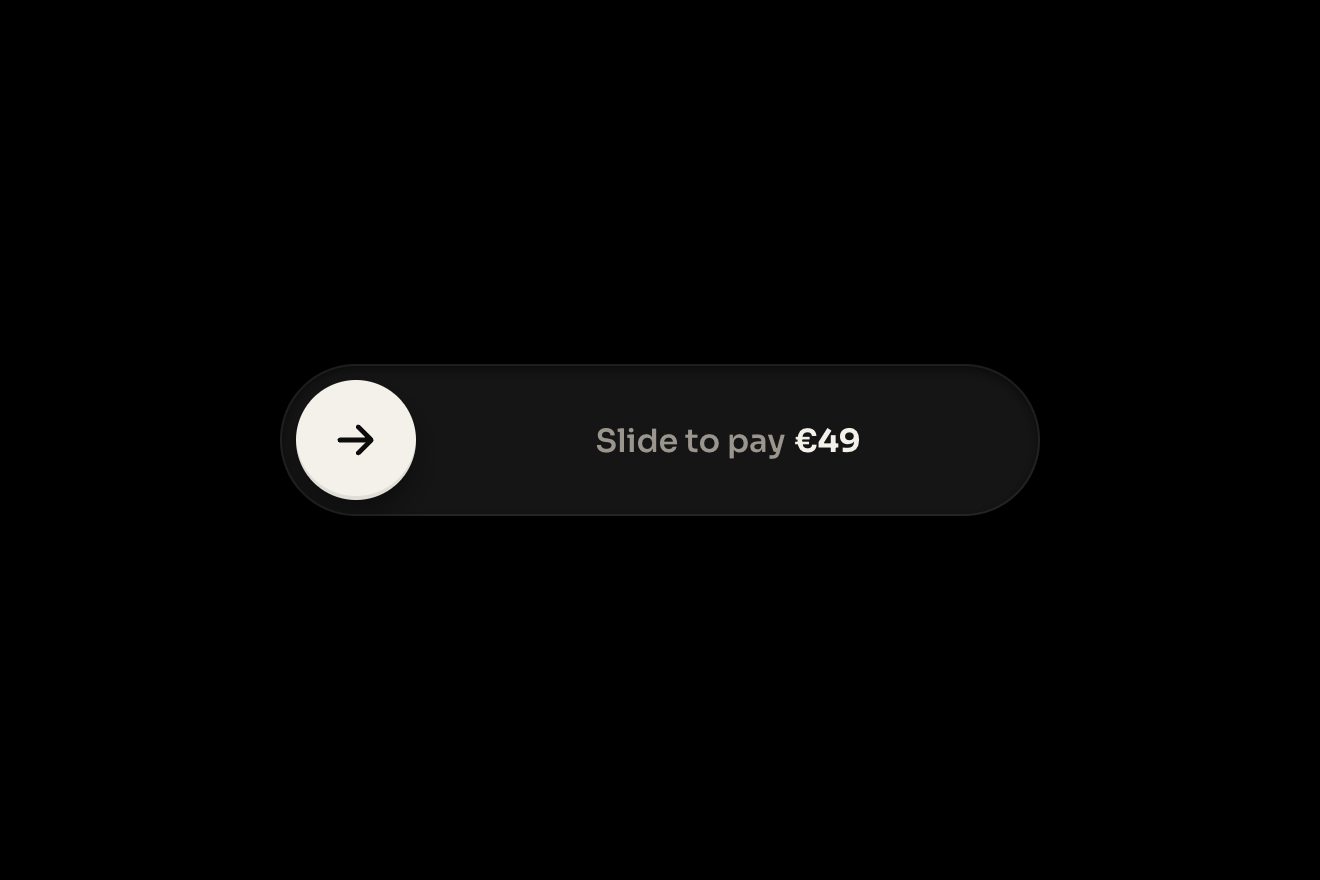
The slide-to-confirm button
Buttons, Physics, Transitions
The pre-order card of a small batch of stoneware, on white, in the style of real product interface pieces: the batch is fired only once 24 pre-orders are in. At every pre-order the big number rolls up, only in the digits that change, one mark per piece lights up from the bottom with a little hop and a toast rises from behind the card with who has just ordered. For the last four the number and the marks turn amber in a wave and «Almost there» slides in; with the batch full the marks all hop together and the black pill squashes into the light amber tile of «Join batch two», with its bell swinging.
A folder that runs on its own: index.html, style.css, script.js and the libraries from a CDN. The React and Vue tabs hold the same demo as a ready component, which switches its animations off when it leaves the page.
<!doctype html>
<!--
"Pre-order counter" from Animorio · https://animorio.com
License: free on your own sites and your clients’ sites, paid work included.
Not for resale, redistribution, templates or code collections · https://animorio.com/en/license/
-->
<html lang="en">
<head>
<meta charset="utf-8">
<meta name="viewport" content="width=device-width, initial-scale=1">
<title>The pre-order counter with the batch that fills up</title>
<link rel="stylesheet" href="https://cdn.jsdelivr.net/npm/@fontsource-variable/mona-sans@5.3.0/wdth.css">
<link rel="stylesheet" href="style.css">
</head>
<body>
<main class="stage">
<!-- the pre-order card of a small batch of stoneware: a big number counts the pre-orders and rolls up every time
someone joins, one small mark per piece of the batch lights up with a hop, the last few turn amber with
«Almost there», and when the batch is full the button changes shape and becomes «Join batch two».
A small toast says who has just pre-ordered. -->
<div class="po" data-po>
<div class="po__toast-lane" aria-hidden="true">
<div class="po__toast" data-toast>
<span class="po__avatar" data-avatar>M</span>
<span class="po__toast-text"><b data-who>Mara</b> just pre-ordered</span>
<span class="po__toast-time">now</span>
</div>
</div>
<article class="po__card" data-card>
<span class="po__sheen" aria-hidden="true"></span>
<span class="po__glow" data-glow aria-hidden="true"></span>
<header class="po__head">
<span class="po__mark" aria-hidden="true">
<svg viewBox="0 0 40 40">
<path class="po__mark-body" d="M11 15.5h18l-1.6 13.2a3 3 0 0 1-3 2.6h-8.8a3 3 0 0 1-3-2.6Z"/>
<path class="po__mark-rim" d="M10 15.5h20"/>
<path class="po__mark-glaze" d="M12.2 21.5c2.6 1.4 5.2 1.4 7.8 0s5.2-1.4 7.8 0"/>
<path class="po__mark-steam" data-steam d="M17.5 11.5c-1-1.4 1-2.4 0-4M22.5 11.5c-1-1.4 1-2.4 0-4"/>
</svg>
</span>
<span class="po__title">
<span class="po__name">Tide pour-over set</span>
<span class="po__maker">Ashby Clay · small batch</span>
</span>
<span class="po__chip" data-chip>
<span class="po__chip-in" data-chip-in>
<svg class="po__chip-check" viewBox="0 0 12 12" aria-hidden="true"><path data-chip-check pathLength="1" d="M2.6 6.3l2.2 2.2 4.6-4.9"/></svg>
<span data-chip-text>Almost there</span>
</span>
</span>
</header>
<div class="po__count">
<p class="po__num" data-num aria-hidden="true"></p>
<p class="po__of"><span>of</span> <span data-goal>24</span></p>
</div>
<p class="po__sub" data-sub-box>
<span class="po__sub-t" data-sub="open">pre-orders to fire the batch</span>
<span class="po__sub-t" data-sub="full">The kiln is booked for March</span>
</p>
<div class="po__marks" data-marks aria-hidden="true"></div>
<p class="po__meta">
<span class="po__left" data-left-box><span data-left>7</span> <span data-left-word>to go</span></span>
<span class="po__sep">·</span>
<span data-closes>Closes Sunday</span>
</p>
<button class="po__btn" type="button" data-btn>
<span class="po__btn-bg" data-btn-bg aria-hidden="true"></span>
<span class="po__btn-labels" data-labels>
<span class="po__btn-l" data-l="order">Pre-order <span class="po__btn-price">$68</span></span>
<span class="po__btn-l" data-l="mine">
<svg class="po__btn-icon" viewBox="0 0 16 16" aria-hidden="true"><path data-btn-check pathLength="1" d="M3.4 8.4l3 3 6.2-6.6"/></svg>
You’re in
</span>
<span class="po__btn-l" data-l="wait">
<svg class="po__btn-icon po__bell" data-bell viewBox="0 0 16 16" aria-hidden="true"><path d="M4.2 11.2V7.4a3.8 3.8 0 0 1 7.6 0v3.8l1.2 1.3H3Z"/><path d="M6.6 13.6a1.5 1.5 0 0 0 2.8 0"/></svg>
Join batch two
</span>
<span class="po__btn-l" data-l="listed">
<svg class="po__btn-icon" viewBox="0 0 16 16" aria-hidden="true"><path data-btn-check2 pathLength="1" d="M3.4 8.4l3 3 6.2-6.6"/></svg>
On the list
</span>
</span>
</button>
</article>
</div>
<p class="sr" aria-live="polite" data-live></p>
</main>
<script src="https://cdn.jsdelivr.net/npm/gsap@3.15.0/dist/gsap.min.js"></script>
<script src="script.js"></script>
</body>
</html>Change values, colours and text with the controls and watch the animation respond live. Or write in the code yourself. Then download the folder with your changes.
46 values to change
With the Animorio connector, Claude Code, ChatGPT, Cursor or VS Code take it from here, guide included, and fit it into your project. Paste this request:
Take “Pre-order counter” from Animorio and fit it into my siteThe number is a row of slots, one per digit, each a grid with its texts in the same cell. At every pre-order the old string is compared with the new one: only the slot that changes rolls, the old digit leaves upwards with power2.in and the new one arrives from below with back.out, a pixel past. If a slot gets another digit while it is still rolling, the oldest one is dropped at once and never lags behind.
Every mark is two pieces: the shell, which GSAP hops by six pixels and brings back with elastic.out, and the fill inside, which grows from the bottom with scaleY. Its two neighbours hop a pixel and a half, a moment later: that is what makes the row feel like one thing.
The card has three states, open, nearly full and full, worked out from the count and LOW. On a change the lit marks take the new colour in a wave starting from the newest, the glow behind the number lights up, and the tag comes in by widening its clip on a spring to the measured width of its text.
The button’s background is an element of its own: with the batch full GSAP takes its corners from 999 to 14 pixels, its colour from black to light amber and its shadow to a hairline, squashing it meanwhile (0.94 by 1.08) and letting it spring back with elastic.out. The labels swap on top, the old one up and the new one from below.
The toast lives in a lane over the card, under it in the layers: it rises 26 pixels from behind the edge, the avatar swells with back.out(3), it stays and leaves upwards. So it never covers a word.
| Name | File | Default | What it changes |
|---|---|---|---|
GOAL | script.js | 24 | The pieces in the batch: one mark each. |
START | script.js | 17 | The pre-orders when the page opens. |
LOW | script.js | 4 | From how many pieces left the number and the marks turn amber. |
PRICE | script.js | $68 | The price on the button. |
GAP | script.js | 1.5 | The seconds between one pre-order and the next. |
HOLD | script.js | 3.4 | The seconds the full batch stays before starting again. |
BOUNCE | script.js | 1.6 | How far the digits, the marks and the button overshoot (1 a little, 3 a lot). |
NAMES | script.js | ['Mara', 'Jonas', 'Ines', 'Theo', 'Priya', 'Leon', 'Saskia', 'Omar'] | Who pre-orders, in turn, in the toast. |
On the product page of a shop that works in batches (ceramics, prints, clothes, coffee), in the card of a pre-order or a crowdfunding campaign, or as the count of the seats of a class or an event: the number and the marks say where things stand, the amber hurries without shouting, and the button’s new shape says at once that the batch is closed.
On the phone the card takes its width from the screen (min with 90vw) and its heights from the height too (clamp in vh: the number, the marks, the button, the gaps), so it fits the short preview box. The marks share the width with flex, with no pixel sizes. The light that follows the pointer is there only where there is a mouse.
Nothing moves: digits and labels cross-fade, the marks fill in place, the button changes colour and corners without squashing, the toast fades in and out, the steam stays still.
GSAP 3.15.0, Mona Sans (font variabile) 5.3.0.
Compressed with gzip, the three demo files weigh 9.7 KB; the libraries: GSAP 28 KB.
Tested on 7 November 2026
Use it in your own projects and in your clients’ projects. Do not resell it or redistribute it as is. GSAP stays under its own Standard license. Full license.
Support Animorio
Animorio stays free thanks to the people who support it. If you like, buy us a coffee: it helps us make the next animations.
You asked for
We made it for you: it’s in the library, with the preview, the Playground and the code to copy.
An animation you can’t find, or a site to take apart in the journal: tell us which. We pick the next ones from here.
With your account’s email and password.
or with your email
You’re signed in as .
With your account, you can download the zip of every animation and every pack, for free.