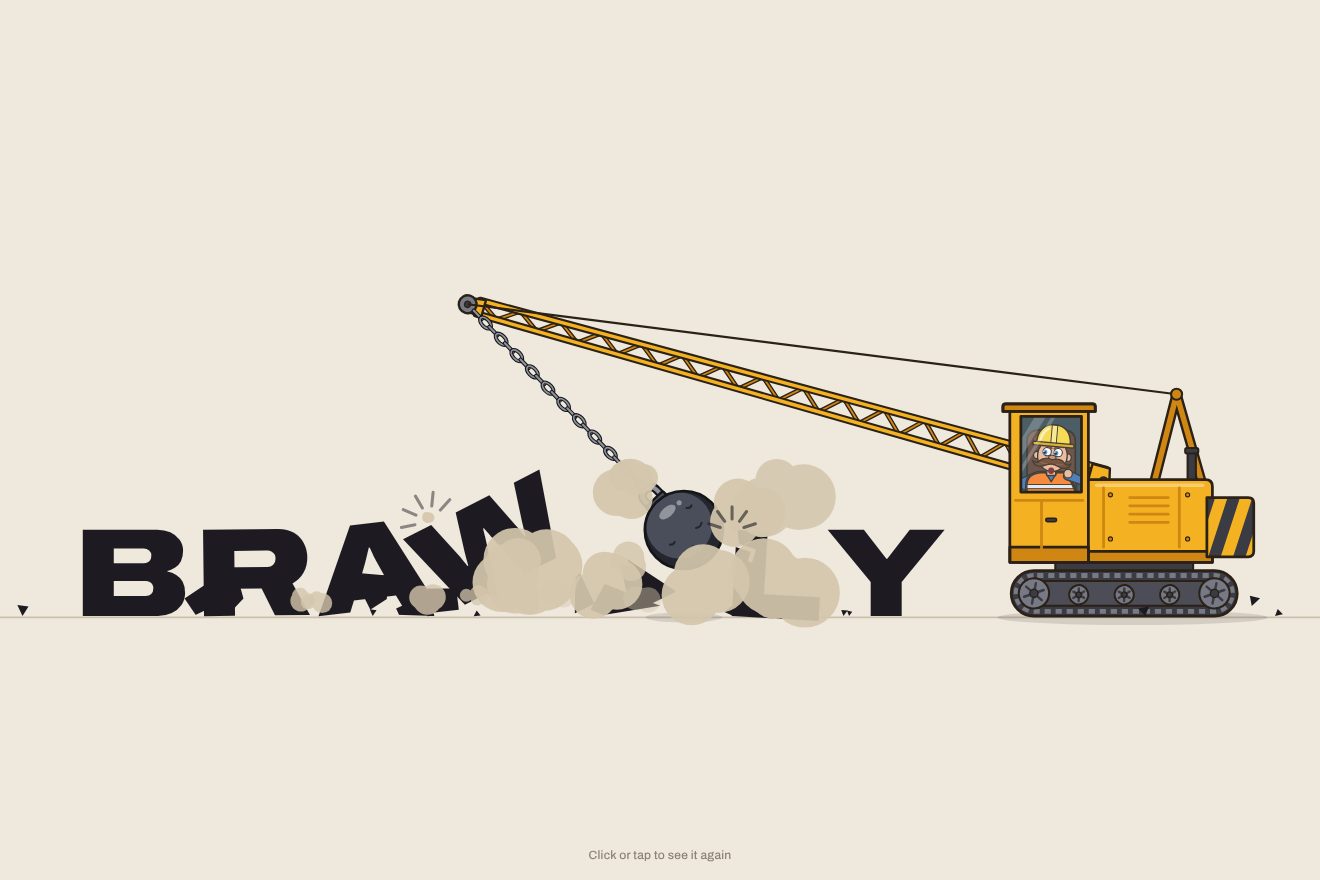
The wrecking-ball logo
Intro, Physics, SVG, Text
NewFree
A logo intro in liquid metal on black: drops of chrome mercury fall, bounce heavily, pull together and melt into a pool that climbs up into the letters; the logo stays polished like a mirror, wobbles like jelly and a reflection sweeps across it. In the Playground you type your own name or upload your own logo, in chrome, gold or copper.
A folder that runs on its own: index.html, style.css, script.js and the libraries from a CDN. The React and Vue tabs hold the same demo as a ready component, which switches its animations off when it leaves the page.
<!doctype html>
<html lang="en">
<head>
  <meta charset="utf-8">
  <meta name="viewport" content="width=device-width, initial-scale=1">
  <title>The quicksilver logo</title>
  <link rel="stylesheet" href="https://cdn.jsdelivr.net/npm/@fontsource-variable/unbounded@5.3.0/index.css">
  <link rel="stylesheet" href="style.css">
</head>
<body>
  <main class="scena">
    <!-- the stage: the script measures it, drops the mercury and pours it into the letters -->
    <svg class="palco" data-stage role="img" aria-label="Meltra" xmlns="http://www.w3.org/2000/svg">
      <defs>
        <!-- the room: black, a breath lighter behind the logo -->
        <radialGradient id="room" cx="50%" cy="54%" r="62%">
          <stop offset="0" class="sala-centro" />
          <stop offset="1" class="sala" />
        </radialGradient>
        <!-- the liquid metal. Blur the shapes and cut the blur at half height: drops close to each other melt into
             one (the goo), and the bridges between them take the colour of what they join. The sharp shapes go back
             on top, inside the new outline, and two thin rims are cut from the outline shifted by a hair: a light one
             on the upper left edge, a dark one on the lower right. No lighting filters: they are too slow to run
             every frame on a phone. The script keeps the filter's box tight around the logo; drops in the air above it
             or below it are drawn outside, in the group before this one. -->
        <filter id="liquid" filterUnits="userSpaceOnUse" color-interpolation-filters="sRGB" data-filter>
          <feGaussianBlur in="SourceGraphic" stdDeviation="8" result="blur" data-blur />
          <feColorMatrix in="blur" type="matrix" values="1 0 0 0 0  0 1 0 0 0  0 0 1 0 0  0 0 0 22 -10" result="goo" />
          <feComposite in="SourceGraphic" in2="goo" operator="atop" result="body" />
          <feOffset in="goo" dx="2" dy="2" result="down" data-rim-light />
          <feComposite in="goo" in2="down" operator="out" result="edge-light" />
          <feColorMatrix in="edge-light" type="matrix" values="0 0 0 0 1  0 0 0 0 1  0 0 0 0 1  0 0 0 0.8 0" result="rim-light" data-rim-light-paint />
          <feOffset in="goo" dx="-2" dy="-2" result="up" data-rim-dark />
          <feComposite in="goo" in2="up" operator="out" result="edge-dark" />
          <feColorMatrix in="edge-dark" type="matrix" values="0 0 0 0 0  0 0 0 0 0  0 0 0 0 0  0 0 0 0.7 0" result="rim-dark" data-rim-dark-paint />
          <feMerge>
            <feMergeNode in="body" />
            <feMergeNode in="rim-dark" />
            <feMergeNode in="rim-light" />
          </feMerge>
        </filter>
        <!-- the mirror of the letters: the sky above, a hard dark horizon, the bright floor below (one gradient for
             the whole logo, so every letter and every blob reflects the same room) -->
        <linearGradient id="mirror" gradientUnits="userSpaceOnUse" x1="0" y1="0" x2="0" y2="100" data-mirror>
          <stop offset="0" class="metallo-chiaro" />
          <stop offset="0.16" class="metallo-bianco" />
          <stop offset="0.4" class="metallo-medio" />
          <stop offset="0.52" class="metallo-chiaro" />
          <stop offset="0.52" class="metallo-scuro" />
          <stop offset="0.62" class="metallo-scuro" />
          <stop offset="0.8" class="metallo-medio" />
          <stop offset="0.9" class="metallo-chiaro" />
          <stop offset="1" class="metallo-medio" />
        </linearGradient>
        <!-- a drop: a little ball of mirror, the window high on the left, the dark room in a ring, the floor at the rim -->
        <radialGradient id="drop" cx="0.5" cy="0.5" r="0.5" fx="0.36" fy="0.3">
          <stop offset="0" class="metallo-bianco" />
          <stop offset="0.14" class="metallo-chiaro" />
          <stop offset="0.42" class="metallo-medio" />
          <stop offset="0.7" class="metallo-scuro" />
          <stop offset="0.88" class="metallo-medio" />
          <stop offset="1" class="metallo-chiaro" />
        </radialGradient>
        <!-- the reflection that sweeps across the letters -->
        <linearGradient id="glint" x1="0" y1="0" x2="1" y2="0">
          <stop offset="0" stop-color="#fff" stop-opacity="0" />
          <stop offset="0.3" stop-color="#fff" stop-opacity="0.08" />
          <stop offset="0.45" stop-color="#fff" stop-opacity="0.5" />
          <stop offset="0.5" stop-color="#fff" stop-opacity="0.95" />
          <stop offset="0.55" stop-color="#fff" stop-opacity="0.5" />
          <stop offset="0.7" stop-color="#fff" stop-opacity="0.08" />
          <stop offset="1" stop-color="#fff" stop-opacity="0" />
        </linearGradient>
        <mask id="letters" maskUnits="userSpaceOnUse" data-letters-mask><g data-letters></g></mask>
        <!-- a picture: the wipe that shows it, the same wipe taking the liquid away, and its outline for the band -->
        <mask id="wipe" maskUnits="userSpaceOnUse" data-wipe-mask><rect fill="#fff" data-wipe /></mask>
        <mask id="unwipe" maskUnits="userSpaceOnUse" data-unwipe-mask>
          <rect fill="#fff" data-unwipe-all />
          <rect fill="#000" data-unwipe />
        </mask>
        <!-- the chrome band that runs across the picture as it appears -->
        <linearGradient id="band" x1="0" y1="0" x2="1" y2="0">
          <stop offset="0" class="metallo-chiaro" stop-opacity="0" />
          <stop offset="0.3" class="metallo-scuro" stop-opacity="0.9" />
          <stop offset="0.48" class="metallo-chiaro" />
          <stop offset="0.55" stop-color="#fff" />
          <stop offset="0.7" class="metallo-medio" stop-opacity="0.9" />
          <stop offset="1" class="metallo-chiaro" stop-opacity="0" />
        </linearGradient>
      </defs>

      <rect fill="url(#room)" data-room />

      <!-- everything liquid sits in one group under the filter: the falling drops, the splashes, the blobs that climb
           into the letters and the letters themselves (or the outline of the picture) -->
      <g class="gocce" data-drops-free></g>
      <g filter="url(#liquid)" data-liquid>
        <g class="specchio" data-blobs></g>
        <g class="gocce" data-drops></g>
        <g class="specchio" data-logo></g>
      </g>

      <!-- the reflection, cut to the letters -->
      <g mask="url(#letters)" data-glint-holder><rect fill="url(#glint)" data-glint /></g>

      <!-- a picture, shown for real once the liquid has taken its shape -->
      <g data-picture></g>
    </svg>
    <p class="nota">Click or tap to see it again</p>
  </main>

  <script src="https://cdn.jsdelivr.net/npm/gsap@3.15.0/dist/gsap.min.js"></script>
  <script src="script.js"></script>
</body>
</html>Change values, colours and text with the controls and watch the animation respond live. Or write in the code yourself. Then download the folder with your changes.
22 values to change
With the Animorio connector, Claude Code takes it from here, guide included, and fits it into your project. Paste this request:
Take “The quicksilver logo” from Animorio and fit it into my siteEverything liquid (drops, splashes, the blobs that climb and the letters) sits in one group with an SVG filter. feGaussianBlur blurs the shapes, feColorMatrix cuts the alpha at half height (0 0 0 22 -10): two shapes close together, blurred, add up and the cut joins them with a soft bridge. The colour of the bridges comes from the blur itself, so it takes the colour of what it joins; the sharp shapes go back on top with feComposite atop. The blur is counted in letter heights: wide while the metal is liquid, narrow once the letters condense.
feDiffuseLighting and feSpecularLighting would give the relief, but redone every frame over a large area they are very slow. The chrome is made of gradients: the letters and the blobs share one linear gradient in userSpaceOnUse (light sky, dark horizon with a hard step, light floor), so everything reflects the same room; the drops have a radial gradient with its focus moved, a little ball of mirror. The liquid edge comes from two feOffset of the outline: the difference between the outline and a copy moved by a hair gives a light crescent on the upper left and a dark one on the lower right.
Each drop is an ellipse standing on its lowest point, with three numbers: where it is, how squashed it is (s, below 1 squashed, above 1 stretched, rx following with almost the same area) and how much metal it has left (m). The fall uses power2.in with the duration of real gravity, the hit squashes it for seven hundredths of a second, the bounce is low and the settling elastic. When they melt together, the radial ball fades and the shared gradient stays: the pool reads as one surface.
The letters are drawn on a canvas and sampled on a grid: every point inside a letter becomes a circle, about 250 in all. The circles leave the pool and rise to their point with back.out, so the metal stretches past it and drops back; meanwhile the pool loses its metal. Then the real letters fade in inside the mass, the circles shrink and the blur tightens: the alpha cut brings them out sharp. The wobble is a scale and a skewX around the foot of each letter (svgOrigin), brought back to zero with elastic.out.
A filter costs something for every pixel of its area on every frame, so the area is a tight box around the logo; a drop enters it only when all of it fits, and before that it falls outside the filter, alone, where it has nothing to melt with. The reflection that sweeps across the letters is a faded rectangle outside the filter, cut by a mask holding a copy of the letters. With IMAGE the outline comes from a canvas (the alpha, or the dark and coloured parts if the picture is opaque), painted with the same gradient; at the end a chrome band runs across and a mask uncovers the picture itself.
| Name | File | Default | What it changes |
|---|---|---|---|
NAME | script.js | 'Meltra' | The logo as a word: the mercury climbs into each letter. |
IMAGE | script.js | '' | The logo as a picture: the address of a file, or upload it from your computer. If there is one, it takes the place of the word: the liquid takes its outline, then reveals it. |
DROPS | script.js | 9 | How many drops fall: the metal is always the same, split into more small drops or fewer big ones. |
VISCOSITY | script.js | 1 | How much the liquid bounces, stretches as it climbs and wobbles like jelly: 0.3 stiff, 2 very runny. |
SHINE | script.js | 1 | How bright the light edge of the liquid and the reflection sweeping across the letters are. |
COLOR | script.js | 'chrome' | The metal: chrome, gold or copper. The three colours of each metal are in style.css. |
SPEED | script.js | 1 | The speed of the whole animation: 2 is twice as fast, 0.5 half as fast. |
REST | script.js | 5 | How many seconds the logo stays on show before it melts. |
LOOP | script.js | true | Whether the logo melts and is poured again. With false it stays, with a reflection now and then. |
To present a logo in a precious, fluid material: the opening of a jeweller's site, a watch brand, an agency, a tech product or a musician with a chrome look, a preview for a client, a loading screen, a social post. It works with a written wordmark, best if bold, and with a picture.
The same animation with the sizes adapted: the logo is almost as wide as the screen and everything (drops, blur, edges) is counted in letter heights, so the liquid behaves as on a computer. The filter's area is small and stays light. A tap restarts it.
Nothing falls and nothing moves: the chrome logo appears already formed, with a fade, and stays still without passing reflections. If the animation starts again, it fades out and back in.
GSAP 3.15.0, Unbounded (font variabile) 5.3.0.
Compressed with gzip, the three demo files weigh 12 KB; the libraries: GSAP 28 KB.
Tested on 10 October 2026
Use it in your own projects and in your clients’ projects. Do not resell it or redistribute it as is. GSAP stays under its own Standard license. Full license.
With your account’s email and password.
or with your email
You’re signed in as .
With your account, you can download the zip of every animation and every pack, for free.