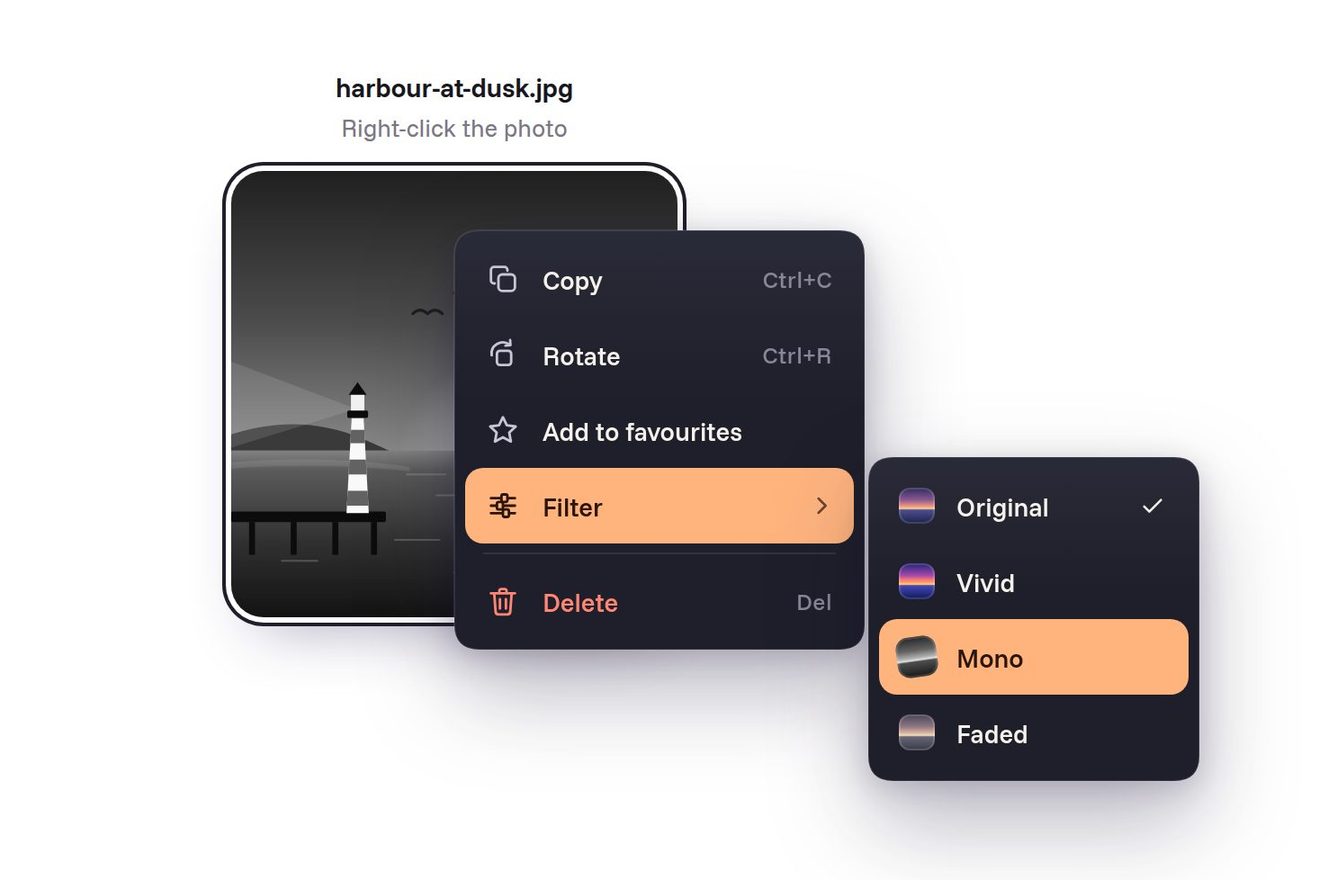
The funnel context menu
Menus, Transitions, SVG, Hover
The bottom navigation bar of Leeway, a made-up travel app, inside a titanium phone seen from the front in a dark room, like a Dribbble shot. Four tabs, Explore, Trips, Saved and Profile, with line icons that make their move when tapped: the compass spins and settles, the suitcase opens by a hair, the heart fills from its centre, the avatar stands up. A glass lens slides under the chosen tab on a spring and stretches while it travels, the screen above changes with a fade and a small shift towards the side of the tab, the light around the phone takes the colour of the screen and a badge with the number of upcoming trips lands on Trips, among real photos of Positano, Lisbon, Kyoto, the Faroe Islands and Wadi Rum.
A folder that runs on its own: index.html, style.css, script.js and the libraries from a CDN. The React and Vue tabs hold the same demo as a ready component, which switches its animations off when it leaves the page.
<!doctype html>
<!--
"Glass lens travel bar" from Animorio · https://animorio.com
License: free on your own sites and your clients’ sites, paid work included.
Not for resale, redistribution, templates or code collections · https://animorio.com/en/license/
-->
<html lang="en">
<head>
<meta charset="utf-8">
<meta name="viewport" content="width=device-width, initial-scale=1">
<title>The travel app bottom navigation bar with the glass lens</title>
<link rel="stylesheet" href="https://cdn.jsdelivr.net/npm/@fontsource-variable/mona-sans@5.3.0/wdth.css">
<link rel="stylesheet" href="style.css">
</head>
<body>
<main class="stage" data-stage>
<!-- the bottom tab bar of Leeway, a made-up travel app, inside a titanium phone seen from the front. Four tabs,
Explore, Trips, Saved and Profile, with line icons that come alive when tapped: the compass spins, the
suitcase opens by a hair, the heart fills, the avatar stands up. A glass lens slides to the chosen tab on a
spring and stretches while it travels; the screen above changes with a fade and a small shift towards the
side of the tab, and a badge with the upcoming trips lands on Trips -->
<div class="aura" aria-hidden="true">
<span class="aura__c" data-aura style="--c: var(--aura-explore)"></span>
<span class="aura__c" data-aura style="--c: var(--aura-trips)"></span>
<span class="aura__c" data-aura style="--c: var(--aura-saved)"></span>
<span class="aura__c" data-aura style="--c: var(--aura-profile)"></span>
</div>
<span class="floor" aria-hidden="true"></span>
<span class="grain" aria-hidden="true"></span>
<div class="fit" data-fit>
<div class="phone" data-phone>
<span class="phone__frame" aria-hidden="true"><span class="phone__brush"></span></span>
<span class="phone__key phone__key--action" aria-hidden="true"></span>
<span class="phone__key phone__key--up" aria-hidden="true"></span>
<span class="phone__key phone__key--down" aria-hidden="true"></span>
<span class="phone__key phone__key--side" aria-hidden="true"></span>
<span class="phone__bezel" aria-hidden="true"></span>
<div class="screen" data-screen>
<div class="status" aria-hidden="true">
<span class="status__time">9:41</span>
<span class="island"></span>
<span class="status__icons">
<svg viewBox="0 0 18 12" class="status__signal"><rect x="0" y="8" width="3" height="4" rx="1"/><rect x="5" y="5.5" width="3" height="6.5" rx="1"/><rect x="10" y="3" width="3" height="9" rx="1"/><rect x="15" y="0" width="3" height="12" rx="1"/></svg>
<svg viewBox="0 0 17 12" class="status__wifi"><path d="M8.5 2.2c2.4 0 4.6.9 6.3 2.5l1.2-1.3A10.6 10.6 0 0 0 8.5.4 10.6 10.6 0 0 0 1 3.4l1.2 1.3a9 9 0 0 1 6.3-2.5Zm0 3.6c1.4 0 2.7.5 3.7 1.4l1.2-1.3a7.2 7.2 0 0 0-9.8 0l1.2 1.3c1-.9 2.3-1.4 3.7-1.4Zm0 3.5c.5 0 .9.2 1.3.5L8.5 11.3 7.2 9.8c.4-.3.8-.5 1.3-.5Z"/></svg>
<svg viewBox="0 0 27 13" class="status__battery"><rect x=".5" y=".5" width="23" height="12" rx="3.6" fill="none" stroke="currentColor" opacity=".38"/><rect x="2.2" y="2.2" width="17.4" height="8.6" rx="2.2"/><path d="M25 4.4v4.2c.8-.3 1.4-1.1 1.4-2.1s-.6-1.8-1.4-2.1Z" opacity=".42"/></svg>
</span>
</div>
<div class="screens" data-screens>
<!-- Explore -->
<section class="scr" data-scr id="scr-explore" aria-label="Explore">
<header class="scr__head" data-rise>
<p class="scr__hello">Good evening, Maya</p>
<h1 class="scr__title">Explore</h1>
</header>
<div class="search" data-rise>
<svg viewBox="0 0 24 24" aria-hidden="true"><circle cx="11" cy="11" r="6.2"/><path d="m15.6 15.6 4 4"/></svg>
<span>Search places, stays, flights</span>
</div>
<div class="chips" data-rise>
<span class="chip chip--on">Coast</span><span class="chip">Cities</span><span class="chip">Mountains</span><span class="chip">Islands</span>
</div>
<article class="hero" data-rise>
<img class="photo photo--amalfi" src="positano.webp" width="716" height="640" alt="" decoding="async">
<span class="hero__shade" aria-hidden="true"></span>
<span class="hero__save" aria-hidden="true"><svg viewBox="0 0 24 24"><path d="M12 19.6s-7.2-4.3-7.2-9.6A3.9 3.9 0 0 1 12 7.9a3.9 3.9 0 0 1 7.2 2.1c0 5.3-7.2 9.6-7.2 9.6Z"/></svg></span>
<div class="hero__text">
<p class="hero__kicker">Amalfi Coast · Italy</p>
<h2 class="hero__name">Positano</h2>
<p class="hero__meta"><span class="hero__rate"><svg viewBox="0 0 24 24" aria-hidden="true"><path d="m12 3.6 2.5 5.3 5.8.7-4.3 4 1.1 5.7L12 16.5l-5.1 2.8L8 13.6l-4.3-4 5.8-.7Z"/></svg>4.9</span><span>7 nights</span><span class="hero__price">from €1,240</span></p>
</div>
</article>
<p class="row-title" data-rise>Trending this week</p>
<div class="minis" data-rise>
<div class="mini"><img class="photo photo--lisbon" src="lisbon.webp" width="340" height="220" alt="" decoding="async"><span>Lisbon</span></div>
<div class="mini"><img class="photo photo--kyoto" src="kyoto.webp" width="340" height="220" alt="" decoding="async"><span>Kyoto</span></div>
</div>
</section>
<!-- Trips -->
<section class="scr" data-scr id="scr-trips" aria-label="Trips">
<header class="scr__head" data-rise>
<p class="scr__hello">2 upcoming · 14 past</p>
<h1 class="scr__title">Trips</h1>
</header>
<div class="seg" data-rise><span class="seg__on">Upcoming</span><span>Past</span></div>
<article class="pass" data-rise>
<div class="pass__top">
<div class="pass__end"><b>MXP</b><span>Milan</span></div>
<div class="pass__route" aria-hidden="true">
<svg viewBox="0 0 120 24"><path class="pass__dash" d="M4 14 Q60 -2 116 14"/><path class="pass__plane" d="M57 3.4 63.8 6.7 66.7 5.5c.9-.4 1.9 0 2 .6.1.6-.5 1.1-1.3 1.5L64.6 9l-1.9 6.2-1.6.6.5-5.2-3.6 1.4-1 1.6-1.1.4.3-2.6-1.9-1.8 1.1-.4 1.8.5 3.6-1.4-4.3-3Z"/></svg>
<span>2h 35m · direct</span>
</div>
<div class="pass__end pass__end--r"><b>LIS</b><span>Lisbon</span></div>
</div>
<div class="pass__cut" aria-hidden="true"></div>
<div class="pass__grid">
<p><span>Date</span><b>Nov 21</b></p>
<p><span>Boarding</span><b>07:40</b></p>
<p><span>Gate</span><b>B12</b></p>
<p><span>Seat</span><b>14A</b></p>
</div>
<div class="pass__stay">
<img class="photo photo--lisbon" src="lisbon.webp" width="200" height="120" alt="" decoding="async">
<p><b>Casa Alfama</b><span>4 nights · Nov 21 – 25</span></p>
<svg class="chev" viewBox="0 0 24 24" aria-hidden="true"><path d="m9.5 6 6 6-6 6"/></svg>
</div>
</article>
<article class="trip" data-rise>
<img class="photo photo--kyoto" src="kyoto.webp" width="200" height="200" alt="" decoding="async">
<p><b>Kyoto, Japan</b><span>Mar 14 – 22 · 8 nights</span></p>
<span class="trip__tag">Planning</span>
</article>
<article class="trip" data-rise>
<img class="photo photo--faroe" src="faroe.webp" width="200" height="200" alt="" decoding="async">
<p><b>Faroe Islands</b><span>Jun 2027 · 6 nights</span></p>
<span class="trip__tag trip__tag--idea">Idea</span>
</article>
<p class="note" data-rise><svg viewBox="0 0 24 24" aria-hidden="true"><path d="M12 3.5v3M12 17.5v3M3.5 12h3M17.5 12h3"/><circle cx="12" cy="12" r="4.2"/></svg>Check-in for Lisbon opens in 2 days</p>
</section>
<!-- Saved -->
<section class="scr" data-scr id="scr-saved" aria-label="Saved">
<header class="scr__head" data-rise>
<p class="scr__hello">12 places · 3 lists</p>
<h1 class="scr__title">Saved</h1>
</header>
<div class="chips" data-rise>
<span class="chip chip--on">All</span><span class="chip">Summer 2027</span><span class="chip">Weekends</span>
</div>
<div class="tiles">
<div class="tile tile--tall" data-rise><img class="photo photo--faroe" src="faroe.webp" width="340" height="500" alt="" decoding="async"><span class="tile__heart" aria-hidden="true"><svg viewBox="0 0 24 24"><path d="M12 19.6s-7.2-4.3-7.2-9.6A3.9 3.9 0 0 1 12 7.9a3.9 3.9 0 0 1 7.2 2.1c0 5.3-7.2 9.6-7.2 9.6Z"/></svg></span><p><b>Faroe Islands</b><span>Gásadalur</span></p></div>
<div class="tile" data-rise><img class="photo photo--amalfi" src="positano.webp" width="340" height="236" alt="" decoding="async"><span class="tile__heart" aria-hidden="true"><svg viewBox="0 0 24 24"><path d="M12 19.6s-7.2-4.3-7.2-9.6A3.9 3.9 0 0 1 12 7.9a3.9 3.9 0 0 1 7.2 2.1c0 5.3-7.2 9.6-7.2 9.6Z"/></svg></span><p><b>Positano</b><span>Italy</span></p></div>
<div class="tile" data-rise><img class="photo photo--kyoto" src="kyoto.webp" width="340" height="236" alt="" decoding="async"><span class="tile__heart" aria-hidden="true"><svg viewBox="0 0 24 24"><path d="M12 19.6s-7.2-4.3-7.2-9.6A3.9 3.9 0 0 1 12 7.9a3.9 3.9 0 0 1 7.2 2.1c0 5.3-7.2 9.6-7.2 9.6Z"/></svg></span><p><b>Kyoto</b><span>Japan</span></p></div>
<div class="tile tile--wide" data-rise><img class="photo photo--desert" src="wadi-rum.webp" width="716" height="236" alt="" decoding="async"><span class="tile__heart" aria-hidden="true"><svg viewBox="0 0 24 24"><path d="M12 19.6s-7.2-4.3-7.2-9.6A3.9 3.9 0 0 1 12 7.9a3.9 3.9 0 0 1 7.2 2.1c0 5.3-7.2 9.6-7.2 9.6Z"/></svg></span><p><b>Wadi Rum</b><span>Jordan</span></p></div>
</div>
</section>
<!-- Profile -->
<section class="scr" data-scr id="scr-profile" aria-label="Profile">
<header class="scr__head" data-rise>
<p class="scr__hello">Traveller since 2019</p>
<h1 class="scr__title">Profile</h1>
</header>
<div class="me" data-rise>
<span class="me__pic" aria-hidden="true"><span>MO</span></span>
<p><b>Maya Okafor</b><span>Gold member · 3,420 miles</span></p>
</div>
<div class="stats" data-rise>
<p><b>18</b><span>countries</span></p>
<p><b>42</b><span>cities</span></p>
<p><b>96</b><span>nights</span></p>
</div>
<div class="world" data-rise>
<p><span>World explored</span><b>9%</b></p>
<span class="world__track"><span class="world__fill"></span></span>
</div>
<ul class="rows" data-rise>
<li><svg viewBox="0 0 24 24" aria-hidden="true"><rect x="5" y="3.5" width="14" height="17" rx="2.4"/><circle cx="12" cy="10.5" r="2.8"/><path d="M9 16.5h6"/></svg>Passport & documents<svg class="chev" viewBox="0 0 24 24" aria-hidden="true"><path d="m9.5 6 6 6-6 6"/></svg></li>
<li><svg viewBox="0 0 24 24" aria-hidden="true"><rect x="3.5" y="6" width="17" height="12" rx="2.4"/><path d="M3.5 10h17M7 14.5h3"/></svg>Payment methods<svg class="chev" viewBox="0 0 24 24" aria-hidden="true"><path d="m9.5 6 6 6-6 6"/></svg></li>
<li><svg viewBox="0 0 24 24" aria-hidden="true"><path d="M6.5 16.5V11a5.5 5.5 0 0 1 11 0v5.5l1.5 1.5H5Z"/><path d="M10.2 20.2a2 2 0 0 0 3.6 0"/></svg>Notifications<svg class="chev" viewBox="0 0 24 24" aria-hidden="true"><path d="m9.5 6 6 6-6 6"/></svg></li>
</ul>
</section>
</div>
<nav class="tabs" data-tabs aria-label="Leeway">
<span class="tabs__glass" aria-hidden="true"></span>
<span class="lens" data-lens aria-hidden="true"><span class="lens__body" data-lens-body></span></span>
<button class="tab" type="button" data-tab aria-controls="scr-explore" data-autoclic>
<svg class="ico" viewBox="0 0 24 24" aria-hidden="true">
<g data-ring>
<circle cx="12" cy="12" r="8.6"/>
<path class="ico__tick" d="M12 4.6v1.3M19.4 12h-1.3M12 19.4v-1.3M4.6 12h1.3"/>
</g>
<g data-needle>
<path class="ico__fill" d="M12 7.2 14 12h-4Z"/>
<path d="M12 7.2 14 12l-2 4.8L10 12Z"/>
</g>
</svg>
<span class="tab__label">Explore</span>
</button>
<button class="tab" type="button" data-tab aria-controls="scr-trips">
<svg class="ico" viewBox="0 0 24 24" aria-hidden="true">
<g data-lid>
<path d="M9.4 7.4V6a1.6 1.6 0 0 1 1.6-1.6h2A1.6 1.6 0 0 1 14.6 6v1.4"/>
<path d="M4.3 11.4V9.9a2.5 2.5 0 0 1 2.5-2.5h10.4a2.5 2.5 0 0 1 2.5 2.5v1.5Z"/>
</g>
<g data-base>
<path d="M4.3 11.9v5.3a2.5 2.5 0 0 0 2.5 2.5h10.4a2.5 2.5 0 0 0 2.5-2.5v-5.3"/>
<path class="ico__thin" d="M8.4 11.9v7.8M15.6 11.9v7.8"/>
</g>
</svg>
<span class="badge" data-badge aria-hidden="true"><span data-badge-n>2</span></span>
<span class="tab__label">Trips</span>
</button>
<button class="tab" type="button" data-tab aria-controls="scr-saved">
<svg class="ico" viewBox="0 0 24 24" aria-hidden="true">
<g data-sparks class="ico__sparks">
<path d="M12 3.1V1.6M17.4 4.8l1-1.1M6.6 4.8l-1-1.1M20.2 9.4l1.4-.4M3.8 9.4l-1.4-.4"/>
</g>
<g data-heart>
<path class="ico__fill" data-heart-fill d="M12 19.6s-7.6-4.4-7.6-10A4 4 0 0 1 12 7.4a4 4 0 0 1 7.6 2.2c0 5.6-7.6 10-7.6 10Z"/>
<path d="M12 19.6s-7.6-4.4-7.6-10A4 4 0 0 1 12 7.4a4 4 0 0 1 7.6 2.2c0 5.6-7.6 10-7.6 10Z"/>
</g>
</svg>
<span class="tab__label">Saved</span>
</button>
<button class="tab" type="button" data-tab aria-controls="scr-profile">
<svg class="ico" viewBox="0 0 24 24" aria-hidden="true">
<g data-avatar>
<path data-shoulders d="M5 19.8c.8-3.7 3.6-5.6 7-5.6s6.2 1.9 7 5.6"/>
<circle data-head cx="12" cy="8.6" r="3.6"/>
</g>
</svg>
<span class="tab__label">Profile</span>
</button>
</nav>
<span class="home-bar" aria-hidden="true"></span>
<span class="screen__glare" aria-hidden="true"></span>
</div>
</div>
</div>
<p class="sr" aria-live="polite" data-live></p>
<svg class="cursor" data-cursor viewBox="0 0 24 24" aria-hidden="true"><path d="M5 3.2 19 12.4l-6.3 1.2-3.4 5.9z"/></svg>
</main>
<script src="https://cdn.jsdelivr.net/npm/gsap@3.15.0/dist/gsap.min.js"></script>
<script src="script.js"></script>
</body>
</html>Change values, colours and text with the controls and watch the animation respond live. Or write in the code yourself. Then download the folder with your changes.
97 values to change
With the Animorio connector, Claude Code, ChatGPT, Cursor or VS Code take it from here, guide included, and fit it into your project. Paste this request:
Take “Glass lens travel bar” from Animorio and fit it into my siteThe phone is drawn at 414 by 868 pixels, the screen at 390 by 844 like an iPhone, and a single CSS variable shrinks all of it with scale. The outer box has the already reduced size, so the page never feels the real one; the variable is recalculated on resize from the width and the height of the window.
The lens does not move as a block: its left and right edges are two numbers, each with its own tween. The front edge arrives first with a back.out, the back edge leaves a moment later with a longer elastic.out, and every frame the lens takes its x and width from those two numbers; how stretched it is flattens its height. The sizes are read with offsetLeft and offsetWidth, which ignore the phone’s scale.
Every icon is a line SVG split into the pieces that move: the needle and the ring of the compass, the lid and the body of the suitcase, the outline, the fill and the rays of the heart, the head and the shoulders of the avatar. Each piece turns or squashes around its own point with svgOrigin, so the lid turns on its hinge and the heart fills from its centre.
The direction is the sign of the difference between the new tab and the previous one: the old screen leaves by SHIFT pixels towards the opposite side with a 3 pixel blur, the new one comes in from the tab’s side and its rows (data-rise) rise staggered. Only one timeline at a time: tap another tab halfway and the previous one is finished at once.
Every photo is a webp image next to the index, with width and height written in the tag so the page does not jump while it loads. The same photo fills boxes of different shapes, the big almost square one, the thumbnail, the tall column and the wide strip: object-fit: cover fills them, and one object-position per photo (.photo--faroe, .photo--amalfi…) keeps the waterfall, the town and the temple in view. On top, a dark gradient longer than before keeps the white names readable even over a photo full of detail.
| Name | File | Default | What it changes |
|---|---|---|---|
START | script.js | 0 | The tab chosen when the page opens: 0 Explore, 1 Trips, 2 Saved, 3 Profile. |
SPRING | script.js | 1 | How springy the lens and the icons are: 0.4 calm, 2 very bouncy. |
STRETCH | script.js | 1 | How much the lens stretches while it travels: 0 not at all, 2 a lot. |
SLIDE | script.js | 0.55 | Seconds the lens takes to reach a tab. |
SHIFT | script.js | 28 | How many pixels the screens shift towards the side of the chosen tab. |
TRIPS | script.js | 2 | The number in the badge on Trips (0 hides it). |
PAUSE | script.js | 2.2 | In the loop, how many seconds it stays on each screen before the next tap. |
AUTO | script.js | true | A drawn pointer taps the tabs by itself until someone touches the page. |
For a travel app, flight or stay bookings, a city guide, a hotel or airline app, and in general for any mobile app with four sections: the bottom bar that says where you are with a lens that moves like a real object and icons that answer the touch.
On the phone the drawn phone shrinks to fit whole on the screen, in width and in height; the tabs are tapped with the finger, and the rest is the same.
Nothing moves: the lens fades out and back in on the new tab, the screens swap with a fade without shifting, the icons only change colour (the heart is simply full), the badge fades in and the pointer does not start.
GSAP 3.15.0, Mona Sans (font variabile) 5.3.0.
Compressed with gzip, the three demo files weigh 13 KB; the libraries: GSAP 28 KB.
Tested on 7 November 2026
Use it in your own projects and in your clients’ projects. Do not resell it or redistribute it as is. GSAP stays under its own Standard license. Full license.
Support Animorio
Animorio stays free thanks to the people who support it. If you like, buy us a coffee: it helps us make the next animations.
You asked for
We made it for you: it’s in the library, with the preview, the Playground and the code to copy.
An animation you can’t find, or a site to take apart in the journal: tell us which. We pick the next ones from here.
With your account’s email and password.
or with your email
You’re signed in as .
With your account, you can download the zip of every animation and every pack, for free.