Standing letters with a long shadow
Text, Scroll, 3D
NewFree
Scroll inside the preview
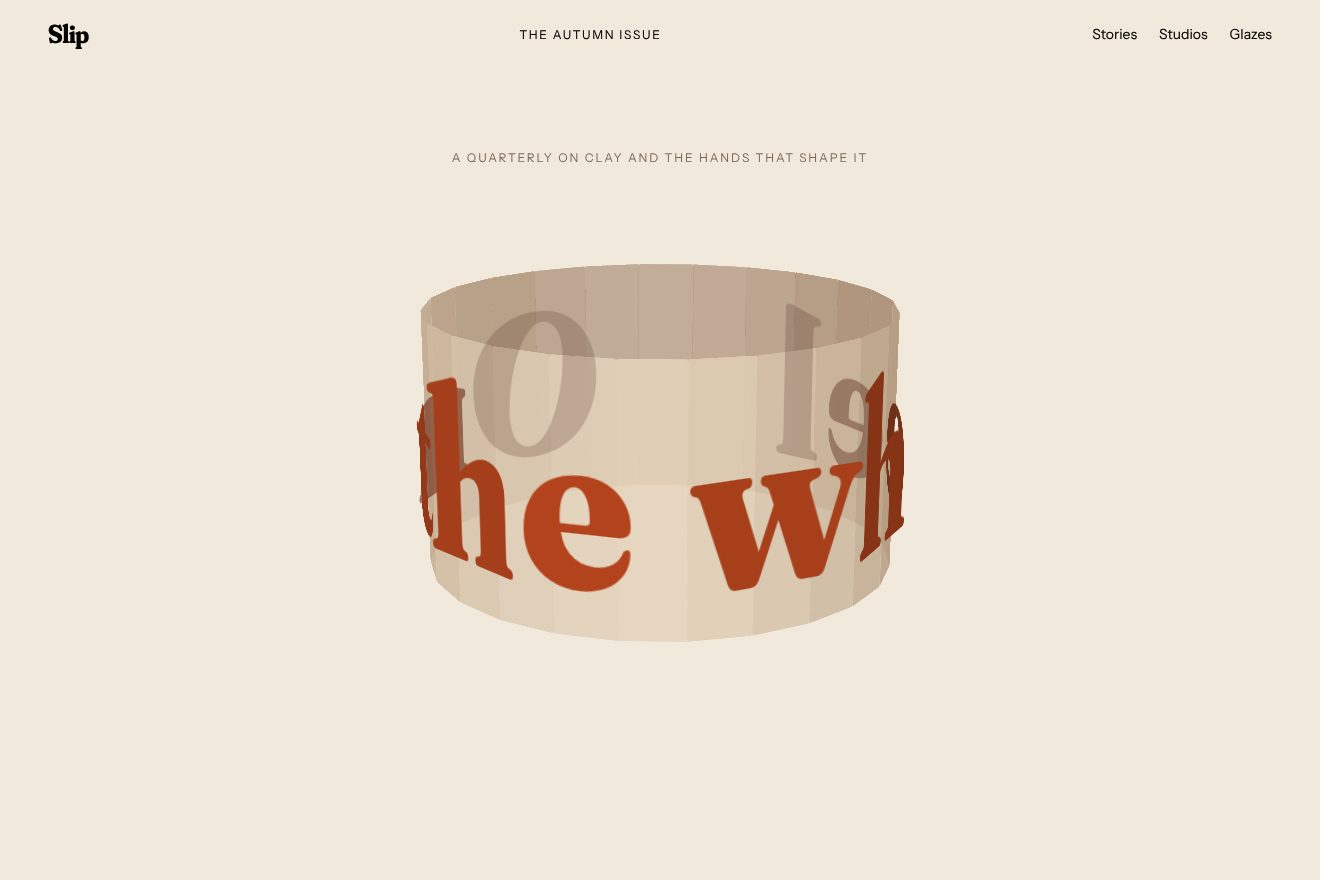
Three huge words stand on three walls of a square room around you. As you scroll the room turns a quarter at a time: the word in front leaves to the left, growing and fading, the next comes in from the right, and when you stop the scroll settles on the word. Underneath, two lines for each word come in, coming into focus.
A folder that runs on its own: index.html, style.css, script.js and the libraries from a CDN. The React and Vue tabs hold the same demo as a ready component, which switches its animations off when it leaves the page.
<!doctype html>
<html lang="en">
<head>
  <meta charset="utf-8">
  <meta name="viewport" content="width=device-width, initial-scale=1">
  <title>The word prism</title>
  <link rel="stylesheet" href="https://cdn.jsdelivr.net/npm/@fontsource-variable/bodoni-moda@5.3.0/wght-italic.css">
  <link rel="stylesheet" href="https://cdn.jsdelivr.net/npm/@fontsource-variable/familjen-grotesk@5.3.0/index.css">
  <link rel="stylesheet" href="style.css">
</head>
<body>
  <header class="bar">
    <a class="brand" href="#">Vela Atelier</a>
    <nav class="bar__nav" aria-label="Sections">
      <a href="#">Houses</a>
      <a href="#">Method</a>
      <a href="#">Contact</a>
    </nav>
  </header>

  <section class="intro">
    <p class="intro__kicker">Architecture for slow houses</p>
    <h1 class="intro__title">Every house we draw starts from three words.</h1>
    <p class="intro__hint">Scroll, and the room turns.</p>
  </section>

  <!-- the room: three words on three walls around you; scrolling turns the room a quarter at a time -->
  <section class="room" data-room>
    <div class="stage">
      <div class="walls" data-walls>
        <p class="word" data-word>Light</p>
        <p class="word" data-word>Shade</p>
        <p class="word" data-word>Air</p>
      </div>

      <div class="captions">
        <div class="caption" data-caption>
          <span>We start from the sun: where it rises,</span>
          <span>where it sets, how long it stays on the kitchen table.</span>
        </div>
        <div class="caption" data-caption>
          <span>Then we draw the shade: porches, deep windows,</span>
          <span>the trees we keep, so summer stays cool without machines.</span>
        </div>
        <div class="caption" data-caption>
          <span>Last, the air: rooms that open into each other,</span>
          <span>so a breeze can cross the house from end to end.</span>
        </div>
      </div>

      <!-- how far the room has turned: a ruler on the right edge -->
      <div class="ruler" aria-hidden="true">
        <span class="ruler__mark" data-mark></span>
        <span class="ruler__value" data-value>0%</span>
      </div>
    </div>
  </section>

  <section class="outro">
    <h2 class="outro__title">Light, shade and air. The rest is walls.</h2>
    <a class="outro__link" href="#">Book a site visit</a>
  </section>

  <script src="https://cdn.jsdelivr.net/npm/gsap@3.15.0/dist/gsap.min.js"></script>
  <script src="https://cdn.jsdelivr.net/npm/gsap@3.15.0/dist/ScrollTrigger.min.js"></script>
  <script src="script.js"></script>
</body>
</html>Change values, colours and text with the controls and watch the animation respond live. Or write in the code yourself. Then download the folder with your changes.
35 values to change
With the Animorio connector, Claude Code takes it from here, guide included, and fits it into your project. Paste this request:
Take “The word prism” from Animorio and fit it into my siteThe stage’s perspective is the distance of the eye from the screen: LENS times the window width, at least 640 pixels. Every word stands on a wall: the wall’s centre is on a circle with a radius of ROOM times that distance, its front touching the screen, so x = r · sin a and z = r · (1 − cos a), and the wall faces the middle with rotateY(−a). With ROOM below 0.5 the eye stays just outside the room and nothing ever passes behind it.
The room holds for LENGTH window heights and a GSAP tween with a 1.5 second scrub carries a value from 0 to 1. It is the original’s turn: the value split in thirds, in the first TURN (30%) of every third the angle moves on 90 degrees with power1.out, then holds. It starts at −90 degrees, with nothing in front, and ends at 180; word k stands at k · 90 minus the angle.
ScrollTrigger’s snap with the original’s function: it settles on 0.2, 0.5 or 0.8, the middle of each still part, and is free after 0.8, so from the last word you scroll out. It lasts from 0.2 to 0.6 seconds, power1.inOut, with no wait.
The words have a gradient clipped to the text (background-clip: text), 220% wide: its position follows the angle, so the colour runs across the word as it turns. Between 35 and 75 degrees the word fades (a smoothstep), beyond that it is hidden.
The lines belong to the word nearly in front, within 20 degrees: they come in rising 14 pixels and going from 8 pixels of blur to none, in 0.7 seconds with power3.out, 0.08 apart; they leave rising and blurring in 0.35. The ruler has a mark and the percentage, which move down with the value.
| Name | File | Default | What it changes |
|---|---|---|---|
TURN | script.js | 0.3 | The share of each third of the scroll in which the room turns; in the rest it holds still. |
SNAP | script.js | [0.2, 0.5, 0.8] | Where the scroll settles when you stop, as shares of the room: the middle of each still part. |
SCRUB | script.js | 1.5 | The seconds the room takes to catch up with the scroll. |
LENS | script.js | 0.85 | The distance of the eye from the screen (the CSS perspective), as a share of the window width. |
ROOM | script.js | 0.48 | The radius of the room, as a share of that distance: below 0.5 you stand just outside it. |
FADE | script.js | [35, 75] | Between these two angles, in degrees, a turning word fades out. |
LENGTH | script.js | 3 | How long the room stays pinned, in window heights. |
GRADIENT | script.js | ['#c4361f', '#e8712c', '#f0ad3f'] | The colours that run across the words. |
For saying three things in order with one word each: a method, three services, three values, three stops on a trip. It works with short, different words, three to six letters; with long sentences the room becomes a corridor of text nobody can read.
The eye’s distance never goes below 640 pixels, so on a phone the room is deeper and turning words leave the screen sooner. The words are sized at 21% of the window width, the lines wrap, and the ruler is shorter and has no percentage, which would touch the end of the word. A finger turns the room and settles on the word like the wheel.
The room does not turn: the words stand in the middle one at a time and you go from one to the next with a fade; the lines come in without rising and without blur. The snap on the word stays.
GSAP 3.15.0, Bodoni Moda (font variabile) 5.3.0, Familjen Grotesk (font variabile) 5.3.0.
Compressed with gzip, the three demo files weigh 5.1 KB; the libraries: GSAP + ScrollTrigger 45 KB.
Tested on 2 October 2026
Use it in your own projects and in your clients’ projects. Do not resell it or redistribute it as is. GSAP stays under its own Standard license. Full license.
With your account’s email and password.
or with your email
You’re signed in as .
With your account, you can download the zip of every animation and every pack, for free.