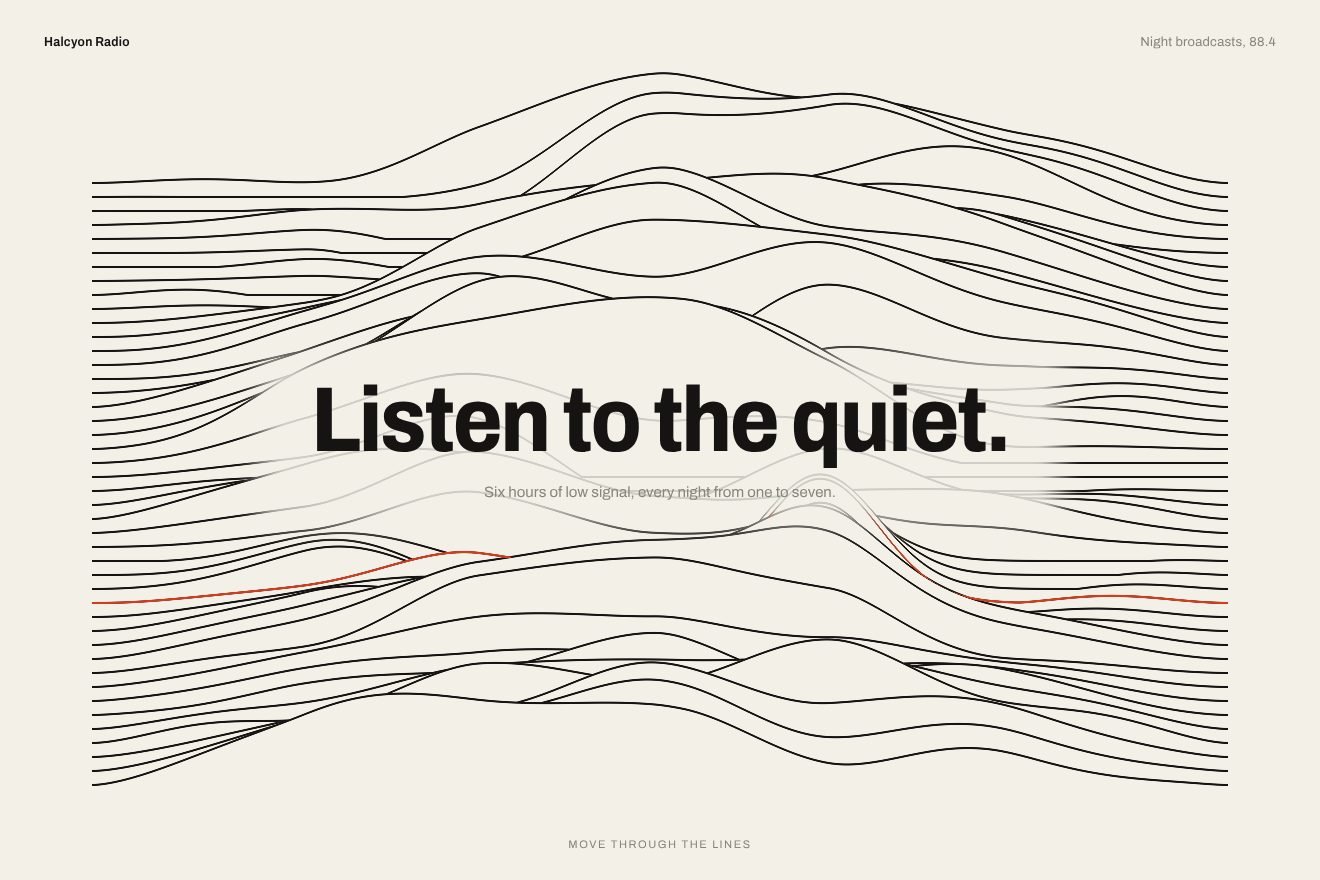
Ridge line background
Backgrounds, WebGL, Hover
An animated background for a print studio’s hero, on a sheet of crumpled cotton paper under a low lamp: the creases are flat facets at three scales that catch the light on their edges, like real paper. Where the pointer passes the paper smooths out as if under a warm iron and the creases slowly come back behind it; press the button and the whole sheet is pressed flat from the button outwards, then crumples again. A hand-written WebGL shader.
A folder that runs on its own: index.html, style.css, script.js and the libraries from a CDN. The React and Vue tabs hold the same demo as a ready component, which switches its animations off when it leaves the page.
<!doctype html>
<!--
  "Crumpled paper background" from Animorio · https://animorio.com
  License: free on your own sites and your clients’ sites, paid work included.
  Not for resale, redistribution, templates or code collections · https://animorio.com/en/license/
-->
<html lang="en">
<head>
  <meta charset="utf-8">
  <meta name="viewport" content="width=device-width, initial-scale=1">
  <title>The crumpled paper background that smooths out where the pointer passes</title>
  <link rel="stylesheet" href="https://cdn.jsdelivr.net/npm/@fontsource-variable/fraunces@5.3.0/full.css">
  <link rel="stylesheet" href="https://cdn.jsdelivr.net/npm/@fontsource-variable/mona-sans@5.3.0/wdth.css">
  <link rel="stylesheet" href="style.css">
</head>
<body>
  <!-- the hero of an invented letterpress studio, Marrow Press, over a sheet of crumpled cotton paper lit by a low lamp:
       where the pointer passes the paper is smoothed flat like under a warm iron, and the creases come back slowly behind
       it; the button presses the whole sheet flat from the button outwards -->
  <main class="stage" data-stage>
    <canvas class="sheet" data-sheet aria-hidden="true"></canvas>
    <span class="grain" aria-hidden="true"></span>

    <section class="hero" aria-labelledby="hero-title">
      <p class="pill" data-in>
        <span class="pill__tag">Spring</span>
        <span class="pill__text">Orders open for March weddings</span>
      </p>
      <h1 class="title" id="hero-title" data-in>Paper, pressed<br><em>by hand</em></h1>
      <p class="lede" data-in>Cards, invitations and letterheads printed on cotton paper, one sheet at a time.</p>
      <div class="actions" data-in>
        <button class="cta" type="button" data-cta>
          <span class="cta__face">
            <span class="cta__row cta__row--idle" data-row="idle">
              <span class="cta__label">Order samples</span>
              <svg class="cta__arrow" viewBox="0 0 16 16" aria-hidden="true"><path d="M3 8h9.5M8.5 4 12.5 8l-4 4"></path></svg>
            </span>
            <span class="cta__row cta__row--busy" data-row="busy" aria-hidden="true">
              <svg class="cta__press" viewBox="0 0 16 16"><path d="M2.5 11.5h11M4 11.5V9h8v2.5M6 9V6.5h4V9M8 6.5V3"></path></svg>
              <span class="cta__label">Pressing the sheet</span>
            </span>
            <span class="cta__row cta__row--done" data-row="done" aria-hidden="true">
              <svg class="cta__tick" viewBox="0 0 16 16"><path d="M3.6 8.4 6.6 11.2 12.4 4.9"></path></svg>
              <span class="cta__label">Samples on the way</span>
            </span>
          </span>
        </button>
        <span class="note">Six papers, free in the post</span>
      </div>
    </section>

    <svg class="ghost" data-ghost viewBox="0 0 20 20" aria-hidden="true"><path d="M4 2.5v13.2l3.5-3.3 2.4 5.3 2.3-1-2.4-5.2 4.8-.2z"></path></svg>
  </main>

  <script src="https://cdn.jsdelivr.net/npm/gsap@3.15.0/dist/gsap.min.js"></script>
  <script src="script.js"></script>
</body>
</html>Change values, colours and text with the controls and watch the animation respond live. Or write in the code yourself. Then download the folder with your changes.
24 values to change
With the Animorio connector, Claude Code, ChatGPT, Cursor or VS Code take it from here, guide included, and fit it into your project. Paste this request:
Take “Crumpled paper background” from Animorio and fit it into my siteThe WebGL canvas draws a single triangle bigger than the screen; the shader works out the whole sheet, pixel by pixel.
Crumpled paper is made of flat facets: for every pixel the nearest Voronoi cell is found, and every cell has a random tilt. Three scales one inside the other, big, medium and small, added with falling weights; the distance between the nearest cell and the second one gives the thin line of the crease.
The normal of every facet comes from its tilt times CRUMPLE; the lamp sits at a point on the page, LAMP_HEIGHT high, so every facet sees it from a different side and the sheet has light edges and facets in shadow. The light is normalised to that of smooth paper, so ironed paper has the right colour.
The pointer leaves a trail of 24 points, one every so often, each with the moment it was ironed. The shader takes the strongest Gaussian among them, which fades in RECOVER seconds: there the creases flatten almost completely and catch a warm sheen, then slowly come back.
A press sends a circle from the button out to the edges: inside it the sheet is smooth. After a couple of seconds the press lets go and the creases come back over the whole sheet, while the button goes through its three states.
After AUTO_PILOT seconds without a pointer a looping timeline moves a drawn pointer that irons a path across the sheet and presses the button; the first real movement stops it.
| Name | File | Default | What it changes |
|---|---|---|---|
CRUMPLE | script.js | 1 | How crumpled the paper is (0 smooth, 2 balled up). |
FOLD_SIZE | script.js | 1 | How big the facets of the creases are. |
IRON_SIZE | script.js | 1 | How wide the iron following the pointer is. |
RECOVER | script.js | 3.2 | How many seconds the creases take to come back behind the pointer. |
LAMP_HEIGHT | script.js | 0.55 | How high the lamp is (low: sharper creases). |
WARMTH | script.js | 1 | How warm the light on the ironed paper is (0 neutral). |
AUTO_PILOT | script.js | 4 | After how many seconds without a pointer the drawn one starts moving (0 never). |
For the hero of a print studio, a stationery shop, an invitations service, a craft brand or a graphic design portfolio: when you need a light background that feels like a real material, reacts to the pointer and leaves the headline in front.
Same animations: the creases are sized on the short side of the screen, the finger irons the paper like the pointer, and text and button fit inside the box.
With reduced motion the paper is already crumpled and still, with the lamp in place and no iron, the words only fade in and the button goes straight to «Samples on the way».
GSAP 3.15.0, Fraunces (font variabile) 5.3.0, Mona Sans (font variabile) 5.3.0.
Compressed with gzip, the three demo files weigh 9.3 KB; the libraries: GSAP 28 KB.
Tested on 14 November 2026
Use it in your own projects and in your clients’ projects. Do not resell it or redistribute it as is. GSAP stays under its own Standard license. Full license.
Support Animorio
Animorio stays free thanks to the people who support it. If you like, buy us a coffee: it helps us make the next animations.
You asked for
We made it for you: it’s in the library, with the preview, the Playground and the code to copy.
An animation you can’t find, or a site to take apart in the journal: tell us which. We pick the next ones from here.
With your account’s email and password.
or with your email
You’re signed in as .
With your account, you can download the zip of every animation and every pack, for free.