Ridge line background
Backgrounds, WebGL, Hover
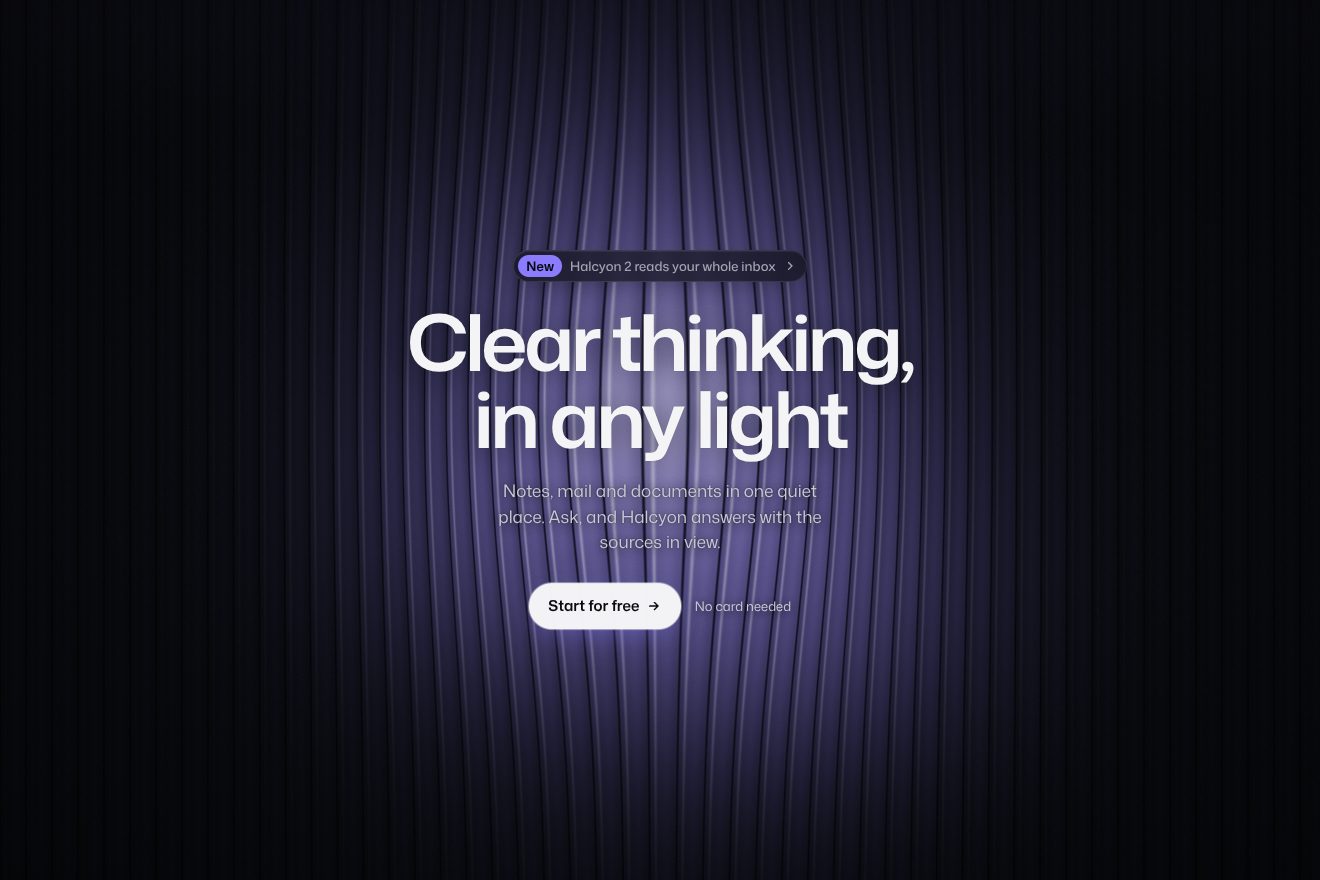
An animated background for the hero of an AI app: a sheet of chrome swaying slowly on near black and mirroring a fake studio, with a sharp horizon and strips of light. The pointer drops into it like a drop into mercury, the rings spread and die out, and the pressed button lets a bigger drop fall. At the top and behind the words the metal sinks into the black. One WebGL shader, in the Libraries.dev style.
A folder that runs on its own: index.html, style.css, script.js and the libraries from a CDN. The React and Vue tabs hold the same demo as a ready component, which switches its animations off when it leaves the page.
<!doctype html>
<!--
  "Liquid metal background" from Animorio · https://animorio.com
  License: free on your own sites and your clients’ sites, paid work included.
  Not for resale, redistribution, templates or code collections · https://animorio.com/en/license/
-->
<html lang="en">
<head>
  <meta charset="utf-8">
  <meta name="viewport" content="width=device-width, initial-scale=1">
  <title>The liquid metal background under the headline</title>
  <link rel="stylesheet" href="https://cdn.jsdelivr.net/npm/@fontsource-variable/mona-sans@5.3.0/wdth.css">
  <link rel="stylesheet" href="style.css">
</head>
<body>
  <!-- the hero of an invented AI app, Velto, over a sheet of liquid metal: a chrome surface that sways slowly and
       mirrors a fake studio computed in the shader; the pointer drops into it like a drop into mercury and the rings
       spread and die out; at the edges and behind the words the metal sinks into the black -->
  <main class="stage" data-stage>
    <canvas class="field" data-field aria-hidden="true"></canvas>
    <span class="veil" aria-hidden="true"></span>

    <section class="hero" aria-labelledby="hero-title">
      <p class="pill" data-in>
        <span class="pill__tag">New</span>
        <span class="pill__text">Velto 2 now listens in real time</span>
        <svg class="pill__arrow" viewBox="0 0 16 16" aria-hidden="true"><path d="M6 3.5 10.5 8 6 12.5"></path></svg>
      </p>
      <h1 class="title" id="hero-title" data-in>Rough ideas,<br>poured into shape</h1>
      <p class="lede" data-in>Velto turns calls, notes and threads into clean product docs your whole team can read.</p>
      <div class="actions" data-in>
        <button class="cta" type="button" data-cta>
          <span class="cta__sheen" aria-hidden="true"></span>
          <span class="cta__label">Start for free</span>
          <svg class="cta__arrow" viewBox="0 0 16 16" aria-hidden="true"><path d="M3 8h9.5M8.5 4 12.5 8l-4 4"></path></svg>
        </button>
        <button class="ghost" type="button" data-ghost>
          <svg class="ghost__play" viewBox="0 0 16 16" aria-hidden="true"><path d="M5.5 3.8v8.4L12 8z"></path></svg>
          <span>Watch the demo</span>
        </button>
      </div>
      <p class="note" data-in>No card needed. Works with Slack, Linear and Notion.</p>
    </section>
  </main>

  <script src="https://cdn.jsdelivr.net/npm/gsap@3.15.0/dist/gsap.min.js"></script>
  <script src="script.js"></script>
</body>
</html>Change values, colours and text with the controls and watch the animation respond live. Or write in the code yourself. Then download the folder with your changes.
20 values to change
With the Animorio connector, Claude Code, ChatGPT, Cursor or VS Code take it from here, guide included, and fit it into your project. Paste this request:
Take “Liquid metal background” from Animorio and fit it into my siteA WebGL canvas behind the hero with a single triangle covering the screen, density capped at 1.25. For every pixel the shader computes the metal’s height: three long waves drifting slowly, two finer small ones, and the rings of the drops.
The height is read four times around the pixel and the differences give the surface normal: that is what decides where the reflection looks. The steeper the slope, the more the lines of light bend.
The view is reflected on the normal and the reflected ray reads a computed studio: light sky above a sharp horizon, a near black floor below, a white line on the horizon, a softbox up high, a line in the TINT colour and a strip following the pointer. Chrome is exactly this reflected horizon; CHROME blends the mirror with a dull metal, and a little fresnel lights the edges of the waves.
Six drops at most, each with position, age and strength. The ring is a sine travelling at 0.62 units a second inside a Gaussian envelope that widens and fades; the first instant is a small crater. The automatic drops fall in a fixed order, so the preview is always the same.
A mask sinks the metal at the top, at the sides and in the middle where the words are, and a radial veil in the CSS darkens a little more behind the headline: the metal lives around the sentence without ever covering it.
| Name | File | Default | What it changes |
|---|---|---|---|
SPEED | script.js | 1 | Speed of the metal’s sway (0 stops it). |
SWELL | script.js | 1 | How restless the metal is at rest. |
WAVES | script.js | 1 | How strong the rings of the drops are. |
CHROME | script.js | 0.9 | How chrome it is: 1 a mirror, 0 a dull metal. |
TINT | script.js | #b8c6ff | The colour of the lights’ reflection. |
AUTO_DROP | script.js | 2.6 | Every how many seconds a drop falls by itself when nobody touches (0 never). |
As the background of the first screen of an AI app, a developer tool or a launch on a dark page: it gives the hero material and motion without stealing the scene from the headline and the buttons.
The same metal with adapted sizes: the headline goes on two smaller lines, the two buttons sit side by side, the bottom line disappears when the page is short; the finger leaves drops like the pointer and tapping the button drops the big one.
The metal stands still, already lit: no sway, no drops. The words are already in place; pressing the button only leaves the sheen running across it.
GSAP 3.15.0, Mona Sans (font variabile) 5.3.0.
Compressed with gzip, the three demo files weigh 7.4 KB; the libraries: GSAP 28 KB.
Tested on 26 October 2026
Use it in your own projects and in your clients’ projects. Do not resell it or redistribute it as is. GSAP stays under its own Standard license. Full license.
Support Animorio
Animorio stays free thanks to the people who support it. If you like, buy us a coffee: it helps us make the next animations.
You asked for
We made it for you: it’s in the library, with the preview, the Playground and the code to copy.
An animation you can’t find, or a site to take apart in the journal: tell us which. We pick the next ones from here.
With your account’s email and password.
or with your email
You’re signed in as .
With your account, you can download the zip of every animation and every pack, for free.