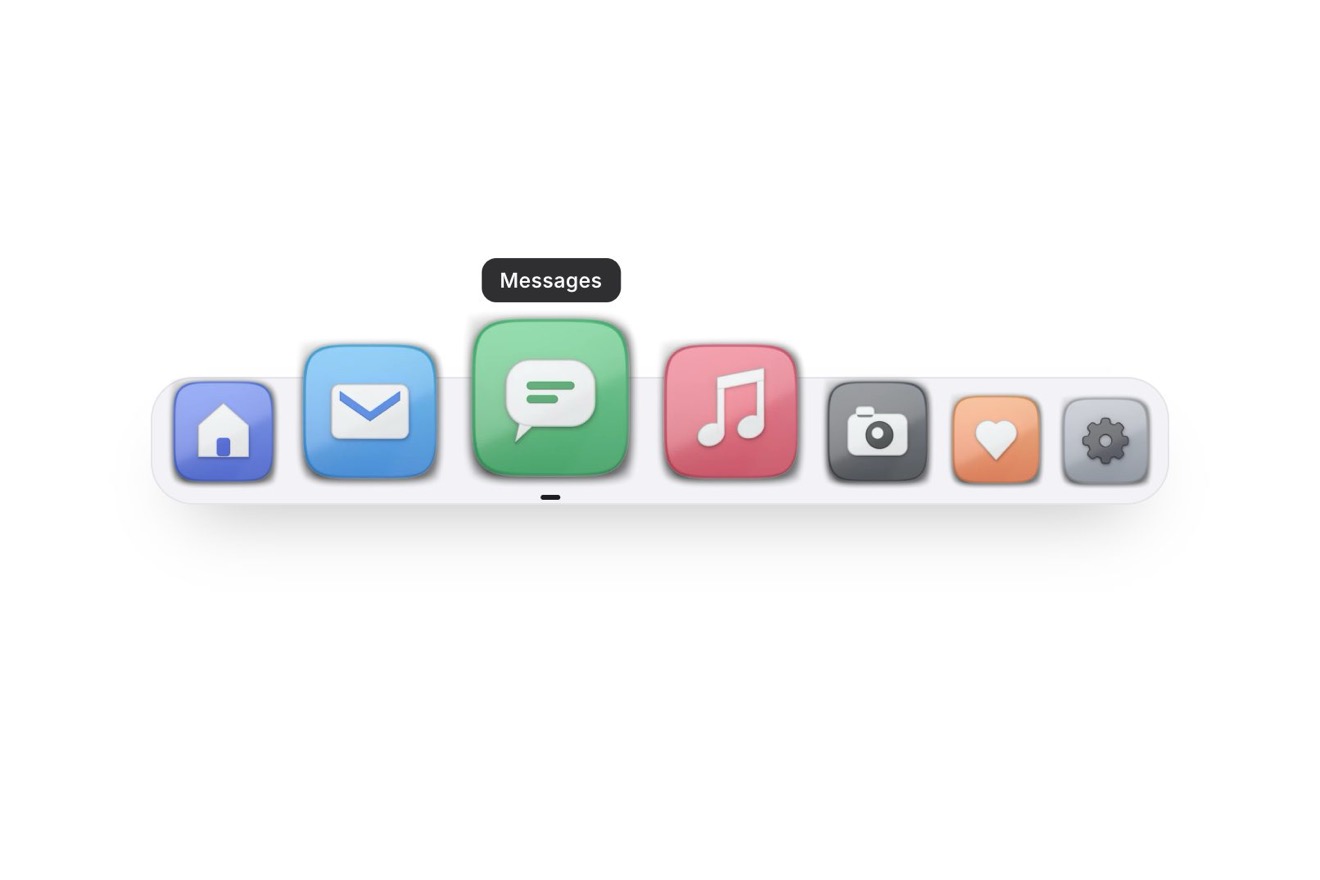
The magnifying dock
Menus, Hover, Images
The sign up card of a slow travel blog's newsletter, Slow Mondays, like a Dribbble shot: warm paper with a grain, a one pixel edge and layered shadows. On the left the last three issues stacked like sheets, each with its real cover photo; as the pointer passes the front sheet lifts, bends a little and slides to the back on a spring. On the right the readers rolling on drums, the email field that types itself and Subscribe turning into You're in, see you Monday with a check that draws itself.
A folder that runs on its own: index.html, style.css, script.js and the libraries from a CDN. The React and Vue tabs hold the same demo as a ready component, which switches its animations off when it leaves the page.
<!doctype html>
<!--
"Newsletter preview card" from Animorio · https://animorio.com
License: free on your own sites and your clients’ sites, paid work included.
Not for resale, redistribution, templates or code collections · https://animorio.com/en/license/
-->
<html lang="en">
<head>
<meta charset="utf-8">
<meta name="viewport" content="width=device-width, initial-scale=1">
<title>The newsletter card with the issue preview that leafs through</title>
<link rel="stylesheet" href="https://cdn.jsdelivr.net/npm/@fontsource-variable/mona-sans@5.3.0/wdth.css">
<link rel="stylesheet" href="https://cdn.jsdelivr.net/npm/@fontsource-variable/fraunces@5.3.0/index.css">
<link rel="stylesheet" href="style.css">
</head>
<body>
<main class="stage">
<!-- the sign up card of a slow travel letter. On the left the last three issues lie stacked like sheets of paper,
each with its cover photo; passing over them the front one lifts, bends a little and slides to the back on a
spring. On the right the promise, the readers rolling up, the email field and the button that becomes a thank you -->
<div class="wrap" data-wrap>
<article class="card" data-card aria-labelledby="nl-title">
<div class="stack" data-stack role="button" tabindex="0" aria-label="Leaf through the last issues">
<figure class="sheet" data-sheet>
<div class="sheet__paper" data-paper>
<div class="sheet__photo"><img src="lago.webp" alt="A bench on a wooden dock at sunrise, mist over the lake" width="900" height="600" decoding="async"></div>
<figcaption class="sheet__cap">
<span class="sheet__meta"><span>Issue 111</span><span>Mon 2 Nov</span></span>
<strong class="sheet__title">A dock before the mist lifts</strong>
<span class="sheet__read">6 min read</span>
</figcaption>
<i class="sheet__shade" data-shade aria-hidden="true"></i>
</div>
</figure>
<figure class="sheet" data-sheet>
<div class="sheet__paper" data-paper>
<div class="sheet__photo"><img src="strada.webp" alt="A narrow road winding up a misty valley" width="900" height="589" decoding="async"></div>
<figcaption class="sheet__cap">
<span class="sheet__meta"><span>Issue 110</span><span>Mon 26 Oct</span></span>
<strong class="sheet__title">The road that takes all morning</strong>
<span class="sheet__read">8 min read</span>
</figcaption>
<i class="sheet__shade" data-shade aria-hidden="true"></i>
</div>
</figure>
<figure class="sheet" data-sheet>
<div class="sheet__paper" data-paper>
<div class="sheet__photo"><img src="tavola.webp" alt="Breakfast laid on a table by a bright window" width="900" height="639" decoding="async"></div>
<figcaption class="sheet__cap">
<span class="sheet__meta"><span>Issue 109</span><span>Mon 19 Oct</span></span>
<strong class="sheet__title">Breakfast by the window, slowly</strong>
<span class="sheet__read">5 min read</span>
</figcaption>
<i class="sheet__shade" data-shade aria-hidden="true"></i>
</div>
</figure>
</div>
<div class="copy">
<p class="copy__brand">Slow Mondays <span class="copy__next">Issue 112 · Mon 9 Nov</span></p>
<h2 class="copy__title" id="nl-title">Every Monday, one slow place.</h2>
<p class="copy__count">
<span class="count" data-count aria-hidden="true"></span>
<span class="copy__readers">readers</span>
<span class="sr" data-count-sr>12,480 readers</span>
</p>
</div>
<form class="form" data-form novalidate>
<label class="sr" for="nl-email">Your email</label>
<span class="form__field" data-field>
<svg class="form__icon" viewBox="0 0 20 20" aria-hidden="true"><rect x="2.5" y="4.5" width="15" height="11" rx="2.2"/><path d="M3.4 5.6l6.6 5.1 6.6-5.1"/></svg>
<span class="form__type">
<input class="form__input" id="nl-email" type="email" autocomplete="email" placeholder="you@email.com" data-email>
<span class="form__caret" data-caret aria-hidden="true"></span>
<span class="form__measure" data-measure aria-hidden="true"></span>
</span>
<button class="btn" type="submit" data-btn>
<span class="btn__body" data-btn-body>
<span class="btn__shine" aria-hidden="true"></span>
<span class="btn__face btn__face--rest" data-rest>Subscribe</span>
<span class="btn__face btn__face--wait" data-wait aria-hidden="true">
<svg class="btn__spin" viewBox="0 0 20 20"><circle cx="10" cy="10" r="7"/></svg>
</span>
<span class="btn__face btn__face--done" data-done aria-hidden="true">
<svg class="btn__check" viewBox="0 0 20 20"><path data-check pathLength="1" d="M4.6 10.4l3.6 3.5 7.2-7.6"/></svg>
<span>You’re in, see you Monday</span>
</span>
</span>
</button>
</span>
<p class="form__note" data-note>One letter a week, no noise. Leave whenever you like.</p>
</form>
</article>
</div>
<p class="sr" aria-live="polite" data-live></p>
</main>
<script src="https://cdn.jsdelivr.net/npm/gsap@3.15.0/dist/gsap.min.js"></script>
<script src="script.js"></script>
</body>
</html>Change values, colours and text with the controls and watch the animation respond live. Or write in the code yourself. Then download the folder with your changes.
37 values to change
With the Animorio connector, Claude Code, ChatGPT, Cursor or VS Code take it from here, guide included, and fit it into your project. Paste this request:
Take “Newsletter preview card” from Animorio and fit it into my siteThe three sheets sit on top of each other in the same spot; each place in the pile is an object with x, y, rotation, scale and z-index, measured on the real height of the sheet, so the pile stays in proportion from the phone to the big screen. A list keeps the order: leafing means taking the first out and putting it at the end.
The front sheet rises by almost half its height, leans by six degrees and turns on rotationX (with perspective on the pile) by BEND degrees: it seems to bend backwards. Meanwhile a veil with a gradient light at the top and dark at the bottom lights up, like the light running over a curved sheet. At the top it changes z-index, goes behind and comes down to its place at the bottom.
Every settle uses the same function: a damped oscillator, 1 minus e to the minus d times t times the cosine of 2.5 pi times t. At t equal to 1 the cosine is zero, so the spring lands exactly in place at the end of the tween, after passing the mark only once; SPRING changes the damping.
Each digit is a window one line tall, with a soft mask above and below, over a column from 0 to 9 plus another 0. A single number goes up with GSAP; at each step each drum takes its digit, and the higher ones only turn while the ones below go from 9 to 0, like real wheels.
The field is a real input: to type itself a tween moves an index from 0 to the length of the address and the drawn caret moves by the width of the text measured in a hidden span. The button sits inside the field; on confirmation GSAP gives it the field's width on the spring, the faces swap with a little blur and the check draws itself with stroke-dashoffset on pathLength 1.
| Name | File | Default | What it changes |
|---|---|---|---|
READERS | script.js | 12480 | How many readers the newsletter has; subscribing adds one. |
EMAIL | script.js | maya.lind@hey.com | The address the field types by itself. |
FLIP | script.js | 0.85 | How many seconds a sheet takes to go from the front to the back. |
BEND | script.js | 16 | How far the sheet bends back as it lifts, in degrees. |
SPRING | script.js | 1 | How springy every settle is: 0.5 calm, 2 very bouncy. |
TYPING | script.js | 15 | How many letters per second the field types by itself. |
AUTO | script.js | true | Leafs, types and subscribes by itself until someone touches the card. |
For signing up to the newsletter of a blog, an online magazine, a traveller, a photographer or a cook: at the end of an article, on the newsletter page or on a landing page. The previews of past issues show at once what lands in the inbox, and the confirmation inside the button saves an extra page.
On the phone the pile and the title sit side by side and the field with the button goes below, as wide as the card; the sheets shrink in proportion and only show the number, the title and the reading time. One tap on the pile leafs one sheet. The rest is the same.
Nothing moves: the front sheet fades out and comes back at the bottom of the pile, the readers change in place, the address appears whole with a fade and the button turns into the confirmation with a fade, already as wide as the field and with the check already drawn.
GSAP 3.15.0, Mona Sans (font variabile) 5.3.0, Fraunces (font variabile) 5.3.0.
Compressed with gzip, the three demo files weigh 10 KB; the libraries: GSAP 28 KB.
Tested on 5 November 2026
Use it in your own projects and in your clients’ projects. Do not resell it or redistribute it as is. GSAP stays under its own Standard license. Full license.
Support Animorio
Animorio stays free thanks to the people who support it. If you like, buy us a coffee: it helps us make the next animations.
You asked for
We made it for you: it’s in the library, with the preview, the Playground and the code to copy.
An animation you can’t find, or a site to take apart in the journal: tell us which. We pick the next ones from here.
With your account’s email and password.
or with your email
You’re signed in as .
With your account, you can download the zip of every animation and every pack, for free.