The burning veil
Transitions, WebGL
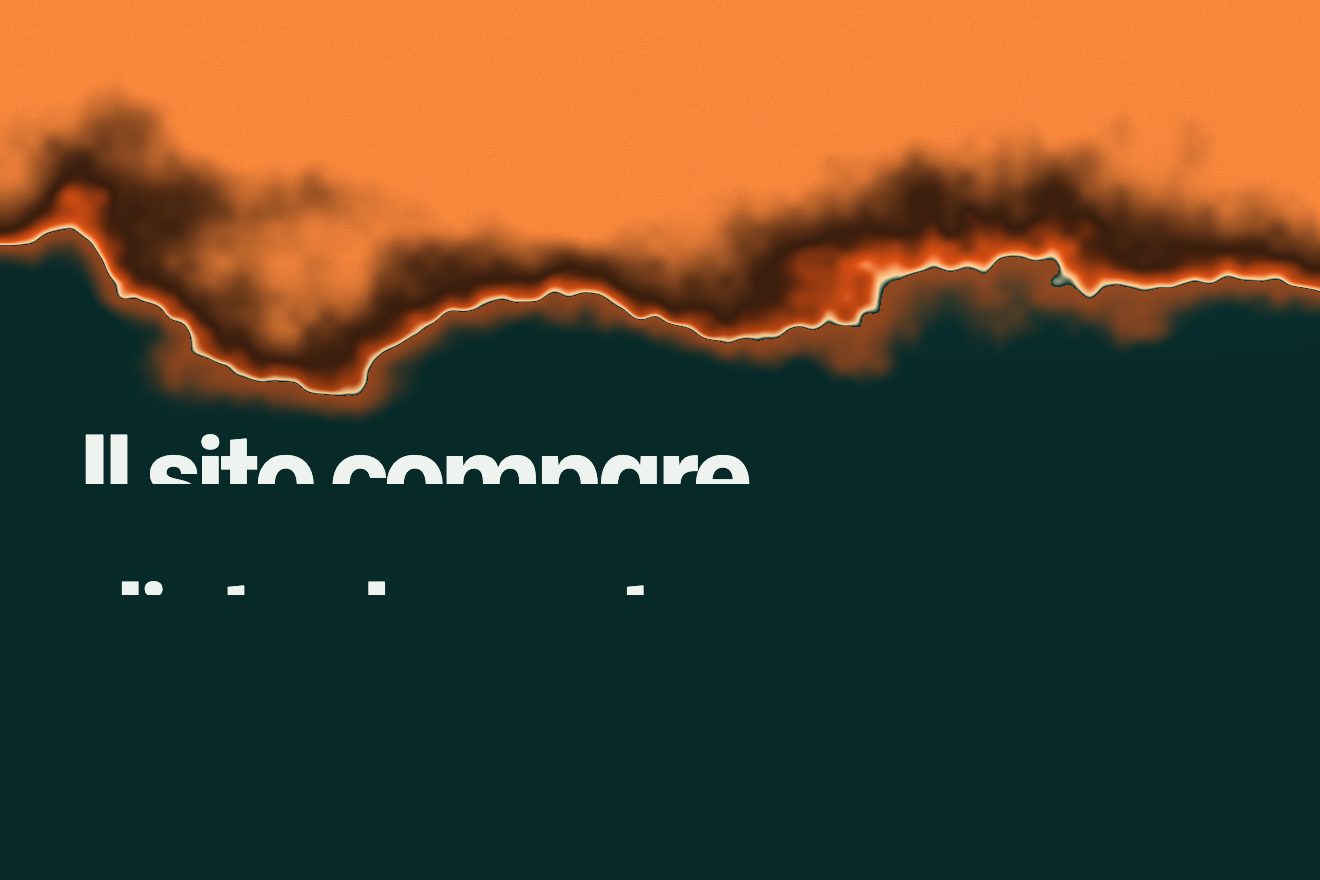
The page transition of an invented fashion house: you pick a coat from the collection and the page tears open from the centre, a hole with a ragged edge growing to the corners, with the white fibre of the paper and a bordeaux thread along the edge. Underneath, the page of the coat waits, grey first and then in its own tint; Back tears it the other way.
Rebuilt from scratch studying thejacketcirclegame.maxmara.com by Adoratorio Studio: the idea is theirs; code, copy and images are ours. Read how it’s made
A folder that runs on its own: index.html, style.css, script.js and the libraries from a CDN. The React and Vue tabs hold the same demo as a ready component, which switches its animations off when it leaves the page.
<!doctype html>
<!--
"Tear-open transition" from Animorio · https://animorio.com
License: free on your own sites and your clients’ sites, paid work included.
Not for resale, redistribution, templates or code collections · https://animorio.com/en/license/
-->
<html lang="en">
<head>
<meta charset="utf-8">
<meta name="viewport" content="width=device-width, initial-scale=1">
<title>The page transition that tears open from the centre</title>
<link rel="stylesheet" href="https://cdn.jsdelivr.net/npm/@fontsource/libre-baskerville@5.3.0/400.css">
<link rel="stylesheet" href="https://cdn.jsdelivr.net/npm/@fontsource/libre-baskerville@5.3.0/400-italic.css">
<link rel="stylesheet" href="https://cdn.jsdelivr.net/npm/@fontsource/libre-baskerville@5.3.0/700.css">
<link rel="stylesheet" href="https://cdn.jsdelivr.net/npm/@fontsource-variable/mona-sans@5.3.0/wdth.css">
<link rel="stylesheet" href="style.css">
</head>
<body>
<!-- two pages of an invented fashion house, Ardelle: the collection on red and the page of one coat in its own
tint. Choosing a coat tears the page open from the centre: a ragged hole grows to the corners, with a white
paper fibre and a thin bordeaux thread along the edge, and the new page waits underneath, first grey, then in
colour. Back tears it the other way. -->
<main class="stage" data-stage>
<!-- the collection -->
<section class="page page--list" data-page="list" aria-label="Collection">
<div class="page__in" data-in>
<header class="bar">
<span class="bar__side">Autumn · Winter</span>
<span class="mark">ARDELLE</span>
<span class="bar__side bar__side--end">Bag <span class="bag" data-bag>0</span></span>
</header>
<div class="lead">
<h1 class="title"><em class="title__soft" data-line>The Coat</em><span class="title__caps" data-line>LEXICON</span></h1>
<p class="sub" data-line>Three coats, three words. Choose one.</p>
</div>
<ul class="cards" data-cards>
<li><button class="card" type="button" data-coat="0">
<span class="card__face"><svg class="coat" viewBox="0 0 120 160" aria-hidden="true"><use href="#coat-0"></use></svg></span>
<span class="card__name">Corte</span><span class="card__price">€1,290</span>
</button></li>
<li><button class="card" type="button" data-coat="1">
<span class="card__face"><svg class="coat" viewBox="0 0 120 160" aria-hidden="true"><use href="#coat-1"></use></svg></span>
<span class="card__name">Mira</span><span class="card__price">€1,140</span>
</button></li>
<li><button class="card" type="button" data-coat="2">
<span class="card__face"><svg class="coat" viewBox="0 0 120 160" aria-hidden="true"><use href="#coat-2"></use></svg></span>
<span class="card__name">Anselm</span><span class="card__price">€1,480</span>
</button></li>
</ul>
</div>
</section>
<!-- the page of one coat (filled by the script) -->
<section class="page page--item" data-page="item" aria-label="Coat" hidden>
<div class="page__in" data-in>
<header class="bar">
<button class="back" type="button" data-back>
<svg viewBox="0 0 16 16" aria-hidden="true"><path d="M10 3.5 5.5 8l4.5 4.5"></path></svg>
<span>Back</span>
</button>
<span class="mark">ARDELLE</span>
<span class="bar__side bar__side--end">Bag <span class="bag" data-bag>0</span></span>
</header>
<div class="item">
<div class="item__look"><svg class="coat coat--big" viewBox="0 0 120 160" aria-hidden="true"><use data-item-coat href="#coat-0"></use></svg></div>
<div class="item__text">
<p class="item__kind" data-line data-item-kind>Double-breasted coat</p>
<h2 class="item__name" data-line data-item-name>Corte</h2>
<p class="item__say" data-line data-item-say>[ˈkɔr.te] — noun</p>
<p class="item__def" data-line data-item-def>A coat cut to stand up on its own, even when nobody is wearing it.</p>
<div class="sizes" data-line role="group" aria-label="Size">
<button type="button" class="size">XS</button><button type="button" class="size">S</button><button type="button" class="size is-on">M</button><button type="button" class="size">L</button>
</div>
<div class="buy" data-line>
<span class="buy__price" data-item-price>€1,290</span>
<button class="add" type="button" data-add><span class="add__label" data-add-label>Add to bag</span></button>
</div>
</div>
</div>
</div>
</section>
<canvas class="fibre" data-fibre aria-hidden="true"></canvas>
<svg class="thread" data-thread aria-hidden="true"><path data-thread-path></path></svg>
<svg class="hand" data-hand viewBox="0 0 24 24" aria-hidden="true">
<path d="M5 2.5v16.2l4.2-4 2.7 6.3 2.6-1.1-2.7-6.2h5.8z"></path>
</svg>
</main>
<!-- the three coats, drawn once -->
<svg width="0" height="0" style="position:absolute" aria-hidden="true">
<defs>
<g id="coat-0">
<path class="coat__body" d="M38 14 50 10Q60 17 70 10L82 14 98 24 107 92 97 95 92 54 96 150Q60 157 24 150L28 54 23 95 13 92 22 24Z"></path>
<path class="coat__seam" d="M50 10 45 42 63 66M70 10 75 42 57 66M63 66 63 150M28 54 31 30M92 54 89 30M15 84 24 86M105 84 96 86M34 108 48 106M86 108 72 106"></path>
<g class="coat__btn"><circle cx="54" cy="80" r="2.2"></circle><circle cx="70" cy="80" r="2.2"></circle><circle cx="54" cy="98" r="2.2"></circle><circle cx="70" cy="98" r="2.2"></circle></g>
</g>
<g id="coat-1">
<path class="coat__body" d="M40 13 51 9Q60 15 69 9L80 13 96 23 104 94 94 96 90 56 99 150Q60 158 21 150L30 56 26 96 16 94 24 23Z"></path>
<path class="coat__seam" d="M51 9 47 38 60 74M69 9 73 38 66 60M60 74 52 150M29 72 91 72M29 79 91 79M58 79 50 106M62 79 70 104M18 86 27 88M102 86 93 88"></path>
<rect class="coat__buckle" x="55" y="70.5" width="10" height="10" rx="1.2"></rect>
</g>
<g id="coat-2">
<path class="coat__body" d="M44 6 52 5Q60 7 68 5L76 6 78 16 96 26 106 98 96 100 92 58 92 152Q60 158 28 152L28 58 24 100 14 98 24 26 42 16Z"></path>
<path class="coat__seam" d="M44 6 46 22Q60 28 74 22L76 6M46 22 44 16M74 22 76 16M60 26 60 152M28 58 30 34M92 58 90 34M36 112 46 112M84 112 74 112M16 90 25 92M104 90 95 92"></path>
<g class="coat__btn"><circle cx="60" cy="44" r="1.8"></circle><circle cx="60" cy="66" r="1.8"></circle><circle cx="60" cy="88" r="1.8"></circle></g>
</g>
</defs>
</svg>
<script src="https://cdn.jsdelivr.net/npm/gsap@3.15.0/dist/gsap.min.js"></script>
<script src="script.js"></script>
</body>
</html>Change values, colours and text with the controls and watch the animation respond live. Or write in the code yourself. Then download the folder with your changes.
44 values to change
With the Animorio connector, Claude Code, ChatGPT, Cursor or VS Code take it from here, guide included, and fit it into your project. Paste this request:
Take “Tear-open transition” from Animorio and fit it into my siteFor 720 angles around the centre a fractal noise (five octaves) is read on a circle of radius 1.2, so the edge closes on itself. As in the site’s shader, the radius is progress plus the absolute noise times 0.3 times progress, measured on half the diagonal: at progress 1 the hole covers the corners too. A finer, smaller noise frays the edge.
The same 720 radii become three things: a path() clip-path with the evenodd rule (the page rectangle minus the hole) that cuts the old page; a 720 by 1 pixel texture, with the radius written on two bytes, read by a WebGL shader that draws the white fibre, the loose strands and the shadow on the page below; an SVG path, slightly further out, which is the bordeaux thread and stays sharp at any density.
The tear lasts four seconds with power3.inOut. Meanwhile the new page grows from 0.94 to 1 in three seconds with power3.out and, halfway, goes from grayscale(1) to no filter in another three; the old page comes slightly closer, up to 1.035, with power3.in. The lines of text rise by 18 pixels, seven hundredths apart.
Cards and buttons have a solid 4 pixel drop-shadow with no blur; on hover it goes to zero while the element drops the same 4 pixels, in half a second with cubic-bezier(.215,.61,.355,1): it looks pressed into the paper.
| Name | File | Default | What it changes |
|---|---|---|---|
TEAR_TIME | script.js | 4 | How many seconds the tear lasts. |
RAGGED | script.js | 0.3 | How ragged the edge is (0 is a circle). |
FIBRE | script.js | 9 | Maximum width of the white paper fibre, in pixels. |
THREAD | script.js | "#68142b" | The colour of the thread along the edge. |
START_SCALE | script.js | 0.94 | How small the new page starts. |
GREY_FIRST | script.js | 1 | 1 the new page arrives grey and then takes its colour, 0 straight in colour. |
AUTO | script.js | 1 | 1 the drawn pointer opens and closes the coats by itself. |
To go from the collection to the page of a piece in a fashion or luxury store, a lookbook or an editorial site: a slow, tactile page change that makes you feel the paper.
The same tear from the centre of the screen; the three cards sit in a row, smaller, and on the coat page the definition hides to make room for the sizes and the button.
No tear and no scaling: the old page fades out in half a second and the new one is already underneath, in colour and in place.
GSAP 3.15.0, Libre Baskerville 5.3.0, Mona Sans (font variabile) 5.3.0.
Compressed with gzip, the three demo files weigh 11 KB; the libraries: GSAP 28 KB.
Tested on 28 October 2026
Use it in your own projects and in your clients’ projects. Do not resell it or redistribute it as is. GSAP stays under its own Standard license. Full license.
Support Animorio
Animorio stays free thanks to the people who support it. If you like, buy us a coffee: it helps us make the next animations.
You asked for
We made it for you: it’s in the library, with the preview, the Playground and the code to copy.
An animation you can’t find, or a site to take apart in the journal: tell us which. We pick the next ones from here.
With your account’s email and password.
or with your email
You’re signed in as .
With your account, you can download the zip of every animation and every pack, for free.