The share menu made of modules
Menus, Transitions, Hover, Text
NewFree
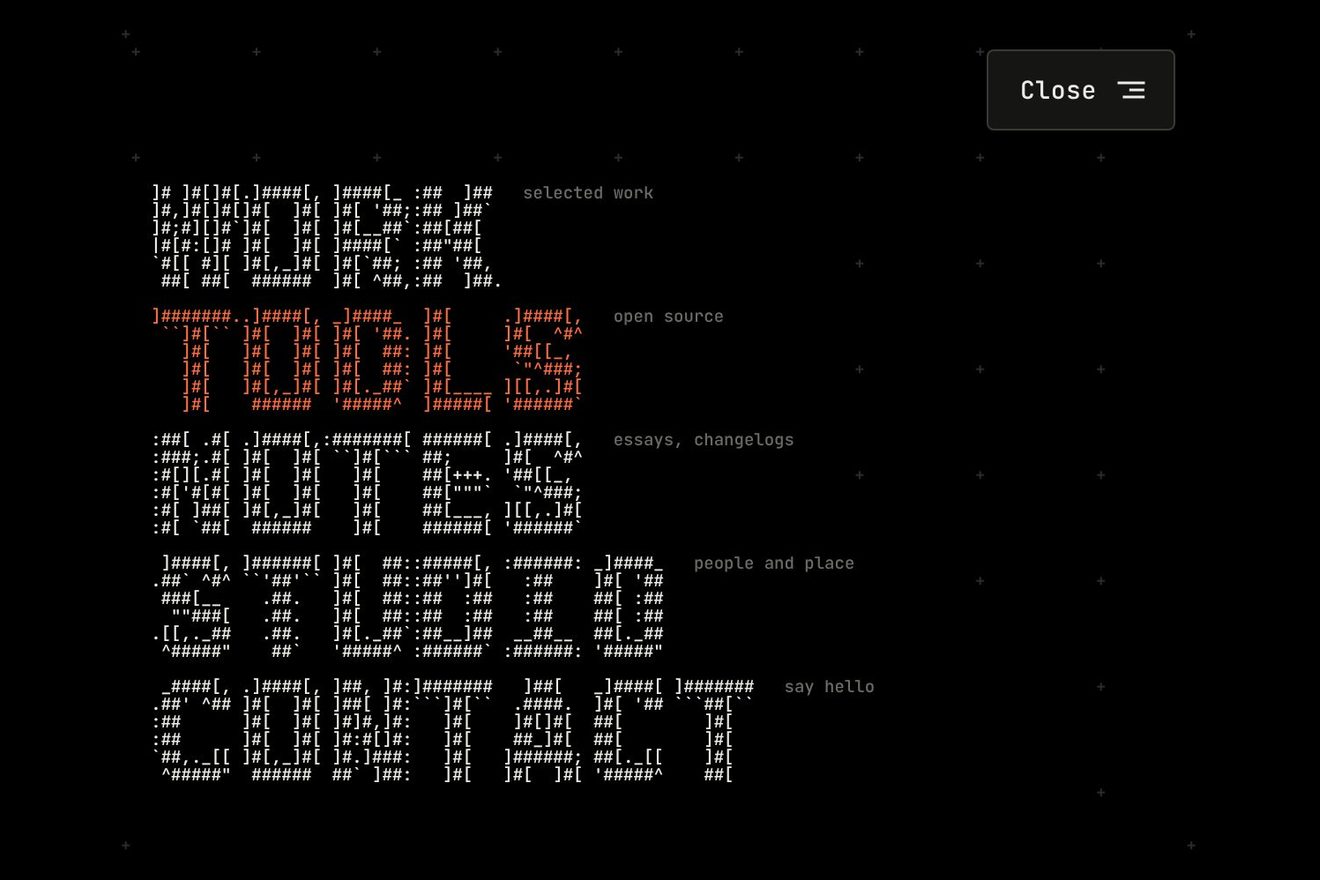
In the minimal style: the full-screen menu of a design studio. The links are set small and light, one under the other, and a reading line closed by two hairlines follows the pointer over them on a spring: inside the line the same links are big, heavy and wide, a second copy of the list cut out by the line as by a lens. The small rows part to make room for it and pass through the line without a jump, taking weight as they come to the middle.
A folder that runs on its own: index.html, style.css, script.js and the libraries from a CDN. The React and Vue tabs hold the same demo as a ready component, which switches its animations off when it leaves the page.
<!doctype html>
<html lang="en">
<head>
  <meta charset="utf-8">
  <meta name="viewport" content="width=device-width, initial-scale=1">
  <title>The reading line menu</title>
  <link rel="stylesheet" href="https://cdn.jsdelivr.net/npm/@fontsource-variable/roboto-flex@5.3.0/full.css">
  <link rel="stylesheet" href="style.css">
</head>
<body>
  <main class="stage">
    <!-- the full-screen menu of a design studio. At rest only a small Menu button. Open, the links are set small and
         light, one under the other, and a reading line closed by two hairlines follows the pointer (the finger, the
         arrow keys) on a spring: inside it the same links are set big, heavy and wide, a copy of the list cut out by the
         line like a reading lens, and the rows pass in and out of it without a jump -->
    <div class="reader" data-frame>
      <button class="toggle" type="button" aria-expanded="false" aria-controls="reader-menu" data-toggle data-autoclic>
        <span class="toggle__words" aria-hidden="true">
          <span class="toggle__word" data-word-open>Menu</span>
          <span class="toggle__word" data-word-close>Close</span>
        </span>
        <span class="toggle__icon" aria-hidden="true">
          <i class="toggle__line" data-line><b></b></i>
          <i class="toggle__line" data-line><b></b></i>
        </span>
        <span class="sr" data-toggle-name>Open the menu</span>
      </button>

      <nav class="menu" id="reader-menu" aria-label="Main" data-menu inert>
        <ul class="menu__list" data-list>
          <li class="menu__item"><a class="row" href="#work" aria-current="page" data-row><span class="row__mask"><span class="row__word" data-word>Work</span></span><span class="sr" data-note>Selected projects</span></a></li>
          <li class="menu__item"><a class="row" href="#studio" data-row><span class="row__mask"><span class="row__word" data-word>Studio</span></span><span class="sr" data-note>People and place</span></a></li>
          <li class="menu__item"><a class="row" href="#services" data-row><span class="row__mask"><span class="row__word" data-word>Services</span></span><span class="sr" data-note>Identity, type, motion</span></a></li>
          <li class="menu__item"><a class="row" href="#journal" data-row><span class="row__mask"><span class="row__word" data-word>Journal</span></span><span class="sr" data-note>Essays and process</span></a></li>
          <li class="menu__item"><a class="row" href="#careers" data-row><span class="row__mask"><span class="row__word" data-word>Careers</span></span><span class="sr" data-note>Open roles</span></a></li>
          <li class="menu__item"><a class="row" href="#contact" data-row><span class="row__mask"><span class="row__word" data-word>Contact</span></span><span class="sr" data-note>Say hello</span></a></li>
        </ul>

        <!-- the reading line: a white band that hides the small rows, closed by two hairlines -->
        <div class="strip" aria-hidden="true" data-strip>
          <span class="strip__fill" data-fill></span>
          <span class="strip__rule" data-rule-top><i data-rule></i></span>
          <span class="strip__rule" data-rule-bottom><i data-rule></i></span>
        </div>

        <!-- the lens: a copy of the list, set big, cut out by the reading line (filled in by the script) -->
        <div class="lens" aria-hidden="true" data-lens></div>
      </nav>
    </div>
  </main>

  <script src="https://cdn.jsdelivr.net/npm/gsap@3.15.0/dist/gsap.min.js"></script>
  <script src="script.js"></script>
</body>
</html>Change values, colours and text with the controls and watch the animation respond live. Or write in the code yourself. Then download the folder with your changes.
31 values to change
With the Animorio connector, Claude Code takes it from here, guide included, and fits it into your project. Paste this request:
Take “The reading line menu” from Animorio and fit it into my siteThe real links are small, in Roboto Flex at 16 pixels, weight 340, one row every 42 pixels. The script makes a second copy of them hidden from screen readers, in a layer above, with the same word at 66 pixels and each link's note. That layer is cut with an inset clip-path in pixels that follows the two hairlines, and under it a white band of the same height covers the small links: outside the band only the small list shows, inside only the big one. The font's optical size follows the size by itself, so the two copies also have the right drawing for their size.
If c is the middle of the band, y the middle of a small row and M the ratio of the band's height (104) to a row's (42), the big row stands at c + (y - c) · M. When the band is on a link, the next link is exactly one band height lower, just outside the hairline; halfway between two links two halves show, one above and one below. The row that leaves one hairline is the very one coming in, with no jump, as under a real lens. The weight (430 to 780) and the width (94 to 118) of each big row depend on how far it is from the middle, on a soft curve: the word fills up as it arrives.
The band is taller than a row, so it would cover the links next to it. Instead the small links move: those above the band go up by (104 - 42) / 2 = 31 pixels, those below go down as much, and the one inside crosses the band on the same map as the lens, faster and the other way. The map is continuous, so no link jumps when the band passes and none stays hidden. Each small link fades as the band reaches it, so a hairline never cuts a small word in half.
With the links moved aside, the point under the pointer is no longer the link that was there: read while the band moved, the answer changed as the band went, and the band ran after it to the end of the list. Now the list is read as it stands with the band at rest on its link: inside the band it is the band's link, above or below it is the small link there, less the shift. Read this way the answer does not change as the band arrives. The middle of the band goes to the link on a spring (SPRING, steps of 1/240 of a second, never more than 1/30 a frame) leaning a little towards the pointer (LEAN).
One GSAP timeline: the button glides from the middle of the frame to its corner (expo.inOut), the links rise out of their masks 45 milliseconds apart, the two hairlines are drawn with scaleX from the left, then the band opens from nothing to its height with a light back.out. Closing, the reverse: the band closes, the hairlines withdraw to the right, the links sink from the last one and the button goes back to the middle. The frame loop runs only while the spring or the timeline move.
The button has aria-expanded and aria-controls; closed, the menu is inert and hidden. Opened from the keyboard the focus goes to the current page, the arrows, Home and End take the band from link to link with a thin frame round the big word, Tab goes round the button and the links, Esc closes and gives the focus back to the button. The preview's click (detail 0, with no key just pressed) makes a whole tour: it opens, reads down the list and back up row by row, chooses a link and closes.
| Name | File | Default | What it changes |
|---|---|---|---|
LENS_WEIGHT | script.js | [430, 780] | The weight of a big link at the edge of the band and in its middle (100 to 1000). |
LENS_WIDTH | script.js | [94, 118] | The width of a big link at the edge of the band and in its middle, on the width axis (25 to 151). |
SMALL_WEIGHT | script.js | 340 | The weight of the small links. |
SPRING | script.js | [180, 22] | The band's spring: how stiff, and how much it is held back (less, more bounce). |
LEAN | script.js | 0.1 | How much the band leans towards the pointer inside its link (0, it stays on the link). |
STAGGER | script.js | 0.045 | The seconds between one link and the next when opening and closing. |
PRESS | script.js | 6 | How many pixels the band tightens on the chosen link. |
STRETCH | script.js | 0.025 | How much the band stretches behind itself as it runs (6 pixels at most). |
For the full-screen menu of anyone who works with words and images: a design or architecture studio, an agency, a magazine, the portfolio of a photographer or a typographer. It suits five, six or seven short links on a light, empty background; each link's note (data-note) says in two words what lies behind it. On a real site the frame becomes fixed and full-screen and the button stays in its corner: how is written at the top of style.css.
Below 560 pixels the frame is as wide as the screen less 32 (358 at 390), the small links are 15 pixels every 40, the band is 84 tall and the big words are 47 pixels; below 400 the notes on the right are left out. The same animations: the button glides into its corner, the links rise, the hairlines open. The band follows a finger sliding on the list, like the mouse; lifting the finger it settles on its link, and a tap without sliding chooses the link tapped and closes the menu.
No gliding and no springs: pressing Menu the button fades out and comes back already in its corner, the list and the band fade in already in place. The band moves from link to link at once, with a short fade of the big words, without leaning or stretching; the button does not open its lines. Closing, everything fades and the button comes back in the middle.
GSAP 3.15.0, Roboto Flex (font variabile, con gli assi della larghezza, del peso e della dimensione ottica) 5.3.0.
Compressed with gzip, the three demo files weigh 10 KB; the libraries: GSAP 28 KB.
Tested on 16 October 2026
Use it in your own projects and in your clients’ projects. Do not resell it or redistribute it as is. GSAP stays under its own Standard license. Full license.
With your account’s email and password.
or with your email
You’re signed in as .
With your account, you can download the zip of every animation and every pack, for free.