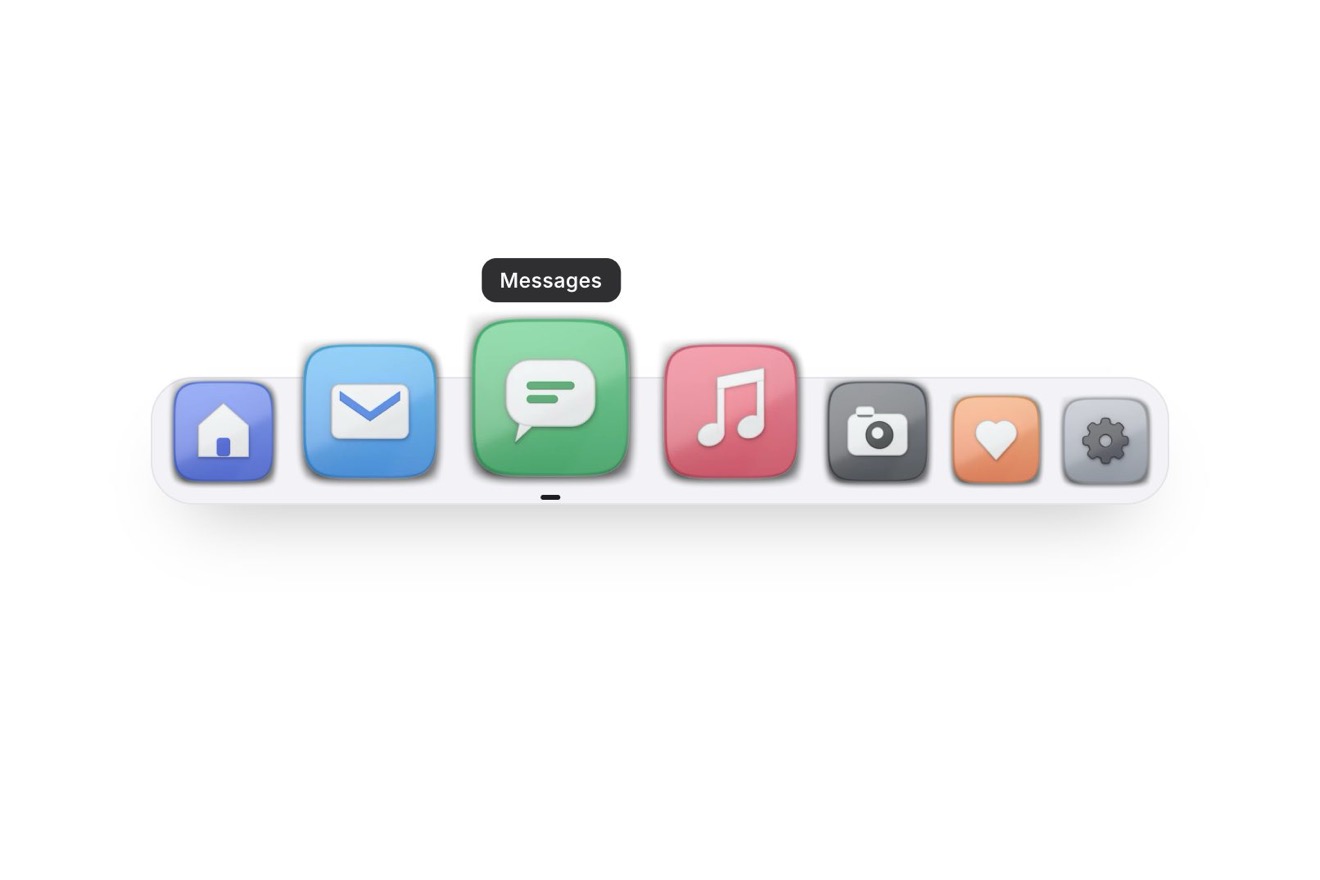
The magnifying dock
Menus, Hover, Images
The dish-of-the-day card of a food delivery app, with a real photo: over the photo a glass label with the minutes left to order and a ring running down; below, the portions to choose with the total counting and the photo leaning in slightly, and the button that fills with green when the dish joins the order.
A folder that runs on its own: index.html, style.css, script.js and the libraries from a CDN. The React and Vue tabs hold the same demo as a ready component, which switches its animations off when it leaves the page.
<!doctype html>
<!--
  "Dish of the day card" from Animorio · https://animorio.com
  License: free on your own sites and your clients’ sites, paid work included.
  Not for resale, redistribution, templates or code collections · https://animorio.com/en/license/
-->
<html lang="en">
<head>
  <meta charset="utf-8">
  <meta name="viewport" content="width=device-width, initial-scale=1">
  <title>Dish of the day card</title>
  <link rel="stylesheet" href="https://cdn.jsdelivr.net/npm/@fontsource-variable/mona-sans@5.3.0/wdth.css">
  <link rel="stylesheet" href="style.css">
</head>
<body>
  <main class="stage">
    <!-- the dish of the day of a food delivery app: the minutes left to order run down on a ring,
         the portions change the total, and the button adds it to the order -->
    <article class="dd" data-dd aria-label="Dish of the day">
      <div class="dd__photo" data-photo>
        <img src="linguine.webp" alt="A plate of creamy linguine with ham and chopped parsley" width="1024" height="683" data-img>
        <span class="dd__chip">Dish of the day</span>
        <span class="dd__left" aria-live="off">
          <svg viewBox="0 0 20 20" aria-hidden="true"><circle class="left__bed" cx="10" cy="10" r="7.500"></circle><circle class="left__arc" data-arc pathLength="1" cx="10" cy="10" r="7.500"></circle></svg>
          <span class="dd__mins"><span data-mins></span></span>
        </span>
      </div>

      <div class="dd__info">
        <h2 class="dd__name">Creamy ham linguine</h2>
        <p class="dd__from">Trattoria Colomba, ready in 25 min</p>
      </div>

      <div class="dd__buy">
        <div class="dd__qty" role="group" aria-label="Portions">
          <button type="button" data-less aria-label="One portion less"><svg viewBox="0 0 16 16" aria-hidden="true"><path d="M3.500 8h9"></path></svg></button>
          <span class="dd__n" aria-live="polite"><span data-n>1</span></span>
          <button type="button" data-more aria-label="One portion more"><svg viewBox="0 0 16 16" aria-hidden="true"><path d="M3.500 8h9M8 3.500v9"></path></svg></button>
        </div>
        <button class="dd__add" type="button" data-add>
          <span class="dd__fill" data-fill aria-hidden="true"></span>
          <span class="dd__label"><span data-label>Add to order</span></span>
          <span class="dd__price" data-price></span>
          <svg class="dd__tick" viewBox="0 0 20 20" aria-hidden="true"><path data-tick pathLength="1" d="M4.500 10.500 8.500 14.500 15.500 6"></path></svg>
        </button>
      </div>
    </article>

    <svg class="ghost" data-ghost viewBox="0 0 24 24" aria-hidden="true"><path d="M5 3.2 19.2 11l-6.3 1.6-3.3 5.9Z"></path></svg>
  </main>

  <script src="https://cdn.jsdelivr.net/npm/gsap@3.15.0/dist/gsap.min.js"></script>
  <script src="script.js"></script>
</body>
</html>Change values, colours and text with the controls and watch the animation respond live. Or write in the code yourself. Then download the folder with your changes.
19 values to change
With the Animorio connector, Claude Code, ChatGPT, Cursor or VS Code take it from here, guide included, and fit it into your project. Paste this request:
Take “Dish of the day card” from Animorio and fit it into my siteThe photo is an img with object-fit cover inside a frame with hidden overflow: GSAP only moves its scale and position by a few percentage points, so the edges are never uncovered.
The price counts with power2.out and never overshoots; the bounce is in the figure’s scale, not in the number. The portions roll in the direction of the change.
Inside the button sits a green layer with scaleX from 0 to 1 and its origin on the left: label, price and tick sit above it. A delayed call takes everything back.
| Name | File | Default | What it changes |
|---|---|---|---|
ACCENT | script.js | #e8590c | The colour of the time ring. |
PRICE | script.js | 12.5 | The price of one portion. |
CURRENCY | script.js | € | The currency symbol. |
MINUTES | script.js | 18 | How many minutes are left to order. |
TICK | script.js | 2.5 | In the demo: how many seconds a minute takes. |
MAX | script.js | 6 | The maximum number of portions. |
HOLD | script.js | 2 | How many seconds it stays on “added” before going back to ready. |
LOOP | script.js | true | Left alone, a pointer picks three portions and adds them. |
On the home of a food delivery app, on a restaurant’s site with its lunch special, in a company canteen; and wherever an offer has a photo, a quantity and a deadline: the cake of the week, a veg box, a limited menu.
The same card: the photo gets shorter with the window’s height, the portion keys are 36 pixels wide and the button is 46 tall; a long name is cut with an ellipsis.
No rolls, leaning in or filling: portions, total, minutes and the button’s state change at once, and the photo stays still.
GSAP 3.15.0, Mona Sans (font variabile) 5.3.0.
Compressed with gzip, the three demo files weigh 5.2 KB; the libraries: GSAP 28 KB.
Tested on 18 November 2026
Use it in your own projects and in your clients’ projects. Do not resell it or redistribute it as is. GSAP stays under its own Standard license. Full license.
Support Animorio
Animorio stays free thanks to the people who support it. If you like, buy us a coffee: it helps us make the next animations.
You asked for
We made it for you: it’s in the library, with the preview, the Playground and the code to copy.
An animation you can’t find, or a site to take apart in the journal: tell us which. We pick the next ones from here.
With your account’s email and password.
or with your email
You’re signed in as .
With your account, you can download the zip of every animation and every pack, for free.