Squared paper under the photo
Hover, WebGL, Images
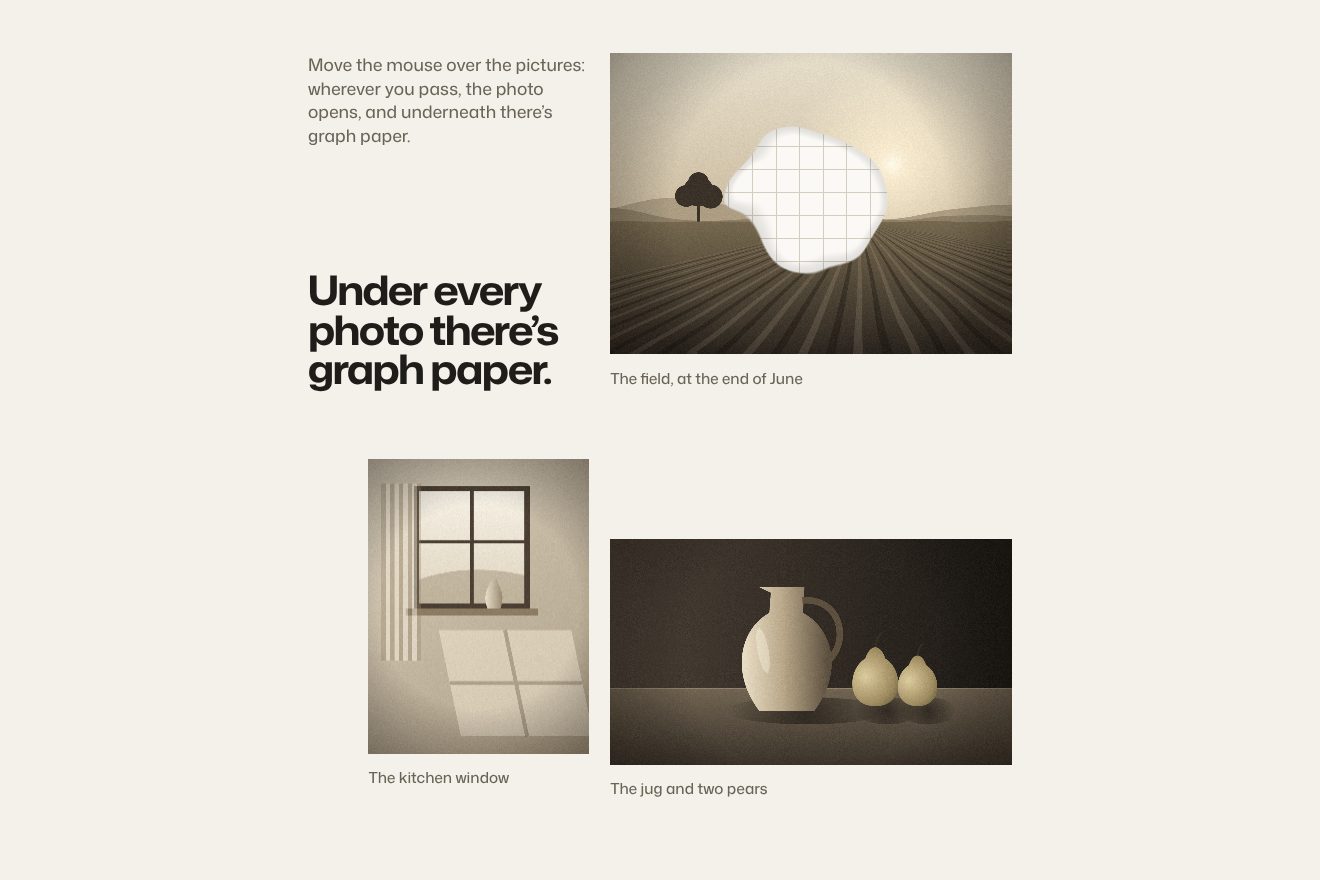
A made-up photography exhibition, Quiet Lot: six real prints of film sets after everyone has gone home (an empty studio with its lights, the red seats of a cinema, palms at dusk, the false front of a western, a vintage green saloon, a wet street at night) hung on a warm #252525 wall with grain. Every print is a WebGL sheet of 60 by 60 segments: under the pointer the paper lifts and ripples, with a force that grows with the pointer's speed, a soft shadow that widens and a glint of light on the slope. A click folds the print from its corner along a diagonal with three small ripples, turns it over like a page and flies it to the middle in 1.6 s, where it opens large with its caption and a Close button; going back it makes the same journey in reverse.
Rebuilt from scratch studying hollywoodexhibit2026.com by OSMOS, HearstCC, Edoardo Lunardi, Daniel Velasquez, Marjoe Bacus: the idea is theirs; code, copy and images are ours. Read how it’s made
A folder that runs on its own: index.html, style.css, script.js and the libraries from a CDN. The React and Vue tabs hold the same demo as a ready component, which switches its animations off when it leaves the page.
<!doctype html>
<!--
  "Paper fold photo" from Animorio · https://animorio.com
  License: free on your own sites and your clients’ sites, paid work included.
  Not for resale, redistribution, templates or code collections · https://animorio.com/en/license/
-->
<html lang="en">
<head>
  <meta charset="utf-8">
  <meta name="viewport" content="width=device-width, initial-scale=1">
  <title>Quiet Lot, a photography exhibition</title>
  <link rel="stylesheet" href="https://cdn.jsdelivr.net/npm/@fontsource-variable/newsreader@5.3.0/opsz.css">
  <link rel="stylesheet" href="https://cdn.jsdelivr.net/npm/@fontsource-variable/newsreader@5.3.0/opsz-italic.css">
  <link rel="stylesheet" href="https://cdn.jsdelivr.net/npm/@fontsource-variable/instrument-sans@5.3.0/wdth.css">
  <link rel="stylesheet" href="style.css">
</head>
<body>
  <main class="stage" data-stage>
    <!-- a made-up photography exhibition, Quiet Lot: six prints of film sets after everyone has gone home, hung on a
         warm dark wall. Under the pointer the paper lifts and ripples (a 60 by 60 plane in WebGL, laid exactly over
         each print); a click folds the print from its corner and flies it to the middle like a turning page -->
    <div class="wall-bg" aria-hidden="true"><div class="wall-bg__light"></div><div class="wall-bg__grain" data-grain></div></div>

    <header class="head">
      <span class="brand">
        <svg class="brand__mark" viewBox="0 0 28 28" aria-hidden="true">
          <rect x="4.5" y="7.5" width="19" height="13" rx="1"/>
          <path d="M4.5 11.5h19M8.5 7.5l2.6-3M14 7.5l2.6-3M19.5 7.5l2.6-3"/>
        </svg>
        <span class="brand__words"><span class="brand__name">Quiet Lot</span><span class="brand__sub">A photography exhibition</span></span>
      </span>
      <span class="head__where"><span>Hall B</span><span class="head__sep" aria-hidden="true"></span><span>Until 14 February</span></span>
    </header>

    <section class="wall" data-wall aria-label="The prints on the wall">
      <!-- filled in by script.js from PRINTS: one button per print, with its real photo, and a small wall label -->
    </section>

    <p class="hint" data-hint>Move over a print, then open it</p>

    <div class="veil" data-veil aria-hidden="true"></div>
    <canvas class="gl" data-gl aria-hidden="true"></canvas>
    <img class="big" data-big alt="" hidden>

    <div class="box" data-box role="dialog" aria-modal="true" aria-labelledby="box-title" hidden>
      <div class="cap" data-cap>
        <p class="cap__room cap__line" data-room>Room of the back lot</p>
        <h2 class="cap__title cap__line" id="box-title" data-title>Night Exterior, Wet Down</h2>
        <p class="cap__meta cap__line"><span data-year>1982</span><span class="cap__sep" aria-hidden="true"></span><span data-medium>Gelatin silver print</span></p>
        <p class="cap__size cap__line" data-size>40.6 by 50.8 cm</p>
        <p class="cap__note cap__line" data-note>A street hosed down for a night shoot, the lamps already on and nobody in frame.</p>
        <button class="close cap__line" type="button" data-close>
          <svg viewBox="0 0 16 16" aria-hidden="true"><path d="M4 4l8 8M12 4l-8 8"/></svg>
          <span class="close__word" data-close-word>Close</span>
        </button>
      </div>
    </div>

    <svg class="hand" viewBox="0 0 24 24" data-hand aria-hidden="true">
      <path d="M5 3.2v15.6l4.1-4 2.7 6 2.6-1.1-2.6-5.9h5.8z"/>
    </svg>
  </main>

  <script src="https://cdn.jsdelivr.net/npm/gsap@3.15.0/dist/gsap.min.js"></script>
  <script src="script.js"></script>
</body>
</html>Change values, colours and text with the controls and watch the animation respond live. Or write in the code yourself. Then download the folder with your changes.
28 values to change
With the Animorio connector, Claude Code, ChatGPT, Cursor or VS Code take it from here, guide included, and fit it into your project. Paste this request:
Take “Paper fold photo” from Animorio and fit it into my siteThe prints are real buttons on the page, with the photo and its alt text; on top a single full screen WebGL canvas draws every print as a plane of 60 by 60 segments laid exactly over its rectangle. The photo goes into a square 1024 pixel texture with mipmaps, and the shader crops it to fill the paper, leaving the ivory border.
In the vertex shader the paper lifts towards the viewer around the pointer: smoothstep(0.6, 0, distance) to the power of 1.8, plus a wave sin(distance times 12 plus time times 3) at 20 %, plus a tighter ripple (radius 0.35) and a gentle drape. The point chases the pointer at 0.05 a frame; the force is the pointer's speed times 1.2, held between 0 and 1, rising at 0.18 and falling at 0.12 a frame, times the height (0.2 here, 0.08 on the site) and a factor that bends small photos less.
The vertex shader works out the shape a little to the right and a little higher too, and the cross product of the two differences gives the normal: slopes facing the lamp get lighter, the others darker, and where the fold faces the light there is a warm glint. Under every sheet a rectangle with soft corners makes two shadows, a close crisp one and a wide soft one, which moves away as the paper lifts or flies.
On click a single value goes from 0 to 1 in 1.6 s. The rectangle flies from its place to the large one on the curve (.77, 0, .18, 1); the fold follows the same value softened by a sine: a diagonal line starts from the bottom left corner, behind it the paper lifts with three ripples (0.18, 0.12 and 0.08) and an envelope that rises in the first 40 % and falls in the last. Meanwhile every column turns half a turn around an almost vertical axis, but the right hand column starts later (smoothstep between x times 0.3 and 0.8 plus x times 0.2): the sheet curls and turns over. On the back the coordinates are mirrored, so the photo lands the right way round.
When the flight is nearly over the caption lines rise 8 pixels out of a 6 pixel blur, 0.8 s each, 0.08 s after the one before. On hover the Close button makes its letters shiver: each blurs by 4 pixels, dims to 0.6 and shrinks to 0.9 and comes back, 0.02 s after the one before. On closing the lines fade and the sheet makes the same journey backwards.
| Name | File | Default | What it changes |
|---|---|---|---|
FLIGHT_TIME | script.js | 1.6 | Seconds of the flight to the middle and back (the site uses 1.6). |
CURL | script.js | 1 | How much the print folds and turns over while flying: 0 keeps it flat. |
LIFT | script.js | 0.2 | How high the paper lifts under the pointer, in print heights (the site uses 0.4 by 0.2, that is 0.08: a little more here so it shows). |
RADIUS | script.js | 0.6 | How far the lift reaches around the pointer, in print widths (the site uses 0.6). |
FOLLOW | script.js | 0.05 | How quickly the lift follows the pointer, per frame (the site uses 0.05). |
SHEEN | script.js | 0.05 | The thin band of light crossing the paper. |
GRAIN | script.js | 0.07 | Film grain on the wall. |
HOLD | script.js | 3 | Seconds the drawn pointer leaves a print open. |
LOOP | script.js | true | Left alone, the demo opens the prints again and again. |
For the gallery of an exhibition, a museum, a photo archive or a photographer's portfolio, when every photo is an object to hold and opening it should feel like taking a print off the wall. It also suits a studio's work, the covers of a magazine or the photos of an event.
The same animation with adapted sizes: the prints sit in two staggered columns sized on width and height, without labels; when open, the photo sits at the top and the caption below. With a finger: a tap opens, and dragging over the open print lifts the paper as with the pointer.
No folds, no lifting and no flight: the room dims with a fade and the large print fades in at the middle with its caption already in place; on closing it fades away the same way. The grain holds still.
GSAP 3.15.0, Newsreader (font variabile) 5.3.0, Instrument Sans (font variabile) 5.3.0.
Compressed with gzip, the three demo files weigh 16 KB; the libraries: GSAP 28 KB.
Tested on 9 November 2026
Use it in your own projects and in your clients’ projects. Do not resell it or redistribute it as is. GSAP stays under its own Standard license. Full license.
Support Animorio
Animorio stays free thanks to the people who support it. If you like, buy us a coffee: it helps us make the next animations.
You asked for
We made it for you: it’s in the library, with the preview, the Playground and the code to copy.
An animation you can’t find, or a site to take apart in the journal: tell us which. We pick the next ones from here.
With your account’s email and password.
or with your email
You’re signed in as .
With your account, you can download the zip of every animation and every pack, for free.