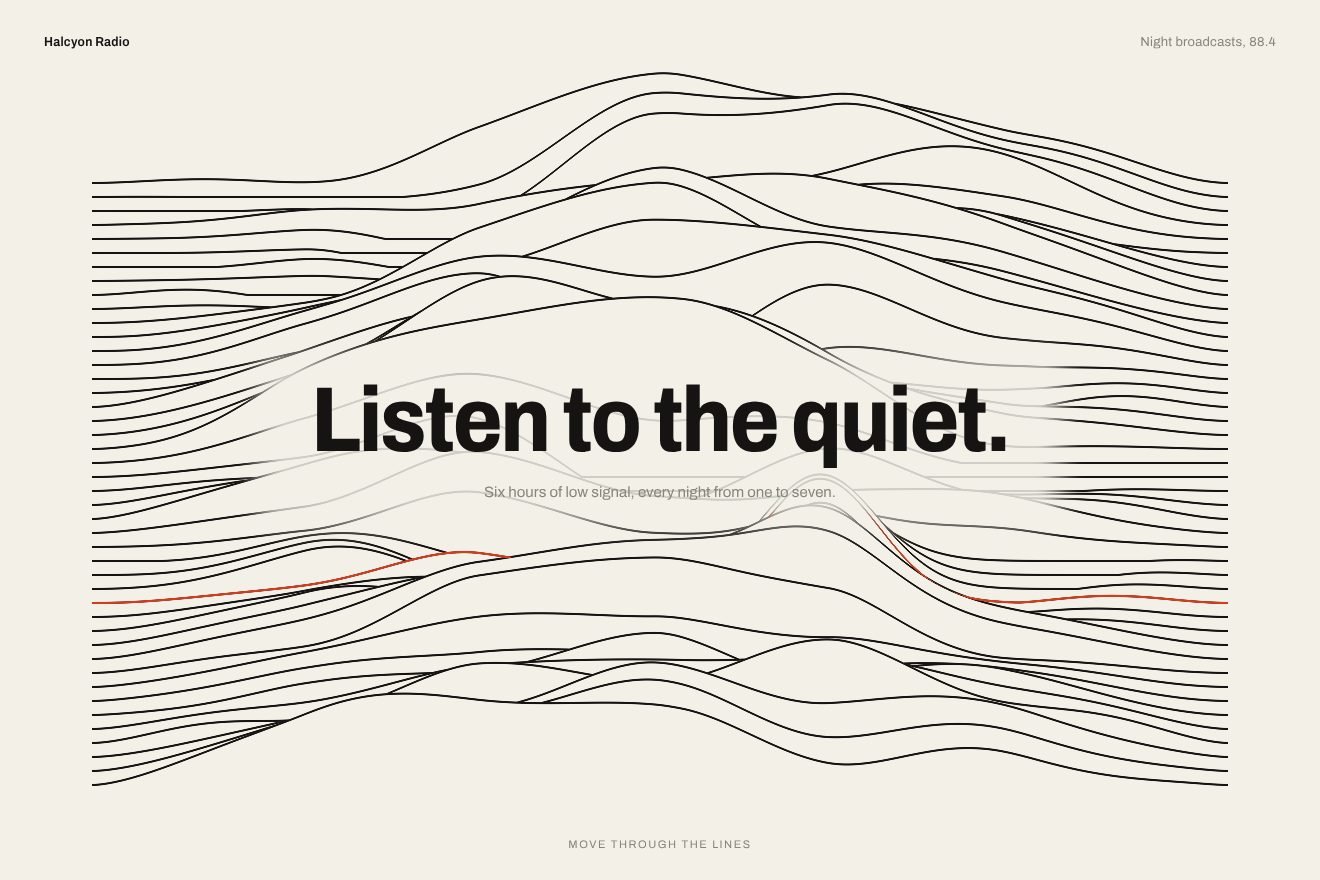
Ridge line background
Backgrounds, WebGL, Hover
The first screen of Aurel Biologics, a made-up biotech company. Behind the title a WebGL2 shader written by hand: a vertical gradient of five colours mixed in OKLab that slides slowly back and forth, and over it two big glass lenses, one hanging from the top and one rising from the bottom. They bend the light with a thin rainbow on the rim, and the second bends the picture already bent by the first: where they touch they deform each other. They follow the pointer a little on a spring and catch a thin highlight top left; the title rises line by line from behind a mask and the round arrow button answers the pointer.
Rebuilt from scratch studying polpharmabiologics.com by Widelab: the idea is theirs; code, copy and images are ours. Read how it’s made
A folder that runs on its own: index.html, style.css, script.js and the libraries from a CDN. The React and Vue tabs hold the same demo as a ready component, which switches its animations off when it leaves the page.
<!doctype html>
<!--
  "Two glass lenses background" from Animorio · https://animorio.com
  License: free on your own sites and your clients’ sites, paid work included.
  Not for resale, redistribution, templates or code collections · https://animorio.com/en/license/
-->
<html lang="en">
<head>
  <meta charset="utf-8">
  <meta name="viewport" content="width=device-width, initial-scale=1">
  <title>The background with the two glass lenses on the lab gradient</title>
  <link rel="stylesheet" href="https://cdn.jsdelivr.net/npm/@fontsource-variable/fraunces@5.3.0/full.css">
  <link rel="stylesheet" href="https://cdn.jsdelivr.net/npm/@fontsource-variable/mona-sans@5.3.0/wdth.css">
  <link rel="stylesheet" href="style.css">
</head>
<body>
  <!-- the first screen of Aurel Biologics, a made-up biotech company. Behind the words a hand written WebGL2 shader
       draws a slow vertical gradient mixed in OKLab and two big glass lenses over it: one hangs from the top, one
       rises from the bottom, and the second refracts the picture already bent by the first. They follow the pointer
       a little on a spring and lean into each other where they touch -->
  <main class="hero" data-hero>
    <div class="hero__bg" data-bg aria-hidden="true">
      <canvas class="hero__gl" data-gl></canvas>
      <!-- without WebGL2: the same gradient in CSS (in oklab) and two lenses made of borders and soft light -->
      <div class="hero__css" data-css>
        <span class="lens lens--top"></span>
        <span class="lens lens--bottom"></span>
      </div>
    </div>

    <header class="bar" data-bar>
      <a class="brand" href="#" aria-label="Aurel Biologics">
        <svg class="brand__mark" viewBox="0 0 28 28" aria-hidden="true">
          <circle class="brand__ring" cx="14" cy="9.2" r="8.4"/>
          <circle class="brand__ring" cx="14" cy="19.6" r="7.4"/>
          <path class="brand__drop" d="M7.9 15.1a8.4 8.4 0 0 0 12.2 0a7.4 7.4 0 0 0-12.2 0Z"/>
        </svg>
        <span class="brand__words"><b>Aurel</b><small>Biologics</small></span>
      </a>
      <nav class="nav" data-nav aria-label="Main">
        <span class="nav__glow" data-glow aria-hidden="true"></span>
        <a class="nav__link" href="#">Science</a>
        <a class="nav__link" href="#">Pipeline</a>
        <a class="nav__link" href="#">Partners</a>
        <a class="nav__link" href="#">Careers</a>
      </nav>
      <a class="contact" href="#" data-contact><span class="contact__body" aria-hidden="true"></span><span class="contact__say">Contact</span></a>
      <button class="menu" type="button" aria-label="Open the menu">
        <span class="menu__say">Menu</span>
        <svg viewBox="0 0 16 16" aria-hidden="true"><path d="M3 6h10M3 10h10"/></svg>
      </button>
    </header>

    <div class="copy">
      <h1 class="title" data-title>
        <span class="title__line"><span class="title__words">Every molecule,</span></span>
        <span class="title__line"><span class="title__words">measured twice.</span></span>
      </h1>
      <p class="sub" data-sub><span class="sub__words">Biosimilars engineered from cell line to commercial supply.</span></p>
    </div>

    <button class="more" type="button" data-more aria-label="Scroll to the next section">
      <span class="more__ripple" data-ripple aria-hidden="true"></span>
      <span class="more__body" data-more-body aria-hidden="true"></span>
      <span class="more__track" aria-hidden="true">
        <svg class="more__arrow" data-arrow viewBox="0 0 20 20"><path d="M10 3.5v12.2M4.9 10.6 10 15.7l5.1-5.1"/></svg>
        <svg class="more__arrow more__arrow--next" data-arrow-next viewBox="0 0 20 20"><path d="M10 3.5v12.2M4.9 10.6 10 15.7l5.1-5.1"/></svg>
      </span>
    </button>

    <svg class="ghost" data-ghost viewBox="0 0 24 24" aria-hidden="true"><path d="M5 2.8v16.4l4.2-4 2.8 6.2 2.9-1.3-2.8-6.1h5.9Z"/></svg>
  </main>

  <script src="https://cdn.jsdelivr.net/npm/gsap@3.15.0/dist/gsap.min.js"></script>
  <script src="script.js"></script>
</body>
</html>Change values, colours and text with the controls and watch the animation respond live. Or write in the code yourself. Then download the folder with your changes.
38 values to change
With the Animorio connector, Claude Code, ChatGPT, Cursor or VS Code take it from here, guide included, and fit it into your project. Paste this request:
Take “Two glass lenses background” from Animorio and fit it into my siteOne triangle covering the screen and three programs: the gradient is drawn into a texture, the top lens reads it and writes into a second one, the bottom lens reads the second and writes to the screen. So the second lens bends the picture already bent by the first, and that is what deforms the rims where they overlap. The canvas is at 1.5x at most, like the site's scene.
From the site: five vertical stops, #011919 at 0, #024546 at 0.19, #639EA5 at 0.52, #B1CBD4 at 0.70, #E7F0F7 at 1. Between two stops the colours go linear, then to LMS with the cube root, they mix and the chroma gets a small push with lms *= 1 + 0.025 · t · (1 - t). A pcg2d noise on gl_FragCoord adds or takes half a step of 8 bit, and the banding is gone.
From the site: the position is y minus time times 0.01; floor gives the cycle, and on even cycles it reads 1 - fract, on odd ones fract. The gradient never jumps: where the cycle changes it mirrors, and the lightest fold rises slowly from the bottom and then comes back. Here time is in seconds (the DRIFT knob).
From the site: st = (uv - centre) · aspect / 1.7 (1.55 for the second), sd = length(st) - 0.4, offset = st / sd. Inside sd is negative, so it reads towards the centre and the picture grows; near the rim sd goes to zero and the offset explodes: that is the dark line on the rim. Red, green and blue are read with steps of 0.0088, 0.01 and 0.0112 for a strength of 0.4 (0.31 and a dispersion of 0.44 for the second): there is the rainbow. Alpha is smoothstep(0, 0.0025, -sd) and five samples 0.0005 apart are averaged.
From the site: the first lens sits at (0.5, 0.15) and the second at (0.5, 1.2), with its centre below the edge; between 576 and 991 px the second goes to x 1, under 576 px both go right, (1.55, 0.099) and (1.577, 1.149). The first comes in from y 0 in 2 s on easeInOutQuad (power1.inOut), the background from scale 1.15 to 1 in 2.5 s power3.out, and the title rises line by line from yPercent 110 in 0.8 s expo.out, 0.1 s apart, the line below 0.35 s later.
The lenses follow the pointer by up to 0.04 screens, in opposite directions, on a spring just under critical damping (stiffness 70, damping 12.5) and breathe by a few thousandths. Where the two rims cross each distance loses 0.006 · exp(-(dA² + dB²) / 0.0016): the rims swell towards each other. A light line a couple of pixels wide runs inside the rim, stronger top left and weaker at the bottom; the button swells the bottom lens on a spring.
| Name | File | Default | What it changes |
|---|---|---|---|
COLOR_TOP | script.js | #011919 | The colour at the top of the gradient (the site's). |
COLOR_PETROL | script.js | #024546 | The second stop, at 19 %. |
COLOR_SEA | script.js | #639ea5 | The third stop, at 52 %. |
COLOR_HAZE | script.js | #b1cbd4 | The fourth stop, at 70 %. |
COLOR_MIST | script.js | #e7f0f7 | The colour at the bottom of the gradient. |
DRIFT | script.js | 0.01 | How fast the gradient slides back and forth, per second (the site uses 0.01). |
CHROMA | script.js | 0.025 | The chroma push of the OKLab mix (the site uses 0.025). |
LENS_TOP | script.js | 1.7 | How big the top lens is (the site uses 1.7). |
LENS_BOTTOM | script.js | 1.55 | How big the bottom lens is (the site uses 1.55). |
BEND | script.js | 0.4 | How strongly the top lens bends the light (the site uses 0.4; the bottom lens takes 78 % of it). |
DISPERSION | script.js | 0.6 | The rainbow on the rim (the site uses 0.6 on top and 0.44 below). |
ENTER | script.js | 2 | Seconds the top lens takes to come down (the site uses 2). |
FOLLOW | script.js | 0.04 | How far the lenses follow the pointer, in screen heights (0 still). |
TENSION | script.js | 1 | How much the rims swell towards each other where they cross (0 not at all). |
SHINE | script.js | 0.55 | The thin highlight top left on the rims (0 none). |
AUTOPILOT | script.js | true | Left alone, a drawn pointer moves the lenses, walks the menu and presses the button. |
For the first screen of a site for biotech, pharma, labs, clinics, research or health, and of any product that wants to feel precise and calm: a fintech, an architecture studio, a wellness app, the page of a medical device. The lenses sit well behind a short title; the gradient changes with the five colours.
The same shader with the places of the site's phone scene: under 576 px the two lenses move to the right and their rims come in from the side (in a box wider than a phone, like the one on the card page, the lenses keep the same left edge they would have on a 390 by 844 phone, so they do not vanish to the right), the title goes left on two lines measured with min(vw, vh), the menu becomes a «Menu» pill. Under a finger the lenses follow the touch and swell a little when pressed.
Everything still in its best pose: the gradient does not slide, the lenses are already in place and do not follow the pointer, the background does not settle; the title, the menu and the button fade in. No drawn pointer.
GSAP 3.15.0, Fraunces (font variabile) 5.3.0, Mona Sans (font variabile) 5.3.0.
Compressed with gzip, the three demo files weigh 13 KB; the libraries: GSAP 28 KB.
Tested on 13 November 2026
Use it in your own projects and in your clients’ projects. Do not resell it or redistribute it as is. GSAP stays under its own Standard license. Full license.
Support Animorio
Animorio stays free thanks to the people who support it. If you like, buy us a coffee: it helps us make the next animations.
You asked for
We made it for you: it’s in the library, with the preview, the Playground and the code to copy.
An animation you can’t find, or a site to take apart in the journal: tell us which. We pick the next ones from here.
With your account’s email and password.
or with your email
You’re signed in as .
With your account, you can download the zip of every animation and every pack, for free.