Film slider
Transitions, Images, Hover
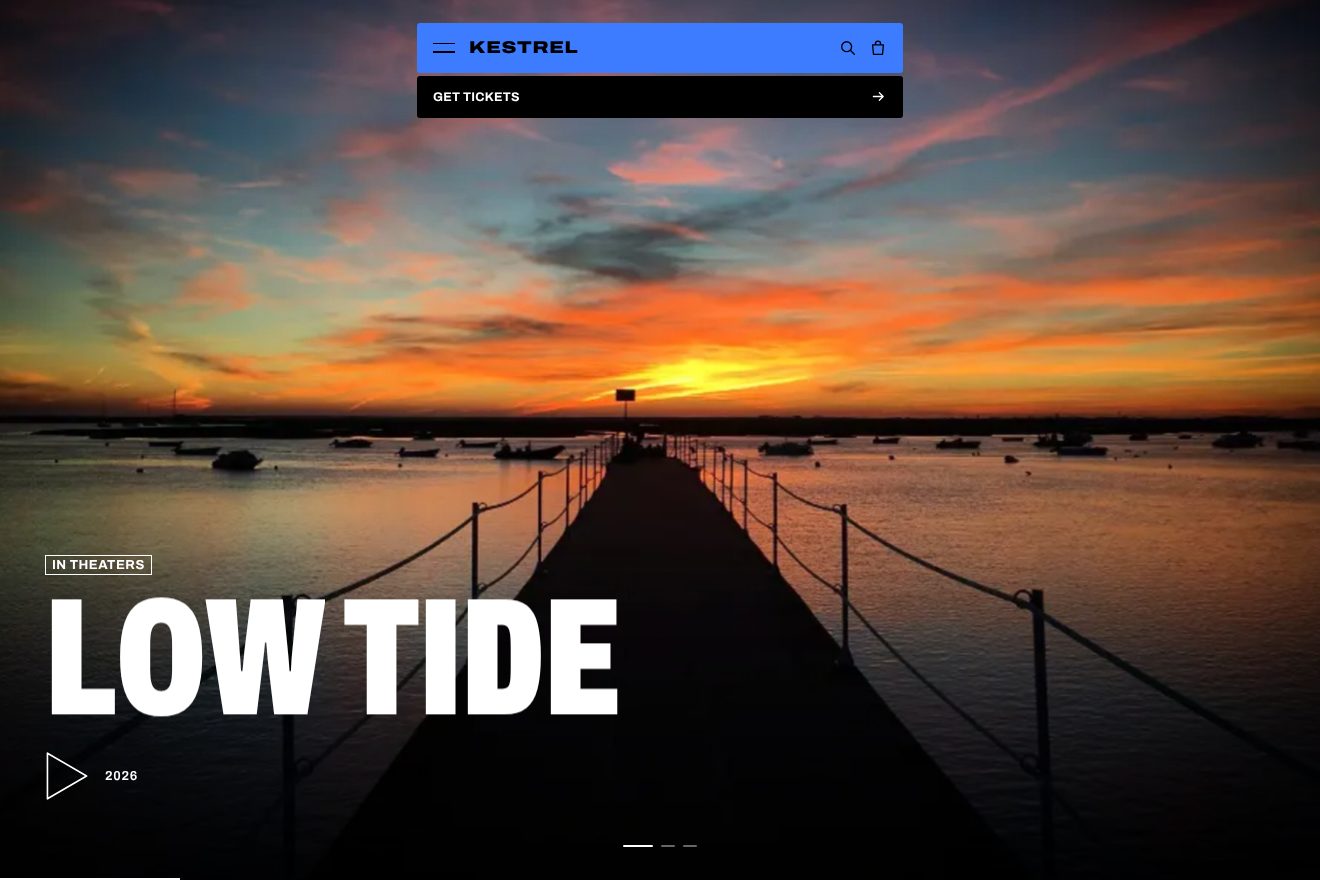
The work gallery of Halden Coachworks, a made-up luxury body shop: one real photo full screen, and a small square with the next photo that follows the pointer with a black «Next» tag. On click the square grows to fill the screen while the old photo slides away, and the caption rewrites itself letter by letter. From the cursor gallery of the ESR Bespoke site, Awwwards Site of the Day on 23/10/2026.
Rebuilt from scratch studying esrbespoke.au by Nightjar: the idea is theirs; code, copy and images are ours. Read how it’s made
A folder that runs on its own: index.html, style.css, script.js and the libraries from a CDN. The React and Vue tabs hold the same demo as a ready component, which switches its animations off when it leaves the page.
<!doctype html>
<!--
  "Next cursor gallery" from Animorio · https://animorio.com
  License: free on your own sites and your clients’ sites, paid work included.
  Not for resale, redistribution, templates or code collections · https://animorio.com/en/license/
-->
<html lang="en">
<head>
  <meta charset="utf-8">
  <meta name="viewport" content="width=device-width, initial-scale=1">
  <title>Halden Coachworks, the work gallery</title>
  <link rel="stylesheet" href="https://cdn.jsdelivr.net/npm/@fontsource-variable/mona-sans@5.3.0/wdth.css">
  <link rel="stylesheet" href="https://cdn.jsdelivr.net/npm/@fontsource-variable/geist-mono@5.3.0/index.css">
  <link rel="stylesheet" href="style.css">
</head>
<body>
  <!-- the work gallery of Halden Coachworks, a made-up restoration and body shop. One photo fills the screen; a small
       square with the NEXT photo follows the pointer, with a black «Next» tag that opens beside it. A click grows the
       square to the whole screen while the old photo slides away a little, and a new square grows from nothing.
       On a phone the square stays put in the corner and is tapped. Arrow keys work too. -->
  <main class="stage" data-stage aria-roledescription="gallery" aria-label="Recent work">
    <canvas class="stage__canvas" data-canvas aria-hidden="true"></canvas>
    <span class="stage__shade" aria-hidden="true"></span>
    <span class="stage__grain" data-grain aria-hidden="true"></span>

    <header class="bar">
      <p class="brand" aria-label="Halden Coachworks">
        <span class="brand__name" data-type>Halden</span>
        <span class="brand__sub mono" data-type>Coachworks</span>
      </p>
      <p class="bar__right mono" data-type>Restoration and repair</p>
    </header>

    <section class="cap" aria-live="polite">
      <p class="cap__kind mono" data-kind>Full respray</p>
      <h1 class="cap__title" data-title>Fastback in the booth</h1>
      <dl class="cap__data mono">
        <div><dt>Paint</dt><dd data-paint>Signal orange</dd></div>
        <div><dt>Hours</dt><dd data-hours>212</dd></div>
      </dl>
    </section>

    <button class="hit" type="button" data-hit aria-label="Next photo"></button>

    <span class="tag" data-tag aria-hidden="true"><span class="tag__in" data-tag-in><span class="tag__next">Next</span><span class="tag__job" data-tag-job>Panel repair</span></span></span>

    <span class="ghost" data-ghost aria-hidden="true"><svg class="ghost__in" data-ghost-in viewBox="0 0 20 24"><path d="M2 1.5 L2 19 L6.6 14.8 L9.6 21.6 L12.6 20.3 L9.7 13.6 L16 13.4 Z" fill="#fff" stroke="#000" stroke-width="1.2" stroke-linejoin="round"/></svg></span>
  </main>

  <div class="photos" hidden>
    <img src="booth.webp" alt="" data-photo width="1024" height="683">
    <img src="panel.webp" alt="" data-photo width="1024" height="661">
    <img src="lamp.webp" alt="" data-photo width="1024" height="683">
    <img src="garage.webp" alt="" data-photo width="960" height="640">
    <img src="coat.webp" alt="" data-photo width="1024" height="683">
  </div>

  <script src="https://cdn.jsdelivr.net/npm/gsap@3.15.0/dist/gsap.min.js"></script>
  <script src="https://cdn.jsdelivr.net/npm/gsap@3.15.0/dist/CustomEase.min.js"></script>
  <script src="script.js"></script>
</body>
</html>Change values, colours and text with the controls and watch the animation respond live. Or write in the code yourself. Then download the folder with your changes.
28 values to change
With the Animorio connector, Claude Code, ChatGPT, Cursor or VS Code take it from here, guide included, and fit it into your project. Paste this request:
Take “Next cursor gallery” from Animorio and fit it into my siteAs on the site, photo and square are drawn on a full screen 2D canvas, scaled by devicePixelRatio. Every photo is drawn «cover» around its own point of interest (fx, fy), so the important part stays in view both full screen and in the square, and the sizes are read again on resize.
Every frame the corner of the square covers a quarter of the way to the pointer (pos += (raw - pos) * 0.25), corrected with the real frame time so it runs the same at 60 and 120 Hz. If the square would leave the screen its scale goes toward 64/214 with a lerp of .2, as on the site.
On click the square's rectangle is frozen as it is drawn at that moment and one value p goes from 0 to 1 in 1 s with the curve '0.4, 0.4, 0, 1'; every frame the rectangle is interpolated toward the whole canvas, read live, and the new photo is drawn «cover» inside it. Meanwhile the old photo slides 4% the other way and darkens, and the new square grows from 0 in .8 s after .2 s.
The Next tag opens with clip-path from inset(0 100% 0 0) to inset(0) in .3 s expo.out and slides back in at the right edge with a lerp of .07. The caption is split into letters: the old ones go out from the last, the new ones light up with opacity and a steps(1) ease, .03 s apart, the site's signature.
If nobody has pointed for 2.4 s a drawn pointer takes the mouse's place on a Lissajous curve, starting from where the square was; every 3.4 s it presses and changes photo. The first real move stops it.
| Name | File | Default | What it changes |
|---|---|---|---|
THUMB | script.js | 214 | Side in px of the square that follows the pointer (the site uses 214). |
FOLLOW | script.js | 0.25 | Share of the way the square moves to the pointer each frame (the site uses .25). |
EDGE | script.js | 64 | Px the square closes to when it would leave the screen (the site uses 64). |
GROW | script.js | 1 | Seconds for the square to grow to full screen (the site uses 1 s). |
REGROW | script.js | 0.8 | Seconds for the new square to grow from nothing (the site uses .8 s). |
REGROW_AT | script.js | 0.2 | Delay of the new square, in seconds (the site uses .2 s). |
TAG | script.js | 0.3 | Seconds for the Next tag to open (the site uses .3 s). |
DRIFT | script.js | 4 | How far the old photo slides away while the new one grows, in % of the width. |
LETTERS | script.js | 0.03 | Seconds between two caption letters (the site uses .03). |
PRESS | script.js | 0.93 | Size of the square while it is pressed. |
GRAIN | script.js | 0.07 | Strength of the film grain, from 0 to .2. |
AUTO | script.js | 3.4 | Seconds between two changes when nobody is pointing. |
For the portfolio of a body shop, a workshop, a photographer, an architecture studio or a luxury brand: a few big photos, one after the other, with one gesture to move on.
As on the site, without a pointer the square stays put: 80 by 96 px at the bottom right, tapped, and it grows to full screen with the same curve. Title and data are sized on the height too and leave room for the square.
No square running or growing: it stays put at the bottom right, the new photo comes in with a .6 s fade, the letters appear together with a fade and the grain stays still.
GSAP 3.15.0, CustomEase 3.15.0, Mona Sans (font variabile) 5.3.0, Geist Mono (font variabile) 5.3.0.
Compressed with gzip, the three demo files weigh 9.3 KB; the libraries: GSAP + CustomEase 31 KB.
Tested on 19 November 2026
Use it in your own projects and in your clients’ projects. Do not resell it or redistribute it as is. GSAP stays under its own Standard license. Full license.
Support Animorio
Animorio stays free thanks to the people who support it. If you like, buy us a coffee: it helps us make the next animations.
You asked for
We made it for you: it’s in the library, with the preview, the Playground and the code to copy.
An animation you can’t find, or a site to take apart in the journal: tell us which. We pick the next ones from here.
With your account’s email and password.
or with your email
You’re signed in as .
With your account, you can download the zip of every animation and every pack, for free.